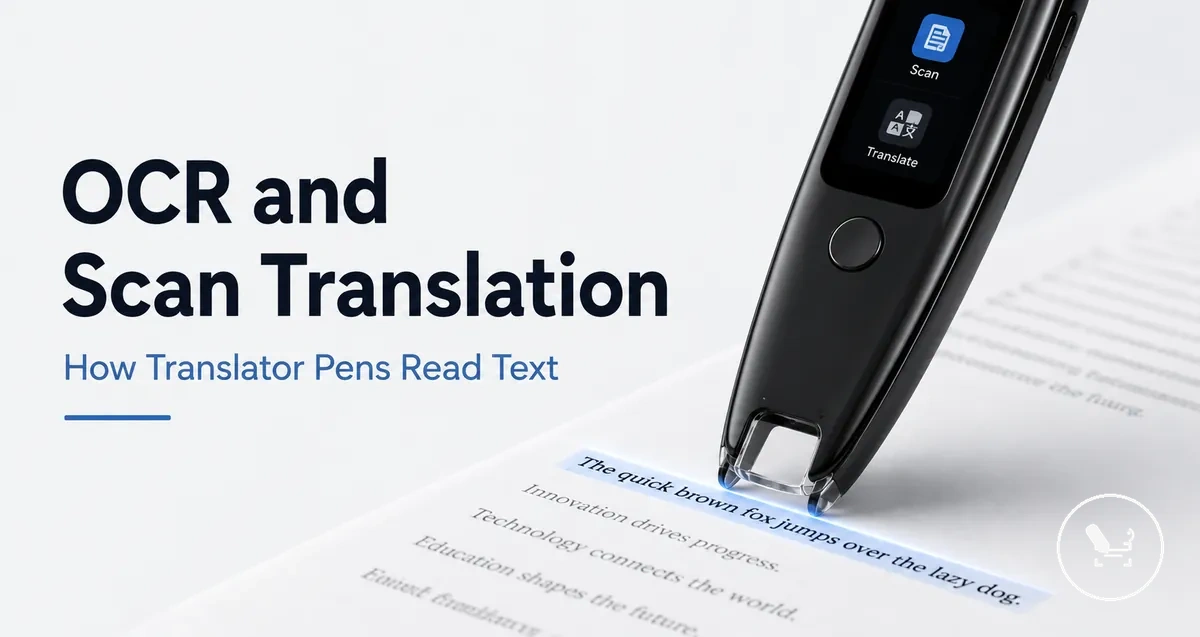
OCR scan translation in translator pens
OCR scan translation in translator pens is a feature-level function that converts printed text into recognized text and then transforms it into translation output, with optional audio support in some devices. It works as a structured process where visual text on a page is captured and processed through OCR before any language conversion happens. The result depends on how clearly the printed text can be read by the scanner and how the device interprets it. This makes OCR scan translation a feature-driven capability rather than a guaranteed outcome or fixed performance claim.
The process starts when the translator pen captures printed text and sends it into OCR processing for recognition. Recognized text is then passed into a translation layer that produces translation output, which may appear on a screen or be supported by audio output depending on device features. Recognition and translation are related but separable stages, meaning one can succeed while the other may vary in quality. This separation helps explain why the same scanned input can produce different results across different contexts.
Performance in OCR scan translation depends on scan quality, printed text clarity, language support, and overall device variation. Clean, high-contrast text is usually easier to recognize, while complex layouts or low-quality prints may reduce recognition reliability. Language pairs and built-in support also influence how accurately translation output is generated. These factors combine to create variability in real-world usage, which means results are condition-dependent rather than uniform.
Product examples and feature variations are typically introduced later in the page after the core concept of OCR scan translation has been fully explained and understood.
What OCR scan translation means in a translator pen
OCR scan translation in a translator pen is the process where a translator pen uses optical character recognition (OCR) to read printed characters and convert them into recognized text and translated output or readable output. It is a feature that connects text recognition with language conversion inside a single scanning flow. The purpose of OCR in the translator pen is to transform printed characters into usable digital language output.
What OCR scan translation means in a translator pen becomes clearer when viewed as a structured flow from scanning to recognition and output. The image below illustrates how printed text is processed into OCR recognition and then into translated or readable output using a translator pen.
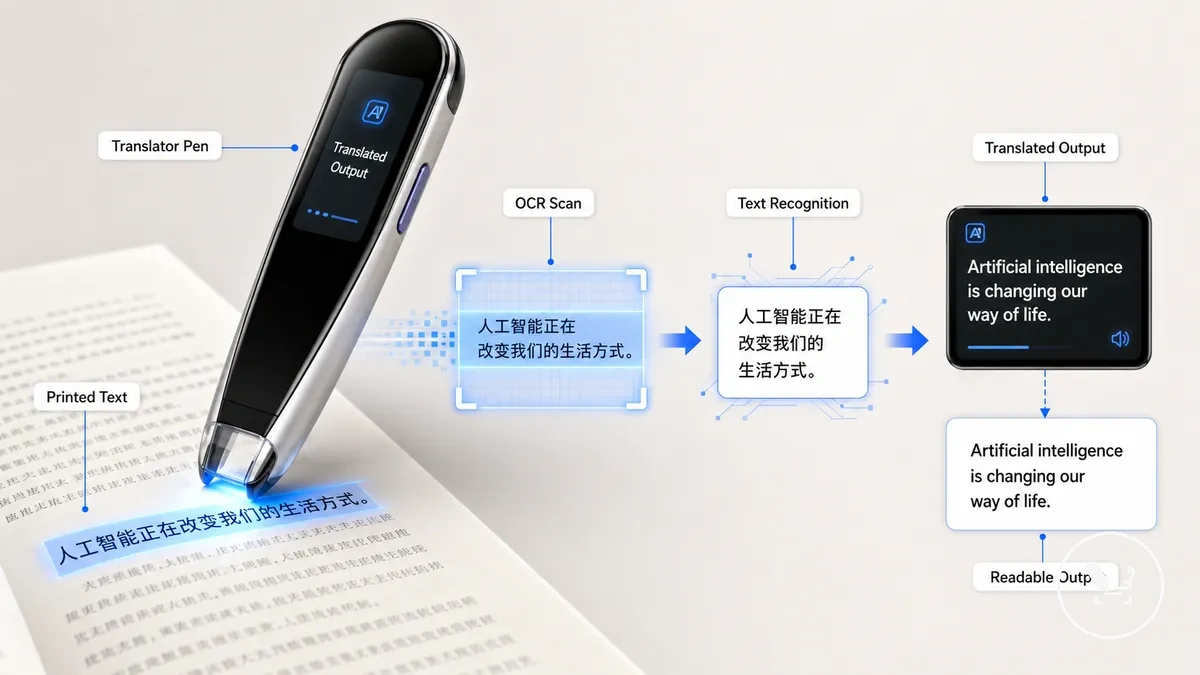
OCR, scanning, and translation function as separate but connected layers inside the translator pen. Scanning captures printed characters, OCR converts them into recognized text through text recognition, and translation generates translated output or readable output depending on language support. Recognition and translation are related but not identical processes, and their results can vary depending on device variation and scan quality.
How a translator pen captures and converts printed text
A translator pen captures and converts printed text through a structured scan-to-output process that turns physical characters into digital language results. This process links visual reading of printed text with digital interpretation inside the device. It typically moves through a clear sequence that includes capture, OCR processing, language conversion, and output presentation.
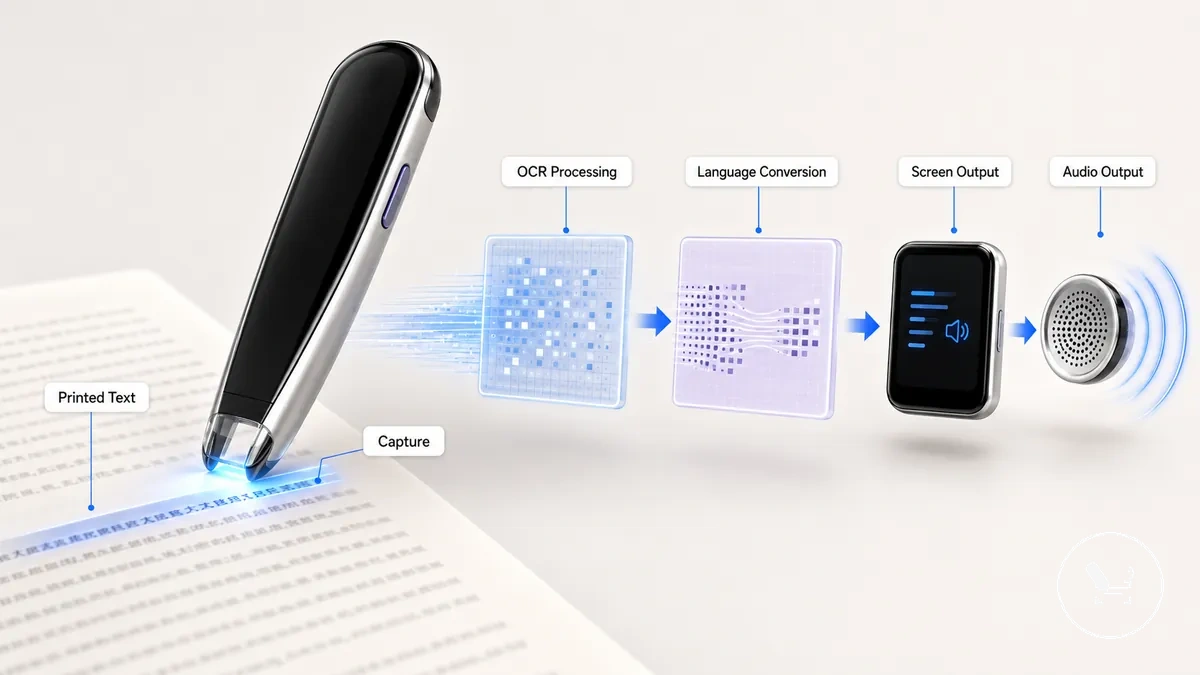
How a translator pen captures and converts printed text depends on two connected stages: capture and OCR recognition, which work together to turn printed characters into recognized text before any language conversion occurs. This is further clarified in how translator pens work, which explains the core system relationship behind scanning and recognition.
A translator pen uses scanning sensors for capture and OCR processing to convert printed text into recognized text. After recognition, language conversion generates translated output or readable output depending on supported languages. The final stage may present results as screen output or, in some cases, audio output, depending on device variation and feature support.
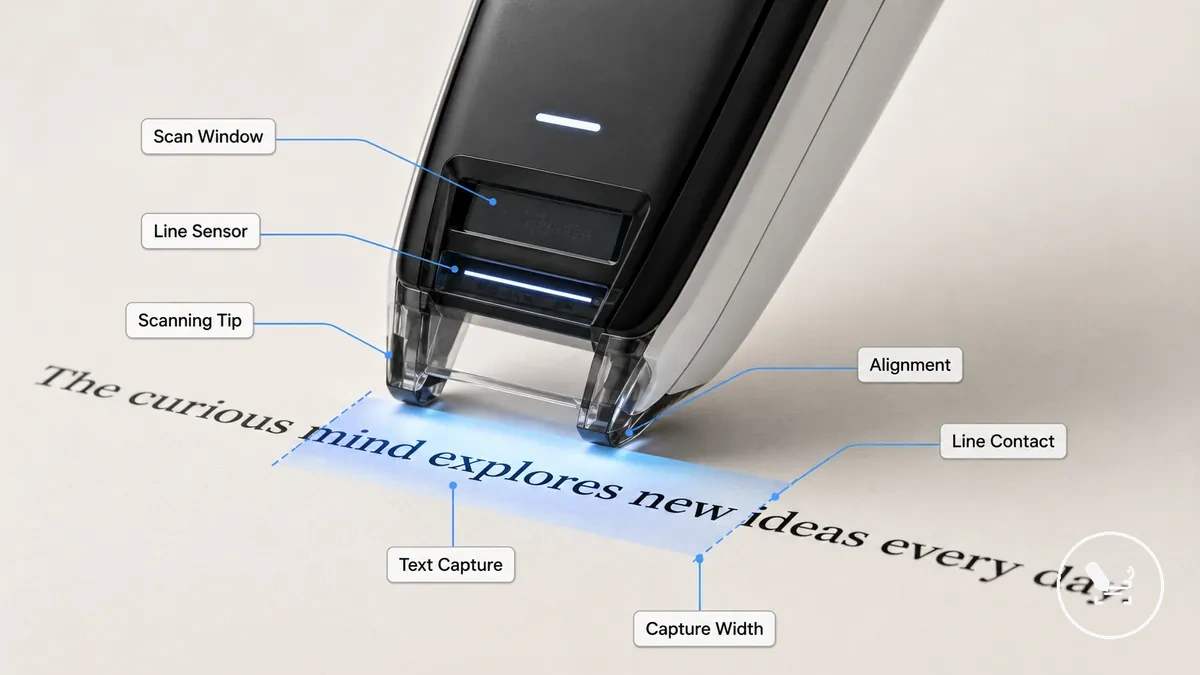
Scan window, line sensor, and text capture
The scan window, line sensor, and text capture define how a translator pen reads printed text at the point of contact. The scanning tip guides the scan window across a printed line while the line sensor detects character presence for OCR processing. Together they form the input zone that controls what text is included in recognition, and the capture area determines what text enters OCR.
Scan window, line sensor, and text capture clarify how alignment, line contact, capture width, and movement stability affect reading during scanning. The scanning tip must stay aligned with the printed line so characters remain inside the sensor area during movement. Line contact influences consistent text capture, while movement stability affects how smoothly input is fed into OCR processing, which varies by device model.
OCR recognition, machine translation, and screen output
OCR recognition, machine translation, and screen output describe the sequential transformation of captured text into usable results in a translator pen. Captured text is first processed into recognized characters through OCR recognition, then refined through machine translation using language selection, and finally delivered as screen output or optional audio output depending on device capability. These stages function as separate but connected layers: recognition, translation stage, and output.
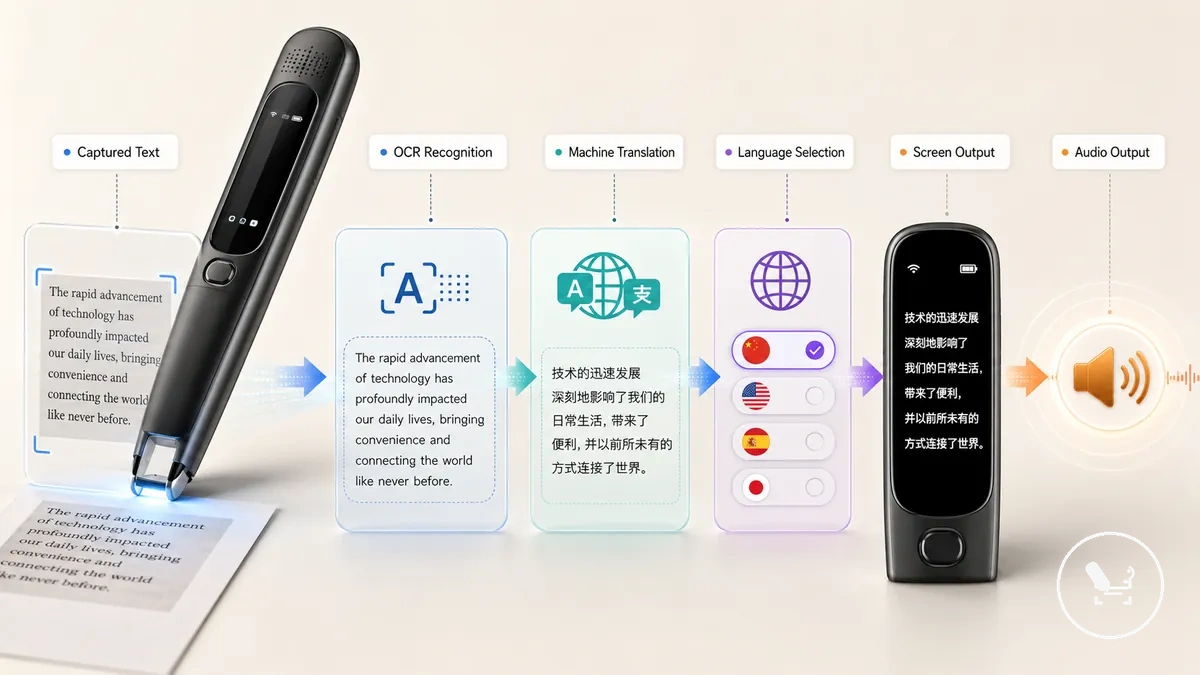
The staged process can be understood as a simple flow: OCR recognition identifies recognized characters from captured text, language selection guides the machine translation process, and the translated result is presented as screen output or, in some cases, audio output. This structure clarifies how source text moves through recognition and translation before reaching display output or text-to-speech output.
Errors may occur during OCR recognition when captured text is unclear or alignment is unstable, leading to incorrect recognized characters. Machine translation may also introduce variation depending on language selection and contextual interpretation during the translation stage. These issues remain separate factors, and overall output quality depends on conditions that affect each stage differently.
Printed text sources that scan translation can process
Printed text sources that scan translation can process refer to the range of physical text materials that a translator pen can read and convert through OCR recognition and machine translation. These printed text sources include structured and semi-structured materials where text is clearly printed and readable. Scanning suitability depends on source condition, especially print clarity, layout consistency, and surface quality.
Common printed text sources include books, worksheets, labels, menus, signs, standard pages, and simple screen text when it appears in clear printed form. Books and worksheets typically provide structured lines that support stable OCR recognition. Labels, menus, and signs often contain shorter or denser layouts where alignment and spacing can affect scanning reliability. Standard pages usually offer more consistent formatting, while layout complexity still influences output quality.
Different printed text sources create different scanning conditions, so suitability varies based on how text is arranged and displayed.
| Source type | Typical text condition | Scan suitability | Main caution |
|---|---|---|---|
| Books | Clean printed pages | High | Small fonts or tight spacing may reduce clarity |
| Worksheets | Structured layouts | High to medium | Complex formatting can affect alignment |
| Labels or menus | Compact printed text | Medium | Dense or small text may reduce recognition stability |
| Signs | Environmental print | Medium | Angle, lighting, and surface condition may interfere |
| Simple screen text | Displayed text content | Variable | Glare and font size may affect readability |
Scanning suitability may vary depending on print quality, layout clarity, and device handling conditions, especially where surface or lighting factors affect recognition performance.
Books, worksheets, labels, and standard printed pages
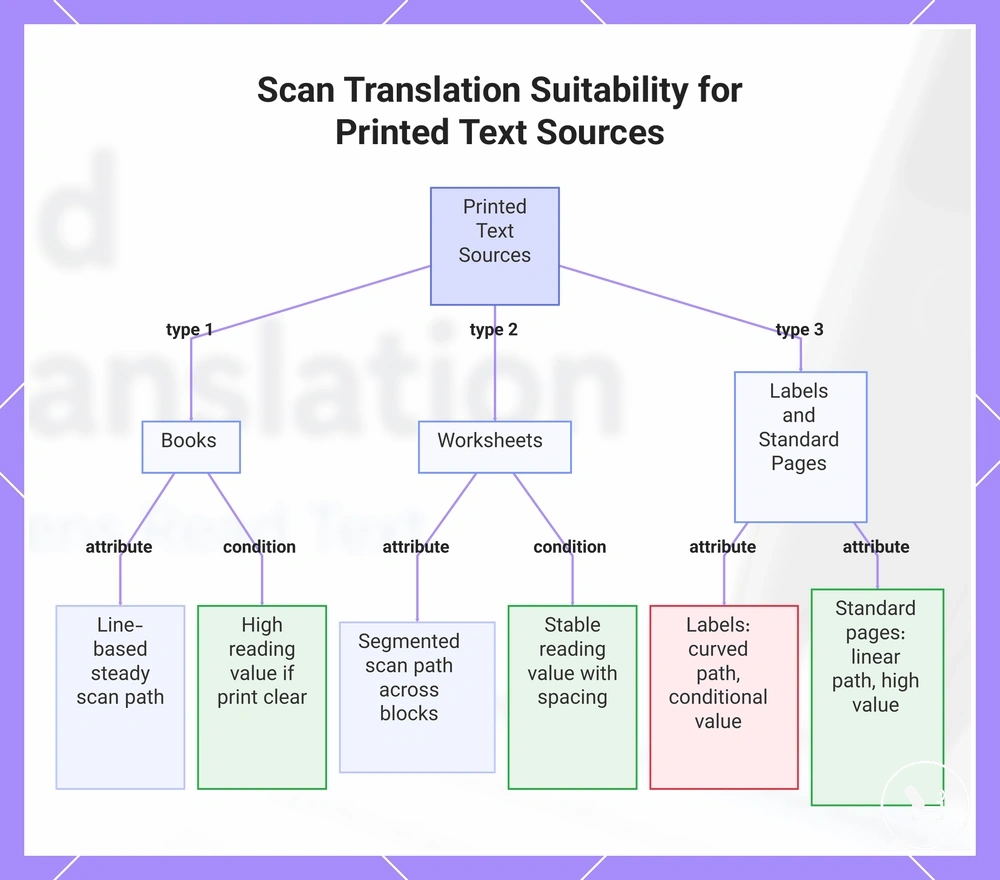
Books, worksheets, labels, and standard printed pages refer to common printed text sources that scan translation can process through OCR recognition and machine translation. These printed text sources differ in text layout, line density, and surface structure, which affects scan path stability and reading value as well as translation value. In most cases, scanning suitability depends on print clarity and layout consistency rather than the content itself.
- Books → Line-based text layout, steady scan path along sentences, typically strong reading value and translation value when print is clear
- Worksheets → Structured exercise layout, segmented scan path across blocks, generally stable reading value depending on spacing
- Labels → Compact text layout, curved or small scan path, conditional reading value due to size and surface constraints
- Standard printed pages → Clean page layout, linear scan path, typically high reading and translation value with clear formatting
Scanning suitability varies with print quality, spacing, and layout clarity across all source types.
This chart shows how different printed text sources affect scan path stability and reading value for OCR and machine translation.
Single-line, multi-line, and screen text scanning
Single-line, multi-line, and screen text scanning describe capture modes in translator pen OCR processing that determine how text is read across one line, multiple lines, or displayed content. These capture contexts influence line length handling, scan path control, and text layout interpretation. In practice, single-line scanning, multi-line scanning, and screen text scanning function as distinct capture modes within broader text processing behavior.
Single-line scanning follows a focused scan path aligned with one line of text, while multi-line scanning may extend across broader layouts depending on device support and OCR handling. Screen text scanning is more sensitive to screen glare, text size, and display conditions compared to printed pages. Capture performance varies by device model, especially where scan mode limitations affect broader text capture or display readability.
| Capture context | What it tries to read | Main condition | Limitation to qualify |
|---|---|---|---|
| Single-line scanning | One line of printed text | Stable line length and alignment | Limited scan path width |
| Multi-line scanning | Multiple lines or text blocks | Layout structure and device support | May vary with OCR capacity |
| Screen text scanning | Digital display text | Screen clarity, size, and contrast | Affected by glare and display quality |
Conditions that affect OCR recognition during scanning
OCR recognition during scanning depends on printed-source conditions and scanning behavior conditions that together determine recognition reliability. These conditions separate material-related factors from handling-related factors. In practice, OCR recognition varies based on both what is scanned and how the scan is performed.
Printed-source factors such as print clarity, contrast, spacing, and layout structure directly influence recognition reliability. Clear, high-contrast text with consistent spacing usually supports more stable recognition, while dense or low-contrast layouts can reduce consistency. These conditions define the material input that OCR recognition processes, shaping the recognition effect.
Scan-behavior factors such as angle, speed, and hand movement affect how stable the input is during scanning. A steady angle and controlled movement help maintain consistent capture, while faster or uneven motion can reduce recognition reliability. These handling conditions determine the stability of the scan input and help separate handling issues from material issues during diagnosis.
The criteria below summarize how material-related and handling-related conditions influence OCR recognition outcomes during scanning.
| Condition type | Attribute or criterion | Value or issue | Likely recognition effect |
|---|---|---|---|
| Printed-source condition | Print clarity | Clear or blurred text | Higher clarity improves recognition reliability |
| Printed-source condition | Contrast | Strong or weak text-background difference | Low contrast reduces recognition stability |
| Printed-source condition | Spacing | Regular or crowded layout | Crowded spacing can reduce recognition consistency |
| Handling condition | Angle | Stable or tilted scan path | Unstable angle reduces recognition stability |
| Handling condition | Speed | Controlled or fast movement | High speed can reduce recognition reliability |
| Handling condition | Hand movement | Steady or uneven motion | Uneven movement can disrupt OCR input stability |
Font clarity, contrast, spacing, and page layout
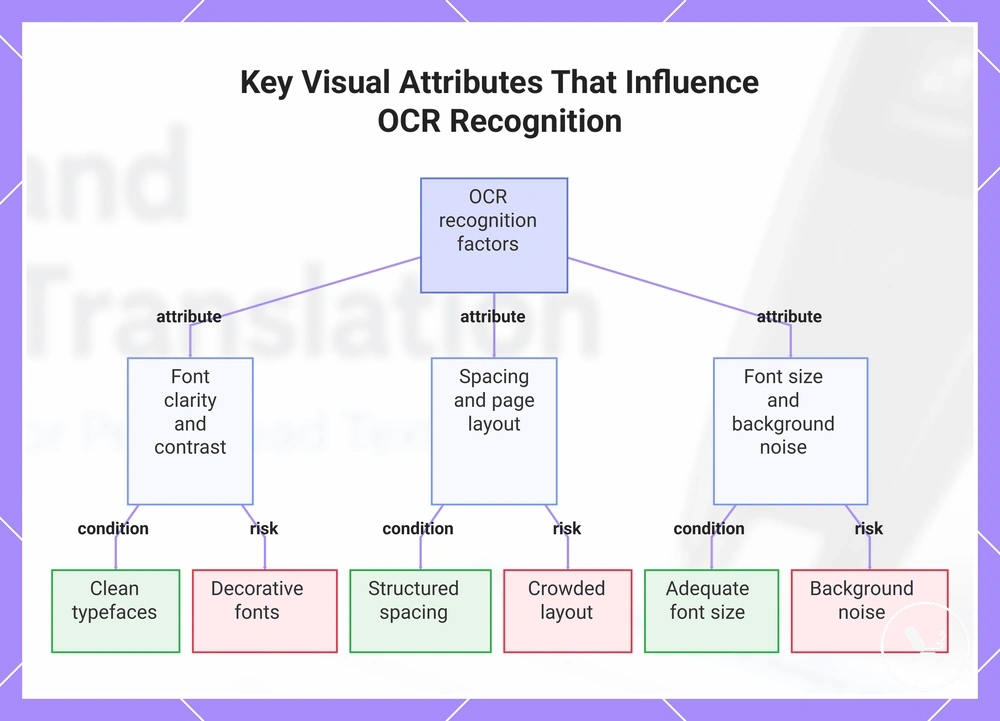
Font clarity, contrast, spacing, and page layout influence OCR recognition by shaping how visible text is structured before scanning interpretation begins. These attributes define how easily characters are distinguished during OCR recognition and directly affect recognition risk at the visual input stage.
Font clarity refers to how distinct letter shapes appear, where clean typefaces usually improve OCR recognition while decorative fonts can increase recognition risk. Contrast describes the difference between text and background, and low contrast may reduce readability. Spacing relates to line and character separation, where crowded layouts can reduce recognition stability. Page layout covers overall structure, including columns and alignment, which can disrupt scan flow when irregular. Font size affects how easily characters are captured, with very small text increasing recognition difficulty. Background noise refers to visual elements behind text that may interfere with OCR recognition and increase error likelihood.
A clean textbook page typically shows high font clarity, strong contrast, and structured spacing, which supports more stable OCR recognition. In contrast, decorative typography or crowded multi-column layouts often increase recognition risk due to reduced character separation and irregular page layout patterns.
This chart categorizes the visual attributes that affect OCR recognition into three groups, each with supporting conditions and risk factors.
Scan angle, speed, pressure, and hand movement
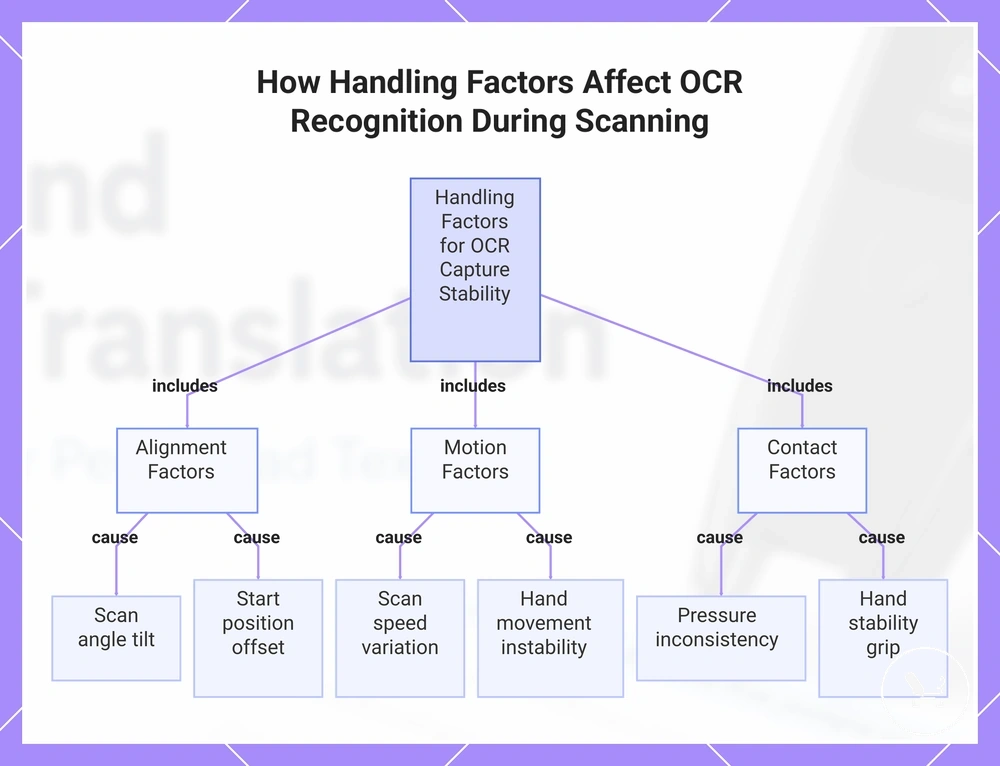
Scan angle, speed, pressure, and hand movement influence OCR recognition by shaping stability during the capture stage. These handling factors affect how consistently text is tracked across a printed line while scanning, which directly impacts capture stability. As a result, OCR recognition depends on how these movements are controlled during use.
Performance can vary depending on scanner design and how different devices interpret movement during scanning. Some translator pen models tolerate minor variation in scan angle or speed, while others require more stable alignment for consistent results. In practical usage, device-specific behavior is reflected in guidance such as using a translator pen to scan text, where movement is treated as part of normal operation rather than a fixed universal method.
- Scan angle → aligned or tilted position → affects line tracking and may reduce capture stability when misaligned
- Scan speed → controlled or fast movement → faster movement can reduce OCR consistency during the capture stage
- Pressure → light or uneven contact → inconsistent pressure may disrupt stable scanning contact with the surface
- Hand movement → steady or shaky motion → unstable motion can interrupt line tracking and recognition flow
- Start position → correct or offset entry → incorrect starting alignment can shift the scan path away from the text line
- Hand stability → stable or unstable grip → low stability can reduce consistency in capture stage tracking
This chart shows the six key handling factors grouped by alignment, motion, and contact that influence capture stability for OCR recognition.
What scan translation can output after recognition
Scan translation output refers to the range of results a translator pen may generate after OCR recognition processes printed text. These results include recognized text, translated text, read-aloud audio, pronunciation support, saved excerpts, and export-like handling depending on device features and language support.
In practice, scan translation may first display recognized text and then provide translated text based on selected language pairs. Some devices may also support read-aloud audio through text-to-speech, while others include pronunciation support for language learning. Certain models can store saved excerpts for later review or offer limited export-like handling, but availability depends on device features and language support rather than a universal set of functions.
Output types depend on scan translation output capabilities and device features, especially where language support varies between models. This separation helps distinguish basic recognized text from extended learning and playback functions. More detailed feature context can be understood through translator pen features after the core output structure is clear.
| Output type | What it provides | Dependency | Main limitation |
|---|---|---|---|
| Recognized text | Digital version of scanned content | OCR recognition quality | May vary with print clarity and scan conditions |
| Translated text | Converted language output | Language support | Meaning may vary by language pair |
| Read-aloud audio | Spoken version of text | Text-to-speech support | Not available on all models |
| Pronunciation support | Language learning assistance | Device learning features | Limited to supported languages |
| Saved excerpts | Stored scanned text for review | Storage or history feature | Capacity and access vary by device |
| Export-like handling | Transfer or share of extracted text | Connectivity features | May not be supported on all models |
Translated text, read-aloud audio, and pronunciation support
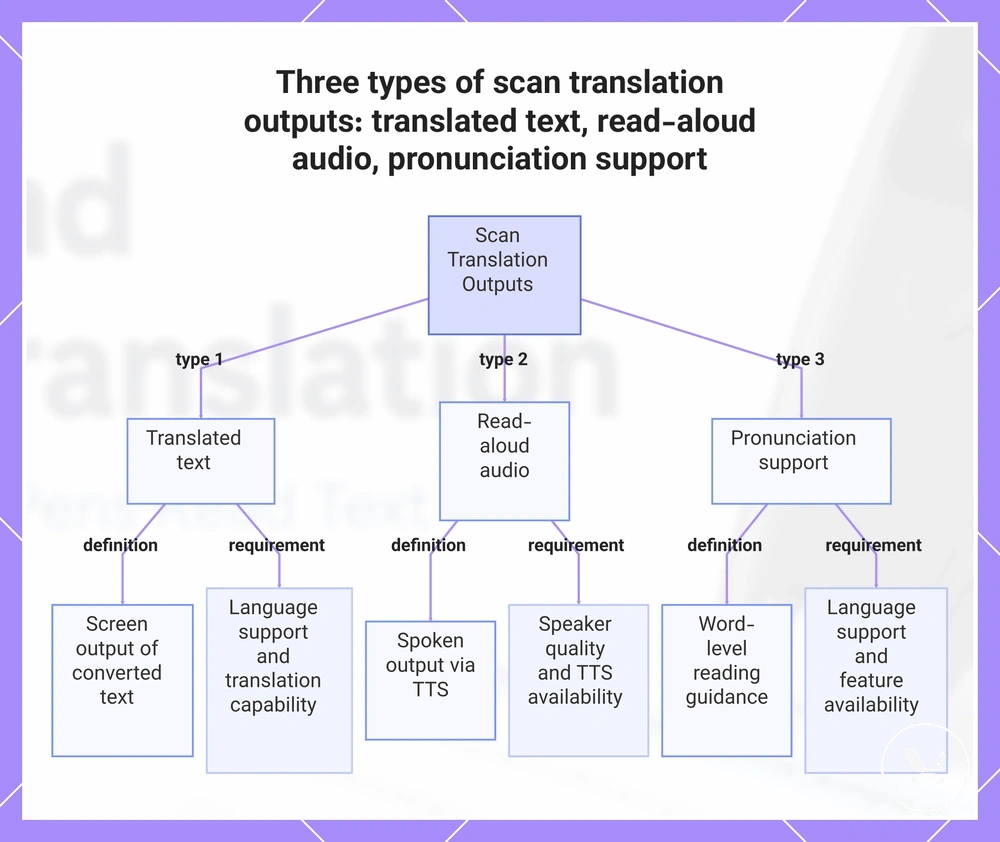
Translated text, read-aloud audio, and pronunciation support describe scan translation outputs that help present scanned text in different understanding formats. These outputs may convert scanned text into screen translation, spoken output, or pronunciation guidance depending on device features and language support. Together, they connect recognized text to user benefit by changing how scanned text is read or understood.
- Translated text → screen output showing converted scanned text → depends on language support and translation capability
- Read-aloud audio → spoken output generated through text-to-speech → depends on speaker quality and text-to-speech availability
- Pronunciation support → word-level guidance for reading scanned text → depends on language support and feature availability
These outputs may appear together or separately depending on configuration, helping users interpret scanned text through visual, audio, or pronunciation-based support without requiring all features to be present in every translator pen model.
This chart shows the three main scan translation output formats, their definitions, and the dependencies that affect their availability.
Text extraction, saved excerpts, and document handling
Text extraction, saved excerpts, and document handling refer to optional scan translation outputs that may store or retain recognized text after OCR recognition. These features relate to how OCR recognition results are managed after processing scanned text into extracted text. Availability and behavior vary by device and system configuration rather than being a fixed capability across all translator pens.
In practice, extracted text may be stored as saved snippets or included in a basic review history depending on device features. Some devices may also provide limited transfer options for moving saved text within supported environments, while storage limits can affect how much content is retained over time. These behaviors depend on document handling functions and device-level text management rather than a universal system.
Feature availability checklist (varies by device):
- Saved text → may store OCR recognition results as saved excerpts → depends on storage limits
- Review history → may list previously scanned text → depends on device logging features
- Transfer options → may allow limited movement of extracted text → depends on connectivity support
- Storage limits → restrict how much scanned content can be kept → varies by device memory
- App connectivity → may enable external handling of extracted text → depends on device integration support
OCR scan translation accuracy and realistic limits
OCR scan translation accuracy depends on source quality, scanning behavior, language pair, and translation engine, and it remains conditional rather than fixed. Recognition accuracy and translation accuracy interact but are influenced by different factors, which means output quality varies by situation and device conditions.
Recognition accuracy in OCR scan translation refers to how correctly scanned text is converted into extracted text through OCR recognition. It depends strongly on print clarity, contrast, handwriting, and complex layout structures. Poor lighting, low contrast, or irregular fonts can reduce recognition reliability, while cleaner input generally improves OCR results. Overall performance is shaped by source quality and scanning behavior.
| Factor | Affects recognition or translation | Better condition | Limit to qualify |
|---|---|---|---|
| Print clarity | Recognition | Sharp, readable text | Blur or distortion reduces OCR reliability |
| Scan movement | Recognition | Stable, aligned scanning | Fast or unstable movement reduces capture quality |
| Handwriting | Recognition | Clear printed-style writing | Freeform handwriting increases error risk |
| Complex layout | Recognition | Simple linear text layout | Multi-column or mixed layouts reduce accuracy |
| Language pair | Translation | Common supported language pairs | Less common pairs may reduce translation quality |
| Translation engine | Translation | Context-aware engine processing | Limited context can affect meaning output |
Translation accuracy refers to how well meaning is preserved after OCR recognition converts scanned text into a target language. It is separated from recognition accuracy because even correctly detected text may produce imperfect meaning depending on the language pair and translation engine. Structural differences between languages can also affect output quality, even when scanned text is accurately captured.
OCR scan translation accuracy and realistic limits should be evaluated through criteria such as source quality, scanning stability, handwriting complexity, layout structure, language pair, and engine behavior, with each factor contributing differently to final output reliability. The distinction between recognition and translation ensures that errors are not assumed to come from a single stage, but from multiple interacting conditions. OCR accuracy depends on these combined variables and remains context-dependent across use cases.
Realistic limits mean OCR scan translation accuracy cannot be treated as fixed because both recognition accuracy and translation accuracy vary with conditions, device implementation, and input complexity. Even clean scans may produce imperfect meaning when language structure or context handling introduces variation, so output quality should be understood as conditional rather than absolute.
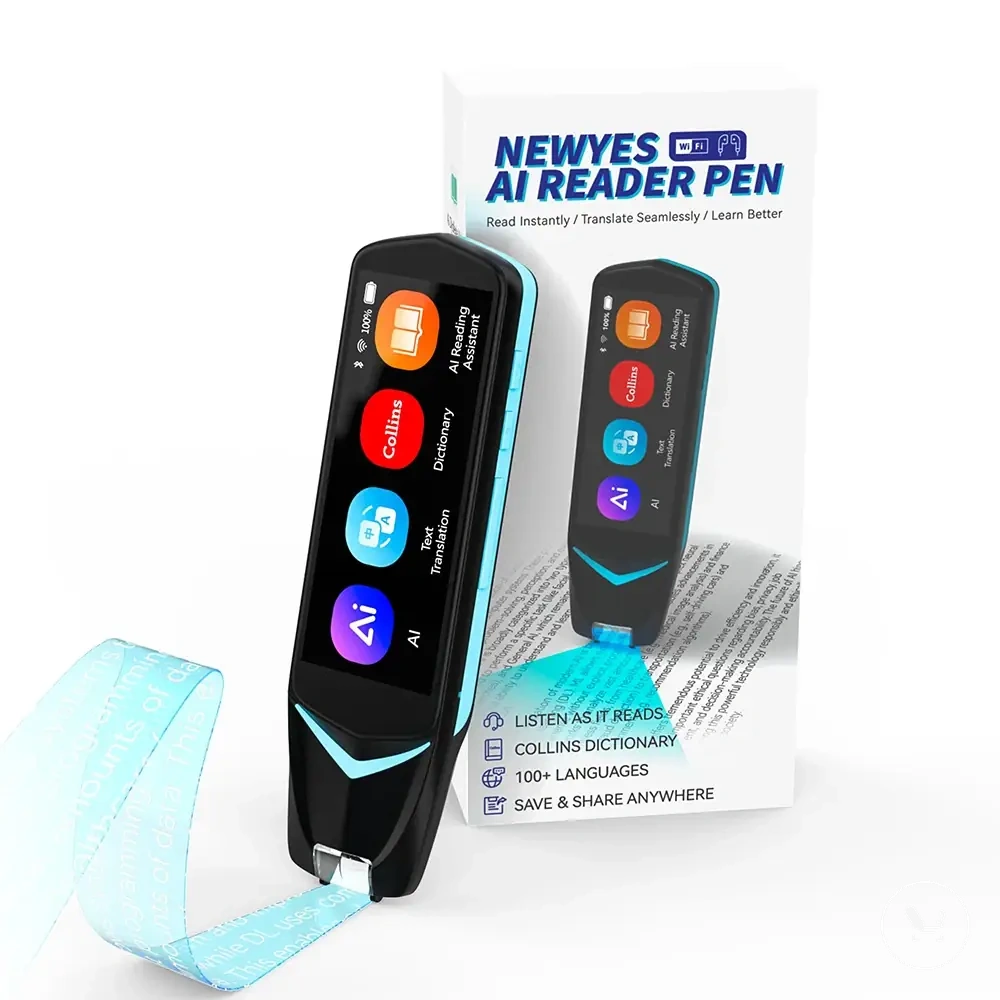
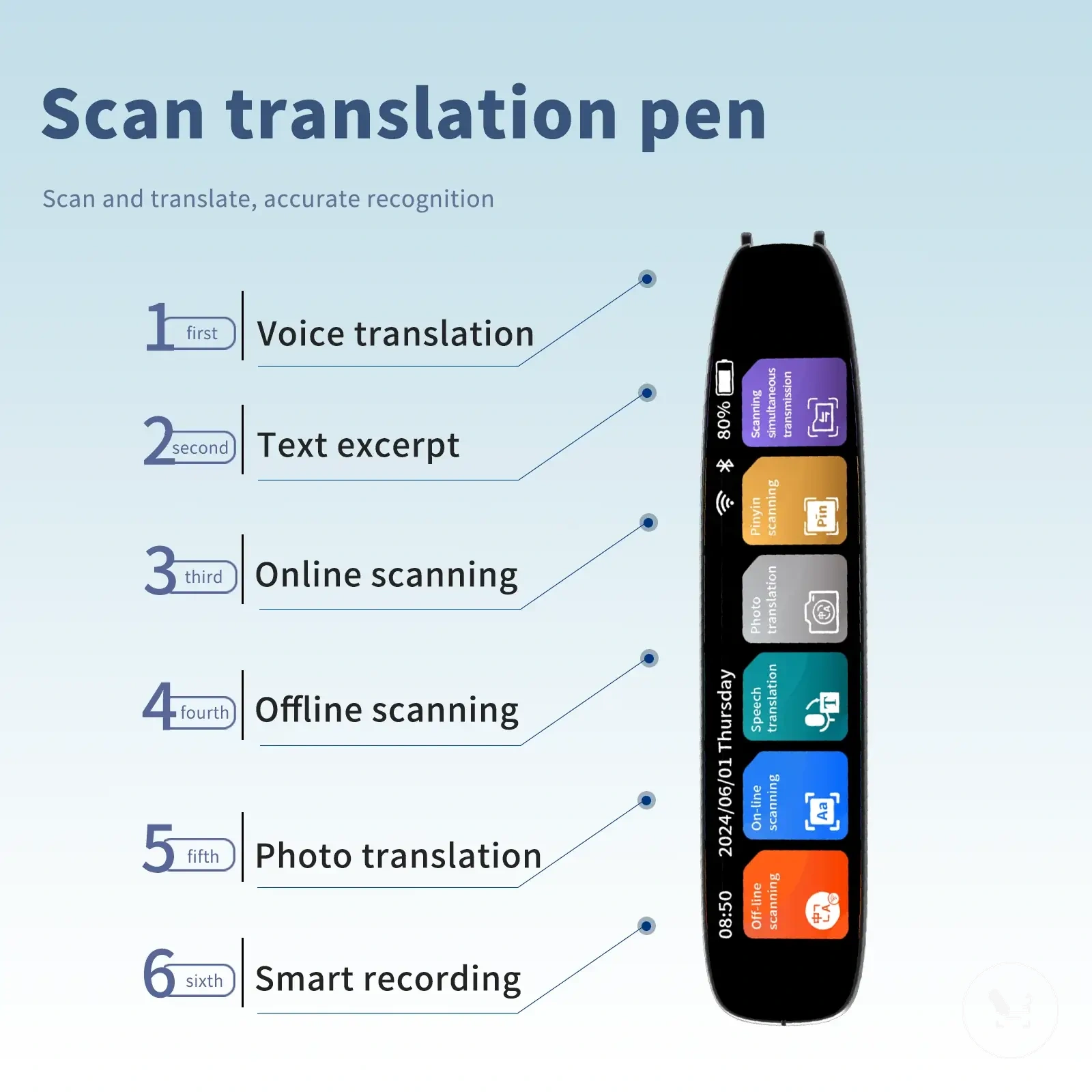
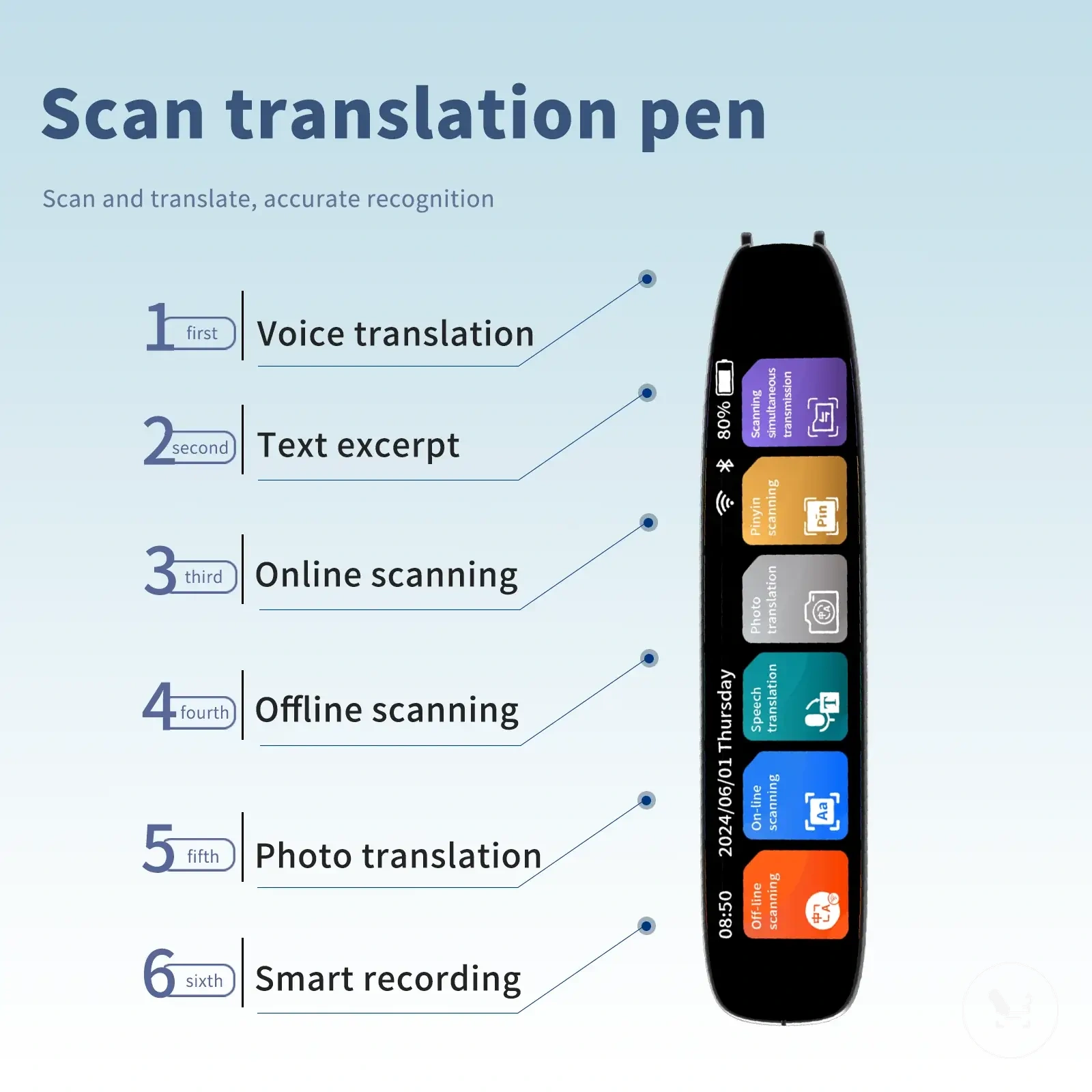
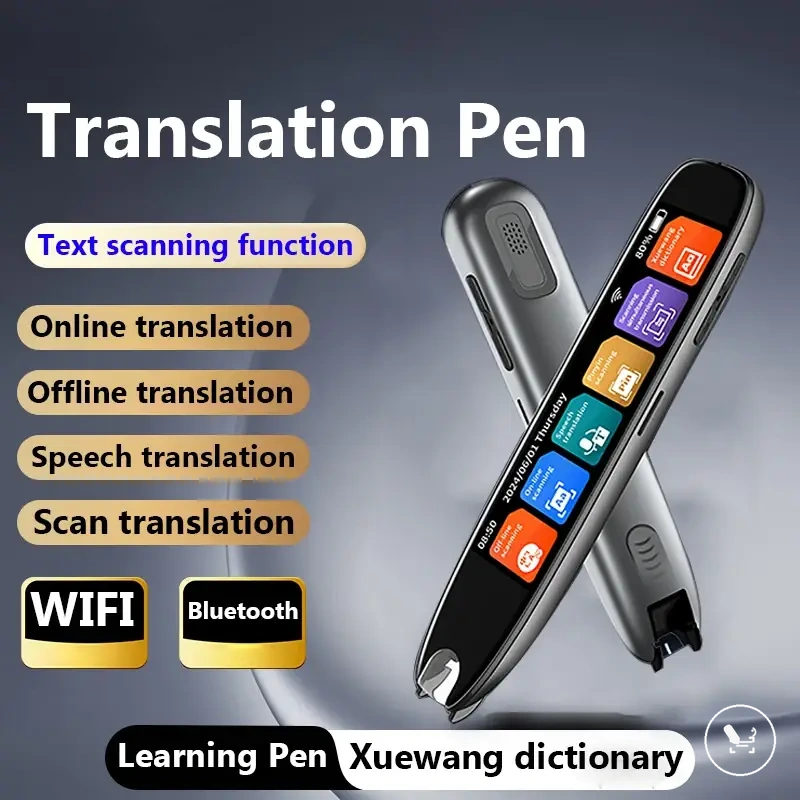
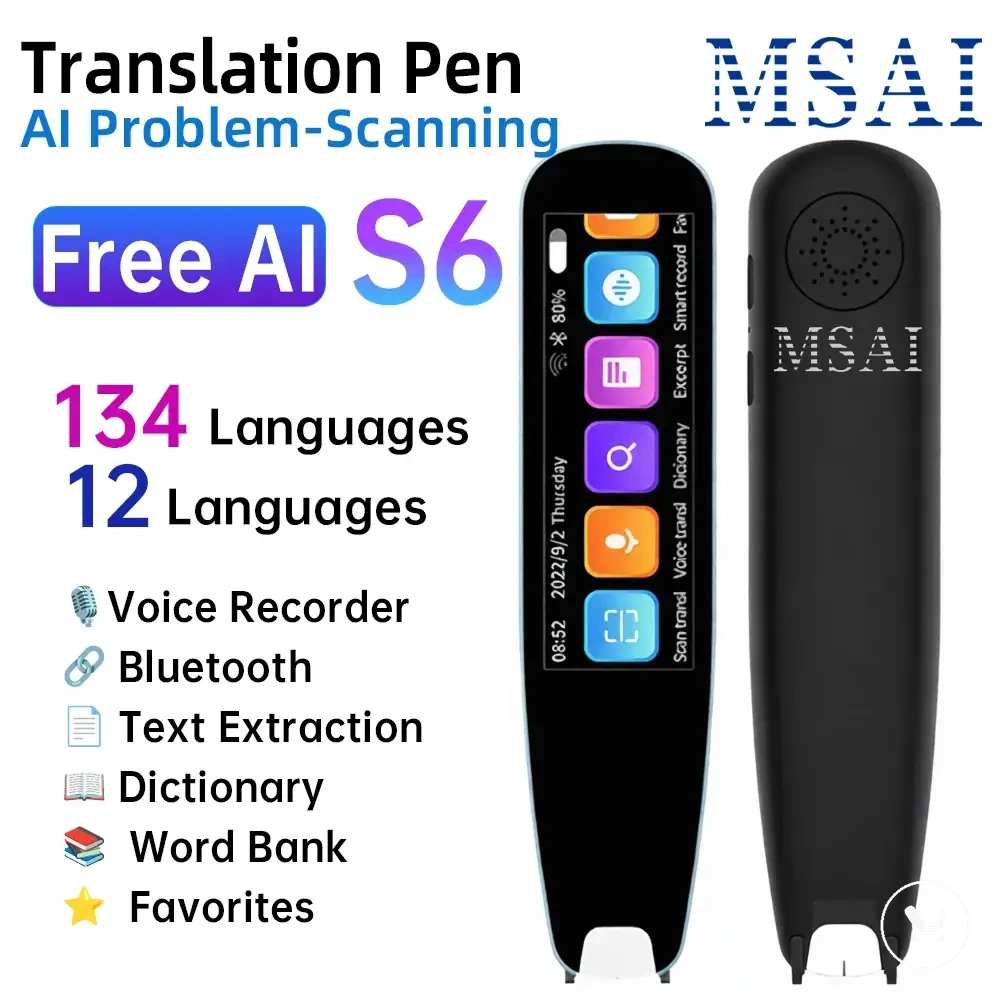
The products below are useful examples for comparing available options. Before buying, check that the compatibility criteria, key features, and product details match your needs.
Standard printed text versus handwriting and complex layouts
Standard printed text versus handwriting and complex layouts changes OCR difficulty because text format directly affects recognition stability. Standard printed text usually produces more consistent OCR recognition, while handwriting, stylized fonts, and irregular layouts increase OCR difficulty. This difference defines how recognition performance shifts across input formats.
Standard printed text is typically easier for OCR recognition because characters follow consistent shapes and spacing. Handwriting introduces higher variation due to individual stroke differences, while stylized fonts can reduce character clarity. Tables, columns, curved labels, and mixed-language layouts further increase OCR difficulty because structure and reading order become harder to interpret. However, model-specific exceptions may improve handling in some controlled device conditions.
| Text format | Why it is easier or harder | Main risk | Qualification |
|---|---|---|---|
| Standard printed text | Clear shapes and regular spacing support OCR recognition | Low risk unless print quality is poor | Generally lower OCR difficulty |
| Handwriting | Variable strokes reduce character consistency | Character misinterpretation | Depends on clarity and style |
| Stylized fonts | Decorative forms reduce character readability | Character confusion | Varies by font complexity |
| Tables or columns | Structured layout affects scan path order | Reading sequence misalignment | Depends on layout structure |
| Curved labels | Non-linear text affects alignment stability | Partial recognition loss | Model-dependent handling |
| Mixed-language layouts | Multiple scripts increase processing complexity | Language switching errors | Depends on language support |
Why recognition accuracy and translation accuracy are different
Recognition accuracy refers to how correctly OCR recognition (character recognition) converts scanned characters into source text, while translation accuracy refers to how the translation engine interprets that source text into final meaning. These two processes operate in sequence but measure different outcomes in the OCR scan translation flow. Recognition accuracy focuses on character recognition and source text correctness, whereas translation accuracy focuses on meaning interpretation, separating source text correctness from final meaning.
For example, a word like “Bonjour” may be recognized correctly through OCR recognition as clean source text, but the translation engine still determines how that word is interpreted in context within a sentence. This means recognition accuracy can be high while translation accuracy still varies depending on language pair and contextual interpretation. Scan quality may improve character recognition, but it does not necessarily guarantee consistent final meaning across all cases, highlighting the boundary between recognition accuracy and translation accuracy.
How scan translation differs from voice translation and reading support
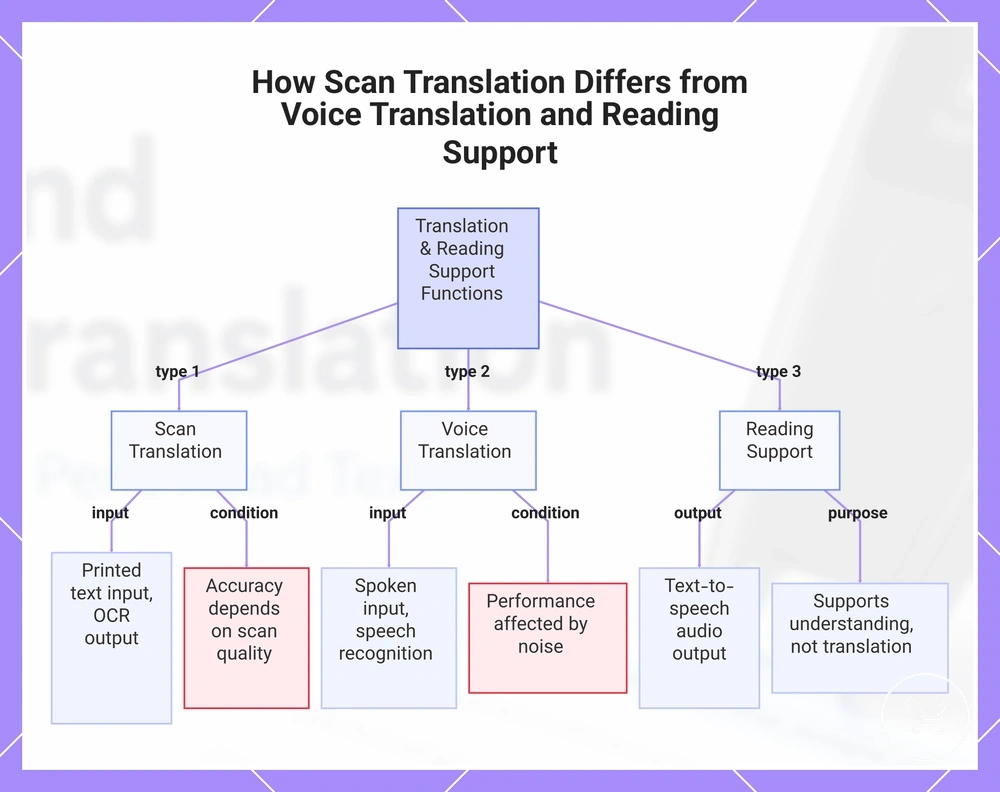
Scan translation, voice translation, and reading support differ primarily by input type and how language is processed into output. Scan translation uses printed text as input, voice translation uses spoken input, and reading support focuses on converting text into read-aloud audio. These differences define how each function operates, with input type as the core distinction that separates their workflows and outputs.
Scan translation processes printed text through OCR recognition and outputs translated text on screen. It is typically used when information is visually available on surfaces like pages, signs, or labels, and depends on scan quality for character recognition. Its realistic limitation is that output accuracy depends on both recognition accuracy and translation accuracy, especially when text clarity is reduced or layout is complex.
Voice translation processes spoken input instead of visual text. It converts speech into interpreted meaning using speech recognition before generating translated output. This function is typically used in live communication scenarios, and its performance depends on audio clarity, pronunciation variation, and environmental noise, which can affect both recognition and translation stages.
Reading support focuses on converting existing text into read-aloud audio through text-to-speech systems. It does not primarily translate meaning between languages but instead supports understanding through audio output of written content. Its output depends on text-to-speech quality and language support, making it distinct from both scan-based and voice-based translation workflows.
Across these functions, the boundary is defined by input type and output purpose. Scan translation remains relevant when dealing with printed text that requires translation into another language, especially when visual input is the primary source. This separation helps position scan translation as the correct feature for OCR-based workflows rather than spoken communication or audio reading assistance.
This chart compares the three functions based on input type and output purpose, highlighting scan translation's role in processing printed text.
The products below are useful examples for comparing available options. Before buying, check that the compatibility criteria, key features, and product details match your needs.