
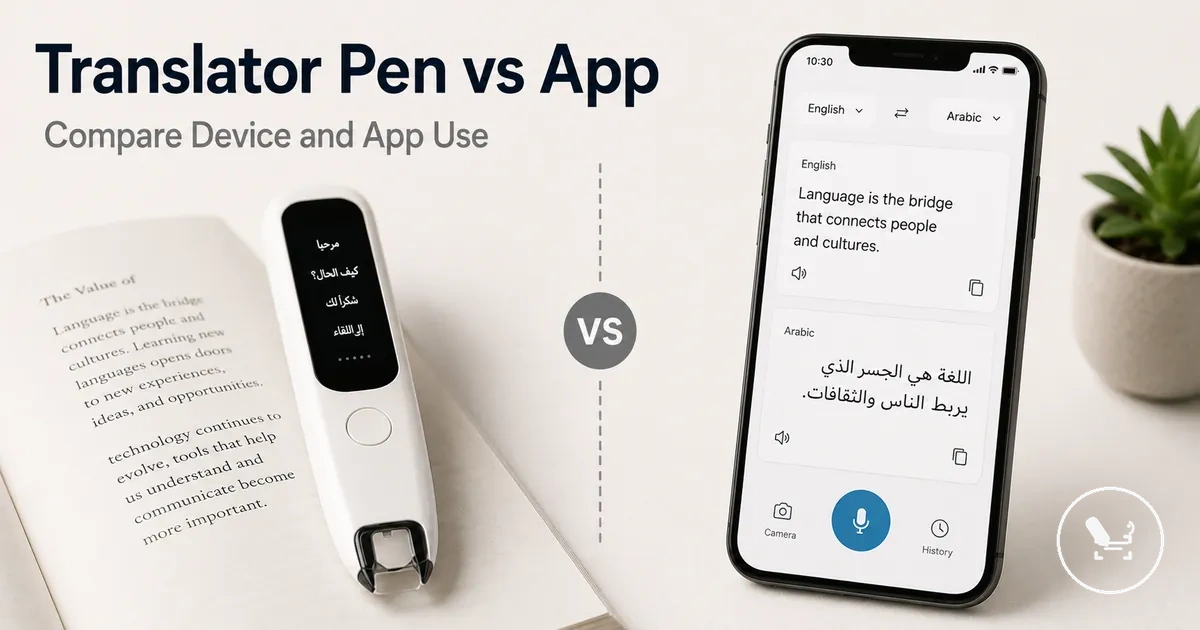
Translator Pen vs Translation App for Real-World Translation Needs
The choice between a translator pen and a translation app depends on how and where translation is needed, rather than a single universally better option. In many real-world situations, each serves different use cases shaped by input type, offline access, and device dependency. This makes the decision conditional on practical context instead of format preference alone.
A translator pen is a dedicated device designed for scanning printed text and delivering translation through built-in hardware and software. A translation app is smartphone app-based software that relies on a phone’s camera, microphone, and processing system. Both formats aim to support translation tasks, but they operate within different technical environments and interaction models. This creates a clear boundary between standalone device usage and phone-based translation workflows.
In practice, printed text scenarios such as books, documents, and menus often highlight the scanning behavior of a translator pen, while translation apps tend to rely on camera input or typed phrases on a smartphone. Travel situations can introduce additional conditions such as limited connectivity, where offline access and phone dependence become more noticeable. Voice translation also varies depending on microphone use, background noise, and how communication is structured between speakers. These differences shape how each tool fits into real-world use patterns.
When users face repeated reading tasks or frequent on-the-spot translation needs, handling convenience and speed can become deciding factors. In contrast, occasional translation tasks may not require a dedicated device and can often be managed through a phone app. This creates a practical decision space where use frequency, portability, and input method guide the evaluation rather than assumptions about overall superiority. The comparison below organizes these differences into clear criteria for real-world decision making.
Translator pen vs translation app choice depends on input type, offline access, convenience, and value in real-world use.
| Translation option | Strongest use case | Main limitation | Best-fit condition |
|---|---|---|---|
| Translator pen | Scanning printed text line-by-line in books, documents, and menus | Less flexible for free-form or camera-wide translation | Frequent printed text reading with structured scanning needs |
| Translation app | Phone-based camera translation, typed phrases, and voice input | Depends on smartphone access and operating conditions | Occasional translation with flexible input methods and phone availability |
Core Difference Between a Translator Pen and a Translation App
A translator pen is a dedicated translation device, while a translation app is smartphone software used for language translation tasks. The key distinction is that one is physical hardware designed for scanning input, and the other runs on a phone with software-based input processing. This creates a clear boundary between device ownership and app installation as two different format approaches.
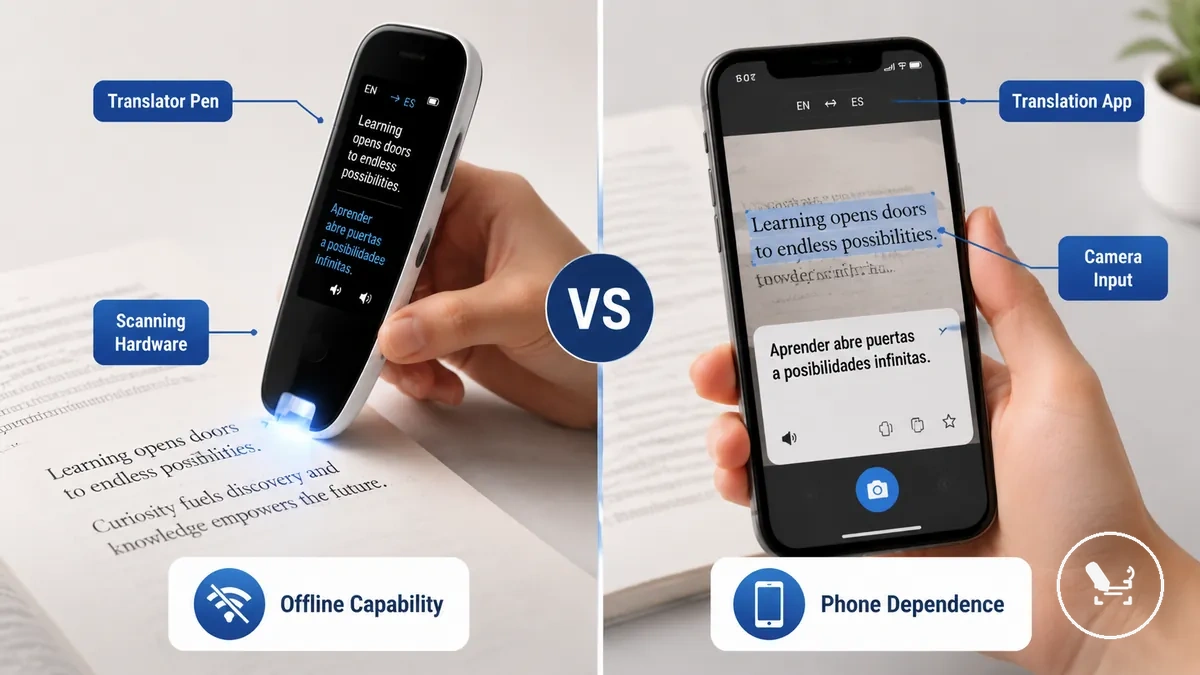
In real-world use, a translator pen typically relies on scanning hardware to capture printed text line by line, which suits structured reading from books, documents, or menus. A translation app instead uses camera input, typed input, or voice input through a smartphone interface. Both operate differently because their input method defines how translation is captured, processed, and controlled during use.
| Translator pen | Translation app |
|---|---|
| What it is: Dedicated translation device | What it is: Smartphone software |
| Main input methods: Scanning hardware for printed text | Main input methods: Camera input, typed input, voice input |
| Main dependency: Standalone device with built-in functions | Main dependency: Phone hardware and operating system |
| Best-fit starting point: Structured printed text reading tasks | Best-fit starting point: Flexible mobile translation through phone use |
This section compares formats rather than ranking individual products or specific apps. It focuses on how device structure and software structure influence real-world translation use without implying a universal superiority of either option.
Dedicated Scanning Device vs Smartphone Software
A dedicated scanning device refers to a translator pen that includes built-in scanning hardware, while smartphone software refers to a translation app that runs on a phone. The translator pen uses a scanner tip for direct printed text capture, while the phone relies on its screen, camera, and system processing. This creates a clear difference in hardware control and handling during translation tasks.
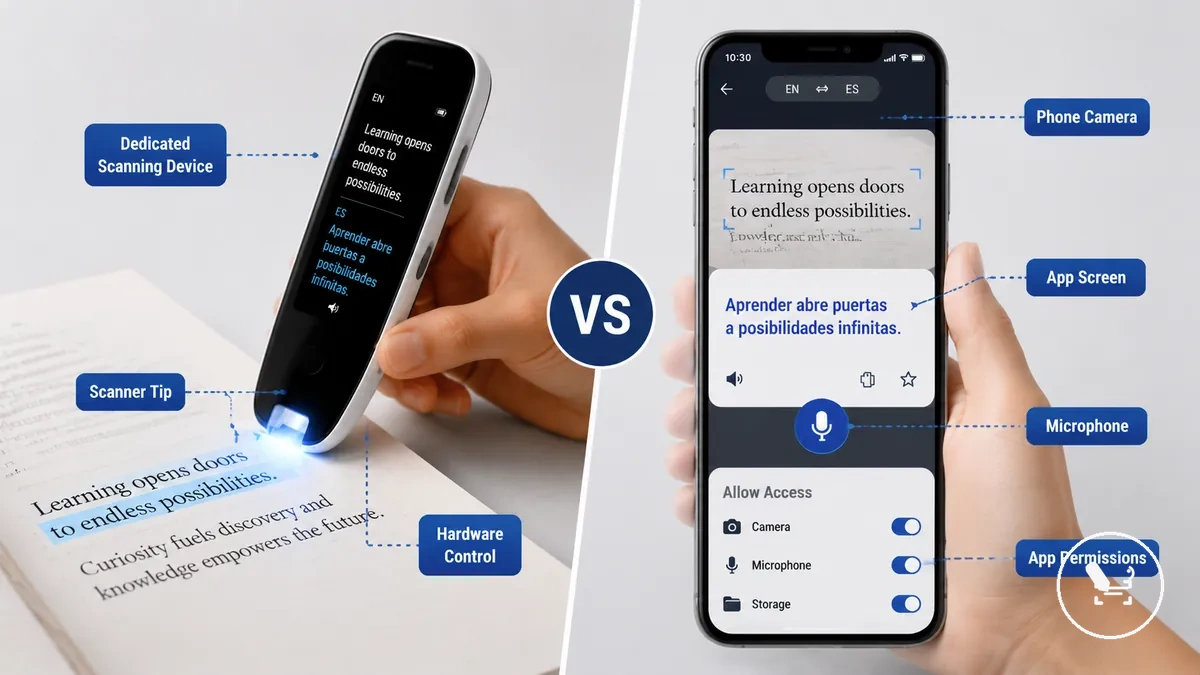
In practice, the translator pen offers direct hand-controlled scanning through its dedicated scanning device structure, which can feel more focused for line-by-line reading. The smartphone software depends on camera input, microphone access for voice input, and app permissions that manage how features are used. Handling can differ because one is built for continuous scanning, while the other depends on phone-based interaction and app switching. Hardware control may matter more when repeated scanning stability is required, while phone-based workflows vary with screen navigation and user setup.
Printed Text, Voice, Camera, and Typed Input
Input method determines how translation starts in both a translator pen and a smartphone translation app through printed text, voice input, camera input, and typed input. The image below organizes these input paths to show how scan translation, speech translation, and keyboard-based translation begin based on capture condition, translation effect, and user outcome.
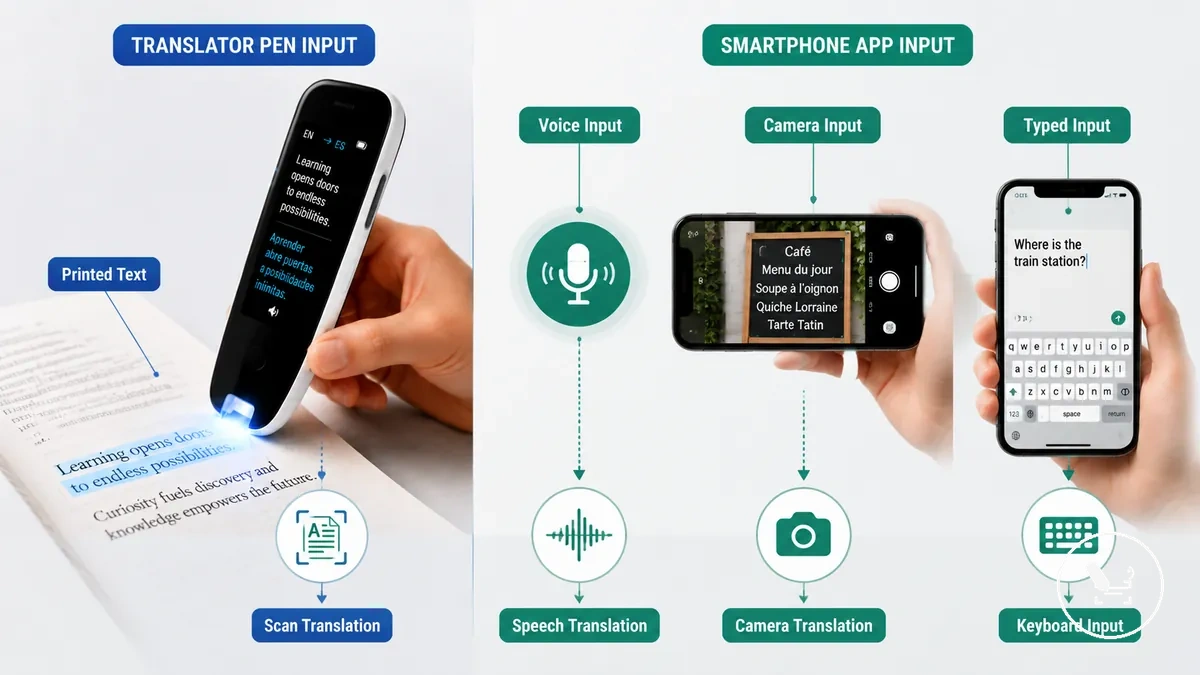
Printed text typically leads to scan translation, voice input leads to speech translation, camera input supports photo-based capture, and typed input relies on direct keyboard entry. Each capture condition changes the translation effect and the user outcome depending on whether the tool is a dedicated scanning device or smartphone software. In practical use, scanning works better when line control is needed, while camera or voice-based input may depend more on environment and app responsiveness, and the best path varies by task context.
| Input method | Usually handled by | Best-fit task | Main limitation |
|---|---|---|---|
| Printed text | Translator pen scan translation | Line-by-line reading from books or documents | Requires steady scan handling |
| Voice input | Smartphone microphone speech translation | Real-time conversation | May vary with noise and clarity |
| Camera input | Phone camera photo translation | Signs and menus capture | Depends on framing and lighting |
| Typed input | Phone keyboard input | Short phrase translation | Slower for long text |
Comparison Criteria for Choosing Between Pen and App
The better option depends on comparison criteria users cannot ignore when selecting between a translator pen and a translation app. The decision is shaped by use case, input type, offline access, accuracy tolerance, speed, convenience, portability, cost, phone dependence, and decision effect, and the table below organizes how each criterion changes selection conditions and outcomes.
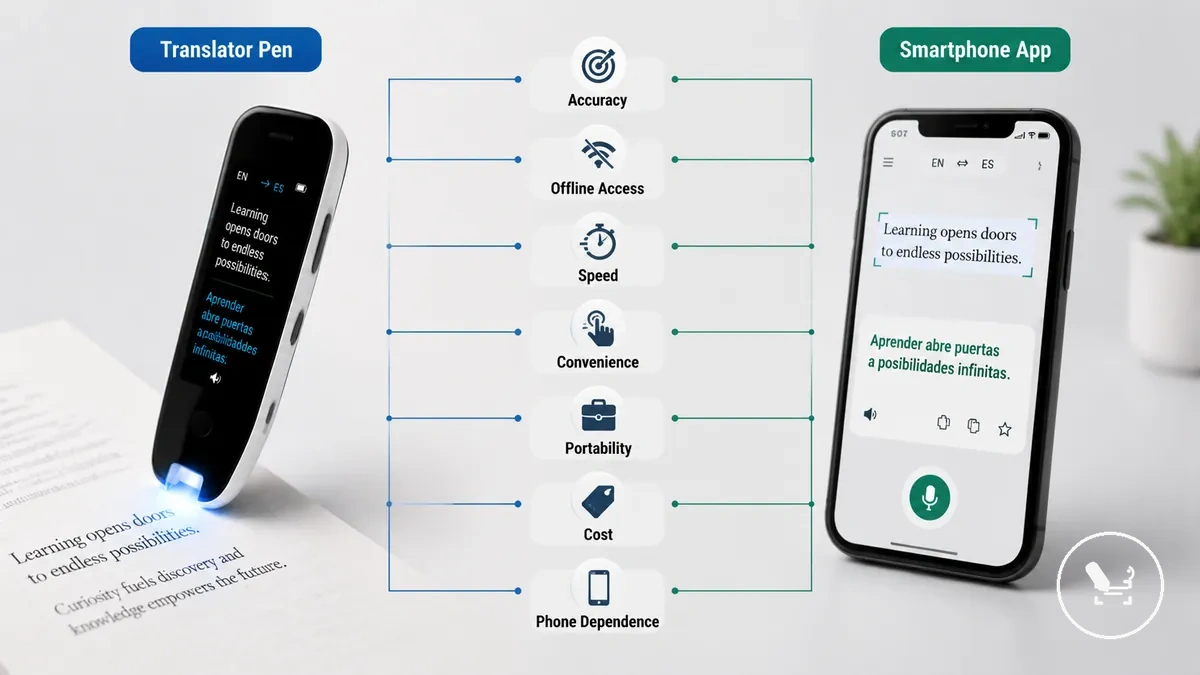
Must-have criteria are the conditions that directly determine whether a solution can be used at all, such as offline access in low-connectivity environments or acceptable accuracy tolerance for reading and conversation tasks. Preference-based criteria include convenience, portability, and cost, where tradeoffs depend on how frequently translation is needed and how the tool is carried in daily use. This separation helps clarify whether the decision is driven by necessity or usability comfort.
In travel or study scenarios, criteria importance shifts depending on how often translation is triggered and whether quick scan translation or flexible phone-based input is required. For more context on practical usage behavior, see translator pen usefulness, which connects real-world handling conditions with typical translation needs and usage environments.
| Option | Criterion | Condition | Decision effect |
|---|---|---|---|
| Translator pen / App | Accuracy | Depends on print clarity and context complexity | Higher clarity improves reliability of translation output |
| Translator pen / App | Offline access | Limited connectivity or travel environments | Stronger offline need increases importance of local processing |
| Translator pen / App | Speed | Real-time reading or conversation flow | Faster response improves usability in active tasks |
| Translator pen / App | Convenience | Frequent switching between tasks | Higher convenience reduces interaction friction |
| Translator pen / App | Portability | Daily carrying and mobility requirements | Smaller or integrated tools improve handling ease |
| Translator pen / App | Cost | Budget sensitivity and usage frequency | Higher usage may justify higher investment |
| Translator pen / App | Phone dependence | Access to smartphone and battery availability | Lower dependence increases standalone usability |
Accuracy and Context Control
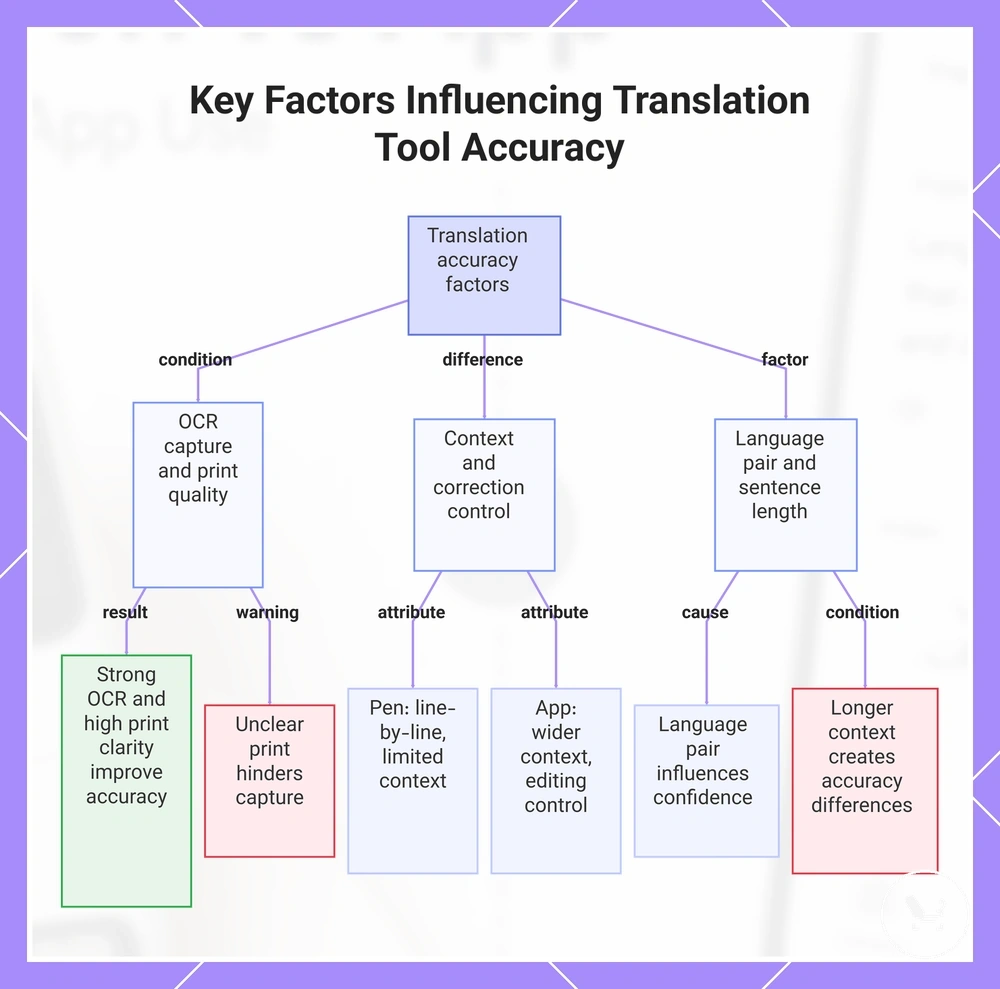
Accuracy in a translator pen or translation app depends on OCR capture quality and context control rather than the format itself. When OCR capture is strong and print clarity is high, accuracy tends to improve in both tools. However, translation confidence still changes based on language pair and how much sentence context is available, so outcomes remain conditional rather than fixed.
Differences in accuracy usually appear when OCR capture is limited by unclear print or when sentence context extends beyond short readable segments. A translator pen relies on scan quality and line-by-line recognition, which can reduce broader context control in complex sentences. A translation app can process wider sentence context and often offers stronger correction control when users edit or refine output. Key factors that influence accuracy include OCR capture quality, print clarity, language pair behavior, sentence context length, and correction control, all of which directly affect translation confidence in practical use.
This chart shows the main factors that affect translation accuracy in translator pens and translation apps, including OCR quality, context control, and language pair behavior.
Offline Access and Connectivity Dependence
Offline access depends on supported offline mode, language pack availability, and connectivity dependence rather than the tool type alone. When offline mode is properly supported and required language packs are available, translation can function without Wi-Fi, but feature limits may still apply depending on device capability. This creates a clear limitation boundary for both translator pen and app usage.
In travel, study, or low-signal setting, offline behavior becomes a compatibility condition that affects whether scan availability or voice availability can function without internet. A translator pen may support offline scan availability depending on built-in language support, while a translation app may rely on downloaded language packs and stored offline mode features. For broader context on offline translator pen use, limitations often appear when supported languages or features are not fully available without connectivity.
- Offline mode: Check whether translation works without Wi-Fi or requires partial internet access
- Language pack: Verify downloaded languages and whether they match required supported languages
- Scan availability: Confirm if printed text scanning works in offline mode on the device or app
- Voice availability: Check whether speech translation is supported without connectivity
- Wi-Fi dependence: Identify features that still require internet even in offline mode
For broader context, offline translator pen use provides more detail on connectivity behavior in low-signal environments.
Speed, Convenience, and Daily Handling
Speed, convenience, and daily handling depend on repeated reading patterns and how often users switch between a translator pen and a translation app. When translation is used many times in a day, handling friction becomes more visible in practical use. App launch friction, scanning speed, screen size, battery, and carrying burden shape how quickly a user can complete short printed-text checks, with convenience shifting based on use frequency.
When frequent translation is needed, the challenge is not only speed but also the accumulation of small handling steps across devices. A translator pen reduces interaction steps through direct scanning, while a translation app may introduce app launch friction, screen size navigation, and battery dependence during repeated use. In contrast, occasional phrase translation often aligns with app flexibility, while repeated reading of printed text tends to make scanning speed and carrying burden more relevant to daily handling efficiency.
Printed Text and Scan Translation Performance
Printed text and scan translation performance depends on capture method, print quality, line control, and reading context rather than a single tool advantage. Translator pens usually suit controlled printed-text scanning with a scanner tip and line-by-line handling, while translation apps often rely on phone camera OCR capture for flexible framing. The performance difference appears mainly when printed text structure and capture stability change.
Books, menus, documents, and signs create different scan conditions that affect printed text recognition. Books and dense documents often require stronger line control and stable reading context, where scanner tip handling can support repeated reading. Menus and signs depend more on phone camera capture, where lighting and OCR capture quality influence recognition. Short labels may rely on quick text-to-speech or fast scan translation depending on reading context and urgency.
Scan translation is not fixed in outcome because print quality, layout density, and capture method all influence performance. Translator pens may be more consistent in structured line-by-line reading scenarios, while apps can perform well when camera framing and lighting are stable. In both cases, text-to-speech and OCR capture quality remain key factors shaping results.
| Printed-text task | Translator pen fit | Translation app fit | Condition that changes the result |
|---|---|---|---|
| Books | Strong for scanner tip line-by-line reading | Moderate with phone camera OCR capture | Line control and dense paragraph structure |
| Menus | Moderate depending on layout clarity | Strong with camera translation | Lighting and print quality |
| Signs | Moderate for short scan input | Strong with camera capture | Distance and font size |
| Short labels | Strong for quick scan translation | Strong with camera or text input | Text clarity and access speed |
| Documents | Strong for structured scanning | Moderate to strong depending on OCR capture | Format density and alignment |
| Dense paragraphs | Strong with controlled line scanning | Variable based on OCR capture quality | Print density and reading context |
Voice Translation and Conversation Use
Voice translation and conversation use depends on conversation length, background noise, microphone quality, and internet access rather than the tool type alone. A translator pen and a translation app both rely on speech input, but performance changes based on language support, turn-taking, and offline voice limits. The usefulness is therefore conditional on real speaking environments rather than fixed capability.
In voice translation and conversation use, quick travel phrases and longer conversations create different interaction demands. Short exchanges often rely on fast speech input and simple audio playback for immediate turn-taking, which can work in both translator pens and apps depending on microphone quality. Sustained conversation requires smoother conversation flow, clearer turn-taking, and more stable language support across multiple sentences. Background noise in public spaces can also interrupt spoken translation and reduce reading of intent in both directions.
Voice translation performance is affected when accents vary, environments are noisy, or internet access is unstable. In these cases, speech input recognition and audio playback may lose clarity during continuous dialogue. The limitation is not absolute but depends on how well microphone quality, language support, and offline voice limits align with the speaking context, including text-to-speech handling in some setups. Both tools require stable conditions to maintain usable conversation flow.
Voice Translation and Conversation Use comparison by interaction type:
| Voice situation | Translator pen fit | App fit | Main condition |
|---|---|---|---|
| Quick travel phrases | Moderate for short speech input and playback | Strong for fast speech input and output | Short turn-taking and low background noise |
| Sustained conversation | Limited to moderate depending on language support | Moderate to strong with stable conversation flow | Stable internet access and clear microphone quality |
Offline Travel Use and Connectivity Tradeoffs
Offline travel use and connectivity tradeoffs depend on signal availability, language support, and travel task requirements rather than a fixed advantage of either a translator pen or an app. In offline travel conditions, performance shifts based on printed materials, conversation needs, and how stable the connection is in low-roaming environments.
Travel situations such as airports, menus, tickets, and printed forms often change the required translation mode within a short time. Printed materials may rely on scan translation, while conversation needs may depend on speech input and audio playback depending on microphone quality and background noise. Battery planning and luggage friction also influence whether a dedicated device or app-based tool is more practical during continuous movement. These conditions define how connectivity tradeoffs shape tool suitability in real travel contexts.
When offline travel involves switching between documents and conversation, no single option removes all limitations. A translator pen may support more stable handling for printed materials in low-signal travel, while apps may offer more flexible access when connectivity is available. The choice depends on how signal availability, offline readiness, and travel document handling are balanced across the trip. A translator pen for travel is often evaluated within this tradeoff.
Offline Travel Use and Connectivity Tradeoffs checklist:
| Travel condition | Translation need | Pen advantage | App advantage | Tradeoff |
|---|---|---|---|---|
| Airport transit | Tickets and signs | Scan support for printed materials | Camera translation when connected | Speed vs signal availability |
| Menus and dining | Quick interpretation | Offline scan use for printed menus | Online camera translation features | Offline readiness vs feature depth |
| Low-roaming travel | Basic communication | Reduced dependency on connectivity | Broader language support online | Battery planning vs connectivity reliance |
| Printed forms | Structured text input | Line-by-line scan control | OCR via phone camera | Luggage friction vs device dependence |
| Conversation needs | Spoken interaction | Limited by offline voice support | Better when internet is stable | Offline voice limits vs live connectivity |
Cost, Device Burden, and Long-Term Value
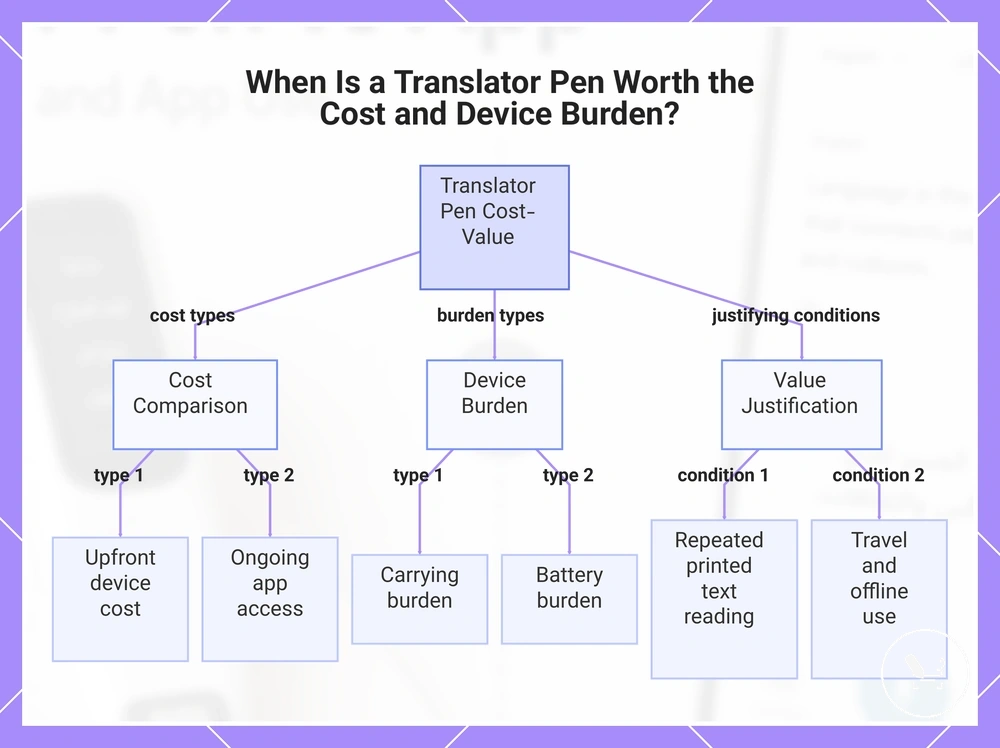
A translator pen has cost, device burden, and long-term value only when its dedicated use offsets the extra cost and carrying burden. Value depends on frequency of use, especially when repeated reading of printed text is a regular need rather than occasional use.
Cost, device burden, and long-term value depend on how upfront device cost compares with ongoing app access on a phone. Apps may reduce entry cost pressure because they rely on existing devices, while a translator pen introduces an additional physical item to carry and maintain. This separates upfront device cost from ongoing app access and highlights different ownership patterns.
When repeated reading of printed text is frequent, or when travel reliability and offline use are important, the device burden of a translator pen can be justified by consistent usage across multiple situations. Battery burden and carrying burden become more relevant in extended use cases, especially during travel or continuous scanning tasks. In these conditions, long-term value depends strongly on frequency of use and scan volume.
For low-frequency users who only translate occasional phrases, app access is usually sufficient because it avoids extra device burden. A phone-based solution generally covers basic translation needs without requiring additional hardware, making it suitable for light or occasional use patterns.
Overall, cost-value fit depends on balancing upfront device cost, carrying burden, frequency of use, repeated reading needs, and travel reliability. When these conditions are not strong, app-based usage typically remains more practical; when they are consistent, dedicated device value increases.
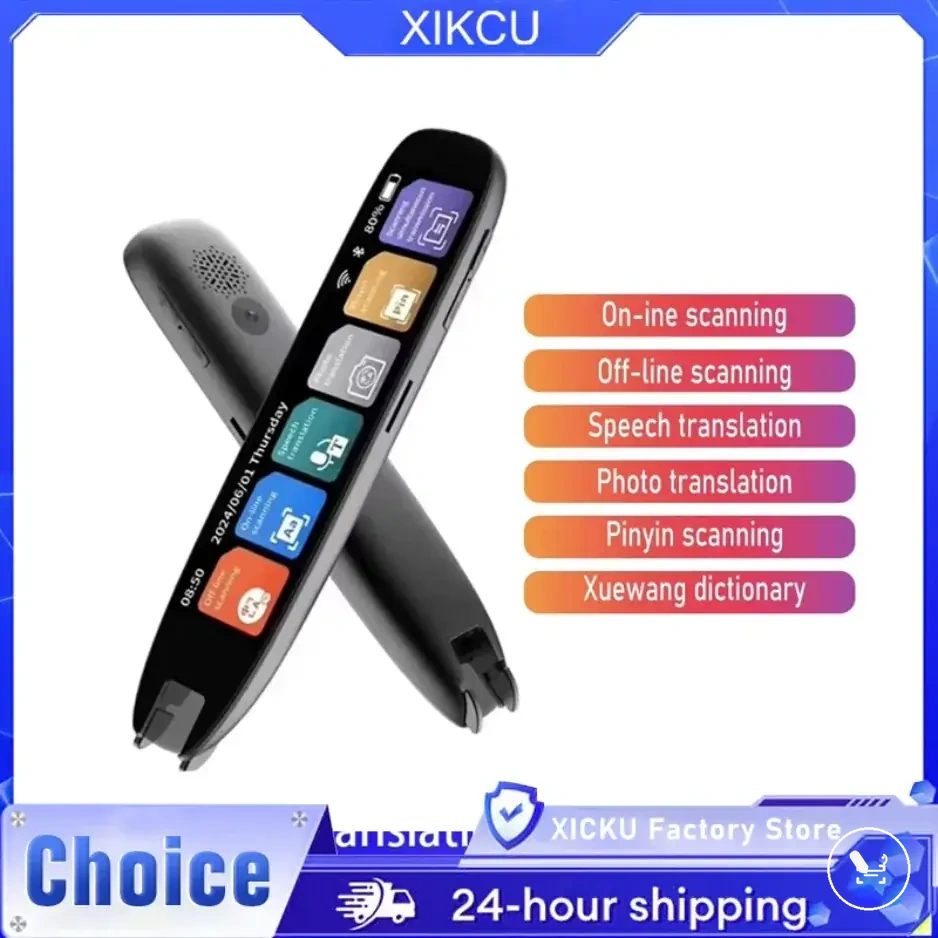
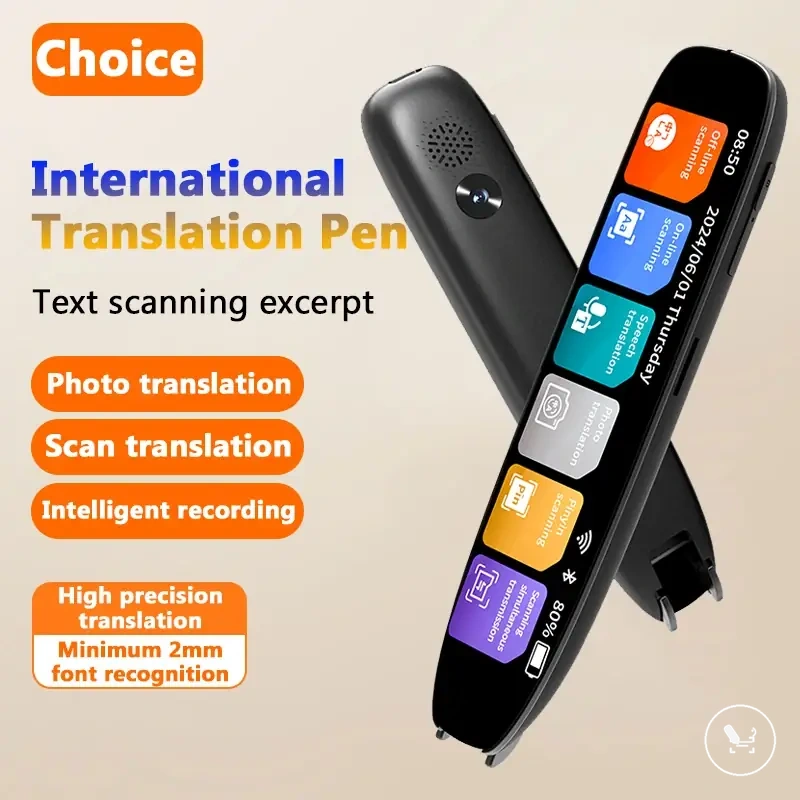
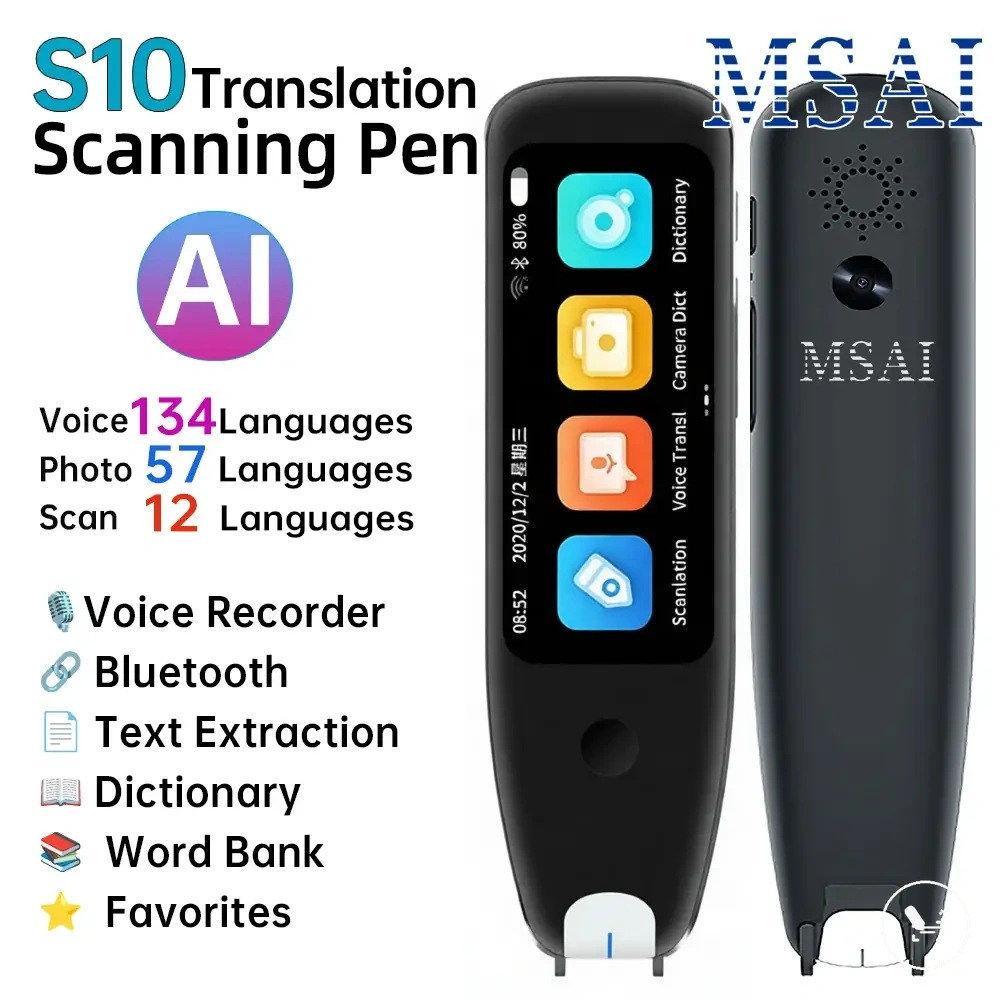
The products below are useful examples for comparing available options. Before buying, check that the compatibility criteria, key features, and product details match your needs.
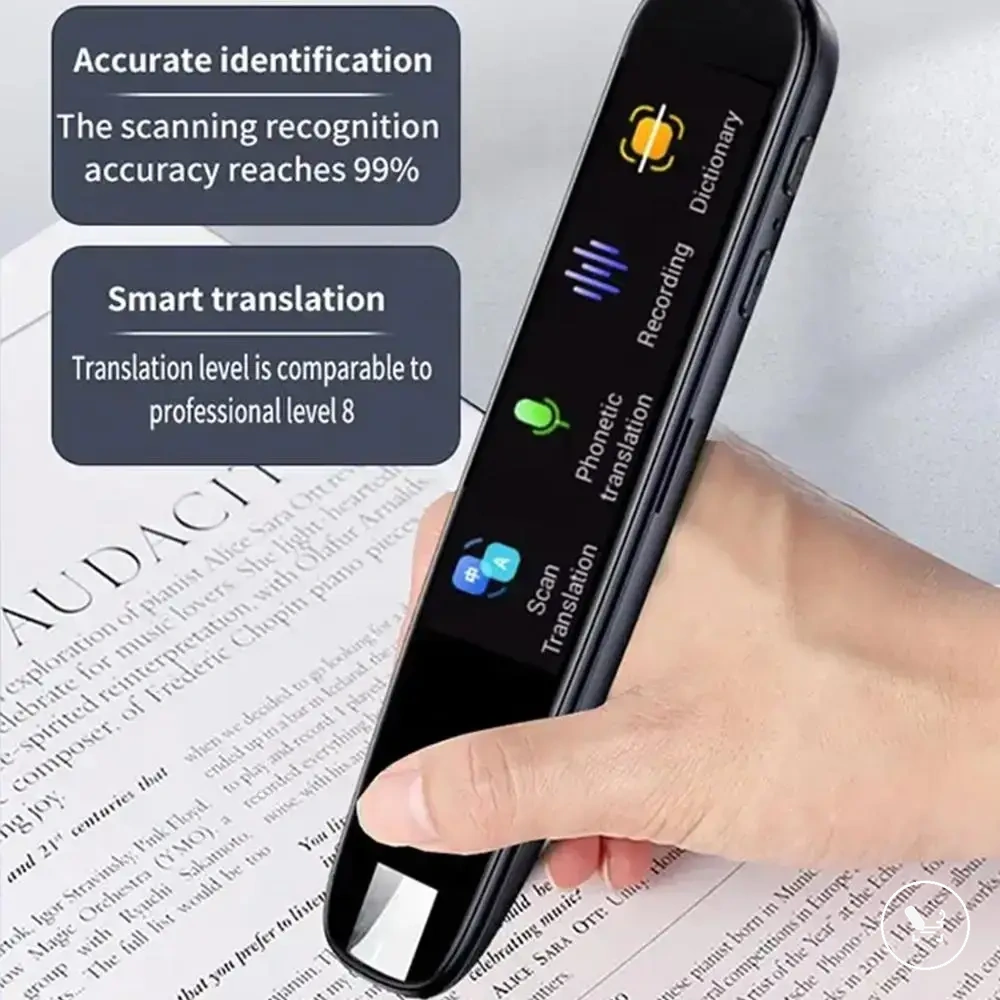
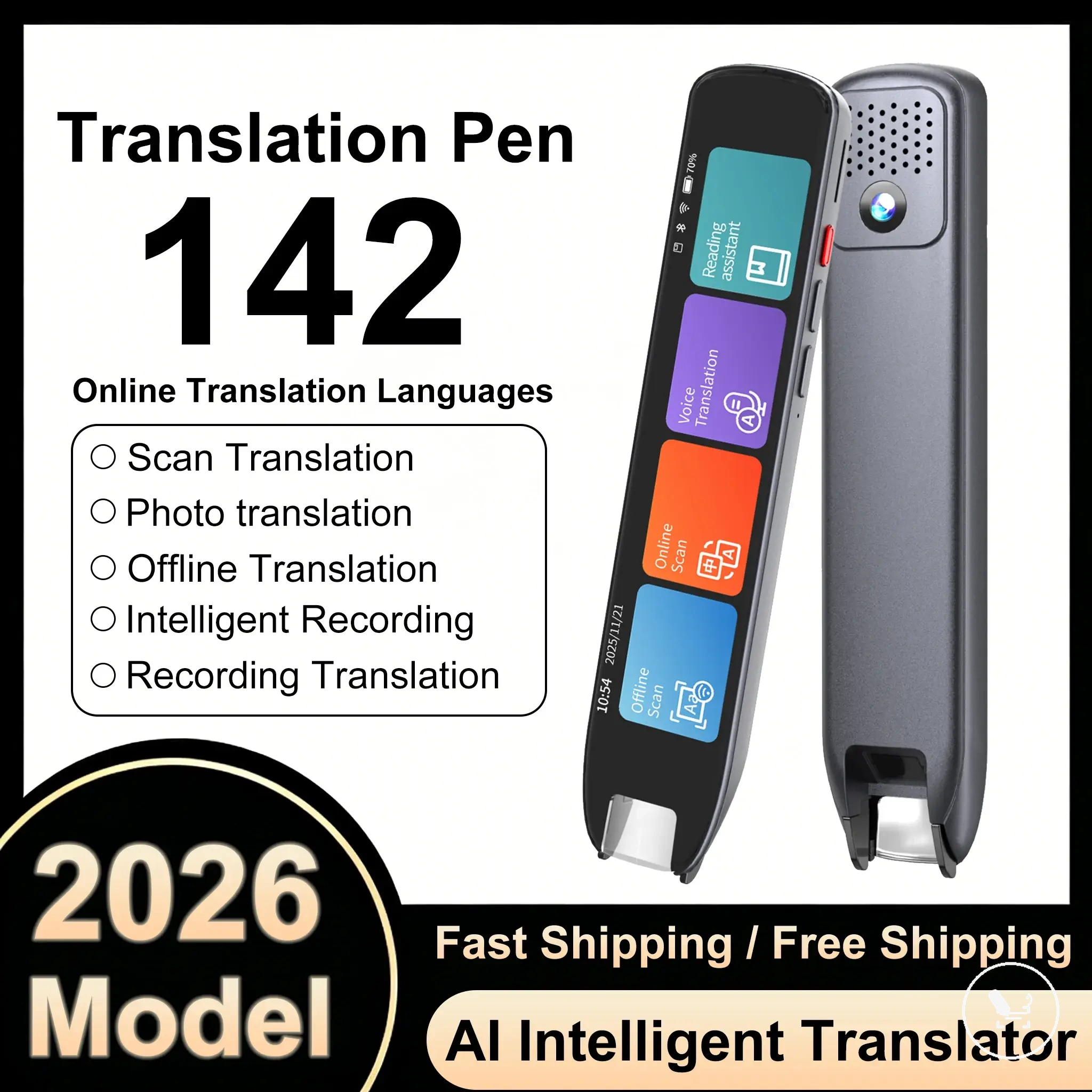
This chart shows the key factors that determine the cost-value fit of a translator pen versus phone-based app translation, including cost types, device burdens, and use conditions that justify the dedicated device.
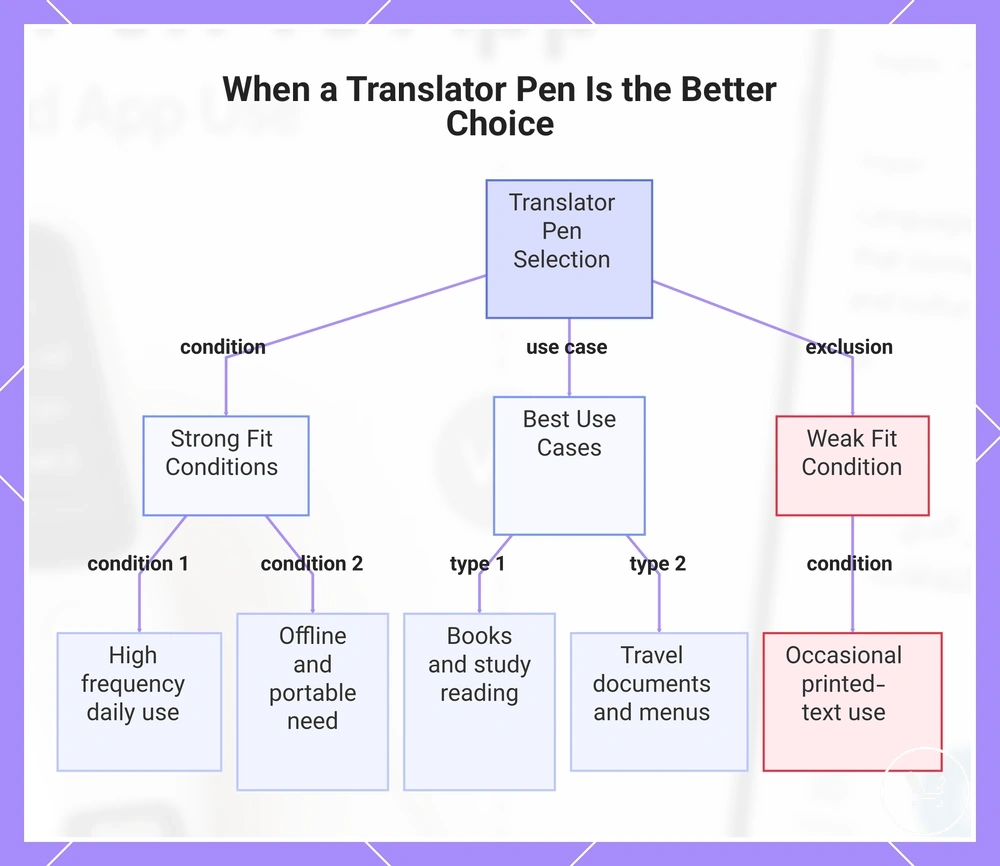
When a Translator Pen Is the Better Choice
A translator pen is the better choice when dedicated scanning or offline use reduces recurring friction in handling printed text. This selection depends on repeated printed-text scanning, where speed and consistency matter more than general app flexibility. The decision is strongest when frequency of use is high across daily reading tasks.
Printed documents, books, and menus create conditions where a translator pen can deliver stable line-by-line scanning. Travel documents, study reading, and menu interpretation often require quick OCR capture without repeated camera adjustments or app switching. The checklist below clarifies when these conditions typically align:
- Books: When study reading involves repeated printed-text scanning, the translator pen supports continuous line-by-line reading with reduced interruption.
- Travel documents: When tickets or forms are used in transit, offline access and direct scanning reduce dependency on phone navigation.
- Menus: When quick interpretation is needed, scanning printed text reduces interaction steps compared with app switching.
- Study reading: When scanning volume is high, dedicated hardware reduces repeated phone handling and improves consistency.
- Low-signal environments: When connectivity is unstable, offline scanning supports basic translation without relying on network access.
- Reduced phone dependence: When minimizing phone use is preferred, a dedicated device separates translation from general mobile activity.
In travel and mobility situations, a translator pen can be a stronger fit when portability and offline access align with frequent printed-text needs. It supports travel documents and low-signal environments where consistent scanning is more reliable than app-based switching. The strength of the fit increases when scanning is repeated across multiple daily contexts.
For occasional users, the advantage of a translator pen may be limited if printed-text scanning is infrequent. In such cases, app-based translation can handle basic needs without requiring a separate device. The distinction depends on whether the workflow involves repeated friction or light, occasional use patterns.
The final selection depends on frequency of use, repeated printed-text scanning needs, offline access, portability, and reduced phone dependence. When these conditions align strongly, users often compare best translator pen options for their workflow requirements.
The products below are useful examples for comparing available options. Before buying, check that the compatibility criteria, key features, and product details match your needs.
This chart shows the key conditions and use cases where a translator pen outperforms app-based translation for printed text.
When a Translation App Is Enough
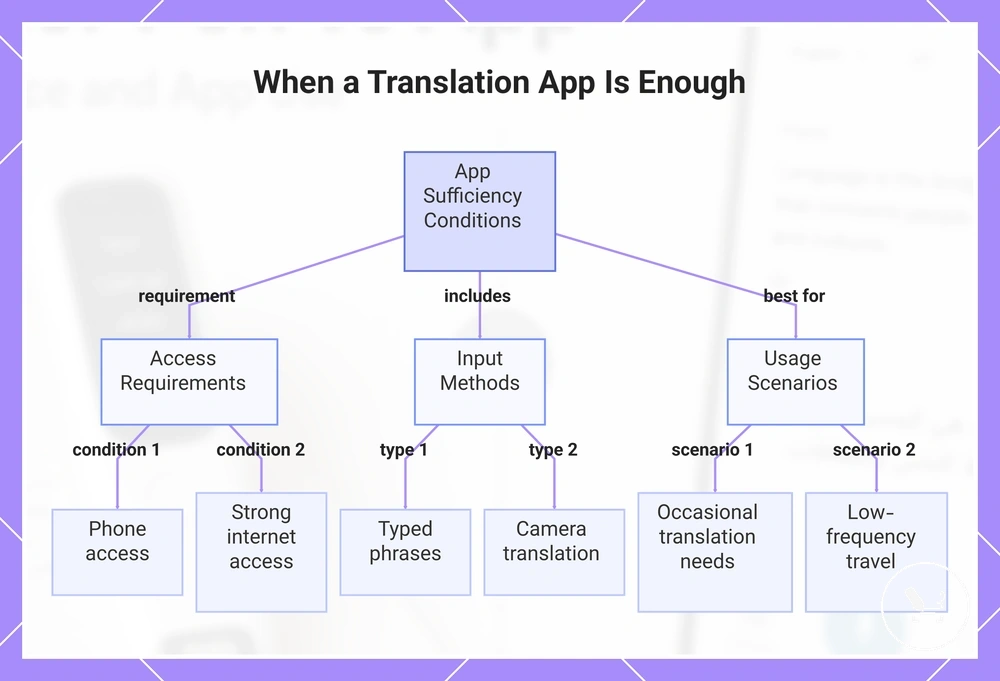
A translation app is enough when phone access, strong internet access, and flexible input options already meet the translation task. It depends on occasional translation needs that can be handled through a translation app without requiring any extra device. This is usually a low-friction condition when communication is simple and time-sensitive.
In practical use, a translation app is enough for occasional translation scenarios where speed and convenience matter more than hardware-based scanning. It can handle typed phrases, camera translation, and short interactions where context is limited. Common cases where app-based translation is typically sufficient include:
- Occasional translation: When only a few phrases are needed, typed phrases through phone access are usually sufficient.
- Camera translation: When menus, signs, or labels are captured directly using the phone camera.
- Typed phrases: When short text input is used for quick communication or clarification.
- Strong internet access: When connectivity supports stable and fast translation responses.
- Low-frequency travel: When translation is only needed occasionally during trips without requiring an extra device.
When usage remains casual and does not involve recurring printed-text scanning, a translation app is often enough for everyday needs. The boundary appears when tasks require frequent structured reading or repeated scanning, where dedicated tools may provide more consistent handling. In light-use scenarios, phone-based translation remains sufficient as long as access and connectivity conditions are met.
This chart shows the key conditions, input methods, and usage scenarios that make a translation app sufficient for casual translation needs.
Common Decision Questions Before Choosing
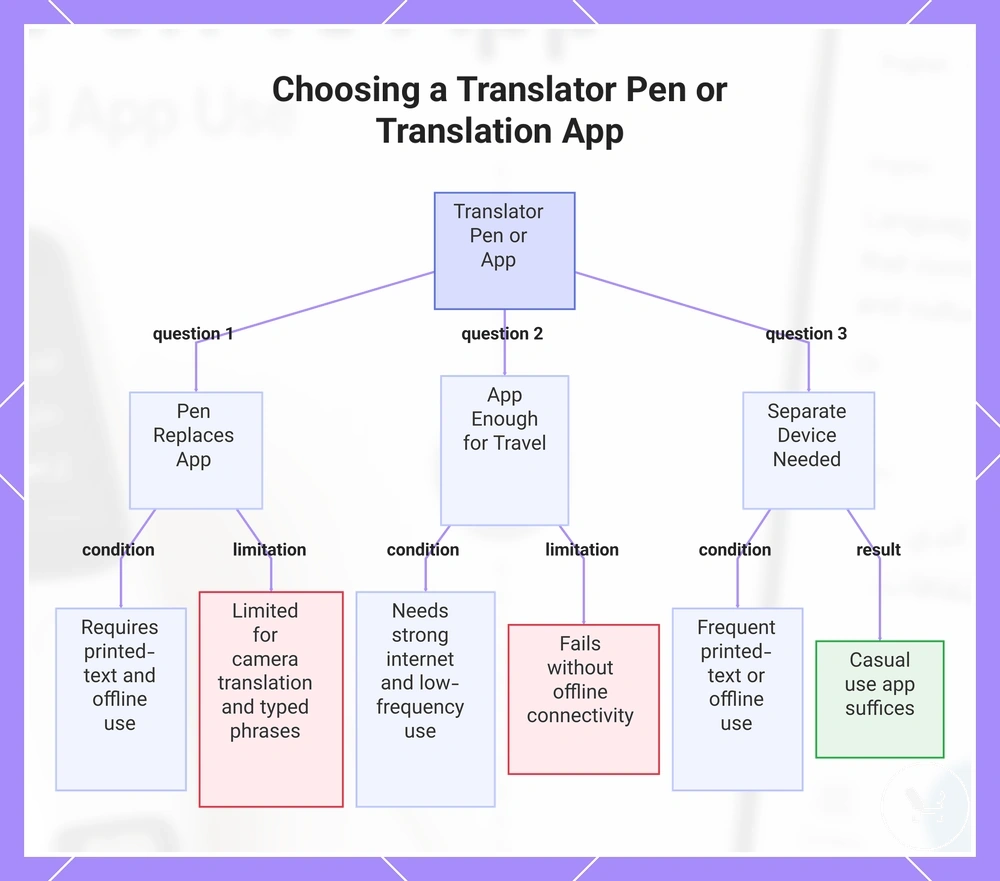
Decision questions before choosing between a translator pen and a translation app depend on use-case conditions and feature limits. These questions usually appear when users compare practical needs like scanning frequency, offline use, and input flexibility. This FAQ provides residual clarification after the main comparison.
Can a translator pen replace a translation app?
A translator pen can replace a translation app in specific cases where repeated printed-text scanning and offline use are the main requirements. It works well for structured reading tasks that rely on line-by-line scanning. However, it may not fully replace app-based flexibility when camera translation or typed phrases are needed across varied situations.
Is a translation app enough for travel?
A translation app is enough for travel when phone access, strong internet access, and low-frequency translation needs are available. It supports quick tasks such as camera translation and typed phrases during short trips. This becomes limited when offline use or stable connectivity is not available.
Should I carry a separate device for translation?
Carrying a separate device depends on whether recurring printed-text scanning or offline use is frequent in daily situations. A translator pen may add value when structured reading or low-signal environments are common. For casual use, app-based translation is usually sufficient without extra device burden.
This chart shows the three common decision questions that help users choose between a translator pen and a translation app based on use-case conditions and feature limits.
Do Translator Pens Work Better Than Apps?
Translator pens work better for some printed-text use cases and offline use situations, while apps can work better for flexible phone-based translation depending on the use case. Translator pens often show a stronger fit when printed-text use and offline use are the main needs, especially in structured reading where scanning is repeated. Apps tend to perform better when phone-based translation, varied input type, and stronger connectivity are available. The tradeoff depends on use case, input type, and connectivity rather than a universal performance advantage.
Can a Translator Pen Replace an Offline App?
A translator pen can replace an offline app for some scanning tasks and travel tasks when offline language packs and scan translation are the main requirement, but it cannot replace every phone-based translation need. It usually works better in printed-text use where structured scanning is required and phone convenience is not critical. However, offline apps still cover broader cases such as voice limits, mixed input type, and more flexible phone-based translation workflows. The final use-case fit depends on offline language packs, scan translation needs, and whether phone-based translation features are required.