
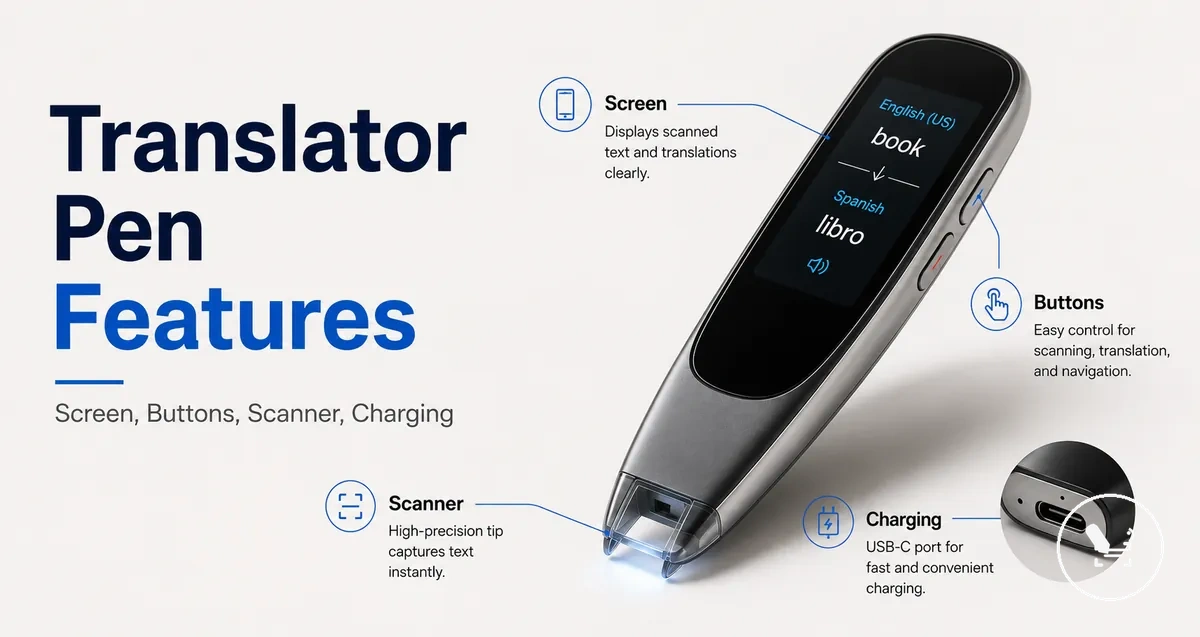
Translator Pen Features for Choosing the Right Device
Translator pen features are the built-in capabilities that help you decide which translator pen to choose by shaping how scan translation, voice translation, text-to-speech, and reading functions are handled. They describe what the device can do, but usefulness depends on how those capabilities perform in real use, not just whether they exist. These features act as decision-support attributes that help evaluate how a translator pen processes input and produces translation results for reading tasks.
In real use, translator pen features become important when a user needs to scan printed text, listen to spoken translation, or review translated content on a screen during reading or study. A reading translator may include scan translation for printed text, voice translation for spoken interaction, text-to-speech for audio output, and interface elements such as touchscreen and display for control. Use-case fit becomes the main evaluation frame because the same feature set can behave differently depending on the context and user needs.
The value of translator pen features depends on several conditions, including model design, language support, input mode, connectivity through offline mode or Wi-Fi, and the quality of battery life during extended use. Accuracy in scan translation and voice translation may also vary based on recognition quality, pronunciation handling, and the clarity of the source material. As a result, choosing a translator pen requires evaluating both feature presence and how effectively those features perform in realistic reading or communication scenarios.
Before exploring individual feature groups, it is important to understand that translator pen selection is not based on listing capabilities alone but on how those capabilities work together in practical situations. Scan translation, voice translation, text-to-speech, camera input, and touchscreen interaction form a connected feature set that supports different reading and communication needs. The following sections break these features into specific evaluation layers to support clearer decision-making.
What Translator Pen Features Include
Translator pen features are built-in capabilities that determine how a translator pen handles scanning, translation, reading support, connectivity, and user control. These translator pen features are grouped by how they affect function, hardware behavior, connectivity conditions, and output quality. This structure helps separate what the device does from how reliably it performs those tasks in real use.
Translator pen features include scan translation, voice translation, text-to-speech, and interaction tools such as touchscreen and display-based controls. The exact feature labels may vary across models, and similar names do not always indicate identical performance or capability levels. This means feature presence does not guarantee the same reading support or translation behavior across different devices.
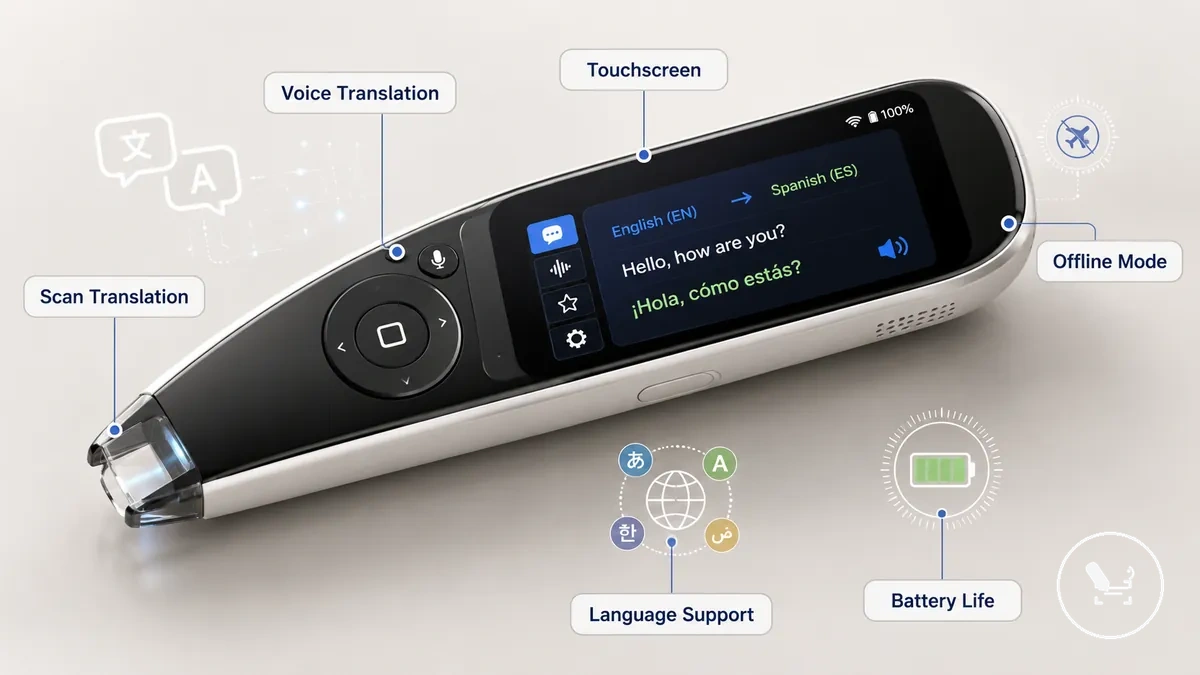
Feature interpretation also depends on how each translator pen combines hardware, language support, and connectivity conditions such as offline mode or Wi-Fi-based processing. A detailed breakdown of how these capabilities interact is available in the translator pen guide, especially when comparing device-level differences. These boundaries matter because feature names alone do not define real-world performance.
What Translator Pen Features Include organizes built-in capabilities into structured groups based on how they support user tasks. These groups help separate core translation functions from interface, connectivity, and hardware dependencies.
The feature groups in What Translator Pen Features Include can be understood as functional categories that shape how the device behaves during reading and translation tasks.
- Core translation functions such as scan translation and voice translation for processing printed and spoken input
- Reading support features including text-to-speech for audio-assisted reading
- Interface and control features such as touchscreen navigation and display-based interaction
- Connectivity modes including offline mode and Wi-Fi-based language processing conditions
- Language support features that determine translation coverage across different languages
- Hardware support features such as battery life that influence sustained usage and device limits
Core Translation and Reading Features
Core translation and reading features define the main functional cluster of a translator pen that converts printed text and spoken input into usable translation output for reading support. These core features center on scan translation, voice translation, and text-to-speech as the primary input-to-output system that supports everyday reading and communication tasks.
Core Translation and Reading Features become clearer when viewed as different pathways between input method and output method rather than isolated tools. Scan translation processes printed text as input and delivers a translation result, voice translation converts spoken audio captured through a microphone into translated output, and text-to-speech turns recognized text into spoken reading support through a speaker.
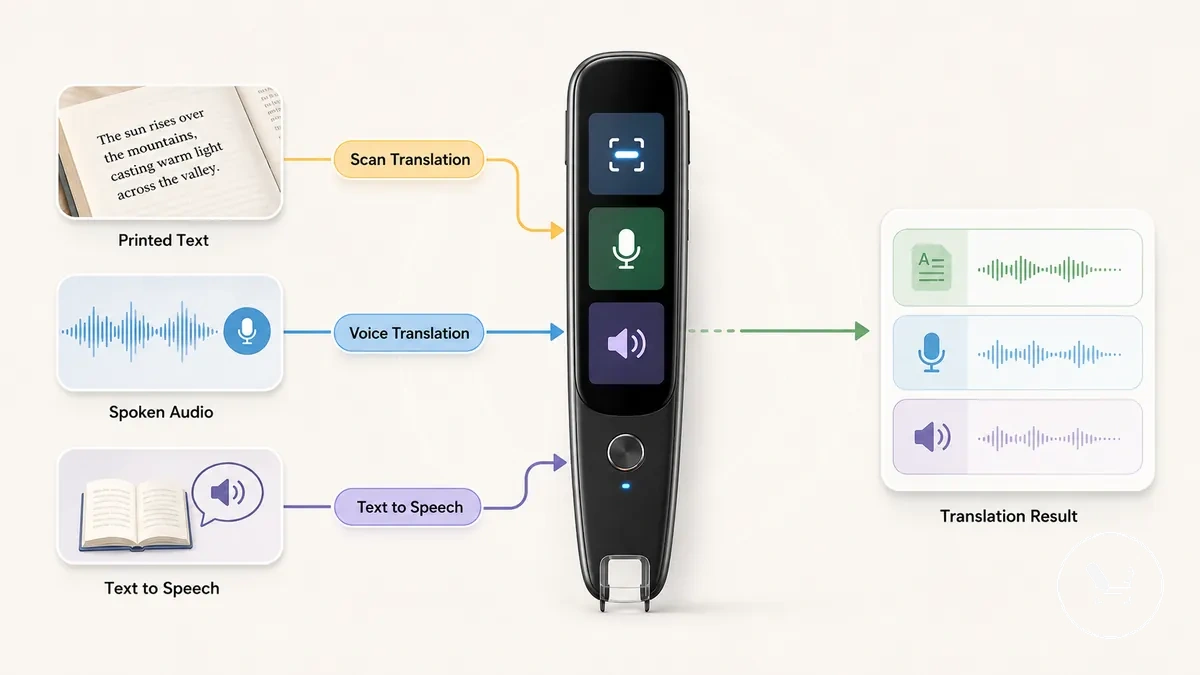
Each function follows an EAV pattern where a feature interacts with an input method, operates under certain conditions, and produces a translation result or reading output. For example, scan translation depends on clear printed text and stable movement, while voice translation depends on spoken audio clarity, and text-to-speech depends on recognized text quality for reading support output. These conditions influence how effectively each feature performs in real use.
Core Translation and Reading Features include structured relationships between input method, output method, condition, and outcome. The table below shows how these functions differ in practical use.
Core Translation and Reading Features comparison
| Feature | Input or output method | Useful condition | Selection impact |
|---|---|---|---|
| Scan translation | Printed text input (OCR-based) | Stable scanning on clear printed surfaces | Supports reading printed material through translation result |
| Voice translation | Microphone input and spoken audio processing | Clear speech and low background noise | Useful for spoken communication translation result |
| Text-to-speech | Recognized text converted to audio output | When reading support is required | Improves accessibility through spoken reading output |
| Reading support | Combined input and output handling | Mixed reading contexts and comprehension needs | Enhances overall reading support experience |
Scan Translation and Text Extraction
Scan translation converts printed text into recognized text through text extraction and OCR recognition before producing the translation output. The process depends on how accurately scan translation captures and structures printed text during the recognition step.
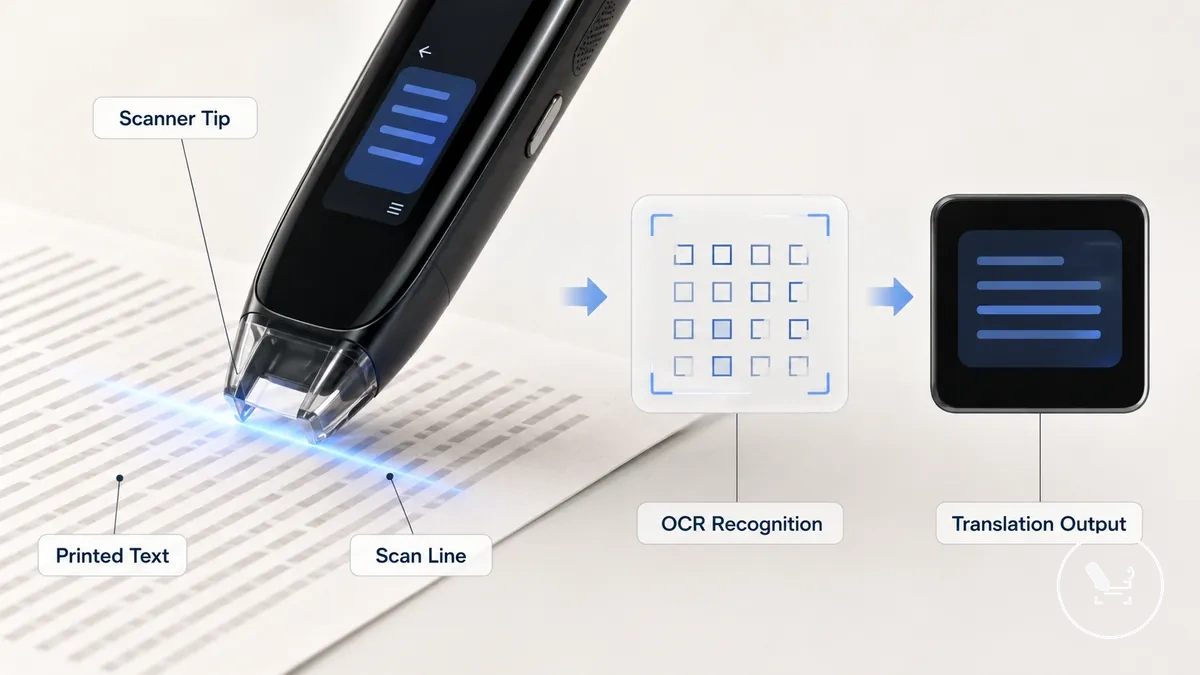
Scan Translation and Text Extraction depend on scanner alignment, printed text clarity, line handling, and stable movement across the source text. These conditions influence how consistently OCR recognition interprets characters before translation output is generated.
Scan Translation and Text Extraction checklist helps verify capture conditions before processing begins.
Scan Translation and Text Extraction checklist
- Scanner alignment across printed text lines
- Clarity of printed text characters
- Appropriate text size for recognition
- Correct line handling during scanning
- Suitable lighting and stable page surface
When printed text is faint or alignment is unstable, scan translation may produce incomplete text extraction, which can affect the final translation output.
In some cases, weak capture conditions may lead to broken sentence structure after OCR recognition, especially when scan movement is inconsistent or line handling is disrupted.
In such situations, scan translation feature depends on recognition quality before translation output is formed.
Voice Translation and Audio Playback
Voice translation is a spoken-input and spoken-output feature that converts spoken input into translated speech through audio playback, separating what the microphone captures from what the speaker delivers.
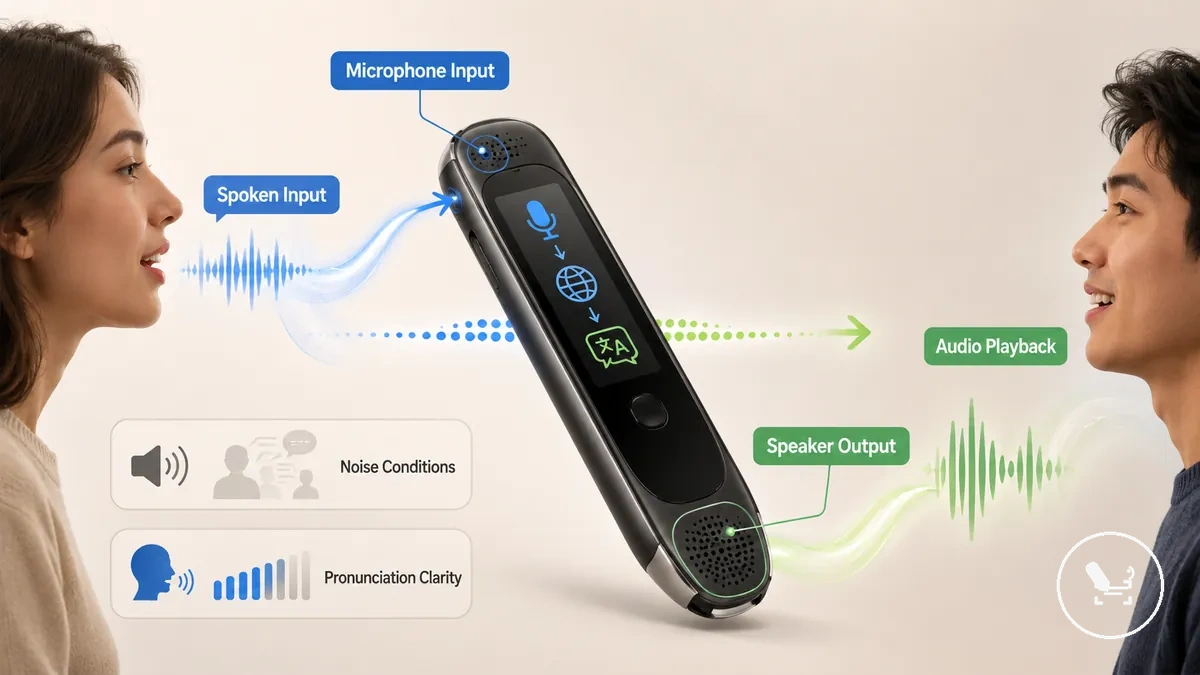
Voice Translation and Audio Playback distinguish microphone capture from speaker output in short communication use. The microphone processes spoken input such as short phrases, while audio playback delivers translated speech through the speaker with pronunciation clarity. In real use, noise conditions can affect how accurately spoken input is captured, and supported languages can influence how reliably audio output is produced. This feature is typically used for brief exchanges and pronunciation-style listening rather than extended dialogue.
Voice Translation and Audio Playback contrast
- Spoken input: captured through microphone in real environments
- Audio playback: delivered through speaker for pronunciation clarity
- Noise conditions: influence recognition of spoken input
- Supported languages: affect availability of translated audio output
In some cases, voice translation may depend on online processing, and performance can vary based on connection conditions and language support.
Text-to-Speech and Reading Support
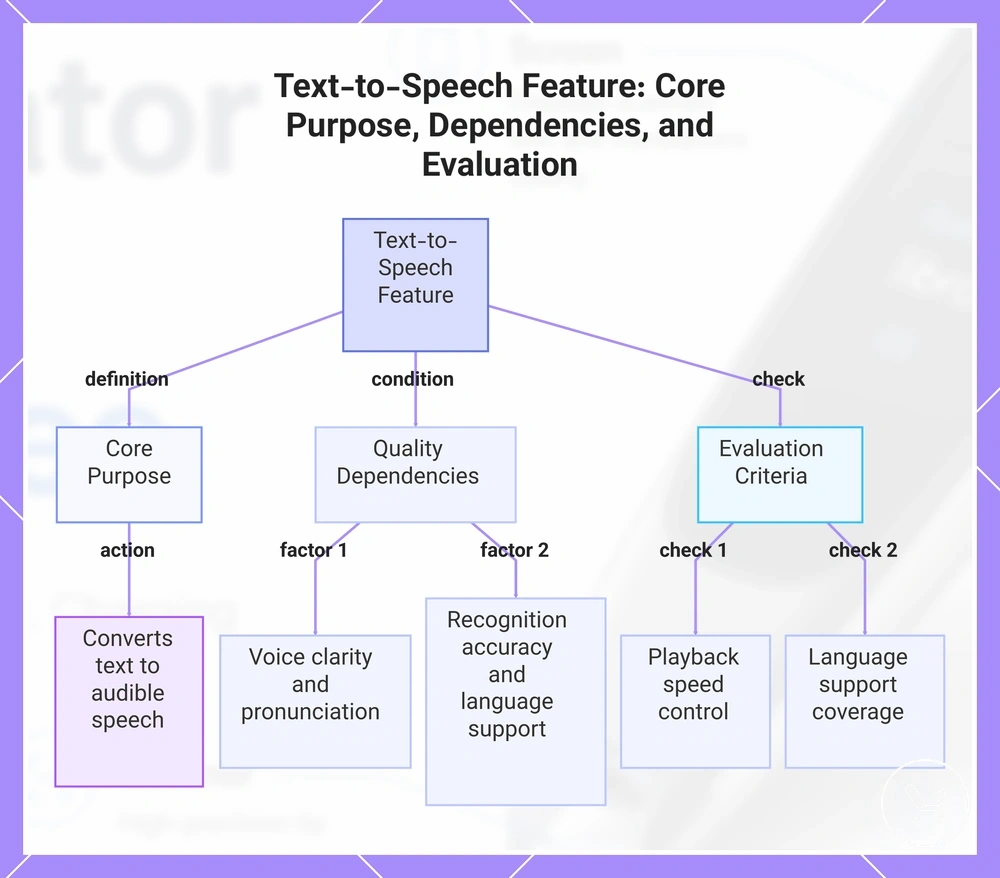
Text-to-speech is a reading-output feature that converts recognized text or translated text into spoken audio output for reading support. It focuses on turning on-screen content into audible speech, where playback and voice clarity depend on how the system processes the underlying recognized text.
Text-to-speech and reading support depend on voice clarity, pronunciation rendering, and how consistently recognized text is converted into audio output. Playback behavior may vary based on language support and the quality of the recognition step, which affects how naturally the spoken output is delivered from translated text or original content. The feature is mainly designed to make text audible through audio output rather than interpret meaning beyond the processed text.
Text-to-Speech and Reading Support evaluation focuses on whether the read-aloud output remains usable across different conditions.
- Voice clarity during speech playback
- Pronunciation consistency of recognized or translated text
- Playback speed control where supported
- Language support affecting audio output coverage
In some cases, reading support quality depends on recognition accuracy before text is converted into speech, which can influence overall playback clarity.
This chart shows how text-to-speech works, the key factors affecting output quality, and the criteria used to evaluate its usability across different conditions.
Screen, Camera, and Interface Features
Screen, camera, and interface features define how a translator pen is operated, reviewed, and controlled during use. These features mainly affect usability such as navigation speed, readability of results, and capture control rather than directly determining translation quality.
Screen, Camera, and Interface Features depend on touchscreen behavior, display clarity, camera capture, control layout, and menu structure. A responsive screen can improve interaction speed, while clearer display output can improve readability of translated text during review. Camera capture influences how printed text is collected, especially when layout or lighting conditions vary, while menus and controls shape how quickly users access functions.
These usability features support control and review, but they do not automatically improve translation performance. Translation quality is typically driven by language processing and recognition systems, while screen, camera, and interface elements mainly determine how efficiently results are accessed and managed.
Screen, Camera, and Interface Features comparison highlights how each element influences usability rather than translation accuracy.
| Feature area | What it changes | User benefit | Limit to check |
|---|---|---|---|
| Touchscreen | Interaction speed and navigation flow | Faster control and simpler menu access | Responsiveness under repeated use |
| Display | Text readability and result review | Clearer viewing of translated output | Clarity under different lighting |
| Controls | Operation shortcuts and handling | Reduced steps for common actions | Button placement and ease of use |
| Camera | Text capture method and framing | Easier input from printed sources | Stability during capture |
| Menus | Feature organization and navigation | Simpler access to functions | Structure clarity and depth |
Touchscreen Size and Display Clarity
Touchscreen Size and Display Clarity influence how translated text is read and how language selection and corrections are handled on the screen. These factors directly affect readability and control by shaping how the touchscreen presents translated text and responds to user actions.
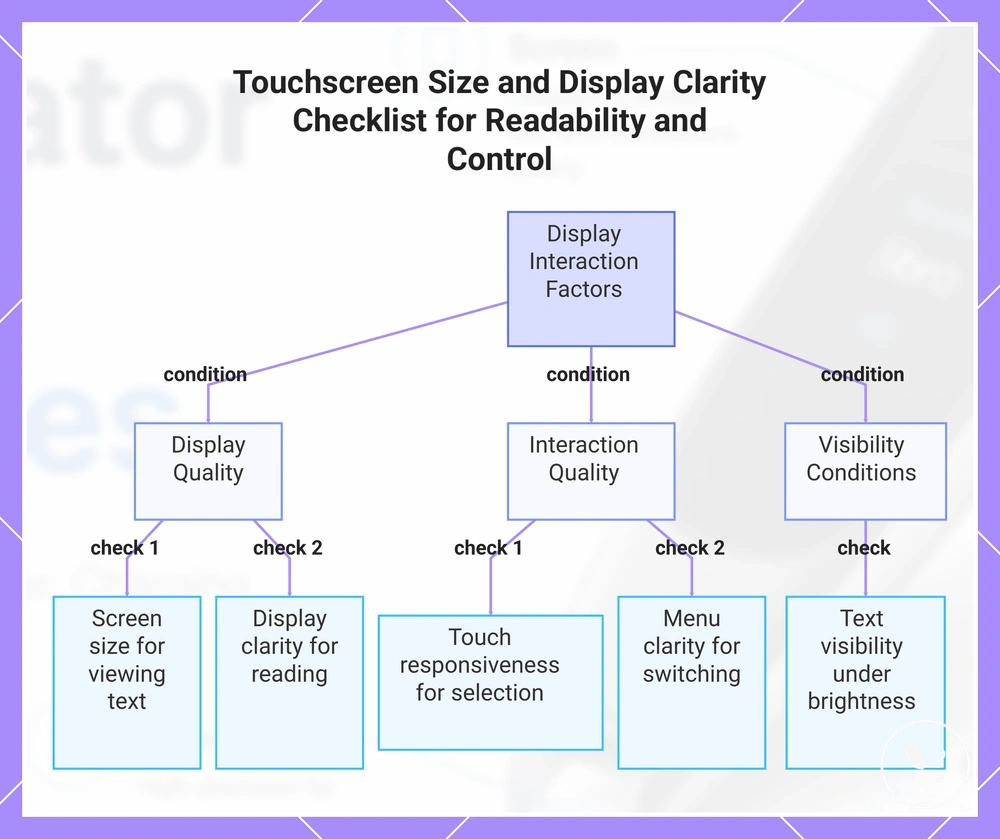
Screen size affects how much translated text can be viewed at once, while display clarity affects how sharply that text appears during review. Touch responsiveness influences how quickly users can select menus or correct actions, and brightness can affect text visibility under different lighting conditions. Menu clarity also plays a role in how smoothly language selection and navigation are handled. In some cases, users who rely on larger text or frequent menu switching may find different usability outcomes depending on the screen design.
Touchscreen Size and Display Clarity checklist verifies readability and control conditions for display interaction.
- Screen size suitability for viewing translated text
- Display clarity for reading and review
- Touch responsiveness during selection and correction
- Menu clarity for language switching and navigation
- Text visibility under different brightness conditions
This chart shows the main conditions verified by the Touchscreen Size and Display Clarity checklist, grouped by display quality, interaction quality, and visibility.
Camera Capture and Photo Translation
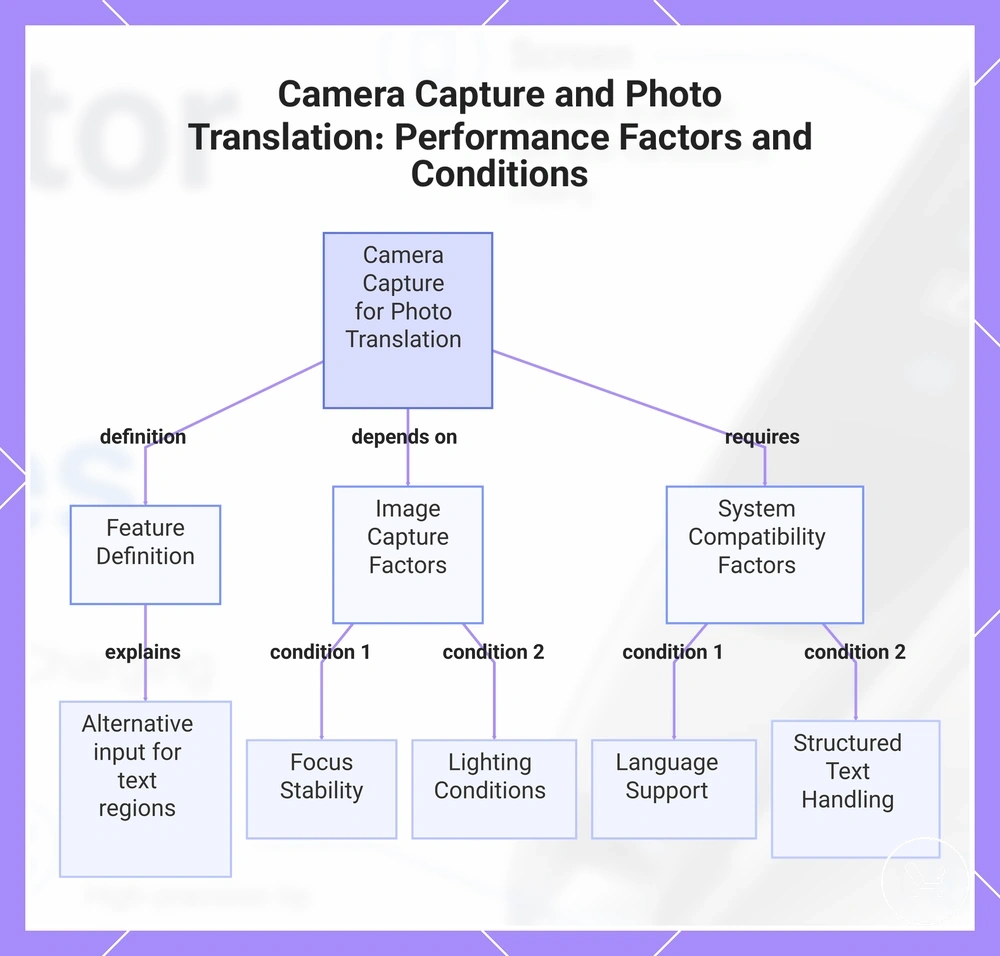
Camera capture and photo translation is a feature that uses image-based input to process text areas that may not fit a standard scan line. It works as an alternative input route for capturing full text regions before recognition and translation processing. :contentReference[oaicite:0]{index=0}
Performance depends on focus stability, lighting conditions, and how clearly the text layout is represented inside the capture area. When focus is unstable or lighting is uneven, recognition quality may decrease, which can affect how reliably translated text is produced. Camera capture is also influenced by language support and how well the system handles different structured text formats such as menus or documents.
The usefulness of camera capture remains conditional on recognition quality and available language support, especially when dealing with dense or complex text areas.
Camera Capture and Photo Translation checklist verifies capture conditions for reliable processing.
- Focus stability during image capture
- Lighting suitability for readable text areas
- Text layout clarity within the capture area
- Supported capture modes for different text formats
- Language support compatibility for recognition output
This chart shows the definition of camera capture for photo translation and the main factors that affect its reliability, including image capture and system compatibility conditions.
Offline Mode, Wi-Fi, and Language Limits
Offline mode, Wi-Fi, and language limits determine which translator pen features run online, offline, or with reduced functionality. These connectivity conditions directly affect feature access and overall language availability, and offline support is feature- and language-dependent.
Wi-Fi enables online translation, updates for language packs, and broader access to supported modes, while offline mode relies on pre-downloaded offline packs that define which scan language support, voice language support, and photo mode functions can operate without a wireless connection. Model-specific limits may also affect which features remain active under each connectivity condition, especially across different language pairs.
Language availability and quality can vary between scan language support, voice language support, and photo mode, meaning the same language may not perform equally across all feature types depending on whether it is used online or through offline packs.
Offline Mode, Wi-Fi, and Language Limits comparison highlights how connectivity affects feature access and selection criteria.
| Condition | Features usually affected | What to verify | Selection impact |
|---|---|---|---|
| Wi-Fi (online translation) | Online translation, updates, expanded language access | Network stability and language availability | Broader feature access with variable performance by language pair |
| Offline packs | Scan language support, voice language support, limited photo mode | Installed language packs and model compatibility | Determines which features can work without connectivity |
| Scan mode | Text recognition via scan language support | Supported language set and model limits | Affects accuracy and usable language coverage |
| Voice mode | Speech processing via voice language support | Supported spoken languages and offline availability | May reduce accuracy or limit language pairs offline |
| Photo mode | Image-based translation via photo mode | Language support and offline/online dependency | Functionality varies based on connectivity and model limits |
Connectivity behavior may vary depending on device configuration, especially when comparing features across offline mode and Wi-Fi conditions and language packs installed.
For some devices, differences in offline mode and Wi-Fi behavior may lead to reduced capability rather than full parity across all languages and features.
Online Features Versus Offline Features
Online features versus offline features define how translator pen functionality behaves under different connectivity conditions, separating feature access from feature quality. Online features typically rely on a translation engine through Wi-Fi, while offline features depend on downloadable language packs with reduced functionality depending on model-specific limits.
Online Features Versus Offline Features clarifies how access, updates, and language availability shift between connected and offline use.
Online features usually provide broader translation engine access, continuous updates, and wider language availability, while offline features depend on preloaded downloadable language packs that may limit scan language support, voice language support, and photo mode based on device configuration. Updates and feature expansion are generally tied to Wi-Fi, while offline capability may vary across language pairs and supported modes.
In low Wi-Fi environments or travel scenarios, a translator pen may switch between online features and offline features depending on connectivity strength, which can lead to reduced functionality when offline packs do not cover certain language limits or advanced processing needs.
| Aspect | Online features | Offline features |
|---|---|---|
| Translation engine | Full access via Wi-Fi connection | Limited or preloaded engine support |
| Language packs | Cloud-based updates and expansion | Downloaded offline packs stored locally |
| Scan features | Broader scan language support | Restricted by installed packs |
| Voice features | Higher compatibility through online processing | Reduced voice language support |
| Photo mode | More stable updates and processing | Reduced functionality in some models |
Language Support Across Scan, Voice, and Photo Modes
Language support across scan, voice, and photo modes depends on mode-specific language support, so language counts alone cannot be used to judge overall capability. Scan translation, voice translation, text-to-speech, and photo mode may each process language support differently, which makes compatibility vary by mode and use case.
Language support is determined by source language to target language pairing, OCR script handling for scan translation, speech support for voice translation, text-to-speech output behavior, and offline availability through installed language packs. These factors may behave differently across scan translation, voice translation, and photo mode, especially when offline availability restricts certain language pairs or script recognition. Mode-specific limits mean that a language supported in one function may not perform identically in another.
Language Support Across Scan, Voice, and Photo Modes checklist verifies mode-specific compatibility before use.
- Source language and target language pair compatibility
- Scan translation OCR script recognition support
- Voice translation speech support across languages
- Text-to-speech output support for selected language
- Photo mode language support for image-based translation
- Offline availability through language packs
Before relying on translation results, users should verify exact mode support through the supported languages page, since language pair and feature mode can significantly change performance expectations. :contentReference[oaicite:0]{index=0}
Feature Quality Signals to Check
Feature quality signals are evaluation criteria used to judge how well listed translator pen features are likely to perform in real conditions. They convert feature descriptions into decision variables based on measurable behavior rather than naming alone. The listed features need quality signals.
Feature Quality Signals to Check depend on recognition accuracy, translation speed, audio clarity, battery reliability, charging type, build quality, language mode limits, and use-case fit. These criteria determine whether a feature is suitable for short translation tasks, extended reading sessions, or mixed usage conditions. When these signals are weak or inconsistent, feature usefulness may change even if the specification list looks complete. :contentReference[oaicite:0]{index=0}
Marketing feature names alone do not confirm real-world performance because they often do not reflect operating conditions, language constraints, or hardware limits. Decision signals help separate must-have quality factors such as recognition accuracy and battery reliability from nice-to-have features like extended mode variations or additional interface options.
Feature Quality Signals to Check checklist turns listed features into evaluation criteria for practical comparison.
- Recognition accuracy under different text conditions
- Translation speed during continuous use
- Audio clarity in voice output scenarios
- Battery reliability during extended operation
- Charging type and recharge convenience
- Build quality and durability under handling
- Language mode limits affecting feature availability
- Use-case fit across reading, travel, and study conditions
This chart groups the key evaluation criteria for translator pen features into core performance, reliability, and usage constraints.
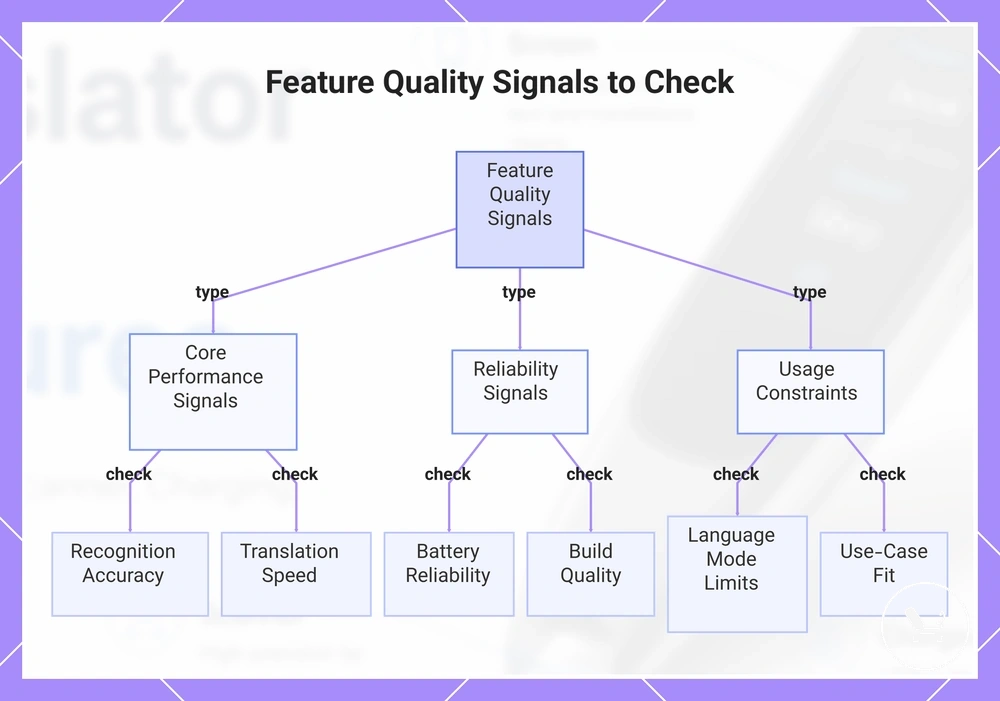
Recognition Accuracy, Translation Speed, and Audio Clarity
Recognition Accuracy, Translation Speed, and Audio Clarity function as linked quality signals that determine whether scanning, translating, and speaking outputs remain usable in real conditions. These signals interact to show how recognition accuracy, translation speed, and audio clarity collectively affect result reliability.
These quality signals depend on OCR recognition from source material, response time during processing, and audio conditions such as pronunciation clarity, speaker volume, and microphone capture. When source material is poorly printed or background noise affects microphone capture, recognition accuracy and audio clarity may degrade, and translation speed may vary due to processing delays. In practice, a feature can exist while still performing poorly under weak source or audio conditions.
Recognition Accuracy, Translation Speed, and Audio Clarity checklist evaluates how the three signals perform together under real-use conditions.
- Recognition accuracy under varied source material conditions
- Translation speed measured through response time consistency
- Audio clarity across speaker volume and pronunciation clarity conditions
These signals are often referenced alongside translation accuracy, since OCR recognition quality and environmental conditions can influence overall usability outcomes.
Battery Life, Charging Type, and Standby Time
Battery life, charging type, and standby time determine how reliably translator pen features remain available during continuous and intermittent use. These power-related quality signals influence whether core functions stay accessible across different usage conditions and directly affect feature availability.
Battery life depends on active use time during scanning, translating, and audio output, while standby time reflects how long the device can remain ready without operation. Charging type and charging speed influence how quickly the device returns to usable state, and battery aging may gradually reduce overall runtime. Screen use, speaker use, and Wi-Fi impact can increase power draw, especially during extended or mixed-feature sessions. In cases where users rely on long sessions away from charging access, reduced power consumption behavior becomes more relevant.
Battery Life, Charging Type, and Standby Time checklist verifies power reliability across usage conditions.
- Active use time during translation and scanning tasks
- Standby time under idle or low-usage conditions
- Charging type and charging port compatibility
- Charging speed and recovery time after depletion
- Power impact from screen use, speaker use, and Wi-Fi activity
- Effects of battery aging on long-term consistency
Power behavior and long-term consistency are also influenced by battery and charging care practices, which can help maintain stable performance over time.
Feature Trade-Offs Before Buying
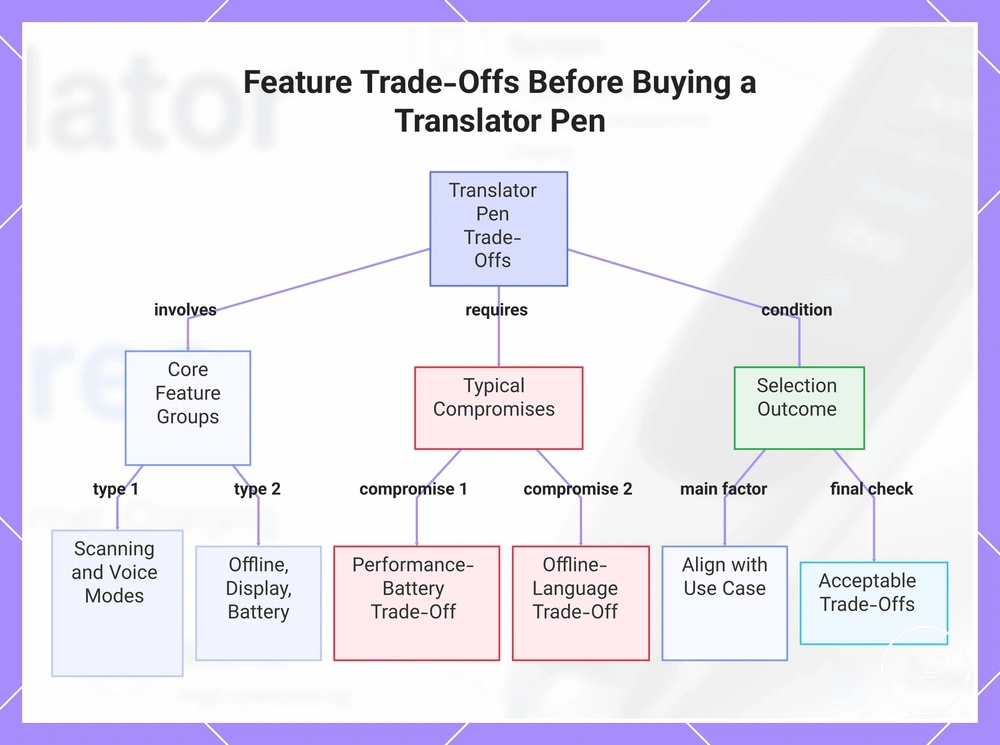
Feature trade-offs before buying shape the buying decision by turning translator pen capabilities into use-case driven choices rather than isolated specifications. The buying decision depends on how feature trade-offs align with user need, where each feature group creates value through a compromise, and the selection outcome depends on which compromises fit the intended use case.
Feature groups such as scanning, voice use, offline use, display comfort, and battery reliability connect to user need through conditions like mobility, language environment, and session length. Each feature group may require a compromise, such as stronger scanning performance increasing power demand, or offline use limiting language coverage, and these decision trade-offs define the practical value in different scenarios.
For scanning-focused usage, feature trade-offs often prioritize capture performance over battery reliability, while voice use scenarios may prioritize speech clarity over processing speed. Offline use supports independence from connectivity, display comfort supports extended reading sessions, and battery reliability becomes more important when long sessions or travel reduce charging access.
Feature Trade-Offs Before Buying checklist organizes feature priorities into a structured buying decision. It clarifies main use case, required modes, language pair, offline requirement, interface comfort, battery need, and acceptable compromises before final selection.
- Main use case priority (scanning, voice use, or mixed usage)
- Required translation modes and frequency of use
- Language pair and compatibility needs
- Offline usage requirement and dependency level
- Display comfort for longer reading sessions
- Battery reliability for travel or extended use
- Acceptable trade-offs between features and value
Final selection outcome depends on balancing feature trade-offs with real-world use conditions
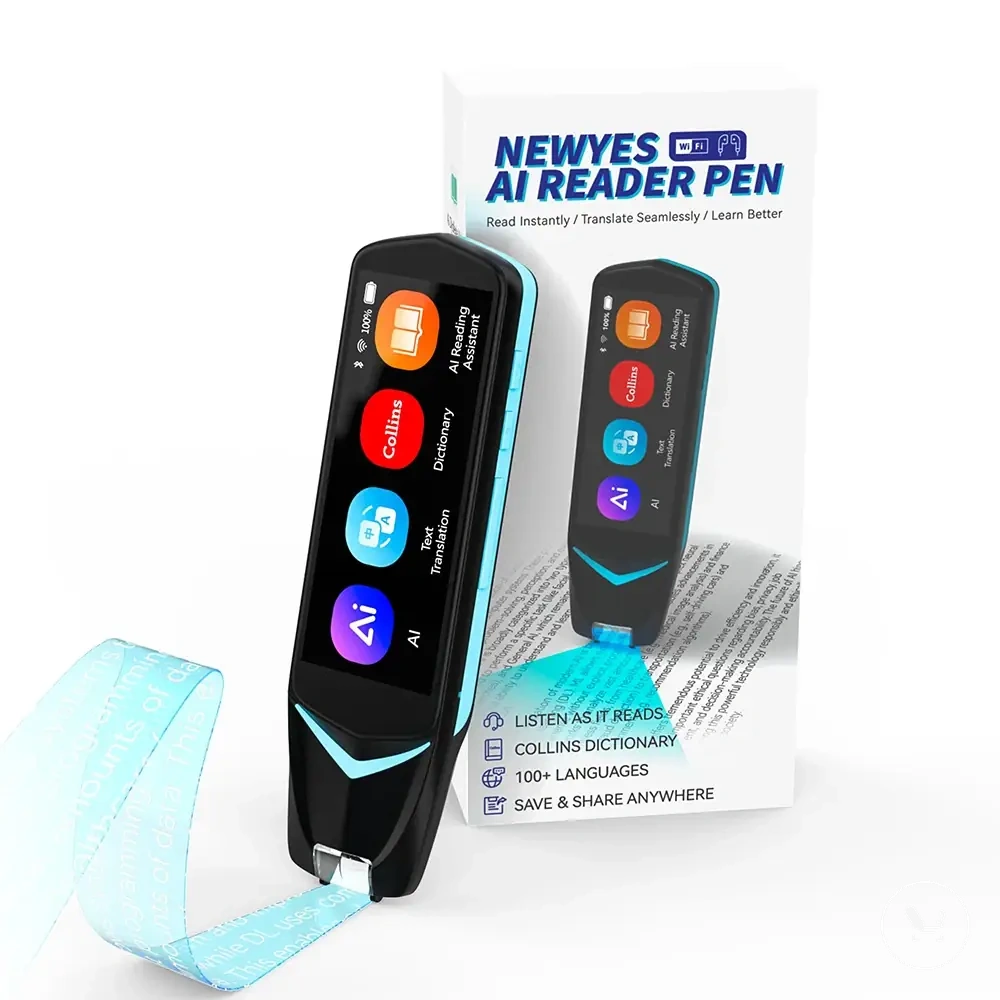
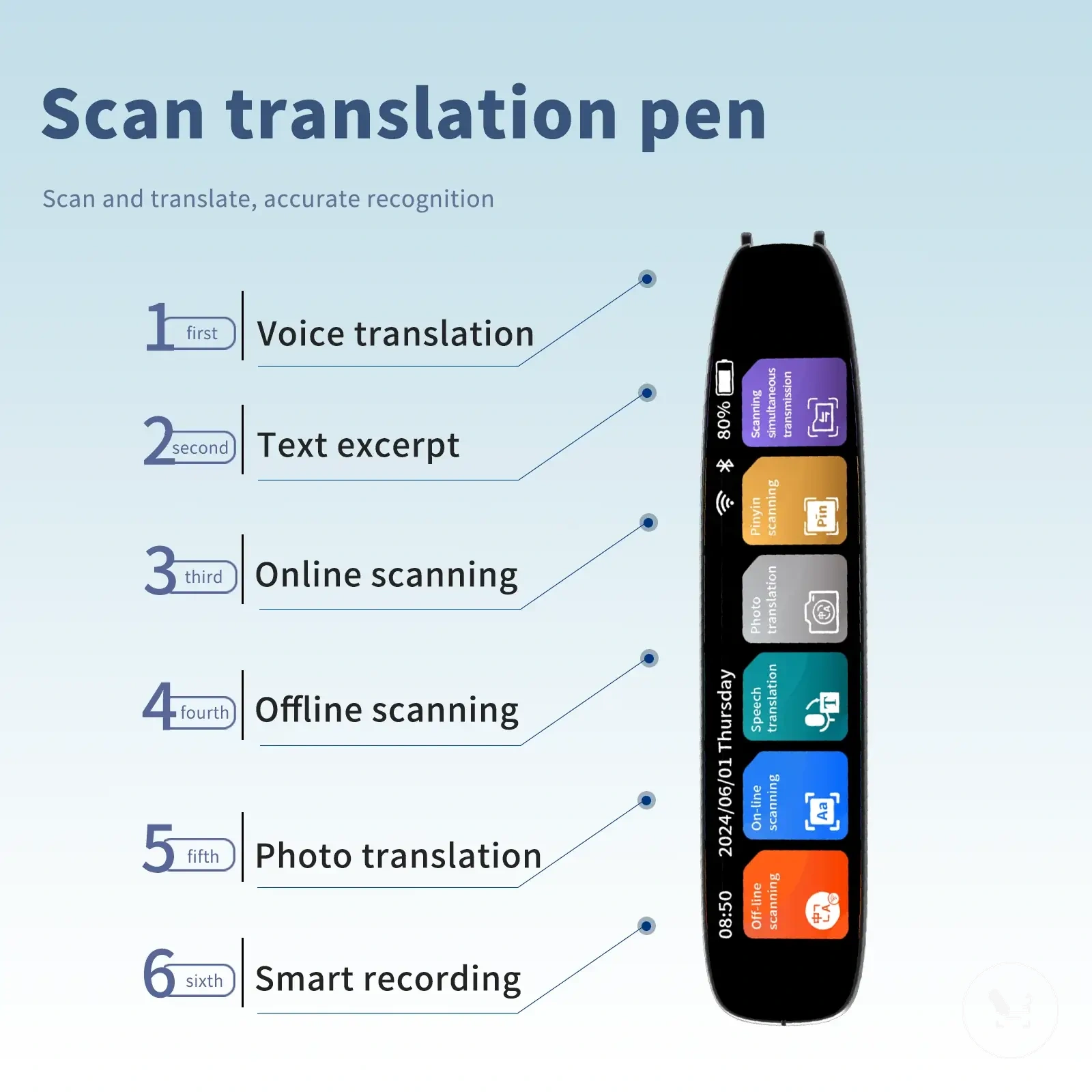
Here are product examples that may make comparison easier. Before buying, always review the compatibility criteria, essential features, and product details.
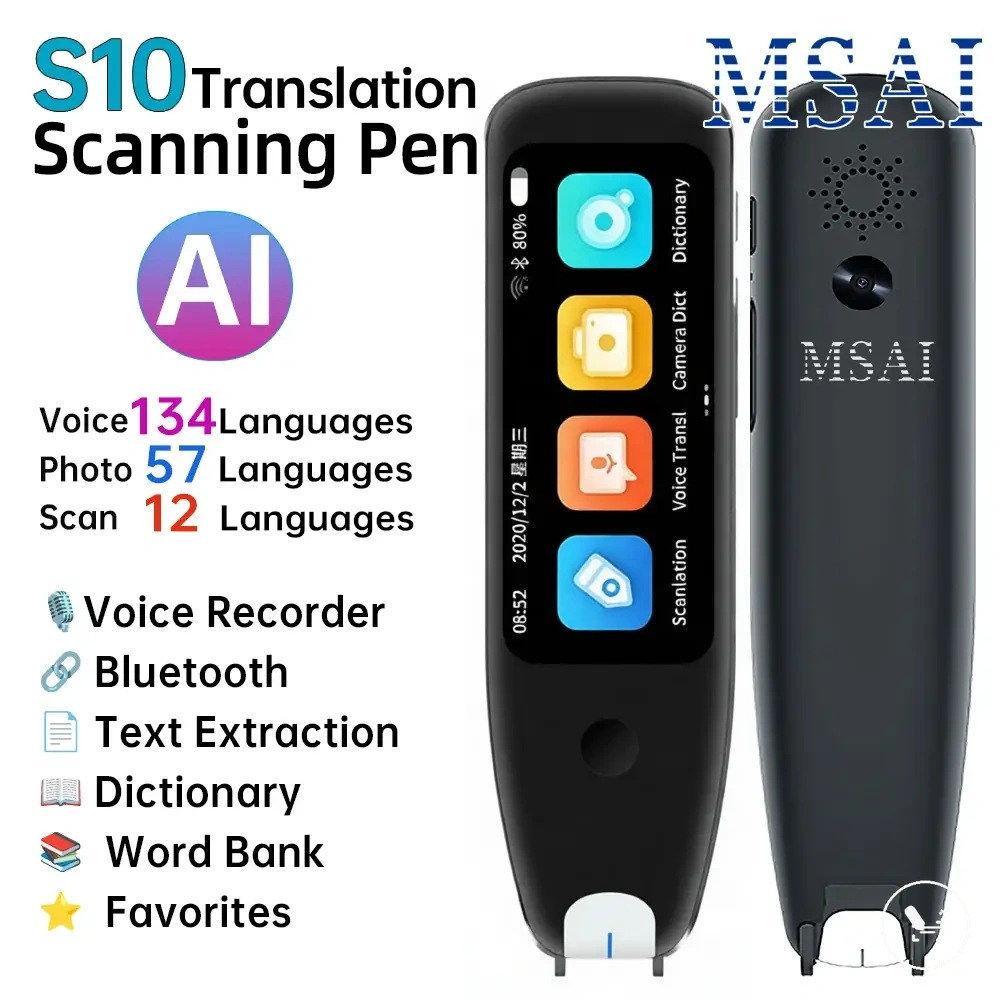
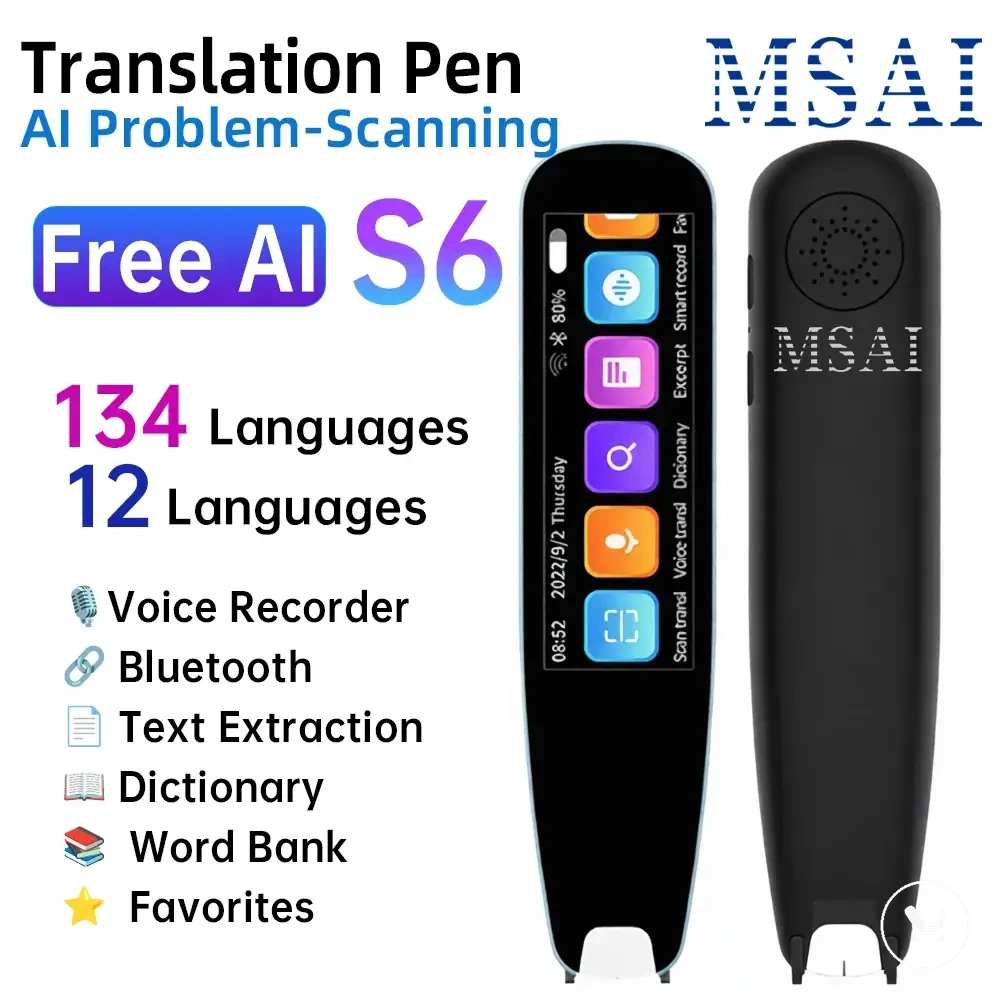
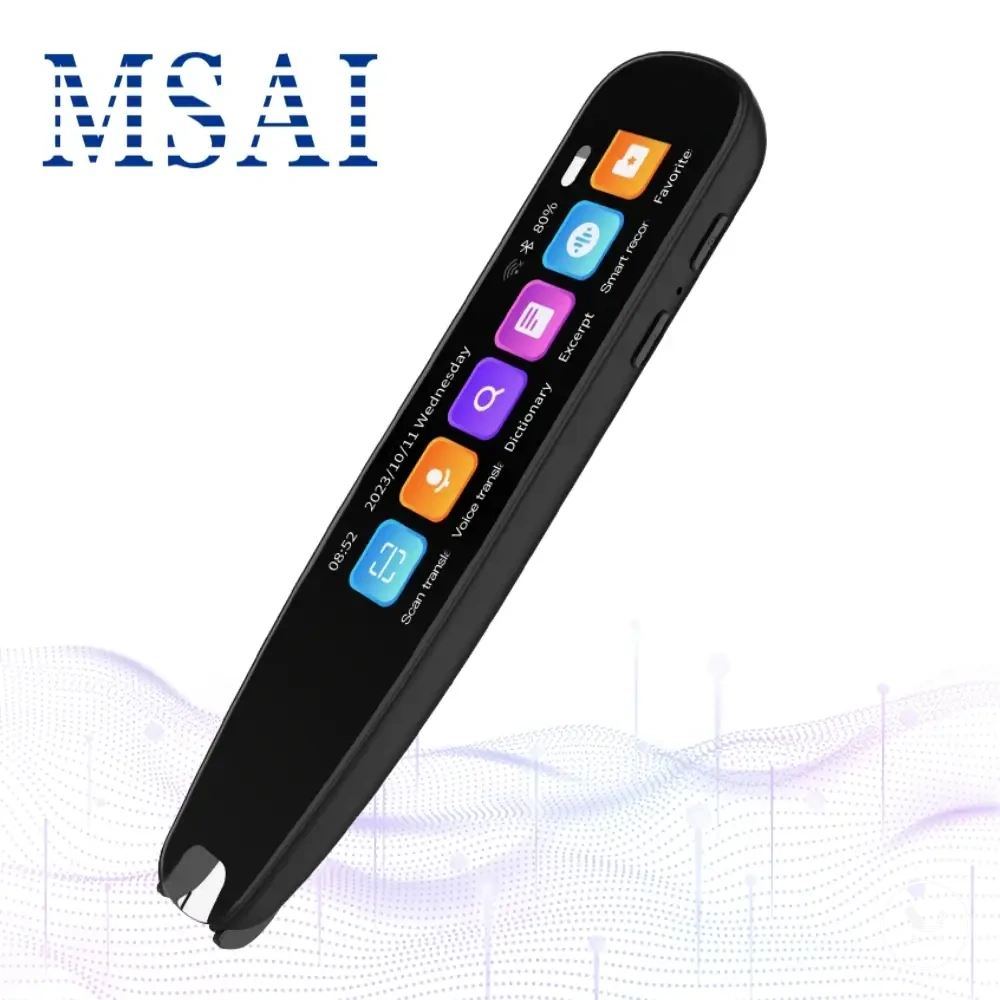
This chart shows the main feature groups, typical compromises, and decision factors that shape the buying decision for translator pens based on user need.
When Advanced Features Are Worth Paying For
Advanced features are worth paying for when feature trade-offs match recurring usage needs rather than occasional or one-time tasks. The buying decision depends on whether advanced features create practical value in repeated real-world usage, and this value is tied directly to use frequency and workflow dependency.
Advanced features such as touchscreen controls, camera translation, offline packs, broader language modes, stronger audio, and faster processing create practical value only when they solve ongoing needs. Touchscreen controls may improve workflow convenience, while camera translation supports repeated document capture. Offline packs and broader language modes matter when connectivity or multilingual conditions are consistent requirements, while stronger audio and faster processing become relevant when frequent use makes delays or unclear output disruptive to the experience.
A user focused on fast scanning tasks may find faster processing more valuable, while another user primarily traveling may prioritize offline packs instead of advanced interface controls. This contrast shows that advanced features can be worth paying for in one scenario but unnecessary in another depending on recurring use patterns and practical value needs.
When Advanced Features Are Worth Paying For checklist evaluates whether value features match repeated usage needs and practical value expectations before a decision is made.
- Frequency of use and recurring task dependency
- Required translation modes such as scanning or voice use
- Offline requirement and connectivity conditions
- Language coverage and broader language modes need
- Audio requirements including stronger audio clarity
- Interface comfort through touchscreen controls
Advanced features create justified practical value only when they consistently improve real workflow needs and use-case performance.
When Basic Translator Pen Features Are Enough
Basic translator pen features are enough when printed text scanning and essential translation needs are fully covered by the required modes and language pairs. Sufficiency depends on whether the core feature set can handle the user’s primary reading or translation tasks without requiring advanced capabilities. :contentReference[oaicite:0]{index=0}
Basic suitability depends on printed text scanning performance, limited voice use, essential language pairs, readable display quality, and acceptable battery life during normal use. In many cases, camera translation and advanced offline functions may not be necessary if the use case stays focused on straightforward reading tasks and stable language coverage with simple interaction needs.
When Basic Translator Pen Features Are Enough checklist verifies whether core functions match the actual usage requirements before selection.
- Required language pair coverage for everyday translation
- Printed text scanning performance for primary reading needs
- Limited voice use requirement and frequency
- Readable display suitability for extended viewing
- Acceptable battery life for regular usage cycles
- Need for camera translation or offline depth (required vs optional)