
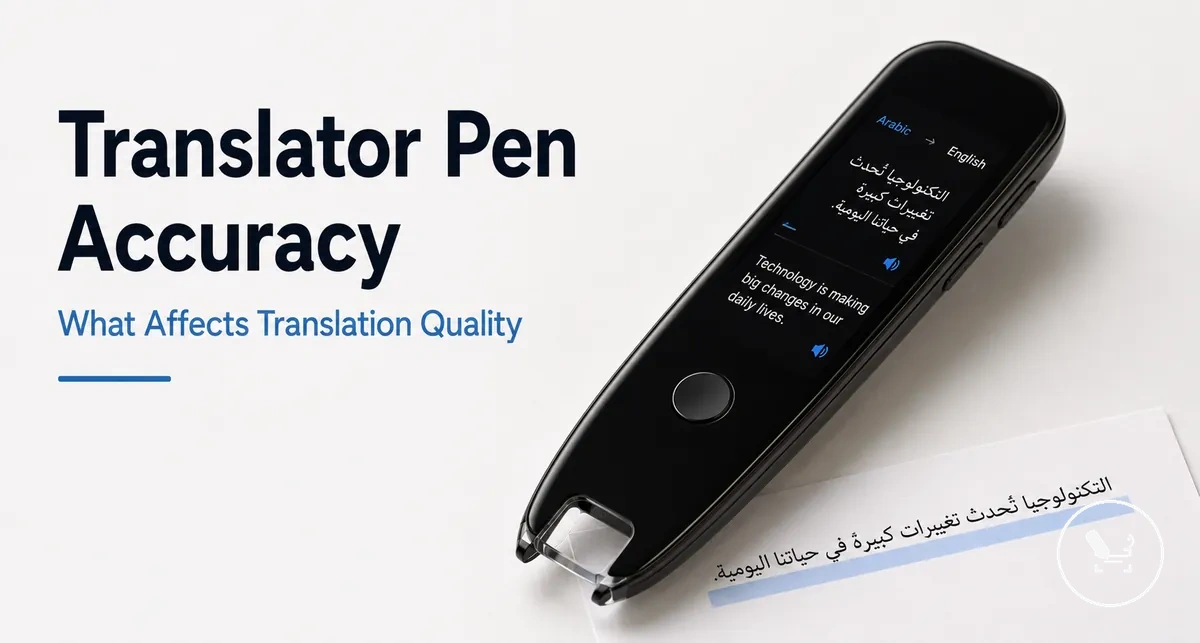
Translator pen accuracy and translation quality in real use
Translator pen accuracy refers to the conditional performance of a translator pen in recognizing scanned printed text through OCR and producing usable translation quality in real use. It is shaped by how scanning accuracy interacts with translation quality, and it also extends to offline mode behavior and text-to-speech output. This means accuracy is not a single fixed score but a combined evaluation of input recognition, language processing, and speech output under different conditions.
The overall result depends on several connected variables, including OCR scanning quality, printed text clarity, language pair structure, context handling, and dictionary support, as well as offline mode limitations and connectivity. The translator pen guide provides a broader context for how these components interact in practical usage. In many cases, translation quality also varies based on language pack coverage, sentence structure complexity, and how text-to-speech systems render speech output and pronunciation clarity.
When a translator pen scans printed text in travel, study, or everyday reading situations, the output can differ depending on how clean the source text is and how well the language pair is supported. Scanning accuracy may remain stable for clear text while translation quality still varies due to context or dictionary depth. In these situations, focusing on everyday scanning accuracy helps interpret whether the result meets basic understanding needs.
How accurate translator pens are for everyday scanning
Translator pens are accurate for everyday scanning when OCR recognition can clearly process printed text and when the language pair and use conditions are well supported. In these cases, the translator pen can produce usable translation quality from scanned material, but the outcome always depends on context and use conditions.
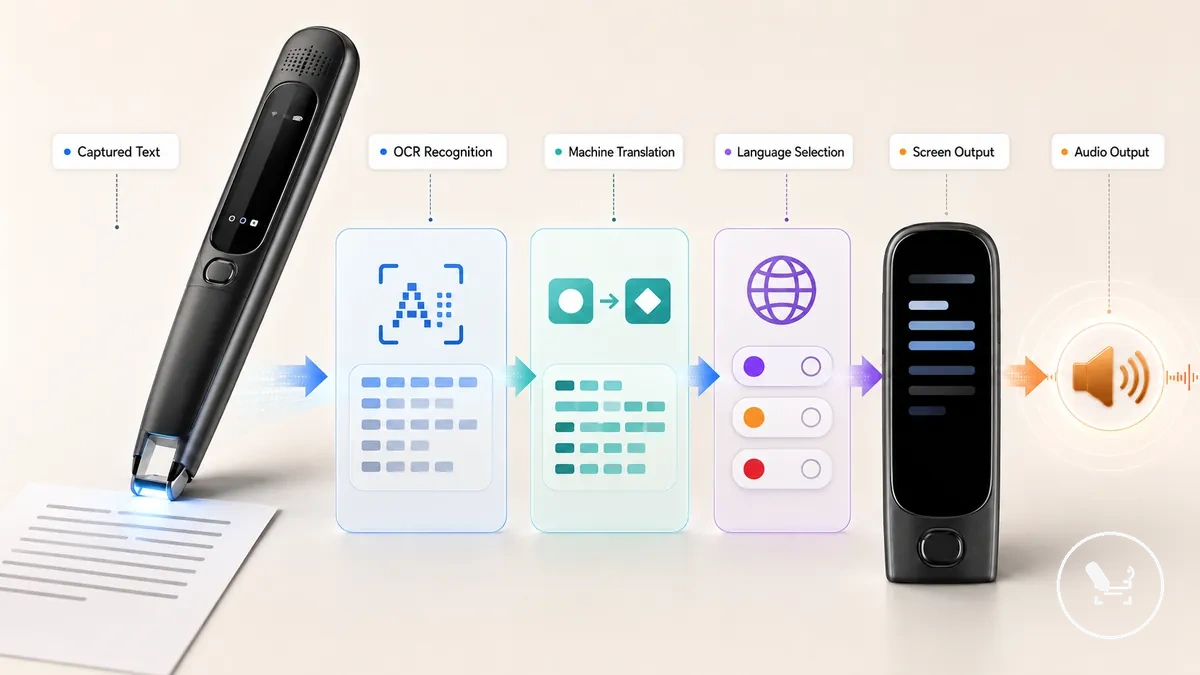
Everyday scanning accuracy depends on clear printed text, OCR recognition handling, text type, and use conditions.
In everyday use, translator pens handle accuracy differently across scan input and translation output. Clear printed text often improves OCR recognition, while complex language structure or unsupported language pairs can reduce translation quality even if scanning succeeds. This separation means that scanning accuracy and translation output should be evaluated independently rather than treated as a single result.
Why accuracy claims need real-use context
Accuracy claims for translator pens describe expected OCR recognition and translation behavior under ideal conditions, but they only become meaningful when tied to real-use context. Without scanning conditions and language tasks, these accuracy claims can misrepresent practical performance. This is why accuracy claims need conditions.
Accuracy claims should be evaluated against scanning conditions, language tasks, and practical usage factors because translator pens behave differently depending on input and environment. A structured reading of these claims helps separate marketing language from practical accuracy. The key is to identify what is stated versus what changes in use, then verify the actual conditions that affect outcome.
Accuracy claims need real-use filters before interpretation.
- Claim wording — check how accuracy claims describe OCR recognition versus actual scanning conditions
- Supported languages — verify how language tasks align with translation coverage
- Text complexity — assess how printed text difficulty affects scanning conditions
- Offline availability — confirm how limited connectivity changes translation behavior
- User handling — consider how handling impacts scanning stability in practice
Real-use context changes how accuracy claims should be read, because the same wording can lead to different outcomes depending on scanning conditions and language tasks. Before interpreting visual comparisons, it is important to frame claims within actual use scenarios rather than isolated specifications.
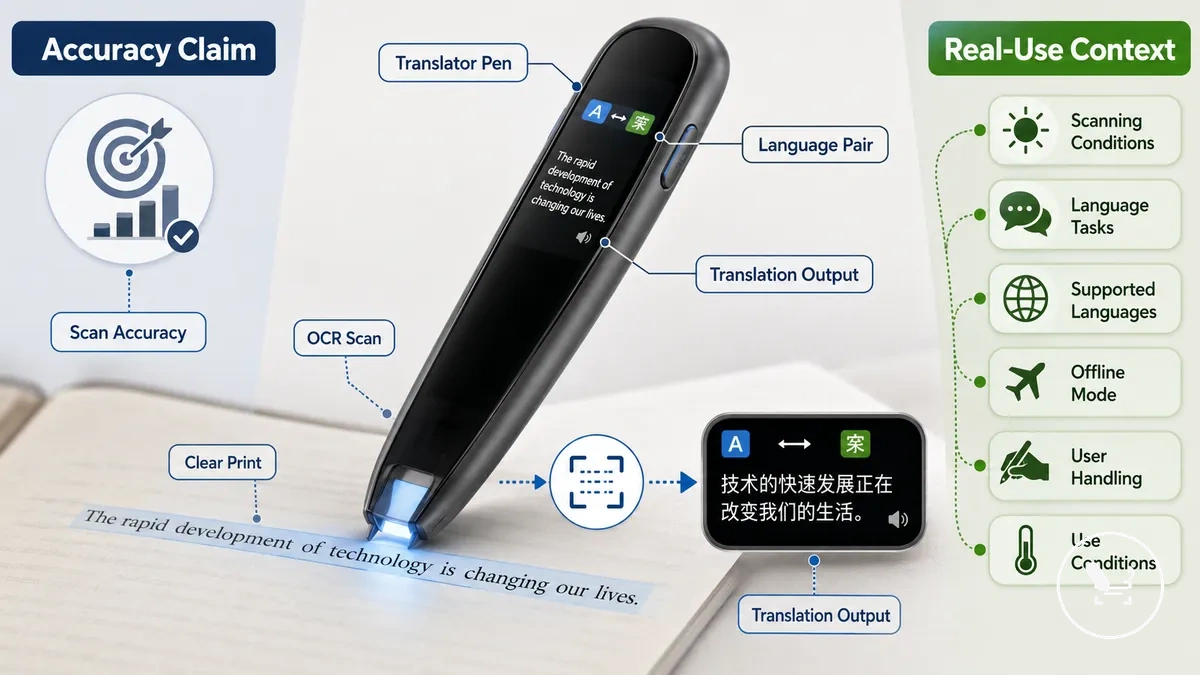
In practice, accuracy claims should always be tested against real scanning conditions, supported languages, offline availability, and user handling, since these factors determine practical accuracy more than the claim wording itself.
Where scanning accuracy and translation accuracy differ
Scanning accuracy refers to how a translator pen recognizes source text through OCR input, while translation accuracy refers to how it renders meaning in the target language. Scanning accuracy focuses on recognized characters from the source text, while translation accuracy focuses on final meaning in the target language. These two layers define scanning accuracy and translation accuracy.
Scanning accuracy depends on OCR input and recognized characters, while translation accuracy depends on grammar and final meaning in the target language. The first layer is tied to how well the device captures printed source text, while the second layer is tied to how well language rules are applied in translation. When these layers are mixed, users may misjudge performance because a strong scan can still produce weak meaning in translation. This leads to incorrect evaluation of overall output quality.
A clean scan of printed source text may still produce weak translation if the language task is complex or grammar handling is limited. In this case, users should review the difference using OCR scan translation to separate recognition from meaning processing.
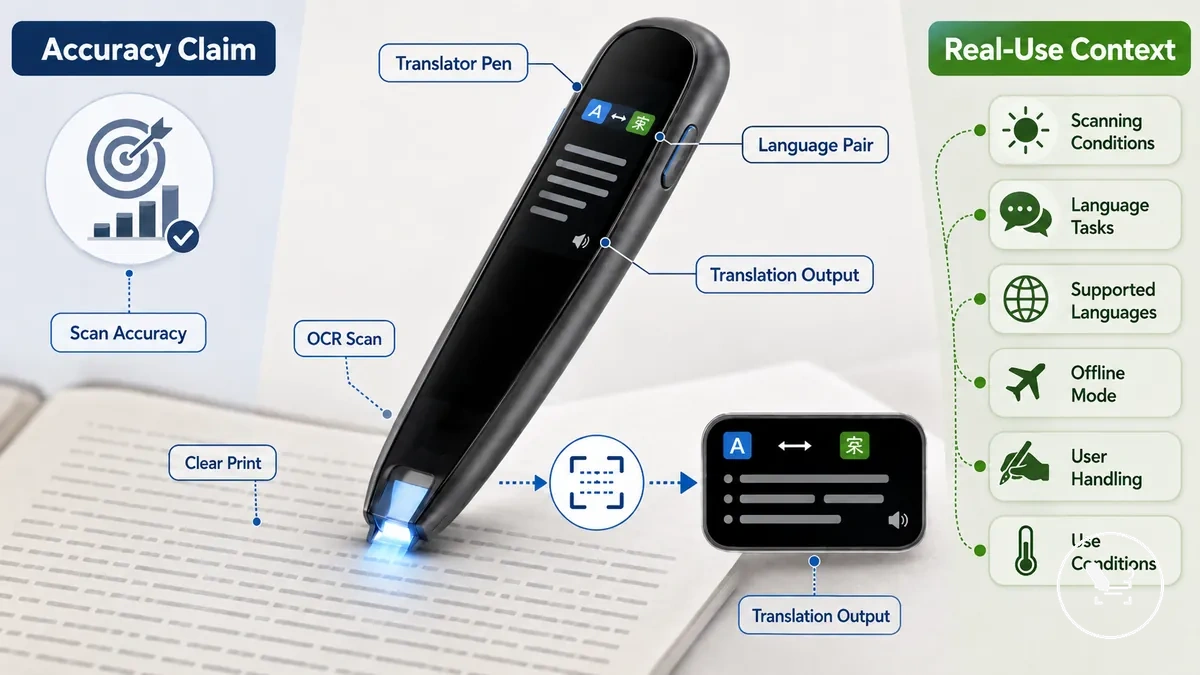
The following diagram shows how scanning accuracy and translation accuracy separate source-text recognition from target-language meaning. It helps clarify how OCR input and final interpretation belong to different evaluation layers.
| Accuracy layer | What it measures | What can go wrong | How to judge it |
|---|---|---|---|
| Scanning accuracy | OCR input and recognized characters from source text | Misread characters or incomplete capture of source text | Check clarity of recognized text against printed source text |
| Translation accuracy | Grammar and final meaning in target language | Incorrect meaning, weak grammar, or loss of intent | Check whether final meaning matches intended message in target language |
OCR conditions that improve or reduce accuracy
OCR conditions determine how reliably a translator pen captures source text from printed content. These conditions affect how accurately OCR input converts source text into recognized characters. OCR accuracy depends on visible text and scanning conditions.
Printed text clarity, font shape, line spacing, page surface, lighting, scan speed, and alignment all influence recognition quality. Clearer source text usually supports more stable recognition, while distorted or low-contrast text can reduce capture accuracy. Strong lighting and stable alignment often improve consistency, while fast movement or uneven surfaces can interrupt recognition flow. These OCR conditions collectively shape how well source text is converted into readable output.
The table below organizes the main OCR conditions and their effects on recognition quality. It separates each condition to show how different scanning factors influence accuracy outcomes.
| Condition | Better value | Risk value | Accuracy effect |
|---|---|---|---|
| Text clarity | Sharp, high-contrast printed text | Blurred or faded source text | Improves recognition stability or causes character loss |
| Font shape | Simple, standard font forms | Decorative or complex fonts | Improves character recognition or increases misreads |
| Line spacing | Clear separation between lines | Crowded or overlapping lines | Reduces character overlap or increases segmentation errors |
| Page surface | Flat, clean surface | Curved or textured surface | Supports stable scanning or disrupts alignment |
| Lighting | Even, well-distributed light | Shadows or glare | Improves visibility or reduces OCR input quality |
| Scan speed | Steady, moderate movement | Fast or inconsistent movement | Improves capture continuity or causes skipped input |
| Alignment | Straight, stable pen position | Angled or unstable tracking | Improves character mapping or increases recognition errors |
Clean printed text, font clarity, and line alignment
Clean printed text, font clarity, and line alignment describe how structured and readable source text supports OCR capture in a translator pen. Clean print reduces ambiguity in source text, while font clarity and consistent line alignment help the system detect recognized characters more reliably. Together, these conditions improve stable OCR capture because the input becomes visually predictable and easier to process.
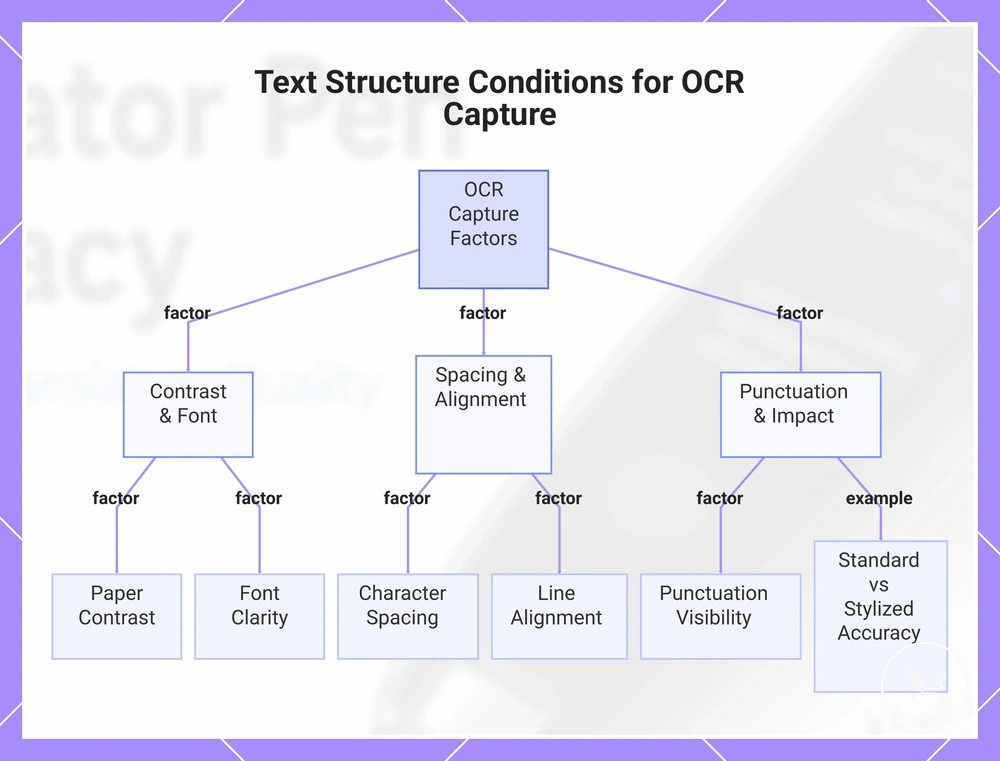
Clean printed text and line alignment play a key role when comparing standard documents to less structured text sources. When text is evenly spaced and clearly printed, OCR capture usually produces more consistent recognized characters, but this still depends on device handling and scan conditions. These conditions can be grouped as:
- Paper contrast — stronger contrast supports clearer recognition of source text
- Font clarity — simple and readable fonts improve OCR capture stability
- Character spacing — balanced spacing reduces recognition overlap
- Line alignment — straight lines help maintain structured OCR input
- Punctuation visibility — clear punctuation improves character detection consistency
For example, a standard printed paragraph with clear font clarity and straight line alignment is usually captured more accurately than stylized or decorative text with uneven spacing. Stylized text can reduce OCR capture reliability even when the same scanning device is used, showing how input structure directly influences recognition outcomes.
This chart shows the key text and layout factors that influence OCR capture reliability in a translator pen, including an example comparing standard and stylized text.
Handwriting, curved pages, screens, and multi-line text
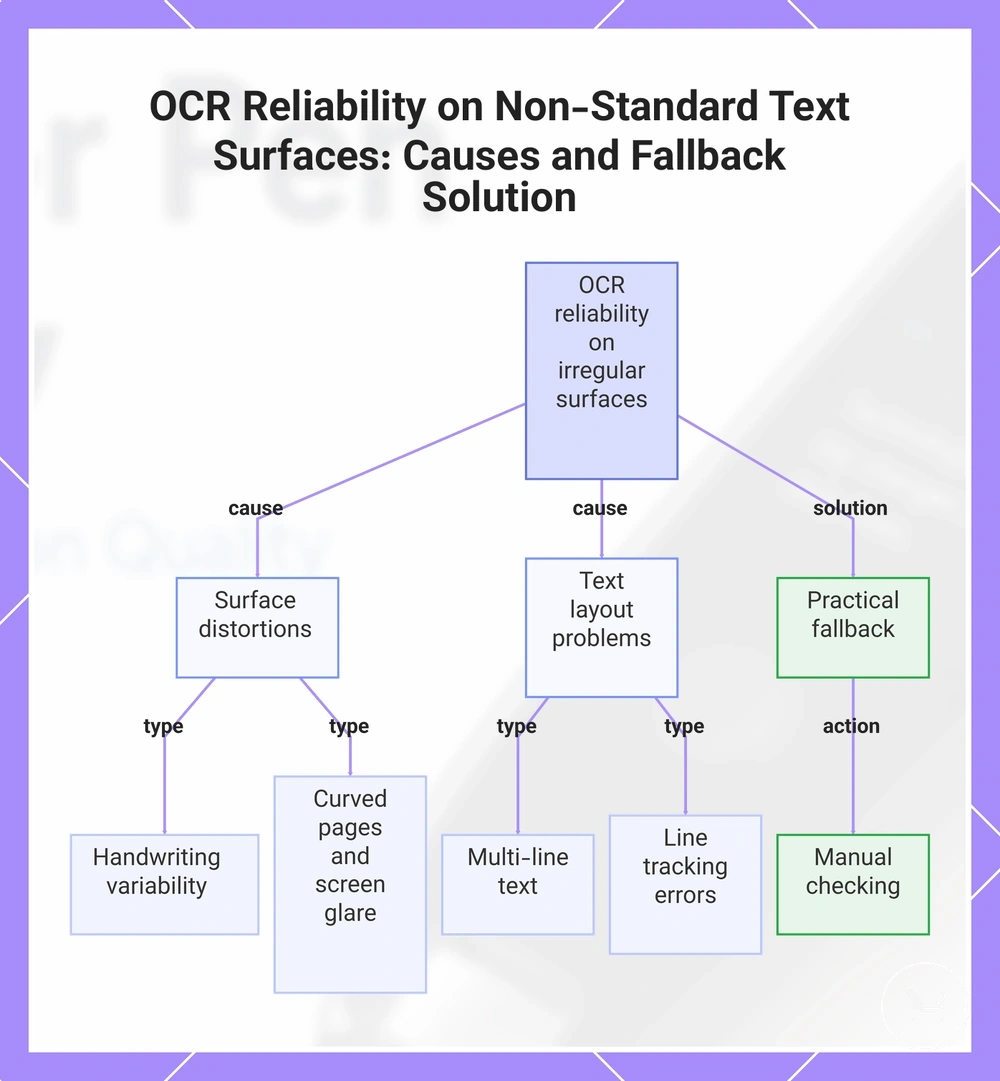
Non-standard text surfaces such as handwriting, curved pages, screens, and multi-line text change OCR recognition conditions in a translator pen. These inputs reduce OCR reliability because handwriting variability, surface distortion, and display interference make source text less predictable for capture. Results can vary depending on device model and surface condition, so outcomes are not uniform across all scanning situations.
Irregular surfaces change OCR recognition conditions in different ways depending on how the text is presented. In many cases, recognition stability depends on how strongly the text remains structured and aligned during scanning. The main limitations can be grouped as:
- Handwriting variability — inconsistent letter shapes can reduce OCR reliability
- Curved pages — surface curvature can disrupt line tracking and character alignment
- Screens and glare — reflective light can interfere with recognition clarity
- Multi-line text — dense layouts may cause broken line tracking or skipped segments
- Line tracking errors — unstable scanning paths can reduce capture consistency
In practical use, repeated scanning may sometimes improve readability, but results still depend on surface condition and device handling. When OCR output remains unclear, manual checking provides a safe fallback to confirm or correct recognized text without relying fully on automatic capture.
This chart shows the main surface and layout factors that reduce OCR recognition in translator pens, and the practical fallback when output remains unclear.
Translation quality factors after the text is recognized
Translation quality after OCR is determined by how the recognized text is interpreted into meaning across a target language. Recognized text provides the input, but translation quality depends on how that input is processed into readable and context-aware output. This distinction is important because recognized text and translated meaning do not always match in clarity or intent.
Key factors influence translation quality once text has been recognized, especially how well the system handles language pair differences and sentence context. Idioms, grammar handling, dictionary depth, and phrase recognition all affect how accurately meaning is carried across. These elements work together as translation criteria that shape output consistency and clarity.
The main translation quality criteria can be grouped as follows:
| Factor | Stronger condition | Weaker condition | Likely effect |
|---|---|---|---|
| Language pair | Closely related languages | Distant language structures | More stable or more distorted meaning mapping |
| Sentence context | Clear and complete sentences | Fragmented or unclear sentences | Improved or reduced meaning coherence |
| Idioms | Direct or literal expressions | Culture-specific idioms | More accurate or altered interpretation |
| Grammar handling | Simple, structured grammar | Complex or irregular grammar | Smoother or less accurate sentence flow |
| Dictionary depth | Rich lexical coverage | Limited vocabulary mapping | More complete or incomplete translation meaning |
| Phrase recognition | Clear multi-word expressions | Ambiguous phrasing | Better contextual meaning or partial misinterpretation |
When these factors align well, translation quality can closely reflect the intent of the recognized text, but mismatches in language pair structure or context handling may still reduce clarity. In many cases, output quality varies depending on how well idioms, grammar handling, and phrase recognition adapt to the input, so results should be considered conditionally rather than absolute.
In real use scenarios, the same recognized text can produce different translation quality depending on context and language pair selection. Output may be more natural when dictionary depth and sentence context are strong, but less reliable when idioms or grammar handling are limited, so translation quality remains conditional based on input complexity.
Language pair support and sentence context
Language pair support determines whether a translator pen can produce usable translation between a source language and target language, while sentence context determines how well meaning is preserved after recognition. A language pair may be supported, but translation usability still depends on grammar distance, sentence context, and structural differences between languages, so supported languages do not automatically mean equal translation quality.
Usability is shaped by how the language pair interacts with sentence context, especially when handling longer sentences, indirect expressions, and different grammatical structures. Offline availability, sentence length, grammar distance, and context dependence all influence how stable the translated output becomes. In many cases, clearer sentence context improves consistency, while complex structures reduce clarity even within supported language pairs.
- Source language — affects how recognition maps into translation structure
- Target language — defines output structure and grammar adaptation
- Sentence context — improves meaning stability in longer or complex inputs
- Grammar distance — increases or reduces translation consistency between languages
- Offline availability — may limit processing quality depending on language pair setup
language support acts as a baseline compatibility layer, but actual usability still depends on sentence context and language pair conditions.
Dictionary depth, phrase handling, and grammar limits
Dictionary depth, phrase handling, and grammar limits describe how internal vocabulary resources and linguistic rules shape translation output after recognition, especially across idioms, technical terms, inflection, and sentence structure. Dictionary depth influences how many vocabulary entries and meanings are available, while phrase handling determines how multi-word expressions are interpreted, and grammar limits affect how sentence structure is reconstructed. Together, these factors can shape how closely the translated meaning aligns with the recognized text, especially when vocabulary or structure is incomplete or ambiguous.
In practical use, dictionary depth may support basic word mapping, but limitations can appear when idioms or technical terms require phrase-level interpretation instead of literal translation. For example, translating words individually in a fixed expression can produce unclear meaning, while phrase handling may preserve the intended context more effectively. Grammar limits and inflection rules also influence how sentence structure is rebuilt, especially when source language patterns differ significantly from the target language. In such cases, usable output depends on how well vocabulary depth and phrase recognition work together rather than isolated word translation alone.
- Vocabulary depth — determines coverage of technical terms and general word mapping
- Phrase handling — affects interpretation of idioms and multi-word expressions
- Grammar support — influences sentence structure reconstruction and inflection handling
Online and offline accuracy trade-offs
Online and offline translator pen accuracy depends on connectivity conditions and resource access, creating a trade-off between online accuracy and offline accuracy. Offline mode relies on stored language packs and limited dictionary scope, while online mode uses Wi-Fi access to extend translation depth and linguistic coverage. This difference shapes how consistent translation results feel across different usage environments.
Online accuracy typically improves when Wi-Fi connectivity enables broader language packs, updated dictionaries, and stronger translation depth, while offline accuracy focuses on stable use without connectivity. Offline mode can remain more consistent in travel conditions or weak signal environments, but it may work with a narrower dictionary scope and reduced phrase coverage. These differences depend on connectivity quality, language packs availability, dictionary scope, and expected translation depth.
The comparison between online and offline modes highlights how connectivity changes translation behavior at a resource level. Online mode expands translation depth through cloud-based resources, while offline mode prioritizes availability when no network connection is present. The comparison below shows how these conditions influence usable output.
| Mode | Accuracy advantage | Limitation | Best-fit situation |
|---|---|---|---|
| Online | Higher translation depth via Wi-Fi and updated language packs | Depends on stable connectivity | Connected environments with strong network access |
| Offline | Stable operation without connectivity | Reduced dictionary scope and limited language packs | Travel conditions or no Wi-Fi availability |
In practice, choosing between modes depends on whether priority is given to translation depth or offline reliability, especially when evaluating offline translation limits in different travel and connectivity scenarios.
When offline translation is accurate enough
Offline translation is accurate enough when offline translation can support basic understanding through language packs that cover common vocabulary and simple printed text. In these conditions, offline output depends on limited dictionary scope but can still handle straightforward reading tasks in low-connectivity use scenarios. This level of performance is typically sufficient for practical comprehension rather than detailed or nuanced translation.
In practice, offline translation accuracy depends on how well stored language packs match the input text and how simple the sentence structure is. It may work effectively for reading travel phrases or classroom reading where meaning clarity matters more than grammatical depth. The offline translation accuracy checklist highlights when this level of output is usually sufficient:
- Simple printed text — supports basic understanding with structured sentences
- Common vocabulary — improves clarity in everyday expressions
- Supported language packs — determines available offline translation coverage
- Low-connectivity use — works in environments without stable internet access
In such cases, offline output is considered accurate enough when it delivers clear meaning for basic understanding rather than full linguistic precision.
When online translation gives better results
Online translation can give better results when online translation has access to updated language resources that expand vocabulary coverage and improve handling of longer sentences and less common phrases. In connected mode, online translation may improve output quality because updated language resources support more context-sensitive interpretation, depending on connectivity and language availability.
Compared to offline mode, online translation often produces better results with longer sentences, less common phrases, and broader contextual interpretation because updated language resources can support improved translation depth. This can include more flexible handling of nuanced expressions, but output quality still depends on OCR input quality and how accurately the source text is recognized before translation begins. A simple contrast example shows this dependency: a correctly scanned sentence may benefit from online resources, while a poorly scanned line may still produce unclear output regardless of connectivity.
- Longer sentences — may benefit from broader contextual processing in online translation
- Less common phrases — often handled better with updated language resources
- Updated language resources — expand vocabulary and contextual coverage in connected mode
Even when online translation improves output, OCR input quality remains a limiting factor that affects final translation accuracy.
Text-to-speech quality and pronunciation reliability
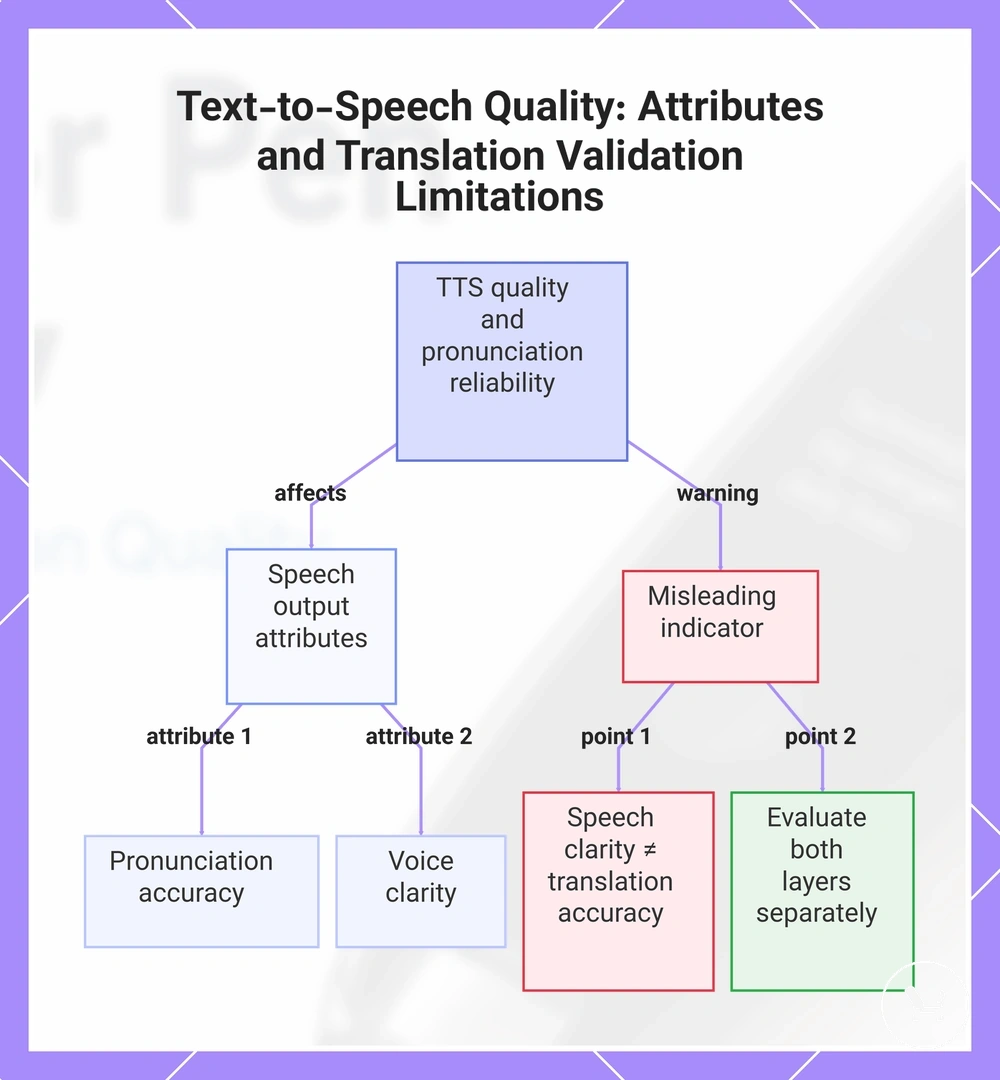
Text-to-speech quality depends on how speech output converts translated text into audible language, and pronunciation reliability depends on how consistently that spoken output reflects correct pronunciation across supported languages. In practice, text-to-speech influences perceived usefulness after translation, but speech clarity does not confirm that the written translation is semantically accurate, so both layers must be evaluated separately.
Text-to-speech performance is shaped by multiple attributes that affect pronunciation reliability in different conditions. Speaker quality determines how natural speech output sounds, while supported languages influence how well pronunciation is adapted across different language systems. Voice clarity, pacing, and volume affect how easily spoken output is understood in real use. Accent naturalness can vary depending on the pronunciation engine and language coverage, so reliability is not uniform across all inputs.
Text-to-speech quality and pronunciation reliability checklist helps separate attributes of speech output quality:
- Pronunciation — affects how accurately words are articulated in speech output
- Voice clarity — determines how clearly spoken output is understood
- Speed / pacing — controls reading speed and comprehension comfort
- Accent naturalness — varies depending on pronunciation engine and language support
- Speaker quality — influences overall naturalness of speech output
In reading-support scenarios, text-to-speech can improve usability by making translated content easier to follow through spoken output. However, pronunciation reliability still depends on speaker quality, supported languages, and pacing conditions, and clear speech output does not validate the correctness of the underlying translation meaning.
This chart shows the key attributes that affect text-to-speech quality and the critical limitation that speech clarity does not validate translation accuracy, requiring separate evaluation.
Common translator pen accuracy limitations
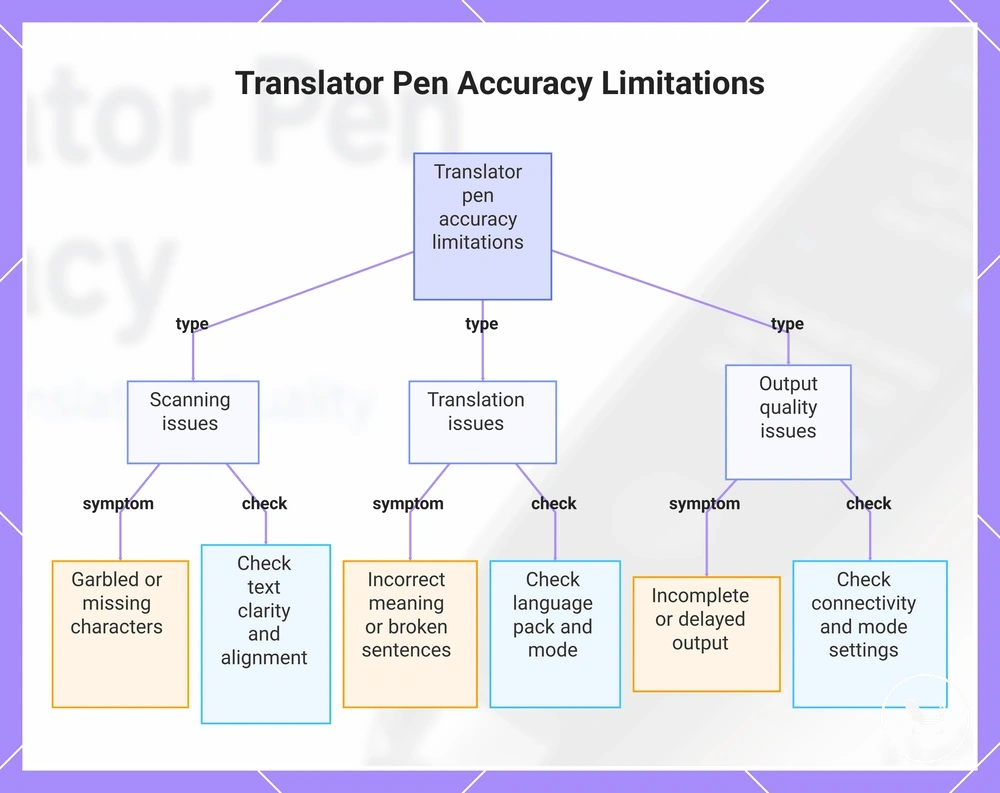
Common translator pen accuracy limitations depend on input conditions, language support, operating mode, and user handling. Accuracy limitations arise when weak OCR input, translation constraints, or output processing issues reduce overall reliability, and these sources often overlap in real use rather than appearing in isolation.
In practical diagnosis, accuracy limitations can be grouped into scanning, translation, and output quality issues. Weak OCR input and formatting problems typically affect scanning results, while unsupported languages, offline limits, and idioms affect translation consistency. Output quality issues often appear when correction needs or rendering inconsistencies distort the final result, making it important to separate where the breakdown occurs before interpreting performance.
To identify the type of accuracy limitation, use the checklist below to separate symptom patterns from likely causes and verification steps.
- Symptom: garbled or missing characters | Likely cause: weak OCR input or formatting | What to check: text clarity, alignment, scan stability
- Symptom: incorrect meaning or broken sentences | Likely cause: unsupported languages or translation limits | What to check: language pack support, mode (offline/online)
- Symptom: literal or distorted expressions | Likely cause: idioms or phrase handling limits | What to check: sentence complexity and expression type
- Symptom: incomplete or delayed output | Likely cause: offline limits or processing constraints | What to check: connectivity and mode settings
- Symptom: inconsistent final display | Likely cause: formatting or output rendering issues | What to check: device display and correction needs
Source evidence: :contentReference[oaicite:0]{index=0}
This chart shows the main categories of accuracy limitations in translator pens, along with key symptoms and verification checks for each category.
Content types translator pens handle reliably
Content types translator pens handle reliably refer to structured and clearly printed content types that can be recognized and translated with higher consistency under normal scanning conditions. Reliability is usually stronger when text is simple, well-formatted, and supported by appropriate language pairs, especially in everyday reading tasks. These conditions often include textbooks, menus, labels, printed worksheets, short instructions, and simple vocabulary.
In everyday use scenarios such as travel, study, or quick reading, translator pens often perform more consistently when the content is short and clearly formatted. This usually applies when reading everyday printed material with clear formatting and limited complexity.
- Textbooks — usually clearer structured content with predictable language patterns
- Menus — short phrases with simple formatting that may improve recognition
- Labels — compact text that can be easier to scan in stable conditions
- Printed worksheets — structured layout that often supports better OCR consistency
- Short instructions — direct phrasing that reduces translation complexity
- Simple vocabulary — basic terms that may improve translation reliability
However, reliability still depends on language pair support, input clarity, and mode limitations, so performance may vary across contexts.
Content types that often need checking or correction
Content types that often need checking or correction are text types where accuracy limitations are more likely to appear due to handwriting, stylized fonts, legal wording, medical wording, idioms, or dense technical text. In these cases, weak OCR input and formatting variation can increase correction risk, making checking and review an important step after scanning or translation. :contentReference[oaicite:0]{index=0}
Correction needs are typically handled through verification of the scanned output against the original text, especially when meaning sensitivity is higher or structure becomes complex. This helps separate whether issues come from recognition, translation limits, or output quality, rather than assuming a single cause.
- Handwriting — may require review due to variable character shapes and OCR risk
- Stylized fonts — can reduce recognition accuracy and increase correction needs
- Legal wording — may need verification due to precision requirements
- Medical wording — often requires careful checking for terminology accuracy
- Idioms — may be misinterpreted and require correction of meaning
- Dense technical text — can introduce errors due to structure and complexity
When content is used for important decisions, an additional verification step is recommended to ensure that the translated or recognized output reflects the original meaning correctly, especially in high-sensitivity contexts.
How to evaluate accuracy before choosing a translator pen
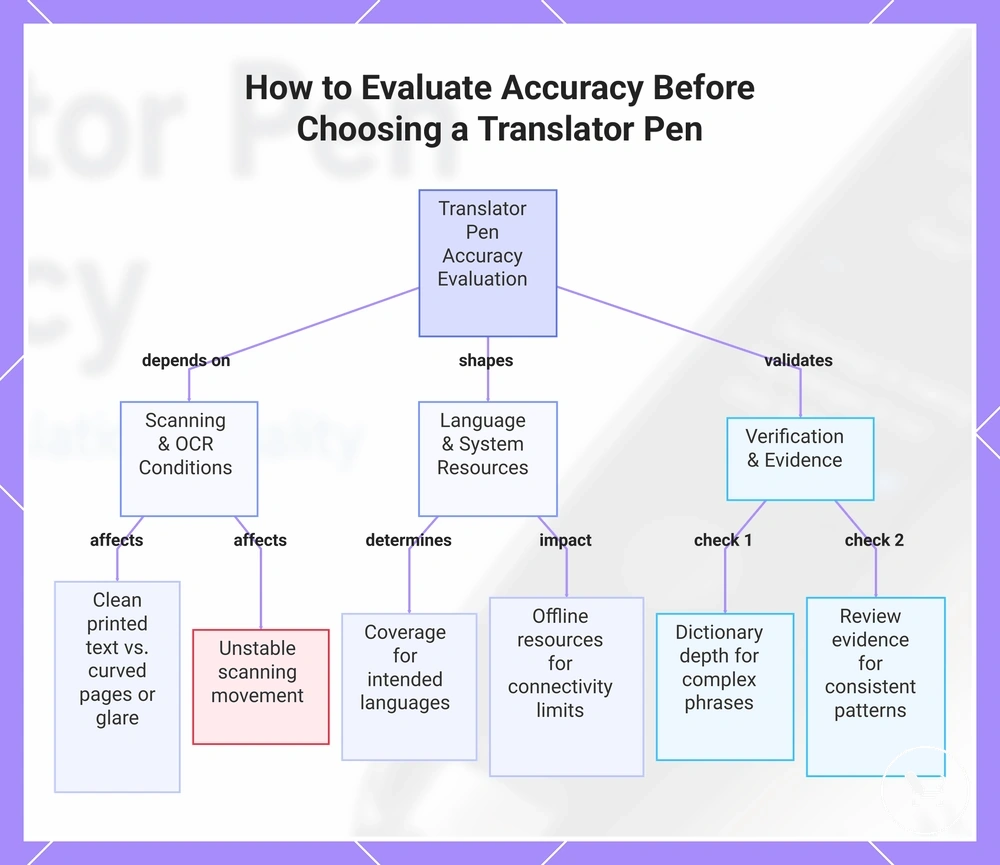
Choosing a translator pen depends on how you evaluate accuracy across real usage conditions rather than isolated feature claims. To evaluate accuracy before choosing a translator pen, focus on scanning reliability, supported languages, offline resources, dictionary depth, text-to-speech, and review evidence as combined selection criteria. This creates a structured evaluation frame for making a buying decision based on expected performance conditions.
Use case and OCR conditions strongly affect how accuracy should be evaluated in practice. Scanning reliability changes depending on whether the input is clean printed text or affected by curved pages, glare, or unstable scanning movement. When OCR conditions are inconsistent, even strong devices may show variation in output quality, so accuracy checks must reflect realistic reading environments.
Language support and system resources also shape translation consistency. Supported languages determine coverage across different text types, while offline resources affect performance when connectivity is limited. Dictionary depth influences how well complex phrases are interpreted, and text-to-speech helps verify output clarity in spoken form, especially when reviewing translated meaning during use.
Review evidence provides additional decision signals by showing how scanning reliability, language coverage, and dictionary depth perform across repeated user conditions. In many cases, stronger evaluation outcomes come from consistent patterns rather than single observations. These signals help separate must-have accuracy factors from nice-to-have features during choosing a translator pen.
Here are product examples that may make comparison easier. Before buying, always review the compatibility criteria, essential features, and product details.
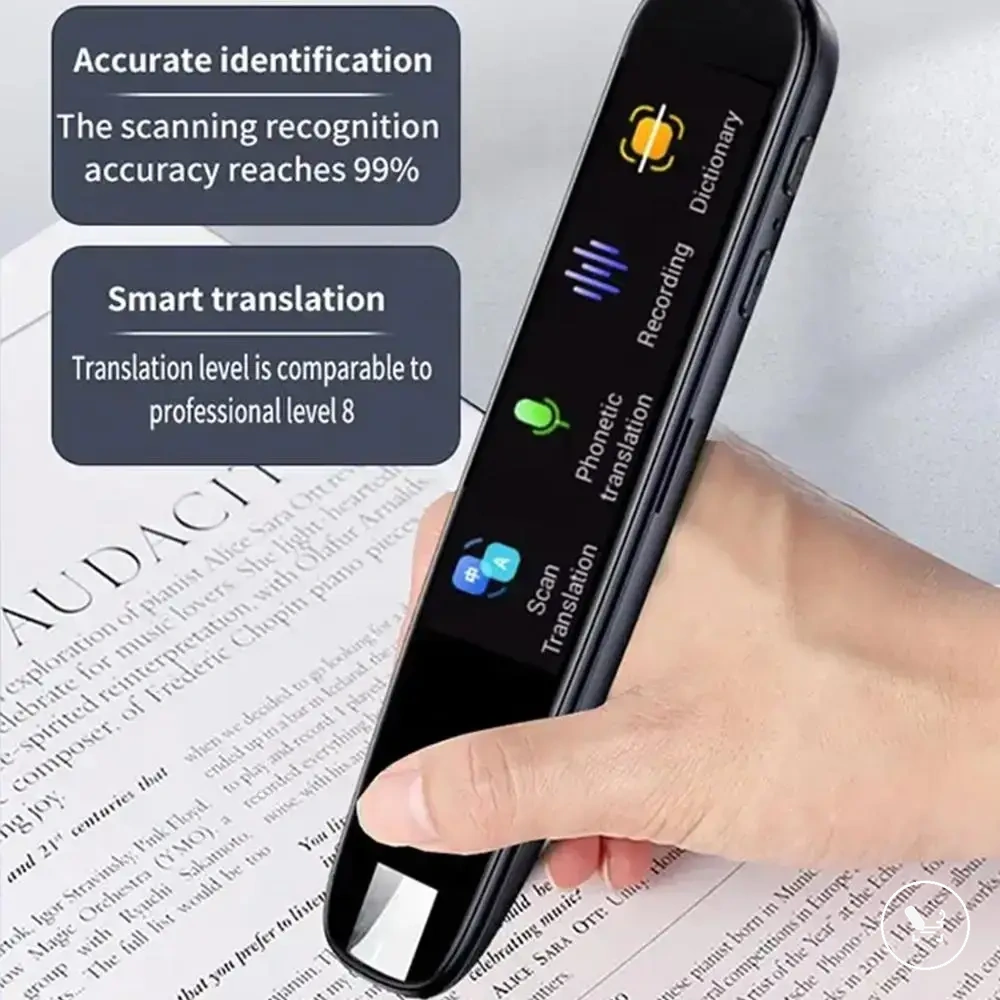
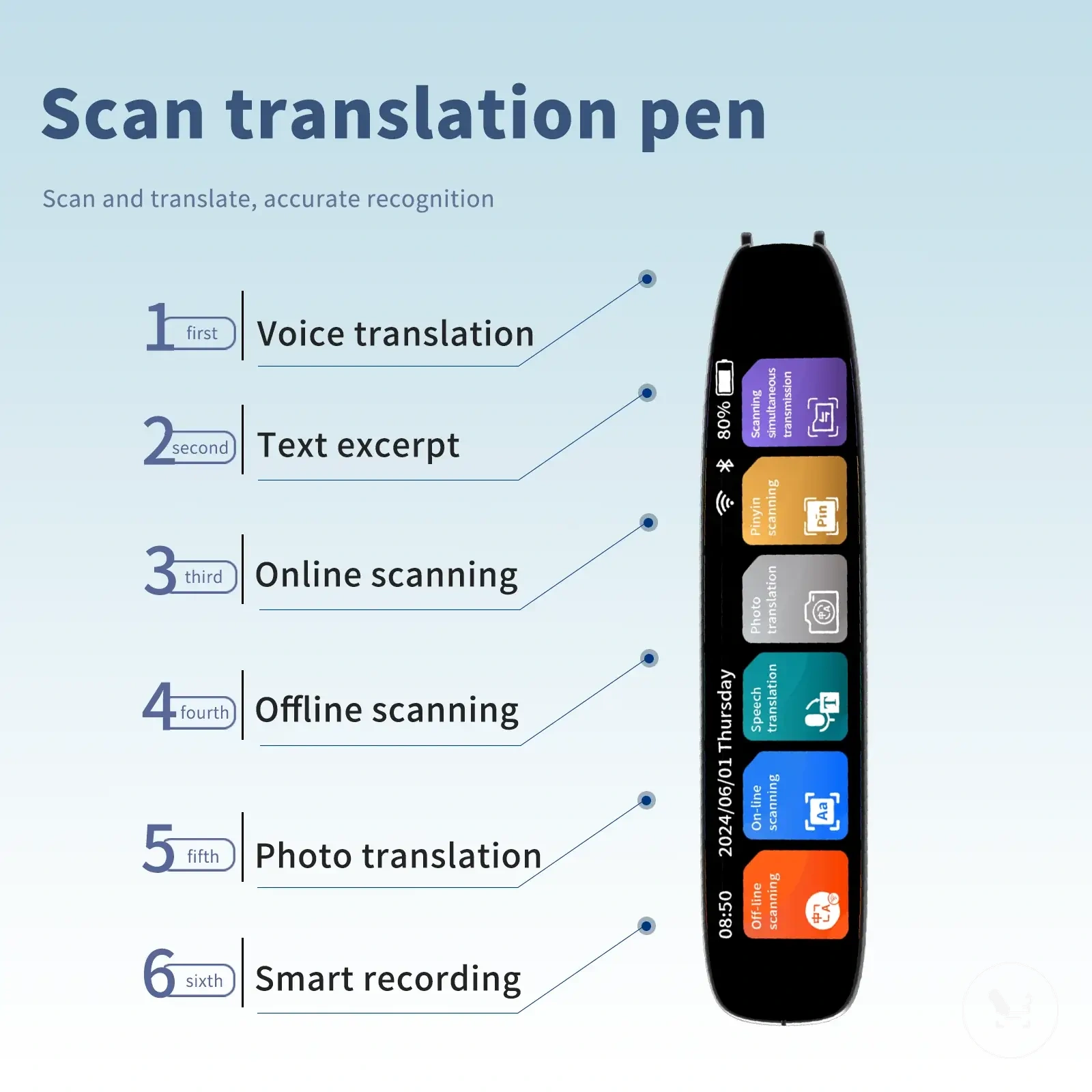
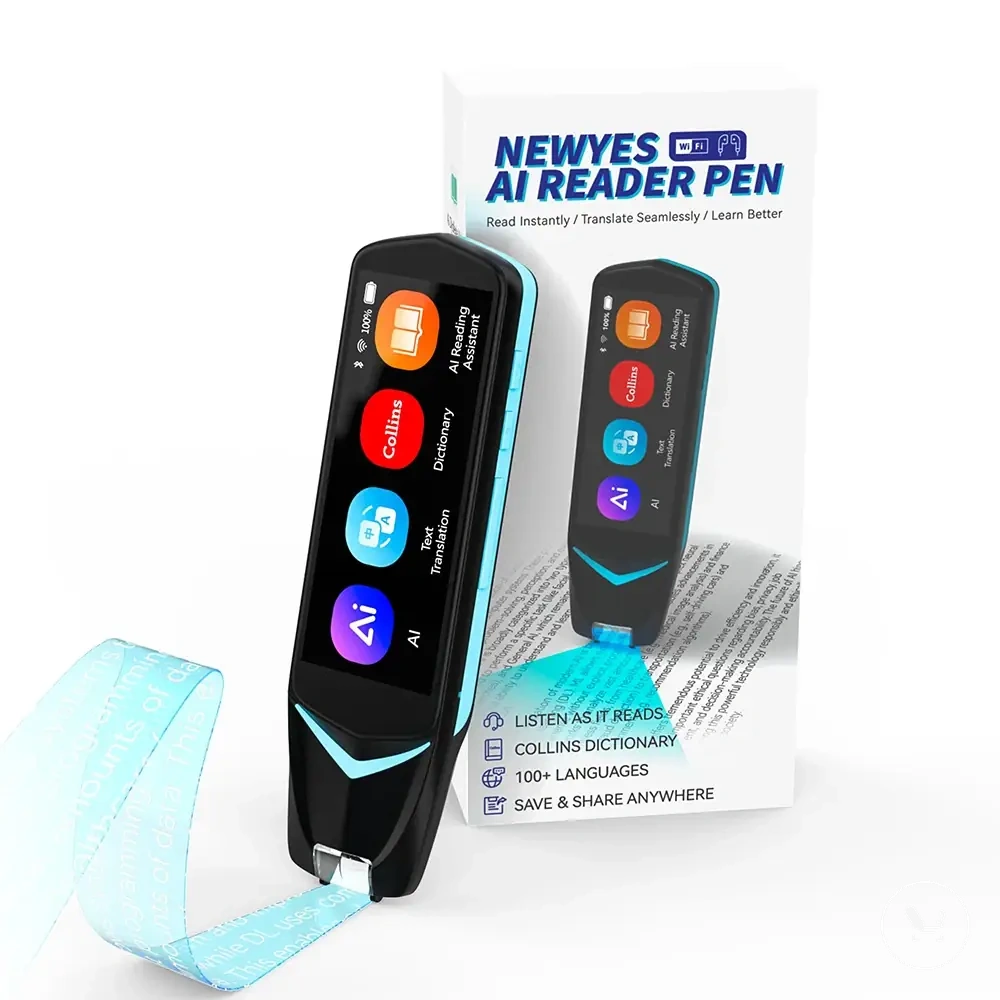
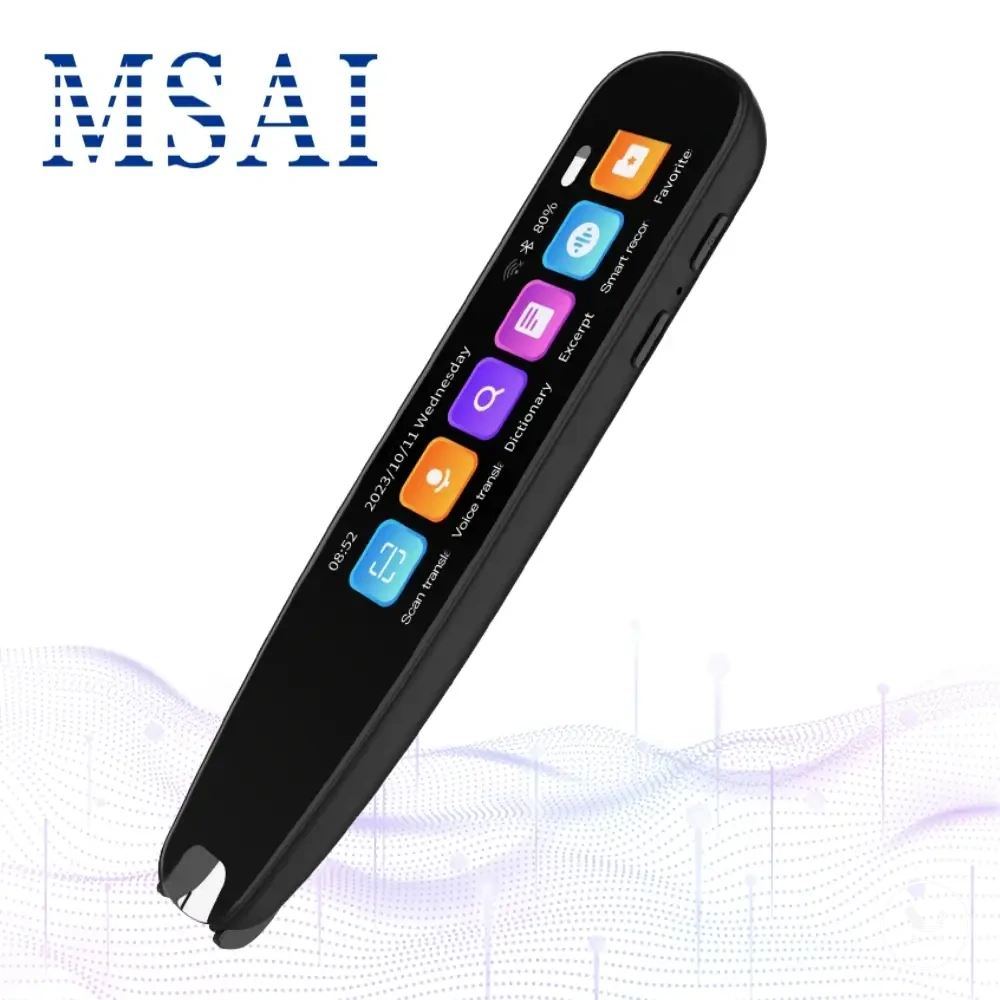
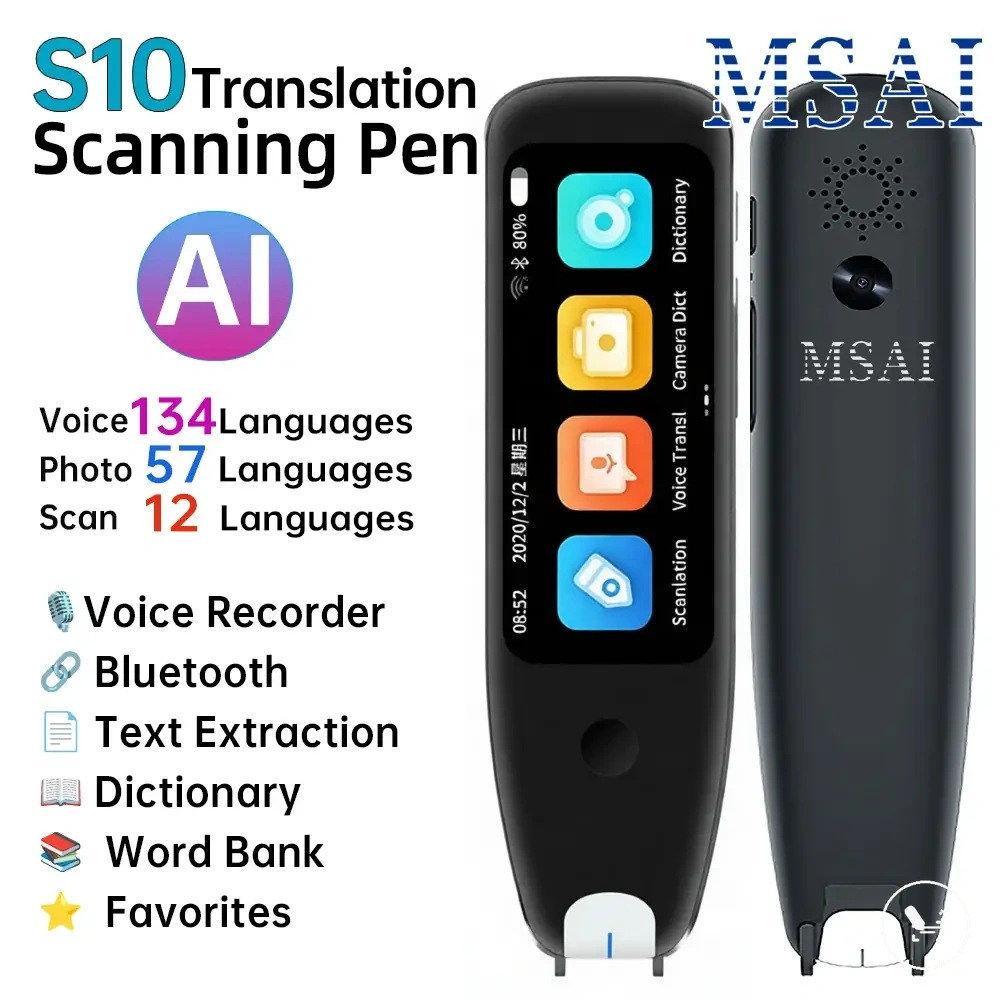
Before making a decision, use the following checklist to structure your accuracy evaluation:
Use case and accuracy conditions should be compared systematically before selection.
- Criterion: scanning reliability | What to check: performance across clear and low-quality text | Why it affects accuracy: determines OCR stability in real use
- Criterion: supported languages | What to check: language coverage for intended usage | Why it affects accuracy: impacts translation completeness
- Criterion: offline resources | What to check: availability of offline translation support | Why it affects accuracy: affects performance without connectivity
- Criterion: dictionary depth | What to check: handling of complex terms and phrases | Why it affects accuracy: improves contextual meaning accuracy
- Criterion: text-to-speech | What to check: pronunciation clarity and output readability | Why it affects accuracy: supports verification of translated output
- Criterion: review evidence | What to check: repeated performance patterns | Why it affects accuracy: validates real-world consistency
This chart shows the key criteria for evaluating translator pen accuracy under real usage conditions, helping you make an informed buying decision.
Accuracy signals in specifications and product descriptions
Specifications and product descriptions can be used as screening signals when you evaluate accuracy before choosing a translator pen, but they should not be treated as proof of real-world performance. In choosing a translator pen, specifications such as OCR language support, offline language packs, dictionary claims, pronunciation features, scan resolution or camera quality when stated, and update support help structure early accuracy expectations. :contentReference[oaicite:0]{index=0}
These specifications and product descriptions help evaluate potential accuracy, but their value depends on how they are interpreted rather than how they are written. OCR language support may indicate coverage, offline language packs may suggest offline capability, and scan resolution or camera quality can affect capture conditions when stated, but real performance still varies by use context. Dictionary claims, pronunciation features, and update support may influence translation and output behavior, yet vague accuracy percentages require caution because they depend on unclear testing methods and must be confirmed through real-use confirmation.
Specification signals include:
- OCR language support — what to check: supported language coverage | why it matters: affects recognition range
- offline language packs — what to check: availability of offline translation data | why it matters: impacts offline performance
- dictionary claims — what to check: depth and scope of vocabulary support | why it matters: influences meaning accuracy
- pronunciation features — what to check: text-to-speech clarity claims | why it matters: supports output verification
- scan resolution or camera quality — what to check: stated capture quality | why it matters: affects input clarity conditions
- update support — what to check: frequency of language/resource updates | why it matters: affects long-term relevance
Review patterns that reveal real-world reliability
Review patterns indicate how a translator pen performs in real-world reliability beyond controlled specifications and product descriptions. They help evaluate whether scanning success, language handling, and output consistency remain stable during everyday use. When multiple users report similar outcomes across different contexts, these repeated review patterns act as stronger reliability signals than isolated comments. :contentReference[oaicite:0]{index=0}
Evidence from user feedback often includes scanning success consistency, language-pair complaints, offline mode issues, text-to-speech clarity concerns, correction frequency, and use-case fit variations. These signals can reflect actual operating conditions, but they must be interpreted carefully because one-off complaints may come from device setup, environment, or misuse rather than structural performance issues. Repeated patterns across similar use scenarios are more meaningful than isolated experiences when assessing real-world reliability.
When repeated review patterns are consistent, they help validate whether a device performs reliably across different environments. real-world translator pen reviews often show that clustering feedback around scanning success or offline mode issues is more informative than individual opinions. Stronger reliability signals usually emerge when multiple use-case fit reports align across similar conditions, while single contradictory reviews are treated as secondary signals.
Real-world reliability signals from review patterns can show:
- Pattern: scanning success consistency — what it may indicate: OCR stability in real use — how to use it cautiously: compare across multiple environments
- Pattern: language-pair complaints — what it may indicate: translation limitations in specific languages — how to use it cautiously: check frequency across users
- Pattern: offline mode issues — what it may indicate: dependency on connectivity or limited packs — how to use it cautiously: verify against use context
- Pattern: text-to-speech clarity — what it may indicate: pronunciation output quality — how to use it cautiously: separate device and accent factors
- Pattern: correction frequency — what it may indicate: OCR or translation adjustment needs — how to use it cautiously: distinguish user error from system limits
- Pattern: use-case fit — what it may indicate: suitability for travel, study, or reading — how to use it cautiously: compare across similar scenarios