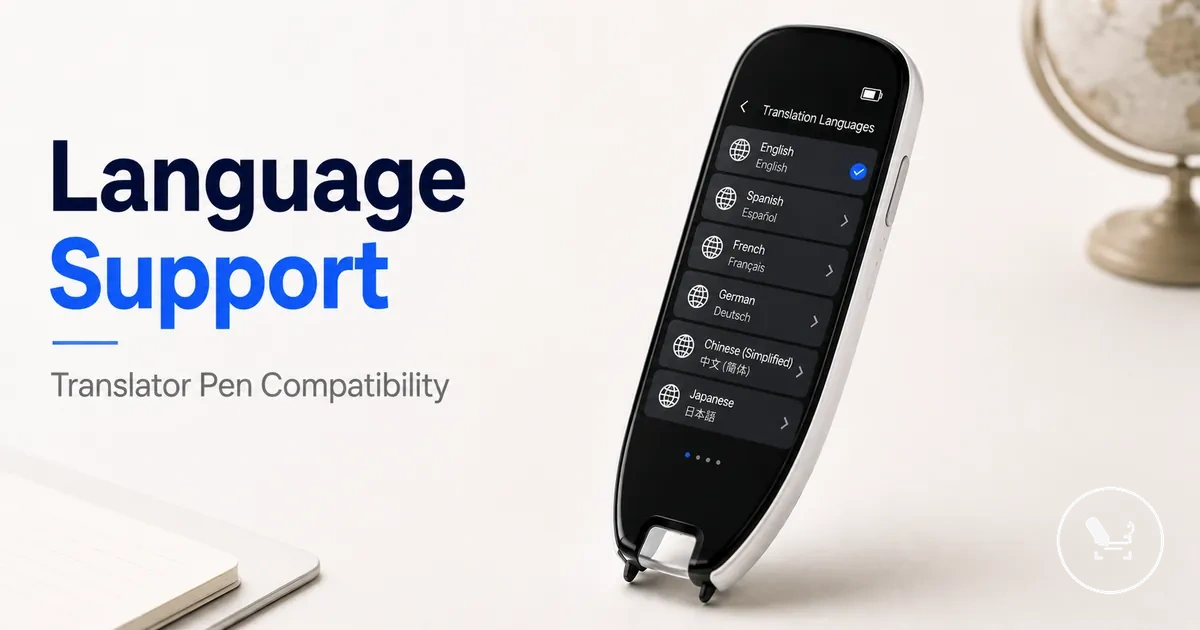
Translator Pen Language Support and Compatibility
Translator pen language support depends on model capability, translation mode, language pairs, connectivity, and the user’s specific usage context. Each of these factors shapes what a translator pen can recognise, translate, and output across different scenarios. As a result, compatibility is not fixed and must be evaluated across modes and conditions.
Translator pen language support varies across scan, voice, and dictionary modes and cannot be treated as a single fixed language list. Supported languages indicate what may be available in a system, but they do not guarantee consistent performance across OCR recognition, voice translation, or Wi-Fi-dependent processing. In many cases, output quality and availability depend on language pairs, firmware region settings, and whether offline language packs are installed or cloud translation is active. This separation between availability and guaranteed performance is essential when assessing compatibility.
When users experience mismatches in expected translation results, the issue is often linked to differences between scan translation, voice translation, and dictionary mode behavior rather than the language itself. OCR-based scan translation may depend on printed text recognition quality, while voice translation relies on speech input conditions and Wi-Fi connectivity for broader language coverage. Dictionary mode may use offline language packs with more limited coverage compared to online translation systems. Evaluating each mode separately helps clarify where compatibility is strong and where limitations may appear.
In practical use, translator pen language support becomes most noticeable in scenarios such as travel, study, or reading printed materials in different languages. A travel scenario may depend more on voice translation and real-time connectivity, while study use may rely on scan translation and OCR accuracy for printed texts. Reading support often depends on dictionary mode and offline language availability. In each case, compatibility shifts based on how the translator pen is used rather than the language label alone.
What language support means in a translator pen
Translator pen language support refers to how a translator pen processes and outputs different languages through its translation modes. It is shaped by translation mode, supported languages, and input type rather than a single fixed language list. This means language support varies by translation mode.
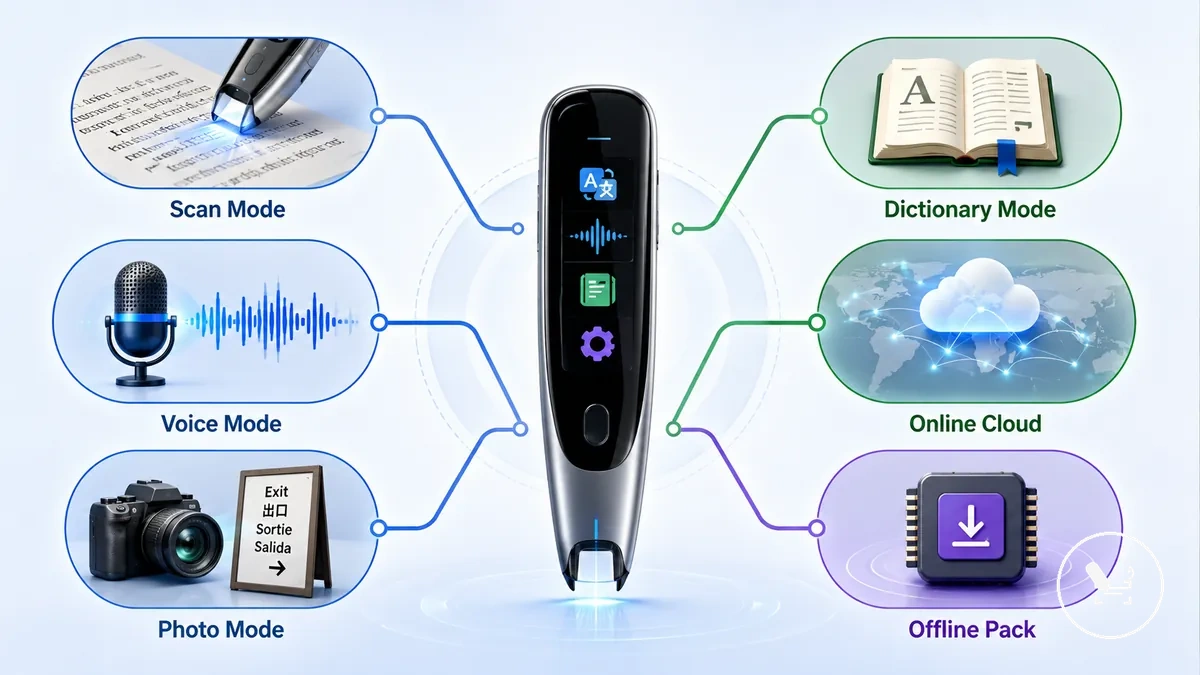
In practical use, translator pen language support is defined by how scan, voice, photo translation, dictionary, online, and offline modes handle language input and output. Supported languages describe what may be available in the system, but usable compatibility depends on how each mode processes text or speech under specific conditions. This creates a clear distinction between language availability and real-world compatibility.
Confusion often appears when a single language list is assumed to apply across all translation modes, even though scan, voice, photo translation, dictionary, online, and offline behavior can differ. Language support therefore needs to be evaluated by mode rather than by a universal count, since each mode processes language input differently depending on system conditions. For a broader breakdown of how these modes interact in practice, see the translator pen guide.
| Mode | What language support means | What to verify |
|---|---|---|
| Scan | OCR-based recognition of printed text across supported languages | Script clarity and text readability |
| Voice | Speech-based translation mapped through language pairs | Input clarity and direction of language pair |
| Photo translation | Camera-based text extraction and translation processing | Image quality and text density |
| Dictionary | Offline lookup of stored language entries | Offline language pack availability |
| Online | Cloud-based processing with broader language coverage | Wi-Fi connectivity and service access |
| Offline | Pre-downloaded language packs used without internet | Installed packs and storage limits |
Language coverage across scan, voice, photo, and dictionary modes
Language coverage across scan, voice, photo, and dictionary modes depends on how each translator pen processes input and maps it to supported languages. Each mode handles language data differently, which leads to variation in availability and usability across functions.
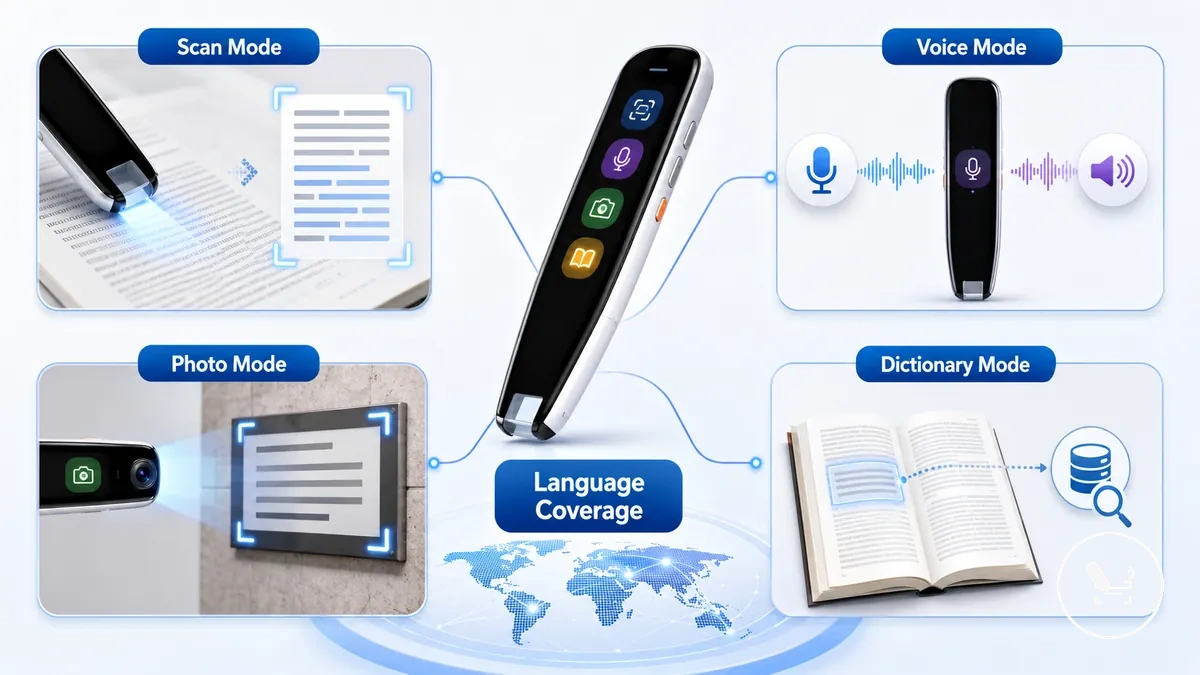
Language coverage across scan, voice, photo, and dictionary modes varies based on input type, processing method, and system conditions. The following comparison outlines mode-specific dependency.
- Scan mode: Uses OCR recognition for printed text with supported input; language results depend on OCR recognition quality and text clarity; output may reduce when fonts or layouts are complex.
- Voice mode: Processes speech input into output language pairs; language availability depends on online access and supported direction pairs; effectiveness varies with input clarity and connectivity.
- Photo translation: Applies camera translation with OCR recognition; language support depends on image quality and text detection conditions; results vary with lighting and text density.
- Dictionary mode: Uses word lookup through a dictionary database; language coverage depends on offline database availability; provides stable but narrower translation output compared to online processing.
Checking modes helps prevent incorrect expectations about language availability across functions. For broader device behavior context, see translator pen features.
Online language counts and offline language packs
Online language counts and offline language packs describe two different availability layers in a translator pen, where cloud-based language access and stored language resources operate under different conditions. Online coverage reflects cloud language support, while offline usage depends on downloaded language packs stored on the device.
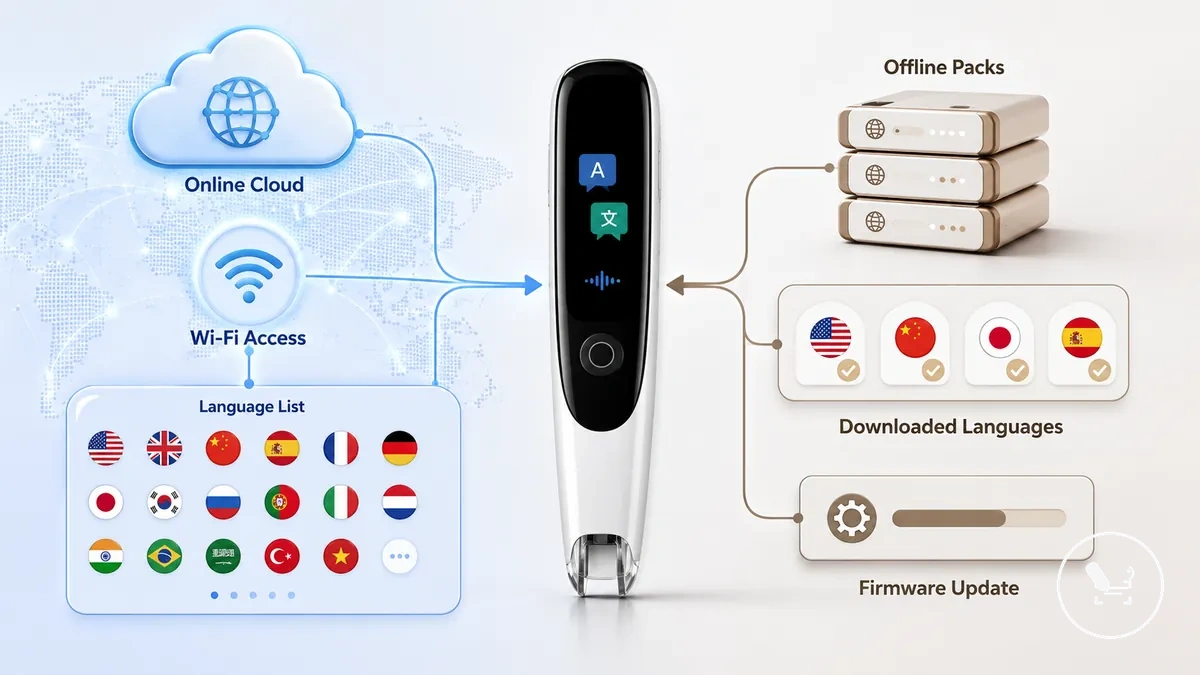
Online language counts are typically tied to Wi-Fi-based cloud language support, while offline language packs depend on pre-downloaded resources stored on the translator pen. These two should be evaluated separately because firmware version, region settings, and downloaded packs can change offline availability. The comparison below separates both conditions.
In some cases, a language available through cloud translation may not appear in offline packs until it is added through updates or supported by a specific firmware or region configuration. This difference reflects how available languages are managed across online and offline modes rather than a fixed universal list.
| Online language support | Offline language packs |
|---|---|
| Cloud-based language availability through Wi-Fi | Stored language resources on the device |
| Depends on internet connection | Works without internet after download |
| Broader cloud language coverage | Limited to installed packs |
| Updated through cloud services | Dependent on firmware, region, and updates |
Supported languages, language pairs, and translation direction
Supported languages in a translator pen depend on the correct combination of language pair and translation direction, not on a single language being listed. A language pair defines the source language and target language relationship, while translation direction determines how that pair can be used in practice across modes.
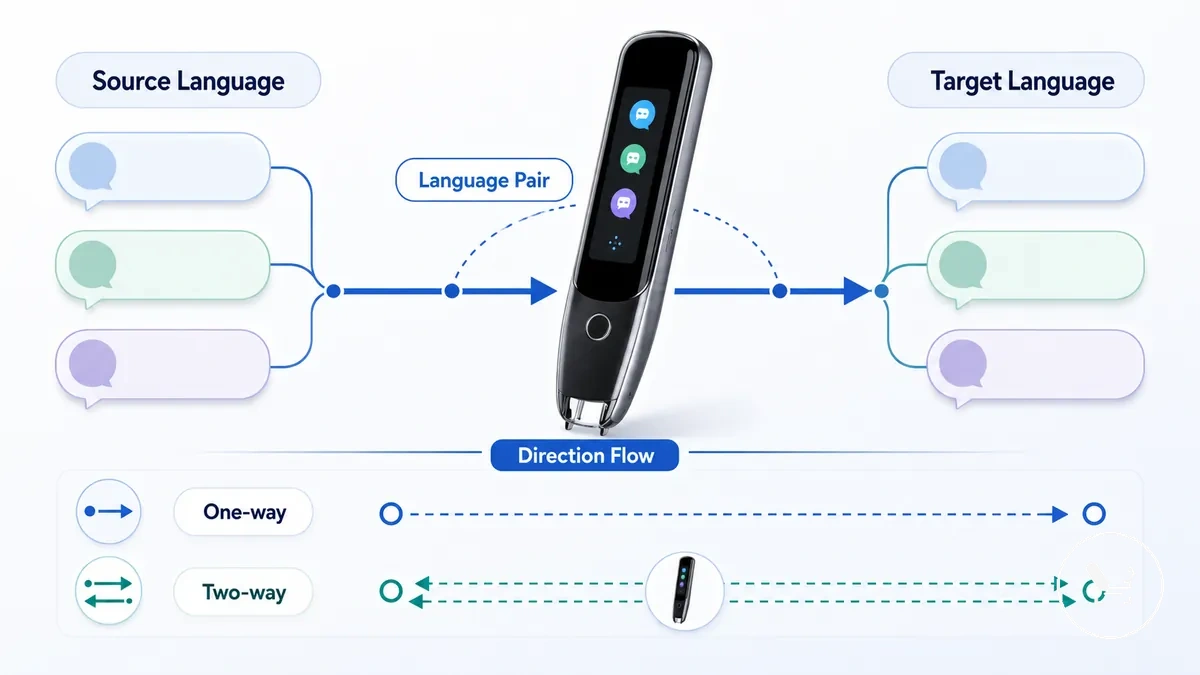
A listed language alone does not confirm full compatibility because supported languages may still be limited by direction or mode support. Some language pairs may work in one-way translation only, while others can allow two-way translation depending on configuration and available mode support such as scan, voice, or dictionary functions.
In practical use, a translator pen may recognise both languages but still restrict output if the translation direction or mode is not supported for that pair. This makes compatibility dependent on how the source language, target language, and translation route interact under specific conditions.
| Source language | Target language | Direction | Mode support | Compatibility check |
|---|---|---|---|---|
| Language A | Language B | Two-way translation | Scan, Voice | Compatible when both directions are enabled |
| Language A | Language B | One-way translation | Voice only | Limited to single direction use |
| Language A listed | Language B listed | Undefined direction | Not fully supported across modes | Requires pair and direction confirmation |
Source language and target language matching
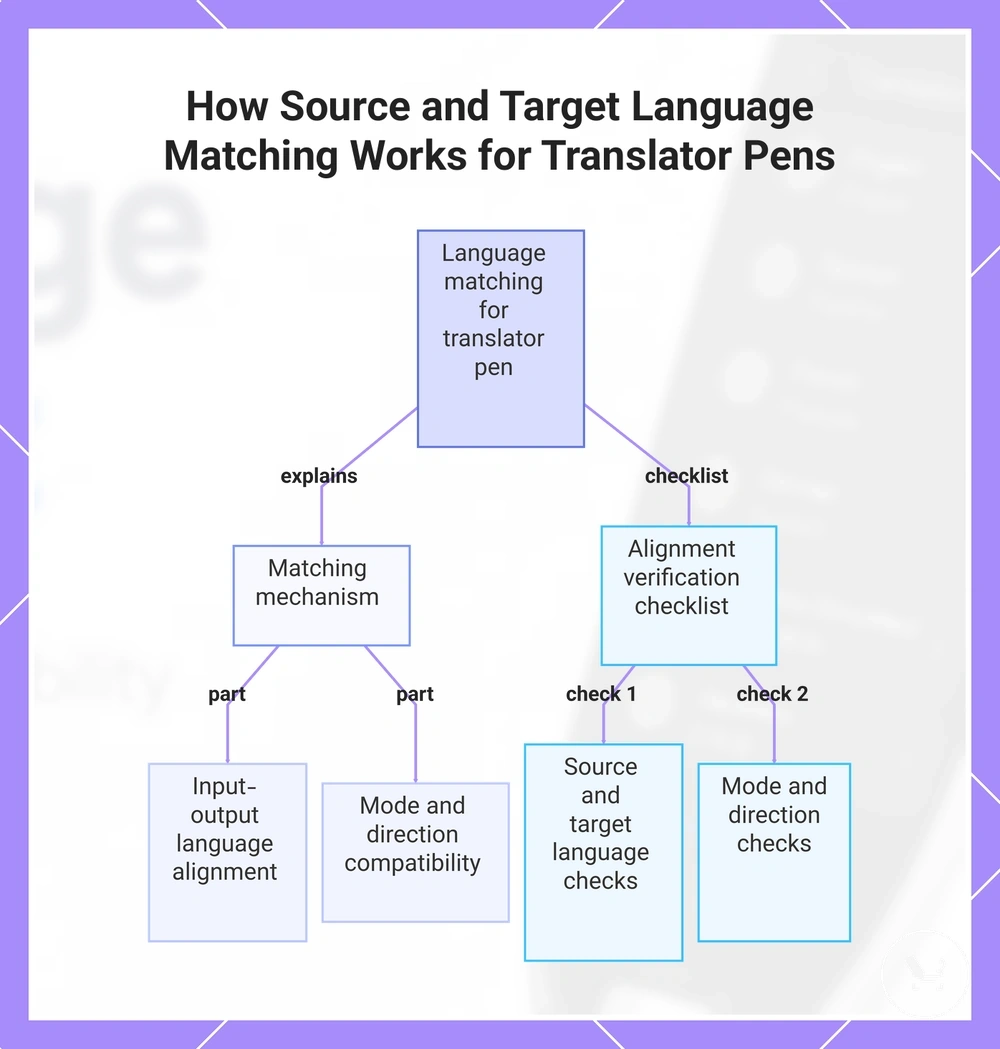
Source language and target language matching ensures the input language aligns with the output language based on the required mode and translation direction. The translator pen relies on this match to convert the input language into the correct output language, making accurate source-to-target alignment essential for usable results.
When the source language and target language do not properly match the required mode or direction, the output may become limited or partially translated. This usually happens when the input language is recognised but the required mode restricts the output language behaviour. Correct alignment between input language, output language, required mode, and direction helps prevent mismatch issues. The checklist below is used to verify this alignment.
Checklist for source-to-target language matching:
- Source language: Confirm the input language is correctly recognised from the user’s input.
- Target language: Verify the selected output language matches the intended translated result.
- Required mode: Check whether scan, voice, or dictionary mode supports the translation route.
- Direction: Ensure the translation direction allows the source language to match the target language output.
This chart explains the concept of source-target language alignment for translator pens and the verification checklist used to ensure correct matching.
One-way, two-way, and automatic language detection
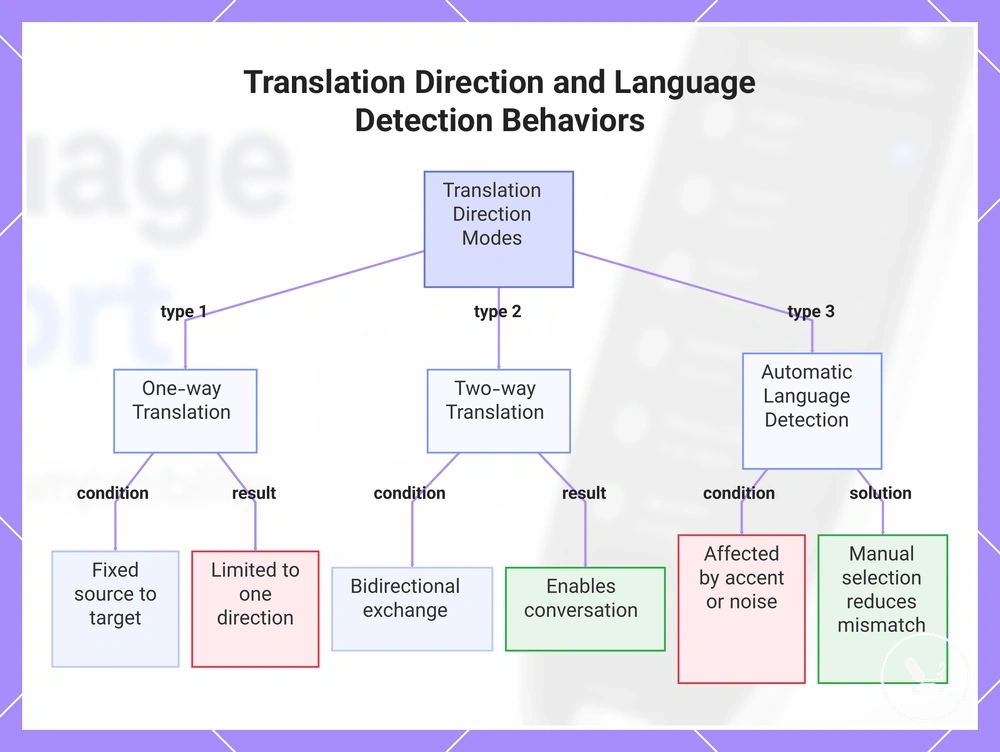
One-way translation, two-way translation, and automatic language detection define how translation direction and recognition behave between input language and output language. One-way translation fixes a single direction, two-way translation enables bidirectional movement within a language pair, and automatic language detection identifies the input language before processing.
These behaviors influence how reliably input language is converted into output language under different conditions. Automatic language detection may vary with accent, script, or noisy environment, which can affect recognition results and translation accuracy. When detection is uncertain, manual language selection provides more control over direction and required mode, reducing mismatch risk. The following bullets outline the practical differences.
- One-way translation: Direction is fixed from source language to target language. Condition: works within a single translation route. User consequence: output is limited to one direction result.
- Two-way translation: Direction supports both source and target language exchange. Condition: depends on enabled language pair. User consequence: enables conversational back-and-forth output.
- Automatic language detection: Detects input language before translation. Condition: can be affected by accent, script, or noisy environment. User consequence: may produce correct or limited recognition depending on input clarity.
This chart shows the three main modes of translation direction and language detection, their conditions, and user consequences.
Text, OCR, and script compatibility
Text, OCR, and script compatibility determines whether a translator pen can recognise printed text before scan translation begins. OCR and script compatibility must align with printed text conditions so recognition can happen before any translation quality is evaluated.
When OCR processes printed text, it first evaluates text compatibility and script compatibility against the supported character system. Font style, spacing, and print conditions influence whether recognition occurs correctly or remains partial. If script compatibility is limited or fonts are highly stylised, OCR recognition may reduce, affecting scan translation reliability. These factors define how printed text, script, and font conditions interact before translation begins.
In practical use, simple printed text is usually recognised more consistently than dense layouts or decorative fonts. However, recognition still depends on script compatibility and font structure, even when text is visually clear. This creates a boundary where recognition must succeed first before translation reliability can be assessed.
EAV Table: OCR and text compatibility factors
The table below summarises how text conditions affect recognition before scan translation occurs.
| Entity/part | Attribute/criterion | Value/condition | Effect/risk/decision |
|---|---|---|---|
| Printed text | Clarity and contrast | Clear or low contrast | Affects OCR recognition success |
| Script | Character system support | Supported or partially supported | Determines recognition feasibility |
| Font | Style complexity | Standard or stylised | May reduce recognition accuracy |
| Layout | Spacing and structure | Simple or dense formatting | Impacts recognition consistency |
| Scan movement | Input stability | Steady or unstable scan | Influences recognition stability |
Printed text, standard fonts, and scan recognition limits
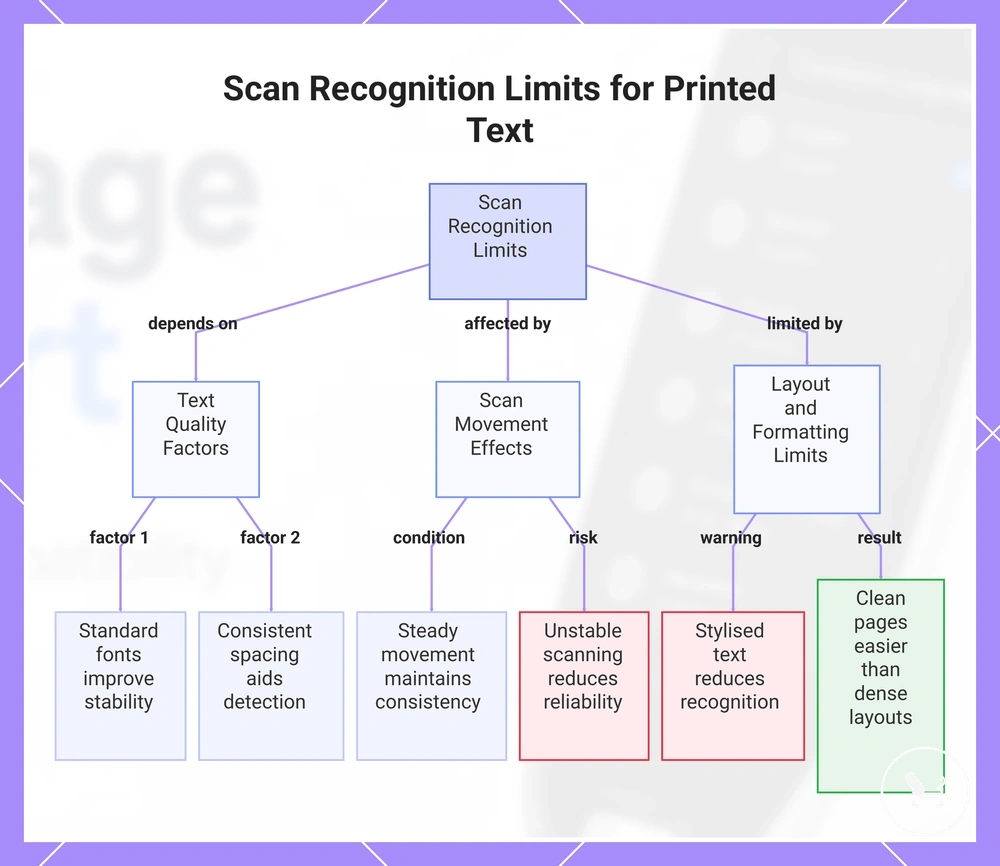
Printed text, standard fonts, and scan recognition limits determine how reliably a translator pen identifies text before scan translation begins. Text quality, font, spacing, and scan movement directly influence scan recognition outcomes and set the baseline for interpretation.
When printed text uses standard fonts and consistent formatting, scan recognition is usually more stable. Stylised text, uneven spacing, or low text quality can reduce recognition reliability. Layout structure and scan movement also introduce limits, as irregular alignment or unstable scanning may affect how characters are detected and processed. These conditions define how printed text behaves before translation.
In practical reading conditions, clean printed pages are generally easier for scan recognition than dense layouts or decorative typography. Even when text is visible, recognition may vary depending on how spacing and movement interact during scanning. The checklist below outlines key scan-ready conditions.
Checklist for scan-ready text conditions:
The following points summarise the main attributes affecting recognition performance:
- Text clarity: Printed text should remain clear and legible for scan recognition.
- Font: Standard fonts improve recognition compared to stylised text formats.
- Spacing: Consistent spacing supports more stable character detection.
- Scan movement: Steady movement helps maintain recognition consistency during input.
This chart shows the main factors that affect how reliably a translator pen recognizes printed text before scan translation.
Scripts and character systems that affect translation reliability
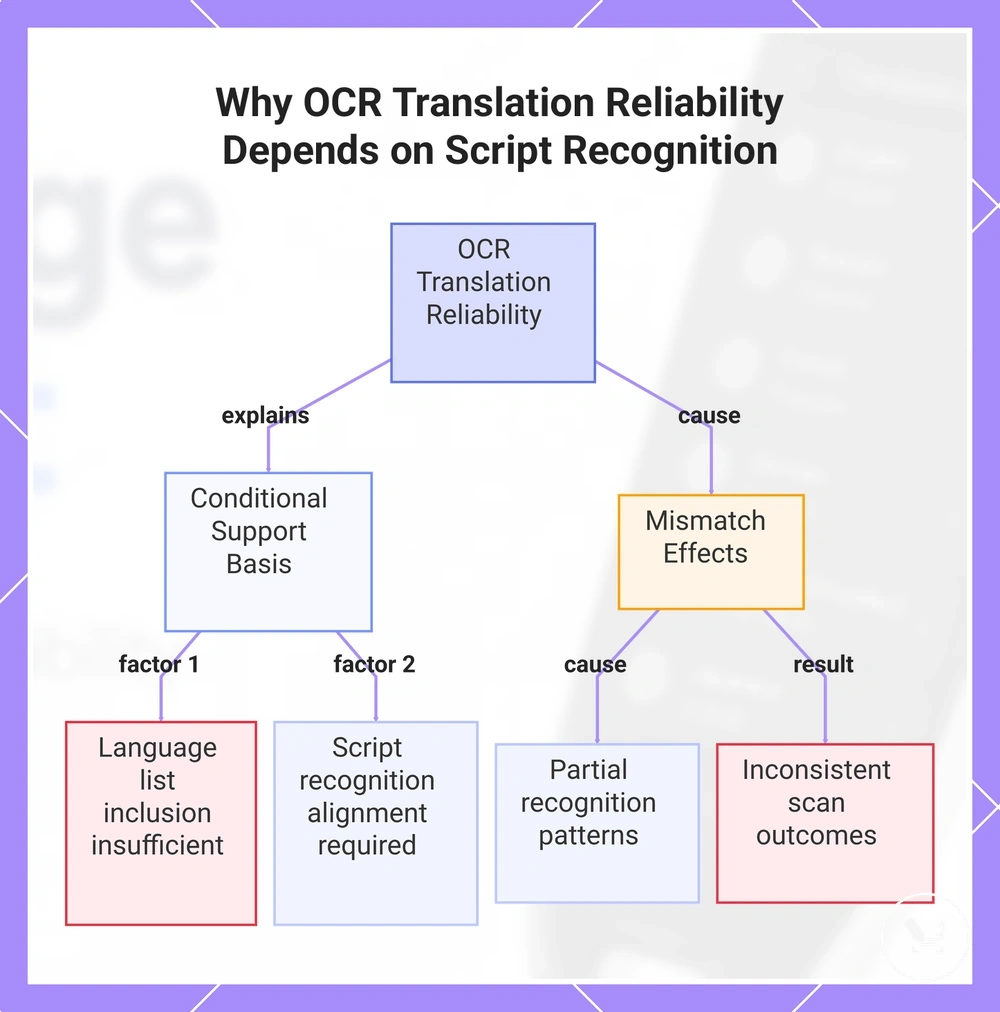
Scripts and character systems determine whether a translator pen can correctly process a language before translation begins. OCR support depends on how a script is interpreted by the recognition layer, which can vary even when a language appears in a language list. This creates conditional support where listed language support may not always match script recognition performance.
A script refers to the writing system, while a character system defines how symbols are structured for recognition and encoding. OCR support becomes conditional when a script or character system requires recognition patterns that are not fully aligned with the device’s supported configuration. In this case, translation reliability depends more on script recognition conditions than on the presence of the language in the list.
For example, a language may appear supported in a device menu, but if its script requires recognition rules that are only partially matched by the OCR system, recognition may become limited or inconsistent. This creates a clear contrast between listed language availability and actual script-level compatibility, where conditional support affects scan translation outcomes.
This chart shows how script and character system alignment, rather than language list inclusion, determines whether a translator pen can reliably recognize and translate scanned text.
Voice translation and pronunciation language support
Voice translation and pronunciation language support depends on how spoken language is processed into speech input and how output language is converted into audio through text-to-speech systems. Voice translation separates speech input recognition from pronunciation playback, meaning input handling and audio output operate as distinct parts of real-time voice translation.
When voice translation performance varies, the key dependency is how spoken language is captured and converted rather than overall translation accuracy alone. Accent, speech input clarity, and output language selection influence how reliably speech input is recognised and how pronunciation is generated through text-to-speech. These conditions affect both recognition and audio output within the same language support system.
In real usage scenarios such as travel conversation, classroom reading, or vocabulary pronunciation, differences appear based on how speech input is delivered and how pronunciation output is played back. Each scenario places different emphasis on spoken language capture versus pronunciation output, while still depending on the same language support structure.
Before the comparison below, the relationship between speech input, translated output, and pronunciation playback can be separated by function.
| Voice feature | Language dependency | What to verify | User outcome |
|---|---|---|---|
| Speech input | Spoken language and accent recognition | Speech clarity and input conditions | Accurate or partial recognition |
| Translated audio output | Output language configuration | Correct language selection | Real-time voice translation output |
| Word pronunciation | Text-to-speech mapping | Pronunciation playback support | Audio pronunciation of words |
Speech input languages, accents, and real-time voice translation
Speech input languages, accents, and real-time voice translation depend on recognition condition and microphone input quality rather than supported language alone. Variations in speech input languages, accents, background noise, and real-time voice translation performance are influenced by supported language, recognition condition, and microphone input within the same system context. :contentReference[oaicite:0]{index=0}
When voice results differ, the main factor is how speech input is processed under specific conditions rather than translation capability itself. Strong accents, background noise, and real-time voice translation processing can reduce consistency even when the supported language is available. In some cases, a supported language may still show reduced performance when microphone input is affected by unsuitable environment conditions. The checklist below is used to evaluate these compatibility factors.
Use the following checklist to assess speech input compatibility:
- Speech input language: Check alignment with the supported language to ensure recognition condition is met.
- Accent: Strong or varied accents may change recognition condition and affect speech input accuracy.
- Background noise: Environmental noise can interfere with microphone input and reduce real-time voice translation clarity.
- Real-time voice translation: Performance may vary depending on speech input quality and recognition condition.
Text-to-speech output and word pronunciation
Text-to-speech output and word pronunciation refers to how translated words or scanned text are converted into audio output through text-to-speech systems, allowing users to hear content through voice playback when supported. Audio output depends on language support, so pronunciation support for translated words and scanned text may vary depending on system configuration. :contentReference[oaicite:0]{index=0}
In practical use, text-to-speech can read scanned text aloud or play translated words as spoken output through voice playback, helping users follow written content more easily. Word pronunciation can also assist with hearing vocabulary items, but availability and quality depend on language support for audio output. This use case remains focused on reading and listening support rather than full language-learning instruction, which is handled separately in dedicated learning contexts.
Offline language support and Wi-Fi-dependent features
Offline language support refers to language availability based on downloaded packs stored on the device, while Wi-Fi-dependent features rely on cloud access to expand or update language resources. Offline language availability is tied to installed packs, whereas online functionality depends on connectivity. This creates a clear distinction between offline packs and Wi-Fi-dependent features.
In practical use, scan, voice, and dictionary modes may behave differently depending on whether language data is stored locally or accessed through cloud services. Downloaded packs support offline mode for selected language sets, while cloud access may extend or update available translations when Wi-Fi is enabled. Language availability therefore depends on both the selected mode and whether the system is using offline storage or online processing.
These differences are important when separating local language access from online expansion of features, especially when evaluating consistency across modes and conditions. More details about this separation are explained in offline language support.
| Feature or mode | Offline condition | Wi-Fi-dependent condition | What to verify |
|---|---|---|---|
| Scan | Works with downloaded language packs | May use cloud access for expanded recognition | Check language pack availability |
| Voice | Limited to installed offline languages | Uses cloud processing for broader support | Verify speech language support per mode |
| Dictionary | Uses stored local entries | May update definitions via Wi-Fi | Check update and coverage status |
| Language packs | Stored on device for offline use | Downloaded or updated via cloud | Confirm installed pack versions |
| Updates | Limited without connectivity | Requires Wi-Fi access for updates | Check firmware and content updates |
What usually changes between online and offline translation
Online translation and offline translation differ mainly by connectivity state and how language resources are accessed, which affects feature availability across the system. Online translation typically relies on cloud access, while offline translation depends on downloaded packs stored on the device, so both conditions should be evaluated separately.
When switching between online translation and offline translation, changes often appear in language range, mode behaviour, dictionary access, and voice support depending on connectivity state. Offline translation may show limitations based on available downloaded packs, while online translation may expand options through cloud access. These differences are driven by language availability conditions and system-level variables such as connectivity state, mode, and feature access.
The comparison below summarises the main variables that usually change between online and offline translation.
Comparison of online and offline translation conditions:
| Criterion | Online translation (cloud access) | Offline translation (downloaded packs) | What to verify |
|---|---|---|---|
| Language range | Expanded through cloud access | Limited to installed language packs | Available language list per mode |
| Voice support | May use cloud-based voice processing | Depends on local offline voice support | Device voice support per language |
| Dictionary access | Cloud-based dictionary updates | Uses stored local entries | Offline dictionary database availability |
| Speed or availability | Depends on connectivity state | Depends on local processing and coverage limits | Mode responsiveness under each condition |
| Updates | Updated through cloud access | Requires downloaded updates via Wi-Fi | Firmware and content update status |
Offline dictionary, scan, and voice translation limits
Offline dictionary, scan, and voice translation limits describe how offline language compatibility changes when each feature relies on a local language pack or database. These limits depend on whether the required data is stored on the device, and they affect offline dictionary, scan translation, and voice translation as separate checks of offline language compatibility.
Offline language compatibility changes depending on feature-level data availability and the type of supported task each function can execute. When a language pack or database is incomplete, each feature may still operate but with a reduced outcome. The limits should therefore be evaluated per feature instead of assuming uniform offline behaviour.
Feature-based offline limits:
- Offline dictionary: Depends on local database availability; supports word lookup as a supported task when entries exist in the offline dataset; may result in reduced outcome when words are missing from the database.
- Scan translation: Depends on language pack and OCR data; supports text recognition as a supported task under offline conditions; may produce reduced outcome when characters or languages are not fully covered in the language pack.
- Voice translation: Depends on offline voice data; supports basic voice processing as a supported task; may result in reduced outcome when language data is limited or not fully available offline.
Checking language compatibility before choosing a translator pen
Language compatibility checking for a translator pen depends on verifying model, mode, language pair, offline need, and use case before selection. The decision is based on clear criteria, so a fit or mismatch outcome is determined by how these requirements align with device capabilities.
When compatibility issues occur, they usually come from differences between the translator pen model, selected mode, supported language pair, or offline need requirements. These factors influence whether scan, voice, or dictionary functions behave correctly under real conditions. Checking these elements together ensures that language requirements match expected usage across features.
Compatibility should also be reviewed in relation to translation accuracy, especially when evaluating language pair behavior, OCR script support, dictionary coverage, and voice languages under different modes. This helps clarify whether the selected configuration meets the required language performance expectations.
Different use cases such as travel, study, and reading require different priorities in language compatibility. Travel often depends on offline language packs and connectivity independence, while study and reading may rely more on OCR script support and dictionary coverage for printed text understanding. These differences affect how model and mode selection should be interpreted.
A translator pen should ultimately be chosen based on a fit-or-mismatch decision driven by language requirements, mode support, language pair alignment, and offline need conditions. If these criteria align, compatibility is supported under the use case; if not, it indicates a mismatch that may limit functionality.
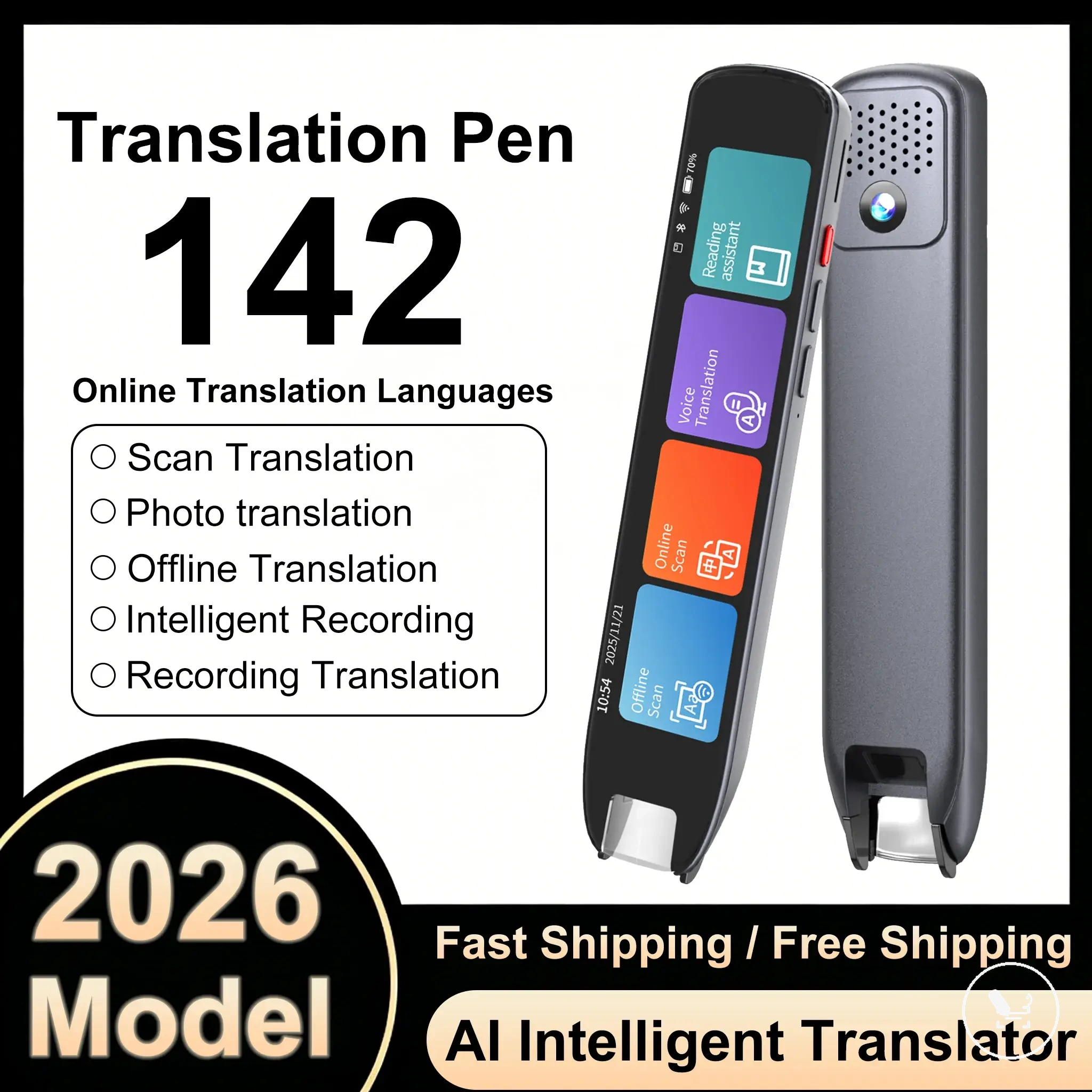
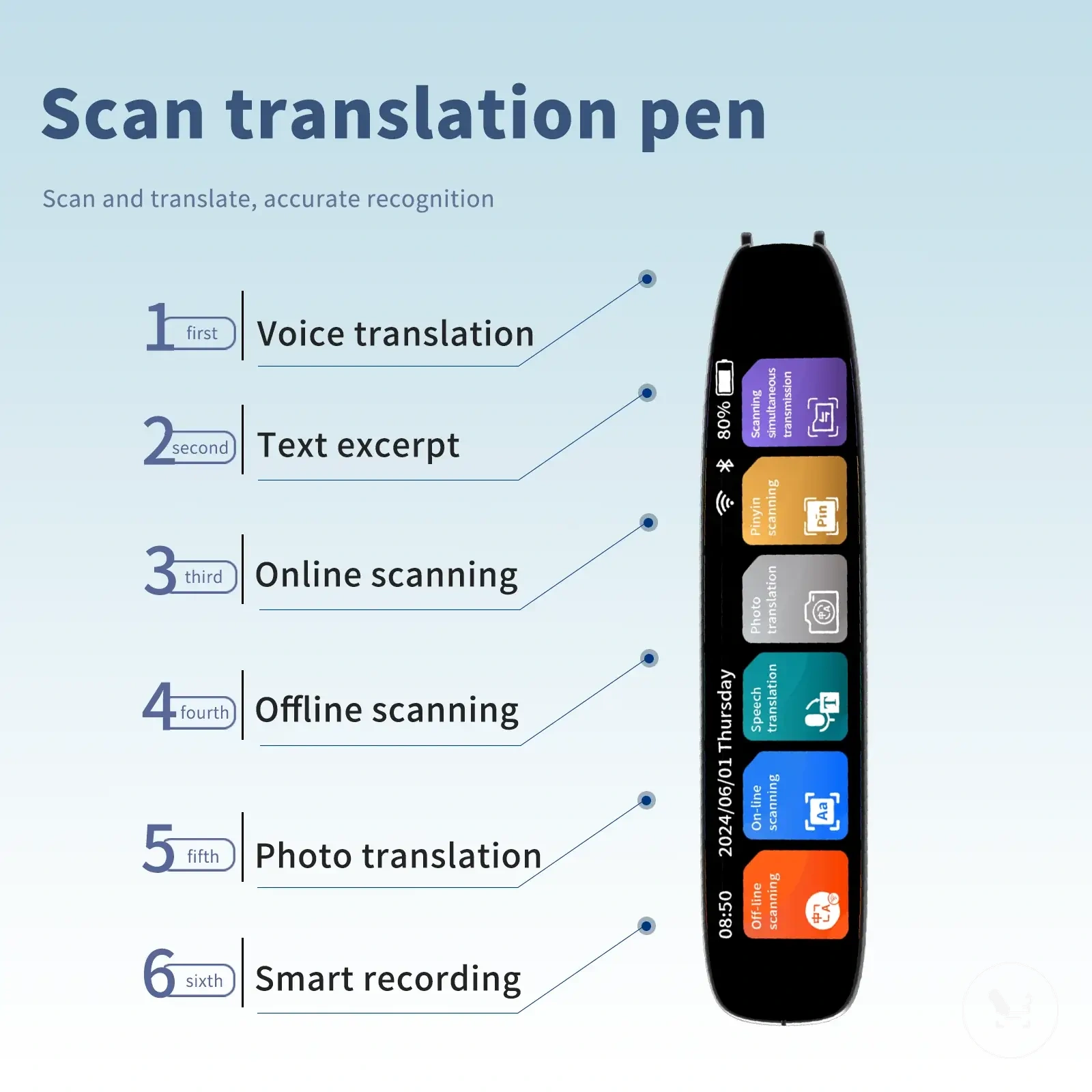
Here are product examples that may make comparison easier. Before buying, always review the compatibility criteria, essential features, and product details.
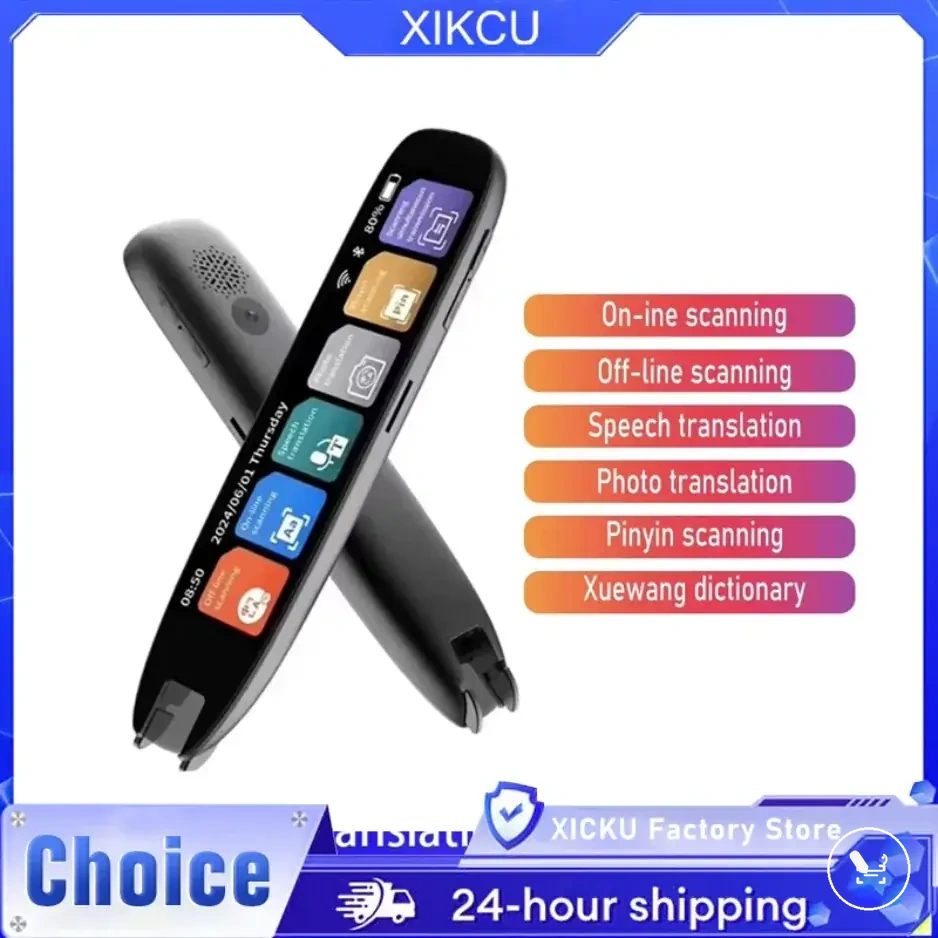
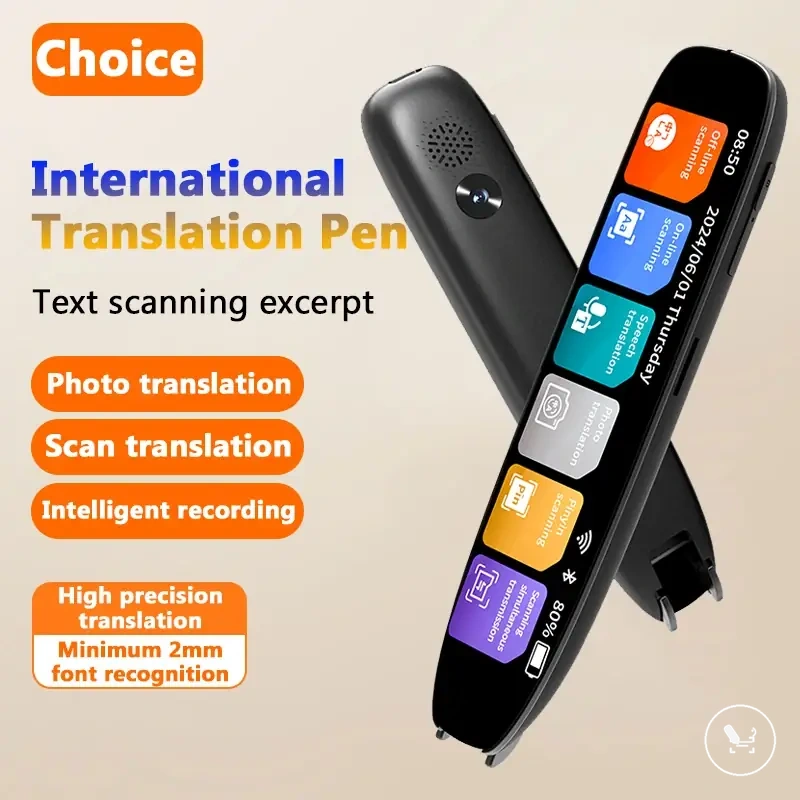
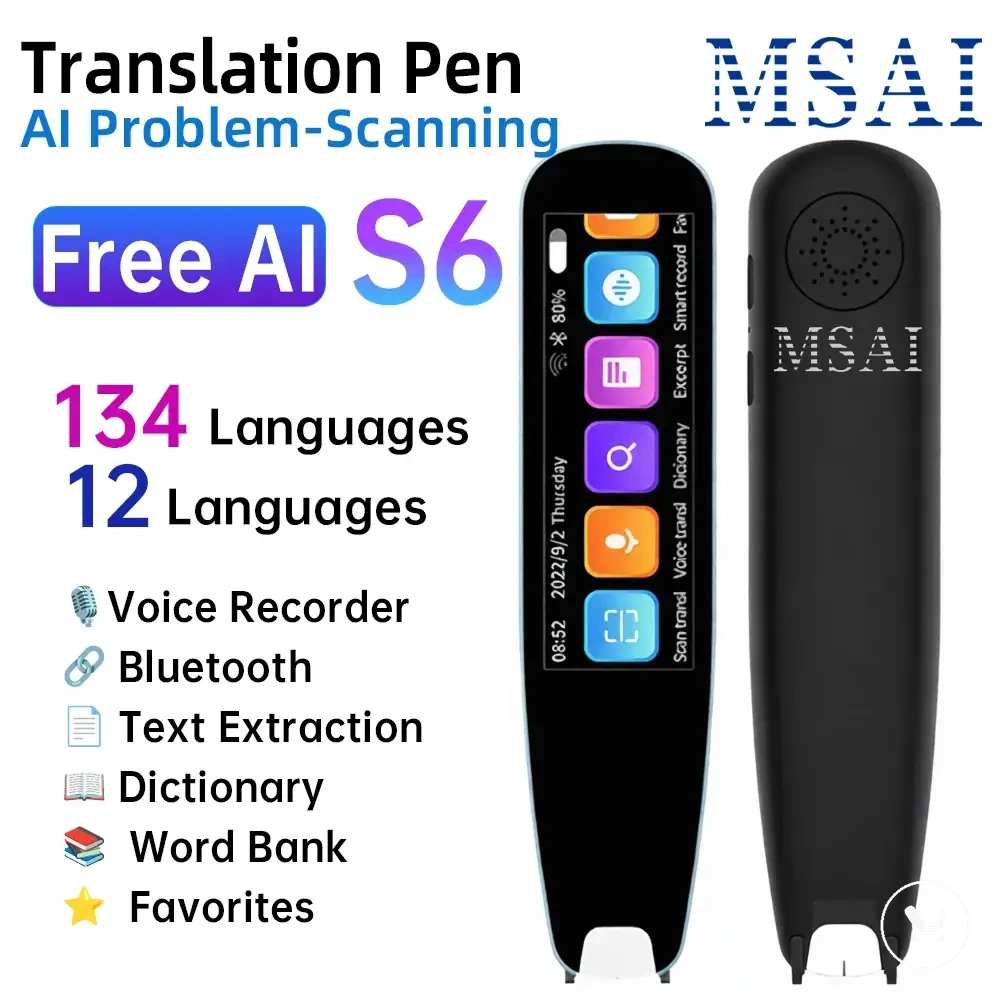
Before choosing a translator pen, verify the following compatibility criteria.
- Required language: Check supported source and target languages.
- Direction: Confirm language pair translation direction compatibility.
- Mode: Verify scan, voice, and dictionary mode availability.
- Offline need: Assess whether offline language packs are required.
- OCR script support: Ensure printed text recognition compatibility.
- Dictionary coverage: Check availability of offline lookup data.
- Voice languages: Confirm supported speech output languages.
- Updates: Verify language database and firmware update support.
| Check | What to verify | Why it matters |
|---|---|---|
| Language requirement | Supported language pair availability | Ensures correct translation direction |
| Mode | Scan, voice, dictionary availability | Determines usable translation function |
| Offline need | Availability of language packs | Affects usage without connectivity |
| OCR script support | Printed text recognition compatibility | Impacts scan translation reliability |
| Voice languages | Supported speech output languages | Determines voice translation usability |
| Updates | Language database and firmware status | Affects long-term compatibility |
Model language lists, firmware regions, and update differences
Model language lists, firmware regions, and update status determine what a translator pen can support, because the available language list is shaped by specification, region settings, and update conditions. These variables influence the compatibility outcome by defining which languages appear in the current model language list under a given configuration. :contentReference[oaicite:0]{index=0}
When the same translator pen shows different support behavior, the variation is usually caused by firmware version, regional configuration, or update state rather than a change in hardware capability. In some cases, a regional restriction may reduce the available language list, while a pending update may change the language pack visibility. An edge case occurs when the region switches after setup, which can temporarily change the displayed language specification and requires rechecking the current list for accuracy.
Before verifying compatibility, use the checklist below to confirm model language list conditions.
- Model specification: Confirm the device model matches the expected language list structure.
- Firmware version: Check whether firmware aligns with the intended language pack behavior.
- Region setting: Verify whether regional configuration affects the available language list.
- Update / pack status: Confirm whether updates or language packs are installed and reflected correctly.
Travel, study, and reading needs that change language requirements
Language requirements for a translator pen change depending on travel, study, and reading use cases because each situation prioritises different language features such as offline access, pronunciation, dictionary support, voice languages, and scanned text handling. This means the compatibility check depends on the use case, and travel, study, and reading needs directly change language requirements.
Travel scenarios typically prioritise conversation support and offline access so language requirements focus on voice languages and availability without connectivity. Study scenarios place more weight on pronunciation and dictionary use for vocabulary understanding and repetition. Reading scenarios prioritise scanned text recognition and OCR-based interpretation, where accurate handling of printed content becomes more relevant across travel, study, and reading contexts.
This section focuses on prioritising language requirements by use case rather than comparing options, and it supports understanding learning-related usage through translator pen for language learning without turning it into a product ranking or recommendation.
To clarify how requirements shift, the scenario table below summarises the key language priorities for each use case.
| Use case | Language feature to prioritise | Condition to verify |
|---|---|---|
| Travel | Voice languages and offline access | Offline availability for conversation use |
| Study | Dictionary and pronunciation | Vocabulary coverage and audio support |
| Reading | Scanned text and OCR | Accuracy of text recognition from printed materials |
Common language support questions
What does supported-language count mean?
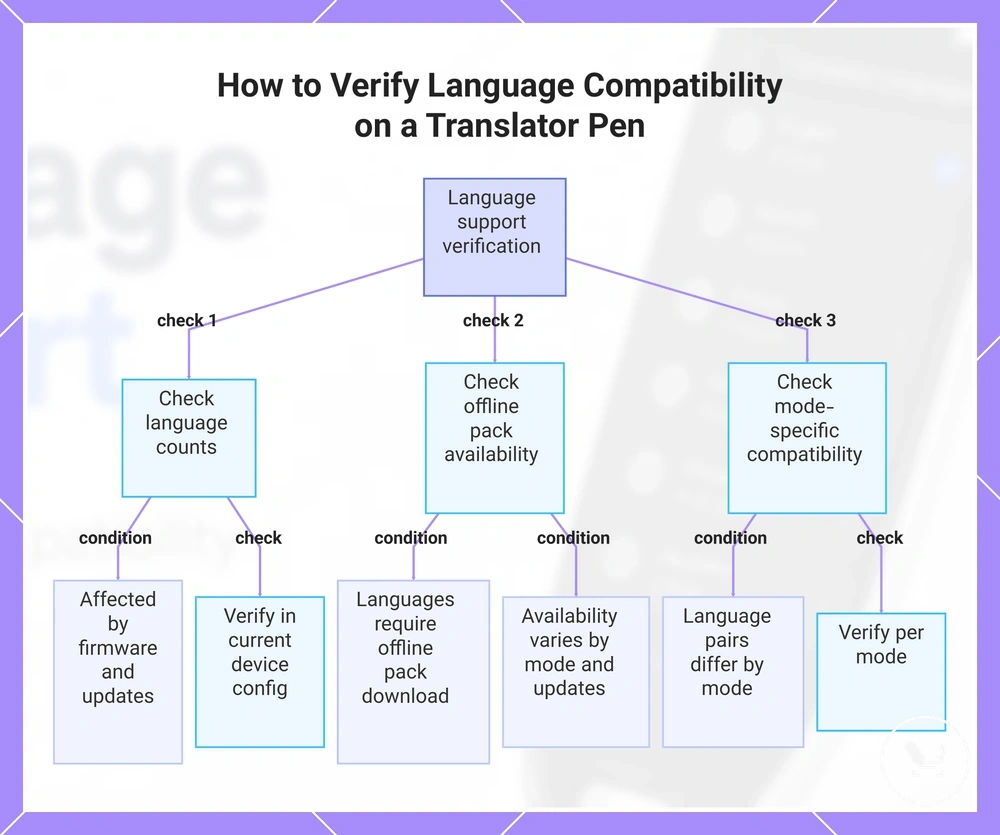
Supported-language counts refer to the number of languages available in a translator pen language list. This value can change depending on firmware, region settings, and installed updates. It should be checked in the current device configuration because mode conditions may affect what is shown.
Do offline packs affect available languages?
Offline packs affect which languages are available without connectivity. Some languages only appear after downloading the required offline language pack. Availability depends on installed data and may vary by mode and update status.
Are language pairs the same in every mode?
Language pairs are not always identical across modes. Scan, voice, and dictionary modes may support different language combinations depending on system configuration. Differences usually come from mode-level compatibility and language support conditions.
Do voice languages match dictionary languages?
Voice languages and dictionary languages are related but not always identical. A language may support speech output while having limited dictionary coverage or vice versa. This depends on how each feature is implemented within the language system.
Can a listed language work in every mode?
A listed language does not always work in every mode. Mode availability depends on firmware, region settings, and offline pack coverage. Compatibility should be checked per mode rather than assuming full cross-mode support.
How should compatibility be verified?
Compatibility should be verified by checking supported-language counts, offline packs, language pairs, voice languages, and dictionary languages together. This ensures the listed language matches the required mode and use conditions. Verification should always be based on the current device configuration.
This chart shows the key checks to verify language support and compatibility on a translator pen, including language counts, offline packs, and mode-specific conditions.