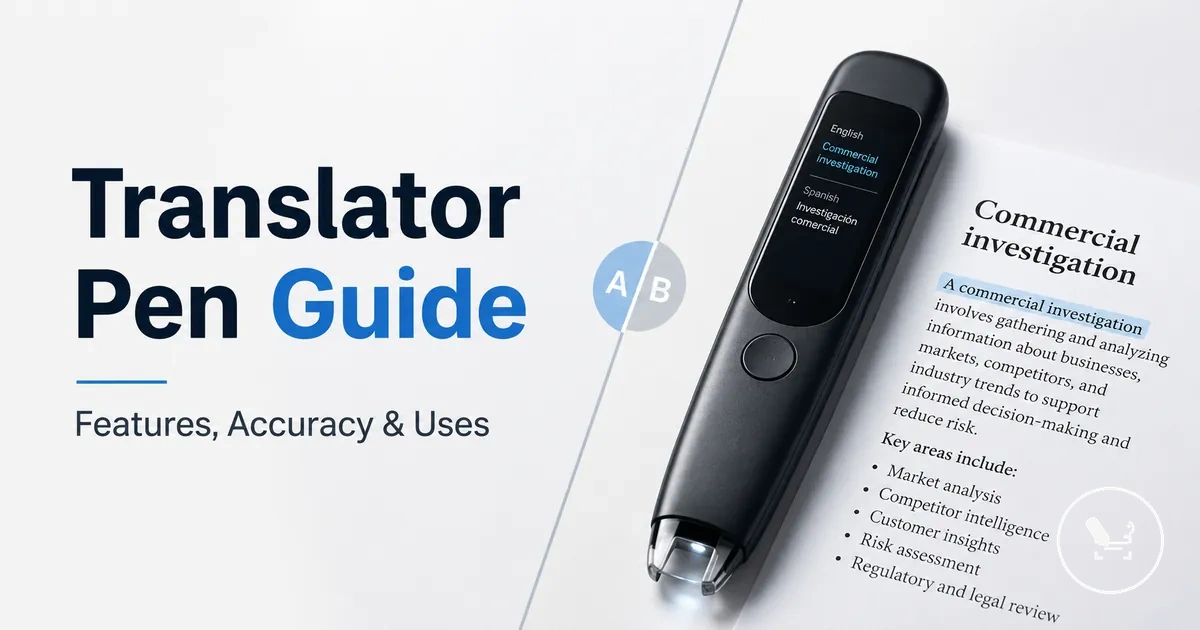
Translator pen guide for features, accuracy, price, and use cases
A translator pen is a handheld scanning device used to read printed text and convert it into translation through OCR-based processing. It supports scanning, translation, and in some cases voice translation to help users understand foreign text in real time or near real time. This category is mainly evaluated by how well it handles accuracy, readability, and practical use rather than any single fixed performance outcome.
Performance varies because translator pens differ in OCR recognition quality, language support, offline mode capability, and voice output functions. Some models focus more on reading support for students, while others are designed for travel situations where printed text translation is needed without constant connectivity. Price levels also reflect differences in build quality, scanning stability, and language pair coverage, so evaluation depends on the user’s context rather than a universal standard.
Key decision dimensions usually include a few core factors that influence how a translator pen performs in real use. These include:
- Scanning and OCR recognition quality for printed text
- Translation accuracy across different language pairs
- Offline mode availability versus Wi-Fi dependency
- Voice translation and text-to-speech support for reading assistance
- Price relative to feature depth and intended use cases
- Suitability for students, travel, and everyday reading support
These factors work together to shape how useful a translator pen is in different environments, especially when switching between study, travel, or general reading tasks. The next sections build on this by breaking down how scanning, translation processing, and practical limitations affect real-world usage conditions.
What a translator pen does and where it fits
A translator pen is a handheld device that scans printed text and uses OCR to convert recognized words into translation and digital output, including reading support. It works by processing scanned text line by line and turning printed text into language output through translation and voice output functions. The core function is enabling translation and reading support from physical documents.
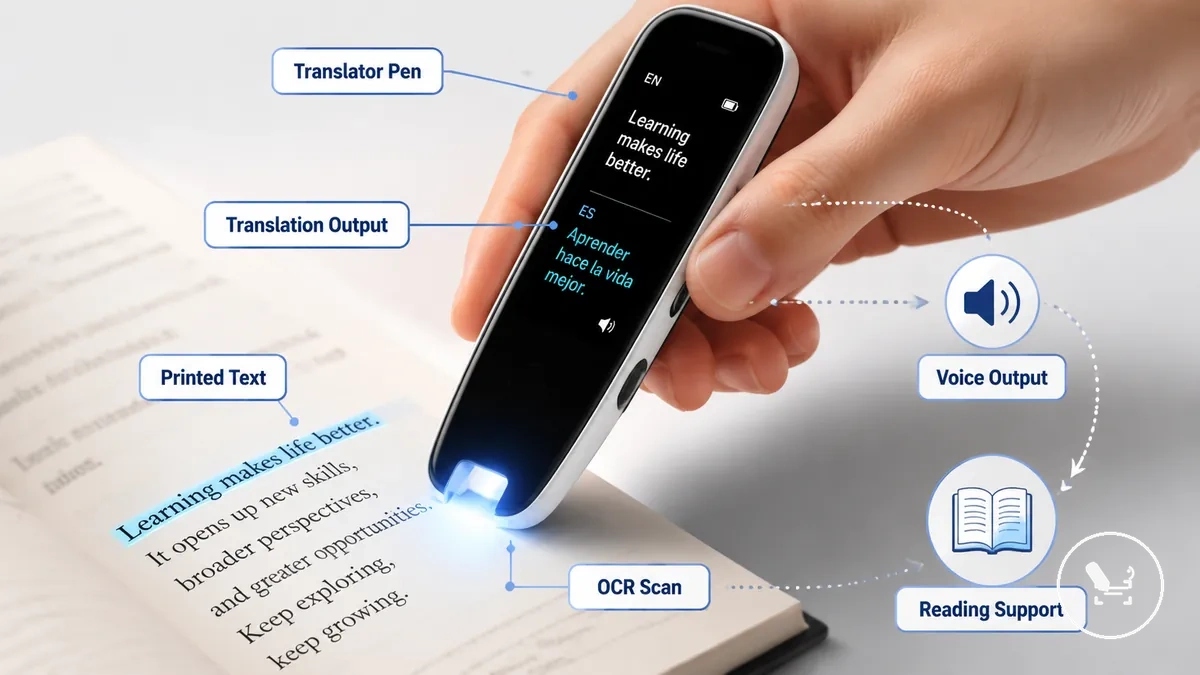
It fits into use cases where printed text needs quick language lookup, especially for reading support, study tasks, and travel situations. The device bridges physical documents and digital translation through OCR-based scanning, often paired with voice output for pronunciation and accessibility. You can see a clearer breakdown of its role in basic usage through what a translator pen is, especially when separating core function from related tools like scanner pens and translation apps. This scope is limited to portable interpretation of printed text rather than full conversational translation systems.
A translator pen differs from a scanner pen and translation apps because it focuses on scanned text input combined with translation and reading support in a single handheld device. Scanner pens may only convert printed text into digital form, while apps rely on camera or typed input for translation. This boundary helps define where the translator pen fits in language lookup tools without overlapping all digital translation methods.
How translator pens scan, translate, and read text
Translator pens operate through a connected scan-to-output process where scan input, OCR recognition, and a translation engine work together to convert printed text into screen output and voice output. The handheld device captures printed text as it moves across a surface, then processes it through scanning and translation stages that produce readable language results. These stages form the core operational flow of scan, recognition, and output.
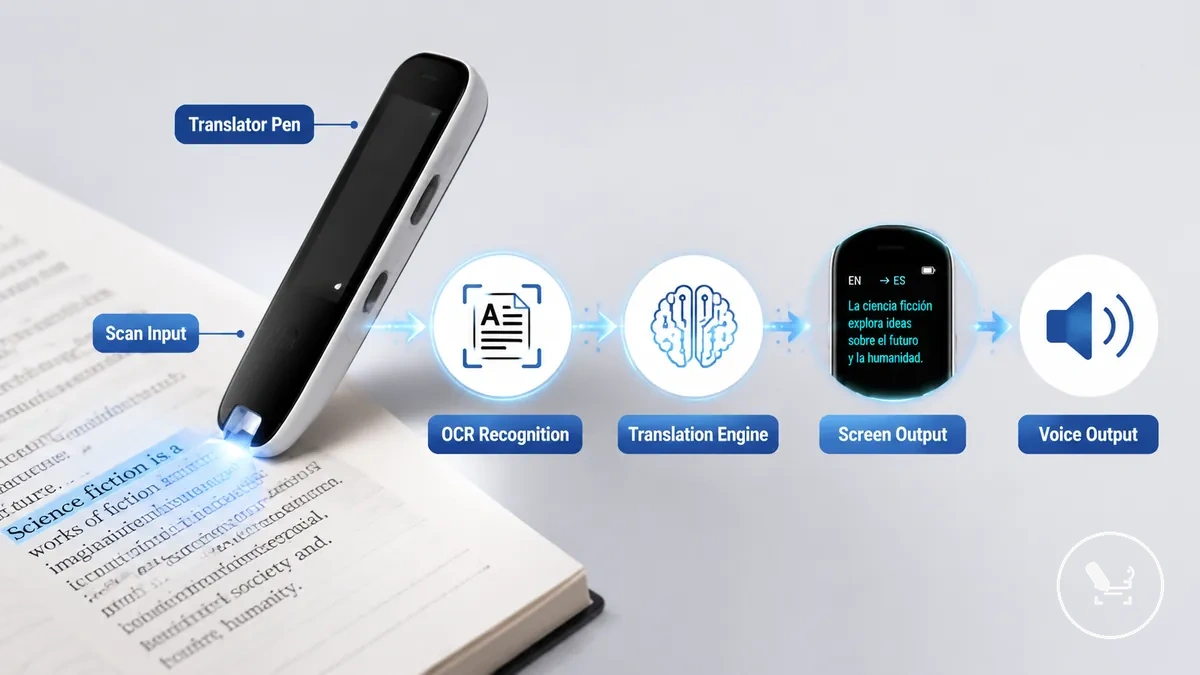
OCR recognition converts printed text into digital characters that the translation engine can process based on a selected language pair. The quality of results depends on printed text clarity, scan movement stability, and language pair compatibility. In some cases, Wi-Fi based online mode improves processing through external language data, while offline mode relies on stored language packs that may limit coverage depending on the model.
Output is delivered through screen output and text-to-speech, allowing both visual translation and spoken reading support. Voice output helps with pronunciation and language learning, especially in reading support contexts where understanding structure matters. You can explore related functionality in translator pen features and practical handling in how to use a translator pen for deeper operational clarity.
Overall, translator pens connect scanning, OCR recognition, translation processing, and output systems into a continuous workflow for interpreting printed text. This structure supports flexible use across reading support, study environments, and travel situations without requiring full manual translation steps.
OCR scanning and text recognition
OCR scanning and text recognition refers to how a translator pen uses its scanning tip to capture printed text and convert it into digital input through OCR. It acts as the initial scan input layer for text recognition before translation processing begins. Accuracy depends on scan alignment and printed text clarity, and it varies with movement control during capture.
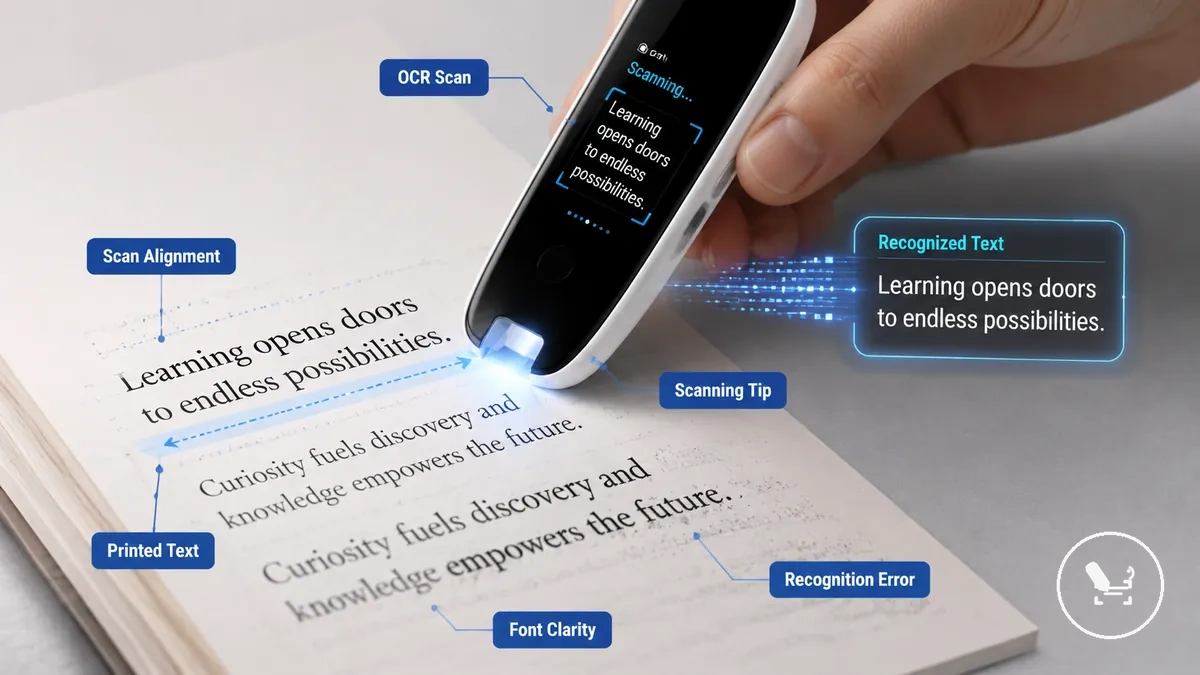
OCR scanning performance depends on how the scanning tip moves across printed text and how stable the scan alignment remains during text capture. Strong font clarity and even line spacing usually improve text recognition, while low contrast or dense layouts can increase recognition error. A clean scan typically produces stable character capture, while a difficult scan may lead to missing or misread characters due to movement or spacing issues.
OCR scanning and text recognition depend on several local conditions that influence how printed text is converted into readable input. Key factors include:
- Scanning tip alignment with printed text
- Font clarity and character definition
- Line spacing and text density
- Stable scanning movement during capture
- Contrast between text and background
Voice translation, pronunciation, and text-to-speech
Voice translation, pronunciation, and text-to-speech in a translator pen refer to audio-related output and input features that convert language or scanned text into spoken form, depending on model design and mode availability. These functions vary across devices, meaning not every translator pen supports the same level of voice translation or audio playback. They also separate microphone-based voice input from speaker-based audio output within the overall workflow.
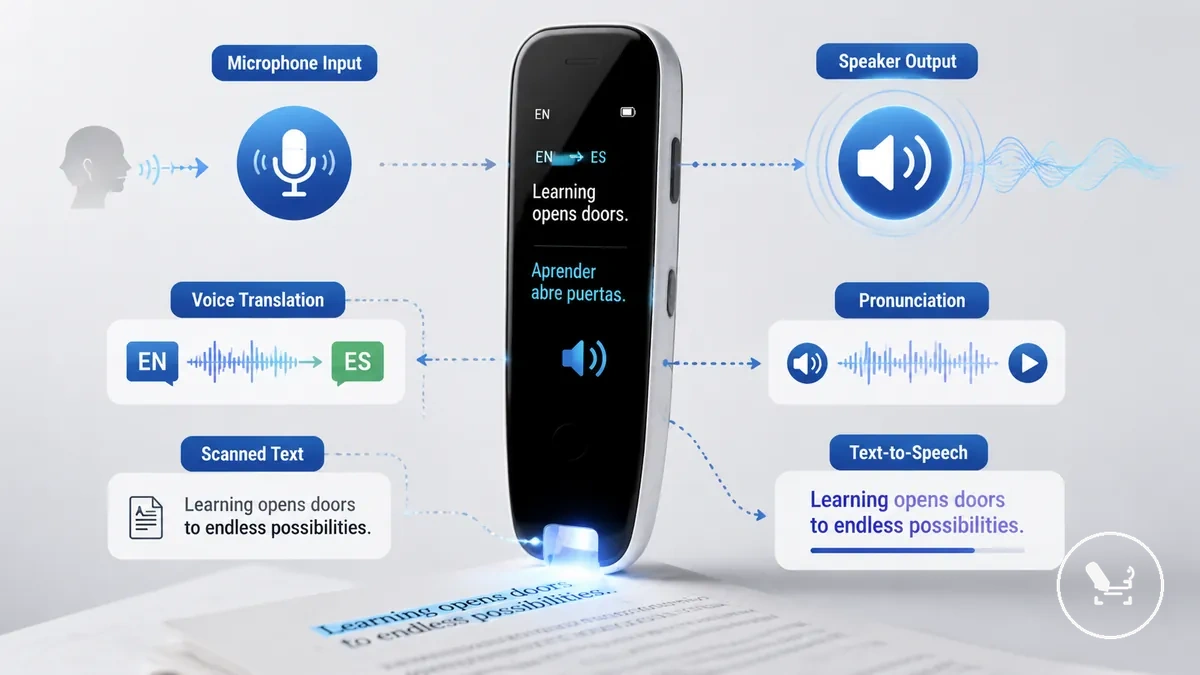
Pronunciation support, text-to-speech, and voice translation typically work through a combination of microphone input, language processing, and speaker output, but the exact behavior depends on mode availability. Scanned text may be read aloud through text-to-speech for reading support, while pronunciation playback helps users hear correct word articulation. In some cases, spoken output differs from scanned-text playback, where scanned text is simply read aloud rather than translated conversationally.
- Voice translation: Converts spoken input into another language depending on supported language pair and mode availability
- Pronunciation: Provides spoken output to support learning and language clarity
- Text-to-speech: Reads scanned text aloud through speaker output for reading support
- Mode availability: Determines whether features work online, offline, or are limited by device configuration
Online translation and offline translation modes
Online translation and offline translation modes change how a translator pen handles language availability, translation depth, and response speed. Online translation usually relies on Wi-Fi to access broader language data and more detailed processing, while offline translation depends on stored language packs within the device. The main compatibility condition is whether Wi-Fi access or preloaded language packs are available for the required language pair.
Mode selection also affects how features behave in practice, especially across travel and limited-connectivity environments. Online translation often provides wider language availability and more updated translation output, while offline mode focuses on no-Wi-Fi use through downloaded language packs with potentially reduced coverage. Voice mode limits may appear in offline translation depending on the device configuration and supported language pair. Deeper conditions are explained in offline translator pen mode, especially when comparing travel usage versus connected environments.
| Online translation | Offline translation |
|---|---|
| Requires Wi-Fi connection | Works without Wi-Fi using language packs |
| Broader language availability | Limited by downloaded packs |
| More updated translation depth | More limited coverage in some cases |
| May support wider voice mode features | Voice mode can be limited depending on device |
Translator pen accuracy and result quality
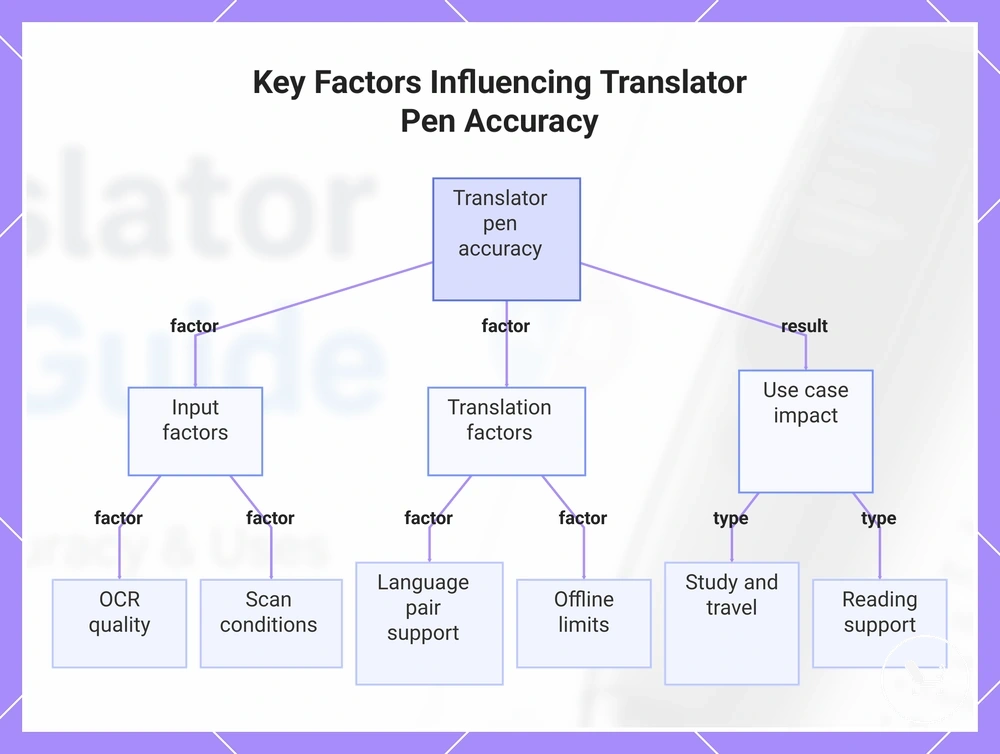
Translator pen accuracy and result quality depend on multiple conditions rather than a fixed performance level. OCR recognition quality, language pair support, scan conditions, and offline limits all influence how the final translation appears. The main evaluation frame is how these factors interact during real use rather than assuming a single stable output level.
Translator pen accuracy is shaped by OCR recognition, translation engine behavior, language pair coverage, scan conditions during text capture, and user handling. Pronunciation output and mode selection across online translation and offline translation can also affect clarity, especially when switching between connected use and offline limits. In some cases, offline limits and language availability reduce result quality compared to connected use, depending on configuration and language pair. Evaluation depends on these combined factors, including translator pen accuracy.
Accuracy becomes most important in different ways depending on the use case. For study use, OCR recognition or language pair mismatches can affect learning clarity. For travel, scan conditions and offline limits may influence how quickly printed text is understood in real time. For reading support, pronunciation output plays a key role in how effectively translated content is understood aloud.
This chart shows the main factors that determine translator pen accuracy and how they affect different use cases.
Printed text quality, scan alignment, and OCR limits
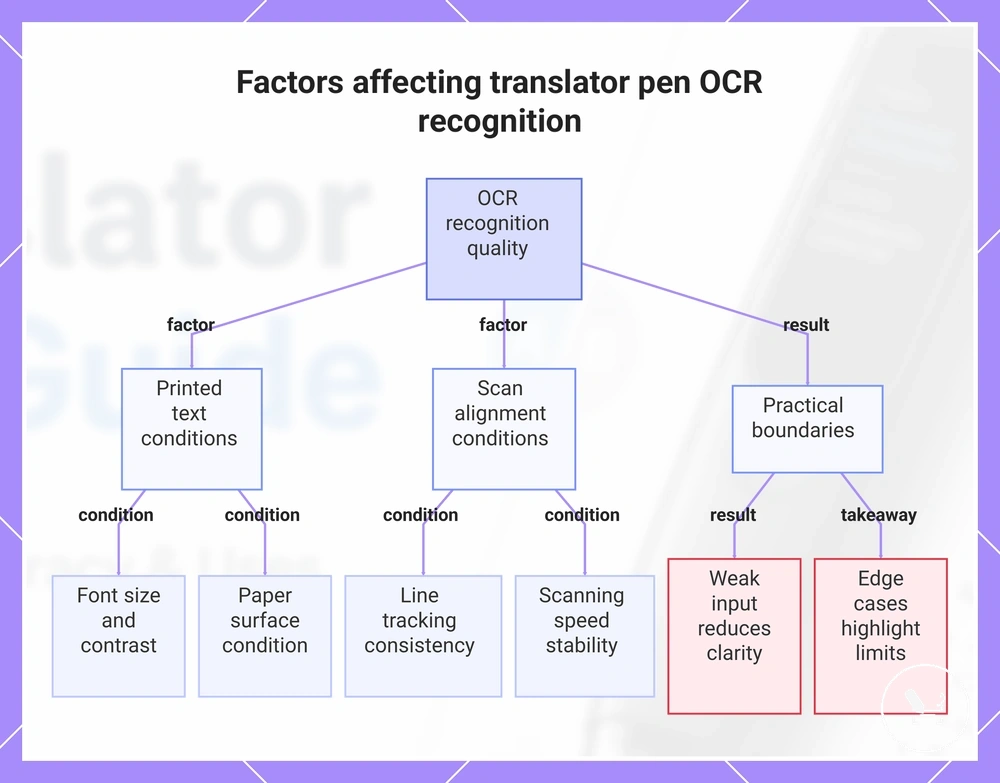
Printed text quality, scan alignment, and OCR limits affect translator pen OCR recognition and result quality by determining how reliably printed content can be interpreted during scanning. These conditions shape what the device can read before translation processing begins, and they define the practical boundaries of recognition performance in real use. Even when translation systems are stable, weak input conditions can reduce output clarity.
OCR performance depends on how printed text quality interacts with scan alignment during line tracking. Font size and contrast influence how clearly characters are detected, while scanning speed affects whether text is captured in the correct sequence. Paper surface conditions such as gloss, curvature, or uneven texture can also affect recognition stability, and edge cases like curved pages or low-contrast print highlight OCR limits more clearly than standard flat text.
Printed text quality, scan alignment, and OCR limits determine what can be reliably processed, so the checklist below focuses on practical scan conditions that affect recognition outcome.
- Printed text quality and character clarity
- Scan alignment and line tracking consistency
- Font size and readability of printed content
- Contrast between text and background
- Scanning speed and movement stability
- Paper surface condition, including curved or uneven pages
This chart shows the main conditions that influence OCR recognition quality, grouped by text quality, scan alignment, and practical boundaries.
Supported languages, language pairs, and translation mode limits
Supported languages depend on language pairs, translation modes, and device capability, which means supported languages do not guarantee equal result quality across every combination. The translator pen accuracy and output behavior vary by how the source language and target language are paired in either online translation or offline translation mode. The main constraint is always the specific language pair combined with the active mode and available language resources.
Offline availability, dictionary depth, pronunciation support, and regional variation shape how supported languages perform in real use. Offline language packs can reduce coverage compared to online translation, while dictionary depth influences contextual translation clarity between source language and target language. Pronunciation support may vary depending on the language pair and mode, especially when switching between offline availability and connected processing. Regional variation can further affect interpretation quality in less common language forms or offline-only scenarios.
Language support can be evaluated more reliably using the checklist below, which focuses on compatibility conditions rather than language count.
- Source language and target language pair compatibility
- Offline availability of required language packs
- Dictionary depth for contextual translation quality
- Pronunciation support across selected language pairs
- Regional variation handling for less common language forms
Translator pen price and value factors
Translator pen price is a value-to-capability question where cost reflects how much feature depth, OCR performance, and translation reliability a device can deliver. It depends less on a fixed number and more on how well the device matches user needs such as reading support, travel use, or study tasks. The main trade-off is between lower-cost devices with basic functions and models with broader capability and more consistent performance across use conditions.
Translator pen price is mainly driven by feature depth, OCR performance, offline capability, language support, battery, screen, and speaker quality. Devices with stronger OCR performance and broader language support typically require more capable processing components, which influences overall cost structure. Offline capability can increase value because it allows use without connectivity, while build quality and bundled accessories also affect practical usability across different environments.
Budget decisions depend on use frequency and required capability, since occasional users may prioritise basic translation functions while frequent users may require more stable performance and broader language support. When use frequency is low, simpler configurations with limited features may be sufficient for basic reading tasks. When use frequency is higher, stronger battery life, clearer screen output, and improved speaker quality become more relevant for long-term usefulness.
| Value factor | What it influences | Impact on translator pen price |
|---|---|---|
| Feature depth | Range of translation and scanning functions | Higher capability increases cost |
| OCR performance | Text recognition accuracy | Improved accuracy raises value level |
| Language support | Source and target language coverage | Broader support increases cost |
| Offline capability | Usability without connectivity | Adds functional value and cost |
| Battery, screen, speaker | Usability and output clarity | Improved hardware increases price |
| Use frequency | How often the device is used | Influences required investment level |
Budget range, feature depth, and accuracy expectations
Budget range is closely tied to feature depth and accuracy expectations in translator pens, where different cost levels usually reflect different capability combinations. In general, budget range does not define quality alone but indicates how much feature depth and translation support a device can provide. The main relationship is a trade-off between lower cost configurations and broader capability requirements across different use cases.
Budget range typically reflects three capability levels: low-cost, mid-range, and higher-feature devices, each with different feature depth and likely limits. Low-cost options usually focus on basic scanning and translation with limited OCR performance and reduced offline capability, making them more suitable for occasional use. Mid-range devices often balance language support, battery, and screen usability, while higher-feature options tend to provide stronger OCR performance, broader language support, and more stable accuracy expectations across use scenarios.
| Budget level | Feature depth | Likely limits | Typical value signal |
|---|---|---|---|
| Low-cost | Basic scanning and translation functions | Limited OCR performance and offline capability | Simple reading and occasional use |
| Mid-range | Balanced OCR performance and language support | Some limits in advanced offline features | General study and travel use |
| Higher-feature | Stronger OCR performance and broader language support | Higher cost but fewer functional restrictions | Frequent use and higher accuracy expectations |
Source context: :contentReference[oaicite:0]{index=0}
When higher-priced translator pens may be worth it
Higher-priced translator pens are worth considering only when higher feature depth is actually required by your use case. Value depends on how often the device is used, how much offline dependency is needed, and how high the accuracy expectations are in real situations. The decision is conditional, not automatic, and depends on whether the added capability matches real usage needs.
Higher-priced translator pens may justify their value when frequent use demands more stable performance and when offline dependency is important for travel or low-connectivity environments. They can also matter more for difficult language pairs where stronger OCR performance and translation consistency are needed. Additional factors include reading support needs, where better screen comfort and audio quality improve usability, as well as durability requirements for long-term daily use.
The checklist helps verify whether higher-priced translator pens match your usage conditions and expectations.
- Frequent use requiring consistent performance over time
- Offline dependency for travel or limited connectivity
- Difficult language pairs with higher accuracy expectations
- Reading support needs that benefit from clearer screen comfort
- Audio quality requirements for better pronunciation or listening clarity
- Durability needs for long-term or daily usage conditions
Source context: :contentReference[oaicite:0]{index=0}
Best-fit uses for translator pens
Translator pens fit best-fit uses involving printed text where quick scanning, interpretation, and environment-based language needs align with device-based OCR translation. They are most effective when the text type is static and clearly printed, and when study, travel, or everyday reading tasks require fast access to meaning. The main condition is a real-world environment where printed text can be scanned reliably for translation outcomes.
In study situations, translator pens support printed text such as textbooks and vocabulary materials where language learning is connected to structured reading. In travel environments, they are commonly used for menus, signs, and short printed information, especially when offline mode is needed across different environments. For reading support, they assist with printed documents through text-to-speech and pronunciation features, while everyday lookup use cases involve labels, forms, and quick translation of short content where text type is simple and direct.
Translator pens have limits when the task moves beyond printed text or requires deeper contextual communication. In some cases, phone-based translation apps, human support, or specialist reading tools may provide better coverage, especially for long-form content or interactive conversation where environment and text type exceed scanning use. These alternatives become more relevant when translation needs go beyond quick printed-text interpretation.
| Use case | Text type | Environment | Outcome |
|---|---|---|---|
| Study | Textbooks, vocabulary lists | Classroom or self-study | Printed text understanding support |
| Travel | Menus, signs | Foreign environments | Quick translation in real time |
| Language learning | Structured notes | Practice settings | Vocabulary reinforcement |
| Reading support | Printed documents | Assisted reading contexts | Text-to-speech and clarity support |
| Everyday lookup | Labels, forms | General use environments | Fast meaning extraction |
Source context: :contentReference[oaicite:0]{index=0}
Students, textbooks, and language learning
Students use translator pens with textbooks in language learning contexts where printed text needs quick scanning and meaning support. In these situations, students and language learners rely on printed pages to access vocabulary and short passages through scan-based interpretation. The usefulness depends on learner level, textbook format, and classroom rules, and it does not guarantee learning outcomes.
In study environments, translator pens support students working with printed textbooks where vocabulary lookup and pronunciation practice are connected to scanned text input. Textbook structure and language pair selection influence how learning support is delivered across different learner levels, and classroom rules may limit usage depending on device policies. For example, scanning a textbook sentence may provide direct translation, while dictionary-style lookup focuses on word meaning and pronunciation practice supports spoken output in language learning contexts. :contentReference[oaicite:0]{index=0}
- Textbook scanning for printed text understanding and reference
- Vocabulary lookup for individual word support during study use
- Pronunciation practice for spoken language reinforcement
- Reading support based on learner level and classroom rules
- Language learning support depending on text type and format
Travel, reading support, and everyday printed text
Travel, reading support, and everyday printed text use cases involve situations where a translator pen may help interpret printed language through quick scanning in real environments. These situations typically include travel, reading support tasks, and everyday printed text such as menus, signs, documents, books, and labels. Effectiveness depends on text type, language pair, and context, and it remains limited to printed-language interpretation rather than broader communication needs.
In travel and reading support scenarios, everyday printed text interpretation depends on offline availability, text clarity, and language coverage across different environments. Menus and signs in travel settings may require quick lookup, while books and documents may support reading assistance depending on structure and language pair. Labels and short printed items often provide simpler translation results, but limitations can appear when text is complex, handwritten, or outside supported language conditions. :contentReference[oaicite:0]{index=0}
- Menus in travel environments for quick printed-text interpretation
- Signs in public spaces for basic navigation support
- Documents requiring short-form translation or reference
- Books used for reading support and language exposure
- Labels for fast everyday printed text lookup
- Offline availability use cases when connectivity is limited
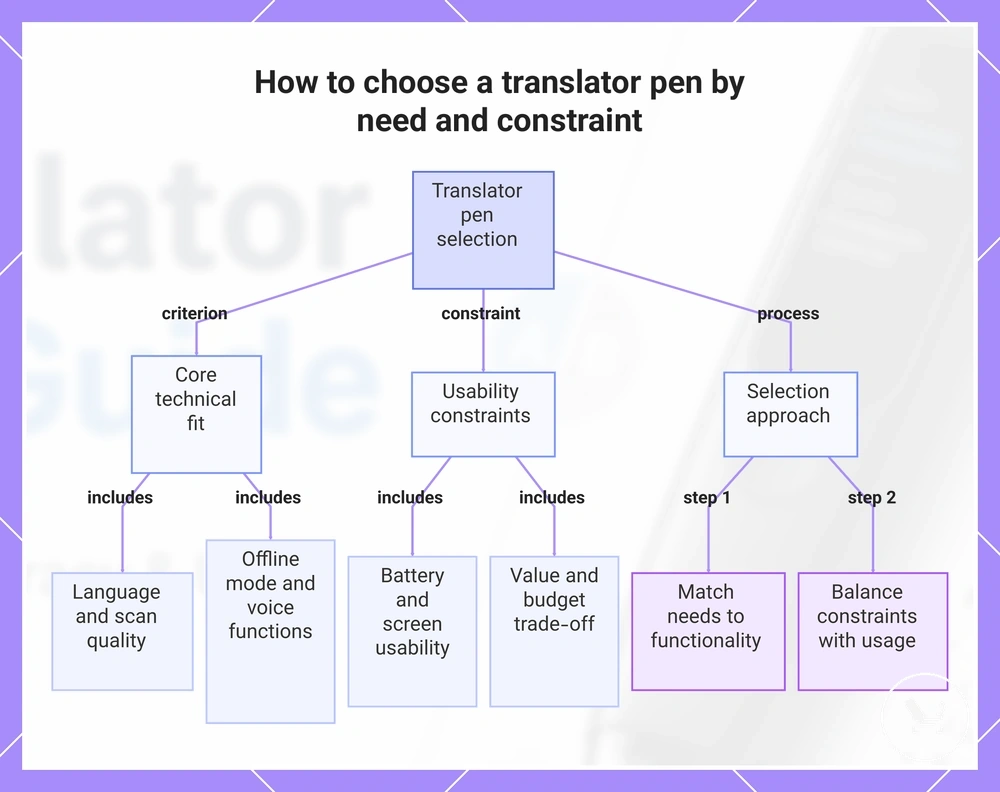
How to choose a translator pen by need and constraint
Choosing a translator pen depends on need and constraint rather than a single feature set. The decision is shaped by use case, language requirement, accuracy tolerance, offline need, and budget, which together define the evaluation frame for selecting the right device configuration.
Language requirement, scan quality, offline mode, and voice functions determine the core technical fit of a translator pen. Language requirement defines supported translation coverage, while scan quality affects OCR performance on everyday printed text. Offline mode becomes important when connectivity is limited, and voice functions influence pronunciation and spoken output behavior across different use cases.
Usability factors such as battery, screen usability, and value affect how the device performs in daily conditions. Battery impacts long usage sessions, screen usability affects readability of translated results, and value reflects the trade-off between performance features and budget constraints in real-world use scenarios.
A practical selection approach is to match use case, language requirement, scan quality, offline need, and budget against expected functionality. This helps narrow down decision choices without relying on assumptions about universal performance. For comparison reference, best translator pen options can be used as a supporting overview of outcome-based selection. The decision process should always balance constraints with actual usage needs before final selection.:contentReference[oaicite:0]{index=0}
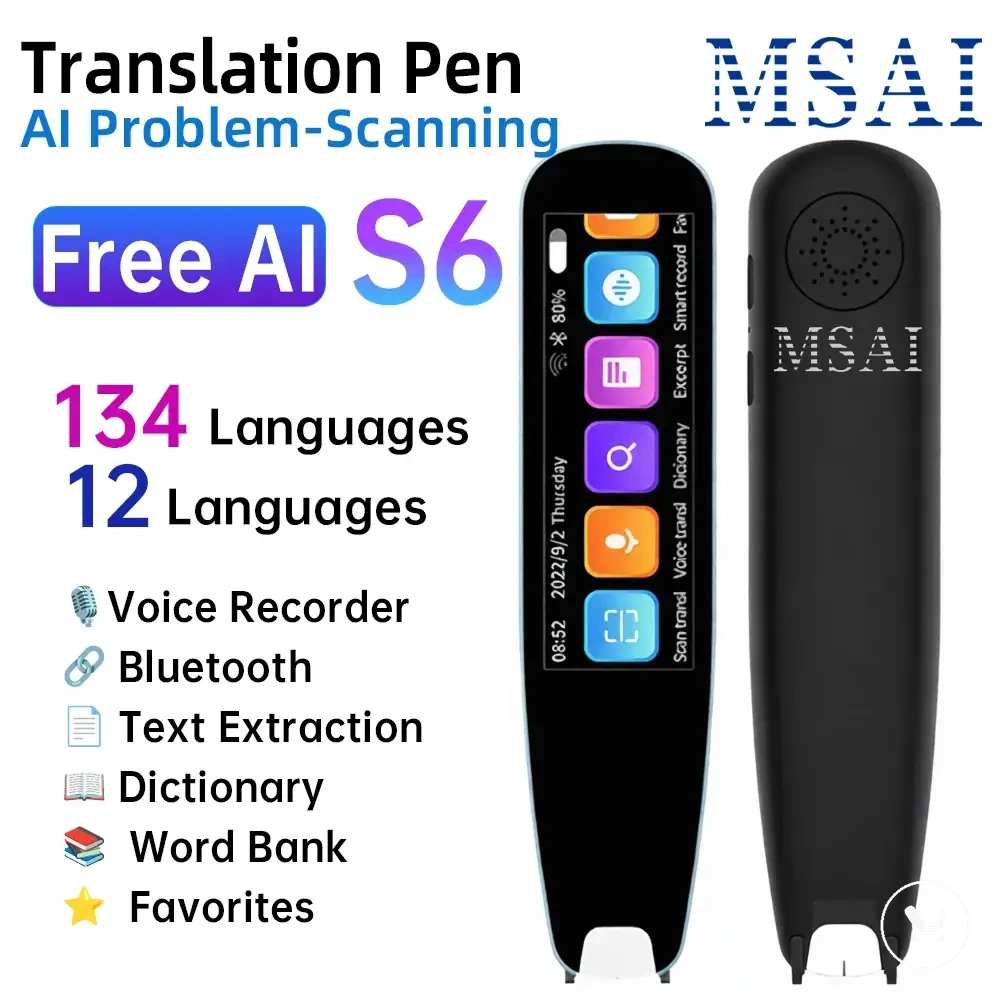
Here are product examples that may make comparison easier. Before buying, always review the compatibility criteria, essential features, and product details.
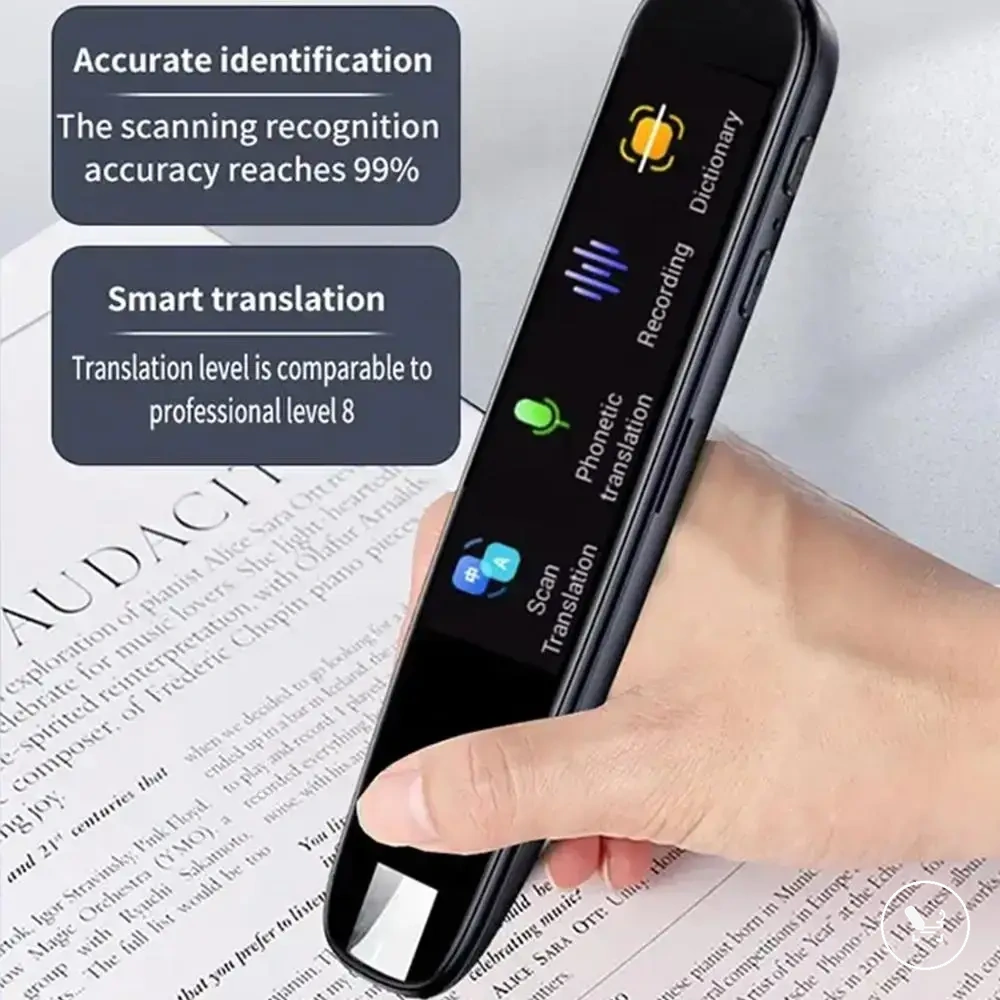
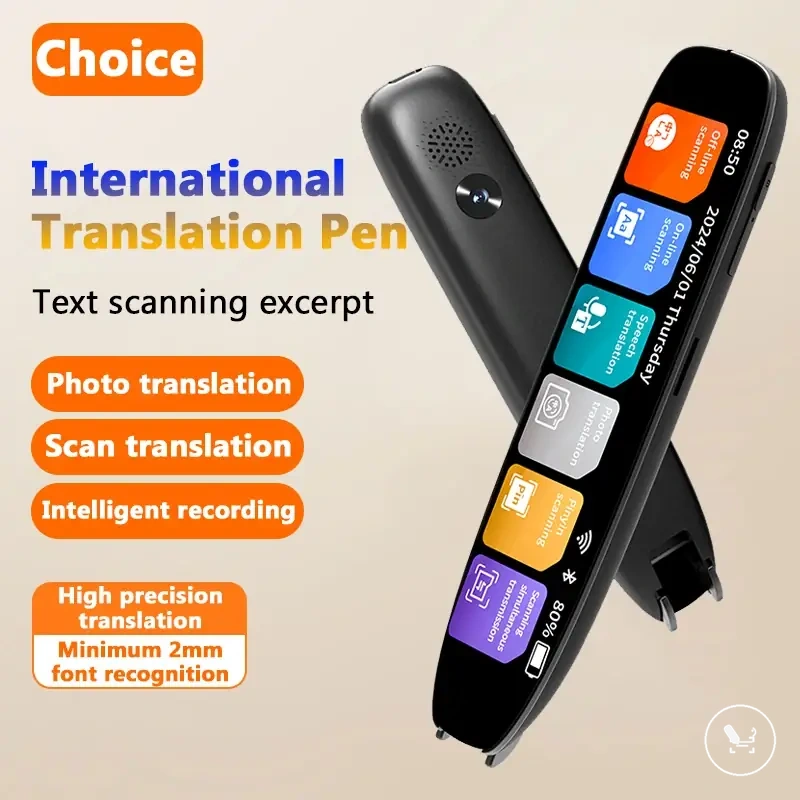
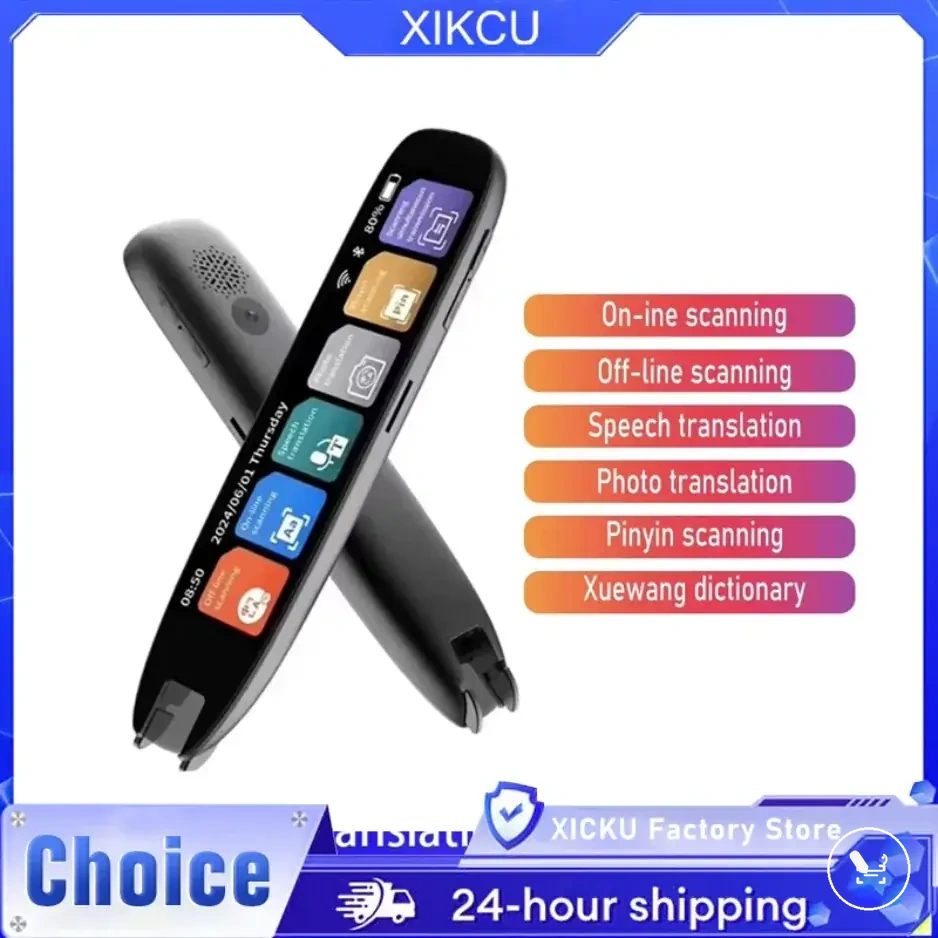
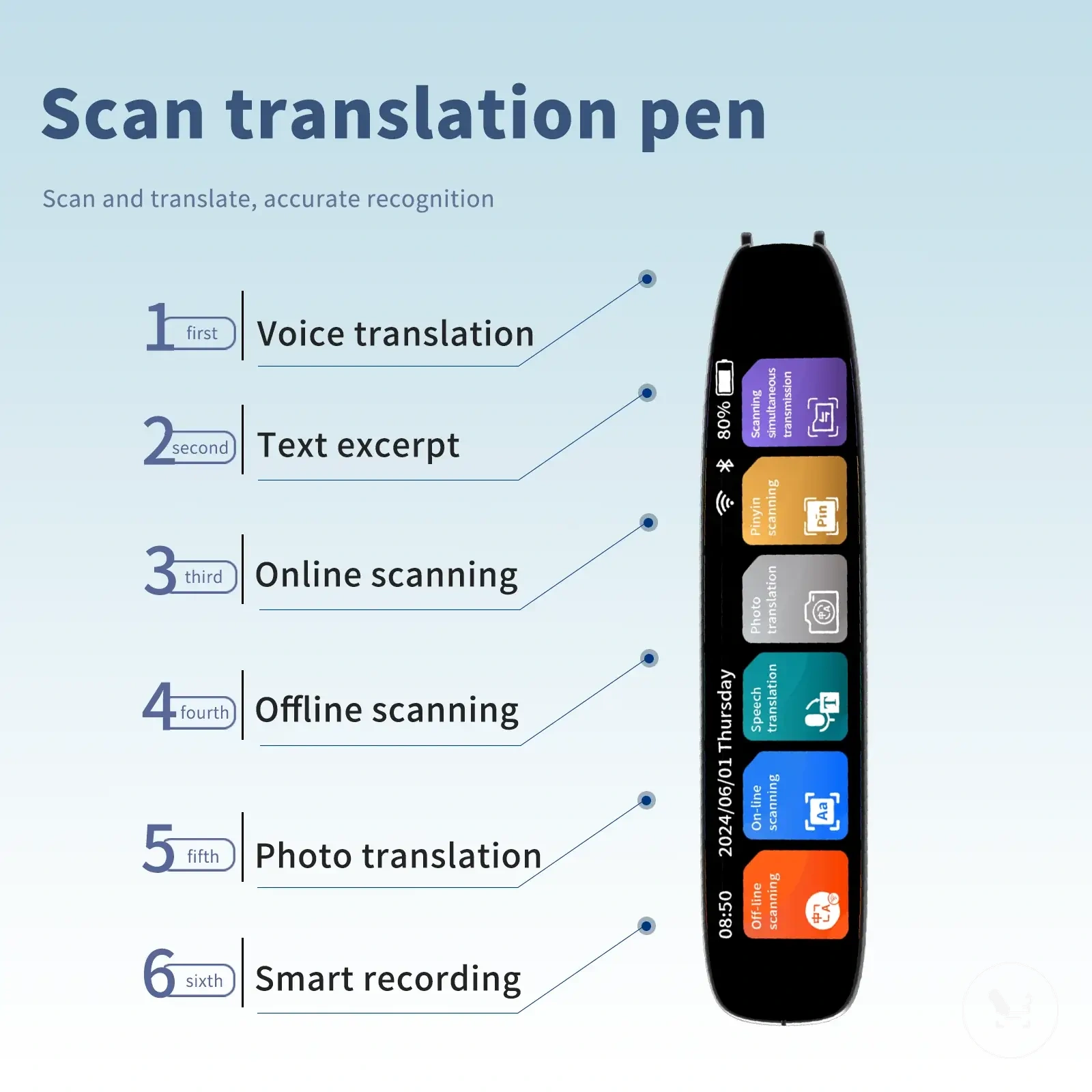
This chart shows the main criteria and steps to select a translator pen, including core technical fit, usability constraints, and a practical matching approach.
Translator pen comparisons and nearby alternatives
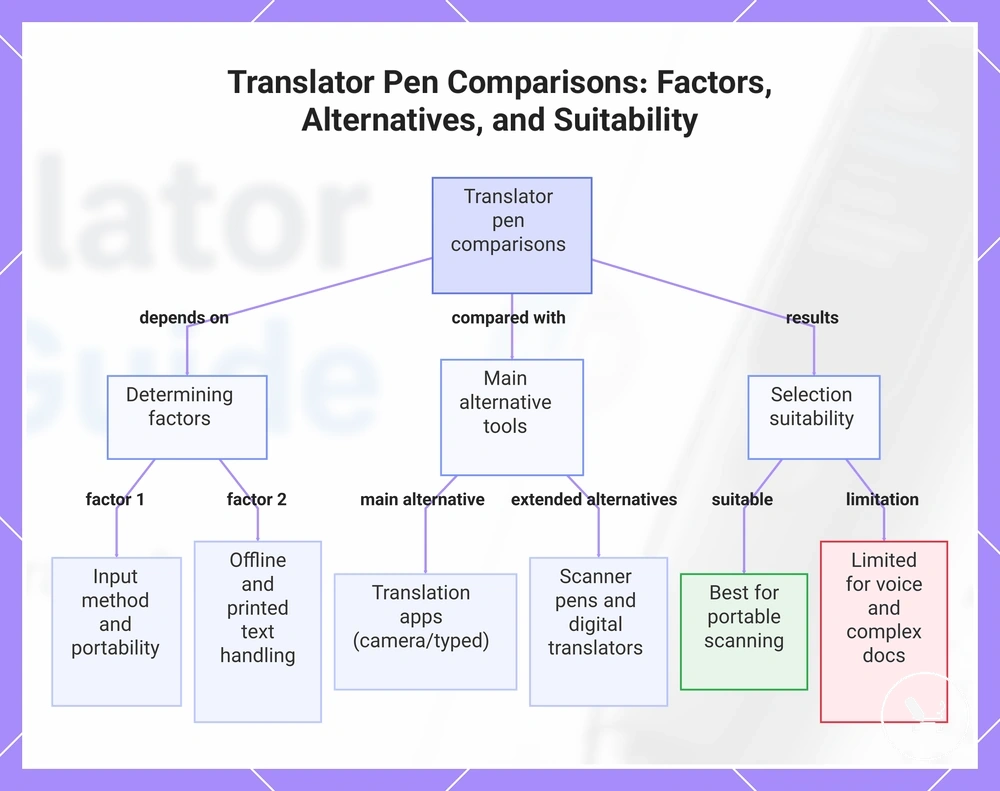
Translator pen comparison depends on input method and context rather than feature count alone. The evaluation is shaped by input method, portability, offline need, printed text handling, and trade-off between speed and accuracy. These factors determine when a translator pen fits better than nearby alternatives.
Translation apps are often used as the main alternative in a translator pen comparison because they rely on phone-based input methods such as camera scanning or typed text, while a translator pen focuses on direct scanning of printed text. Apps may offer broader contextual processing and flexible interface use, but they depend more heavily on device screen interaction and general phone availability. This contrast is commonly described in translator pen comparison where portability, offline need, and input method define the trade-off rather than raw feature strength. :contentReference[oaicite:0]{index=0}
Scanner pens, digital translators, and reading support devices extend the comparison based on how each tool handles input method and reading context. A scanner pen prioritises OCR-based reading support for printed text with structured scanning workflows, while a digital translator often focuses on voice input and travel-oriented communication scenarios. Reading support devices tend to emphasise accessibility features such as text-to-speech rather than fast scanning interaction. These alternatives differ mainly in portability, offline need, and how they process printed text versus spoken interaction.
Translator pens are most suitable when portable scanning of printed text is the primary requirement and quick lookup is needed in constrained environments. They are more limited when voice conversation, complex document handling, or broader conversational translation is required, where other device types may provide better alignment. Selection depends on the trade-off between focused printed text scanning and broader translation flexibility across different use cases.
Here are product examples that may make comparison easier. Before buying, always review the compatibility criteria, essential features, and product details.
This chart illustrates the key factors that determine when a translator pen is a better choice, the main alternative tools it is compared with, and the suitability trade-offs for selecting between them.
Translator pen, translation app, scanner pen, and digital translator differences
Translator pen, translation app, scanner pen, and digital translator differ mainly by input method, output format, and printed-text suitability. Each tool type processes language in a different way, which affects how users interact with text in real scenarios. The comparison is primarily defined by input method, which determines portability, offline capability, and reading context.
A translator pen comparison shows that a translation app relies on phone-based camera input or typed input, while a translator pen uses direct scanning of printed text for focused reading. Scanner pens are closer to reading support devices, prioritising OCR-based scanning and text-to-speech output, while digital translators typically rely on voice input for travel communication and may vary in offline capability. A clear boundary example is that a translation app is often better for conversation scenarios, while a translator pen is more suitable for printed-text suitability in reading-focused tasks.
| Tool type | Input method | Output format | Offline capability | Printed-text suitability |
|---|---|---|---|---|
| Translator pen | Scanning tip | Text and/or audio | Often limited or partial | High |
| Translation app | Camera or typed input (phone) | On-screen translation | Varies by app | Medium |
| Scanner pen | OCR scanning device | Text-to-speech or text output | Often available in basic form | High |
| Digital translator | Voice input | Spoken translation | Often required for offline travel use | Low |
Source: :contentReference[oaicite:0]{index=0}
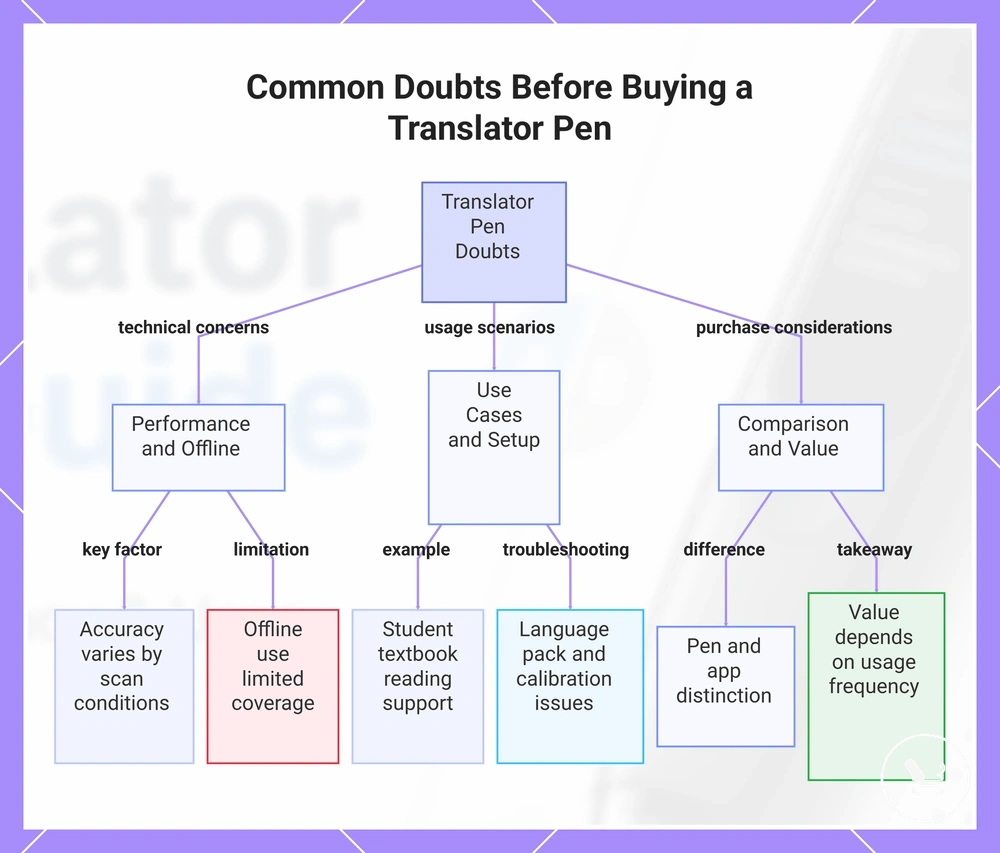
Common doubts before buying a translator pen
Is translator pen accuracy reliable for everyday use?
Translator pen accuracy can vary depending on scan conditions and language pair selection. Clear printed text and stable scanning usually improve result quality. In many cases, accuracy is more consistent in structured reading situations, but it may reduce when text is unclear or poorly formatted.
Can translator pen work without internet (offline use)?
Offline use is possible on some translator pen models, depending on installed language packs. Offline capability may limit language coverage compared to connected modes. This can affect translation depth in certain situations, especially when broader language support is required.
Are translator pens suitable for students and travel use?
Translator pens can support students by helping with textbooks and reading support during language learning. For travel, they may help with menus and signs that require quick printed-text translation. Their usefulness depends on reading context and how often printed material needs to be scanned.
How do translation app and scanner pen differ from a translator pen?
A translation app typically uses phone-based camera or text input, while a scanner pen focuses on OCR-based reading support. A translator pen is designed for direct scanning of printed text in a portable format. A translation app may be more flexible for conversation, while scanner pens often focus on structured reading tasks.
What setup or troubleshooting issues can affect a translator pen?
Setup and troubleshooting issues may include language pack installation, charging, or scanning calibration. Incorrect scan angle or poor lighting can also affect performance. Users can check basic setup steps and guidance through translator pen troubleshooting before adjusting device settings.
Is a translator pen good value for its cost?
Translator pen value depends on usage frequency, required features, and reading needs. Frequent users may benefit more from portability and scanning speed. Occasional users may find simpler tools sufficient depending on how often printed-text translation is needed.
This chart outlines the common doubts about translator pen accuracy, offline use, suitability, setup, comparison, and value.