Translator pens for dyslexia reading support
Translator pens are reading-support devices that may assist dyslexia reading support by converting printed text into spoken output using OCR scanning and text-to-speech functions. They are used to help reduce reading difficulty by turning written lines into audio feedback that can be followed in real time.
OCR scanning allows the translator pen to capture printed text line by line, while scan-to-speech processing converts the recognized content into text-to-speech output. This combination helps users access written material through audio, supporting comprehension when reading difficulty affects direct text decoding.
The level of support can vary based on reading difficulty, text clarity, device accuracy, and audio quality. Translator pens are not a medical treatment and do not guarantee specific learning outcomes. Their usefulness depends on the reader’s environment, the type of printed material, and how consistently the OCR scanning process interprets the text.
Choosing a translator pen for dyslexia reading support depends on factors such as OCR scanning reliability, scan-to-speech clarity, and the reader’s daily use context. The following sections focus on how these criteria influence selection, limitations, and practical suitability for different reading needs.
How translator pens support dyslexic reading
Translator pens support dyslexic reading by turning printed text into spoken output through scan input and OCR scanning. The device reduces reading difficulty by converting written words into text-to-speech feedback that can be followed audibly in real time.
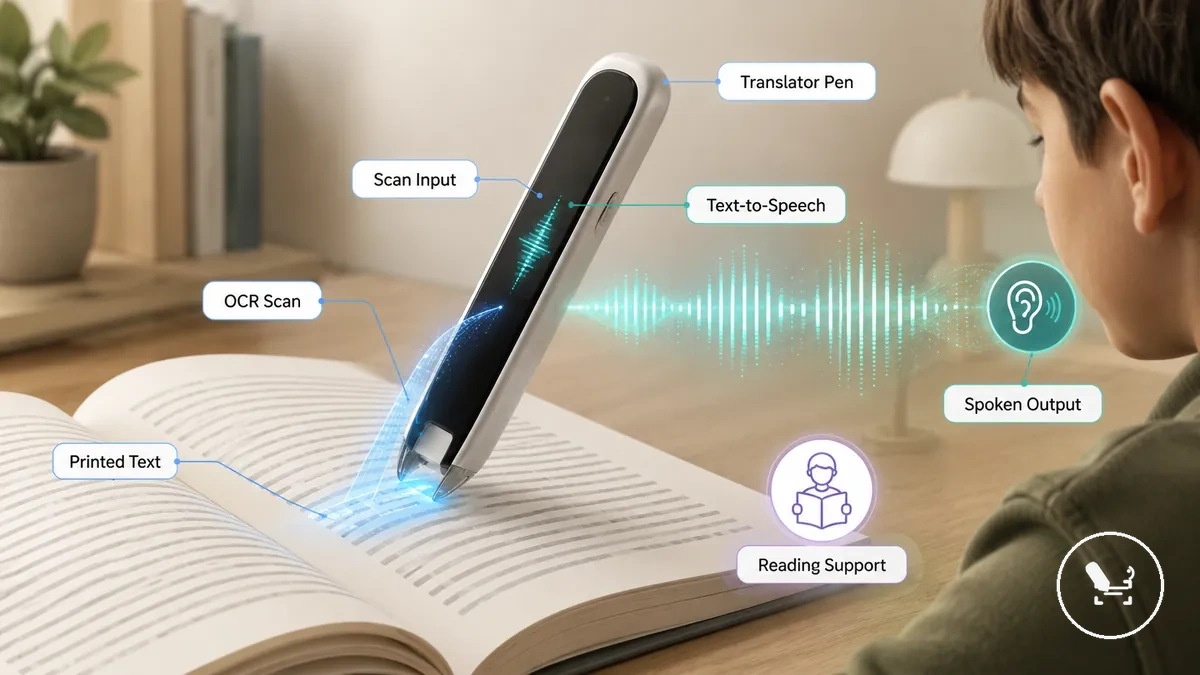
The support process starts when a translator pen captures printed text through OCR scanning and sends it into a text-to-speech engine. A translator pen guide helps explain how scan input, recognition, and spoken output connect within this reading-support workflow. The result is a scan-to-speech tool that can support reading assistance by reducing decoding effort in many cases, depending on text clarity, scan accuracy, and audio output quality.
In practice, a reader may scan a sentence in a book using the translator pen, then listen to the spoken output to follow the meaning line by line. This can support dyslexia reading support in school or home environments, but the outcome varies based on reading difficulty level, printed text condition, and how consistently OCR scanning interprets the content.
Text-to-speech support from printed words
A translator pen supports reading support by allowing a user to scan printed text with scan input and immediately hear text-to-speech output as spoken output. The reader pen captures printed text line by line and converts it into audio that can be followed as part of dyslexia reading support when reading difficulty affects word recognition.
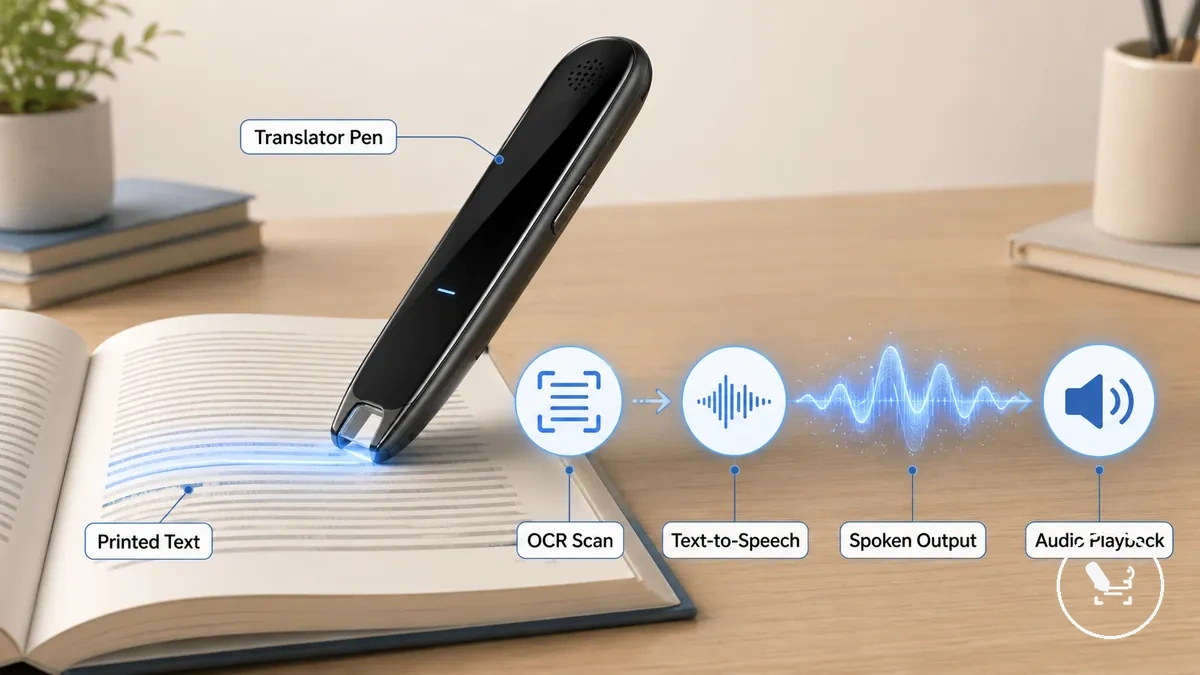
This process follows a clear sequence where printed text is captured through OCR recognition, converted into text-to-speech, and delivered as spoken output to reduce decoding burden during reading. The translator pen enables this scan input workflow, but the reading support effect depends on scan accuracy, text condition, and audio clarity, and it may vary based on the reader’s environment and reading difficulty level.
OCR scanning support for line-by-line reading
OCR scanning support for line-by-line reading is the attribute that enables a translator pen to capture printed lines through OCR before any speech output is generated. This mechanism connects text handling with scan accuracy, where printed text is segmented into readable units that can be processed for audio clarity and reading support. The effect depends on how precisely the scan reader pen tracks each line during movement across the page.
This OCR-based process links scanner tip contact, text capture accuracy, and spoken output into a single reading chain that supports line-by-line understanding. A mini-checklist of this flow includes: scanner tip stability during movement, OCR recognition consistency across printed text, and resulting speech output quality that influences reading support outcomes. OCR performance is typically strongest on clear printed text with consistent formatting, while irregular layouts or distorted fonts may reduce scan accuracy and affect audio clarity, leading to less consistent text handling during playback.
Reading pen versus translator pen for dyslexia
A reading pen versus translator pen for dyslexia depends on whether the user prioritizes reading-only support or multilingual translation features. The reading pen is focused on decoding printed text into speech output for comprehension support in a single-language context. The translator pen extends this by adding translation features alongside speech output, which can change how printed content is processed in multilingual learning environments.
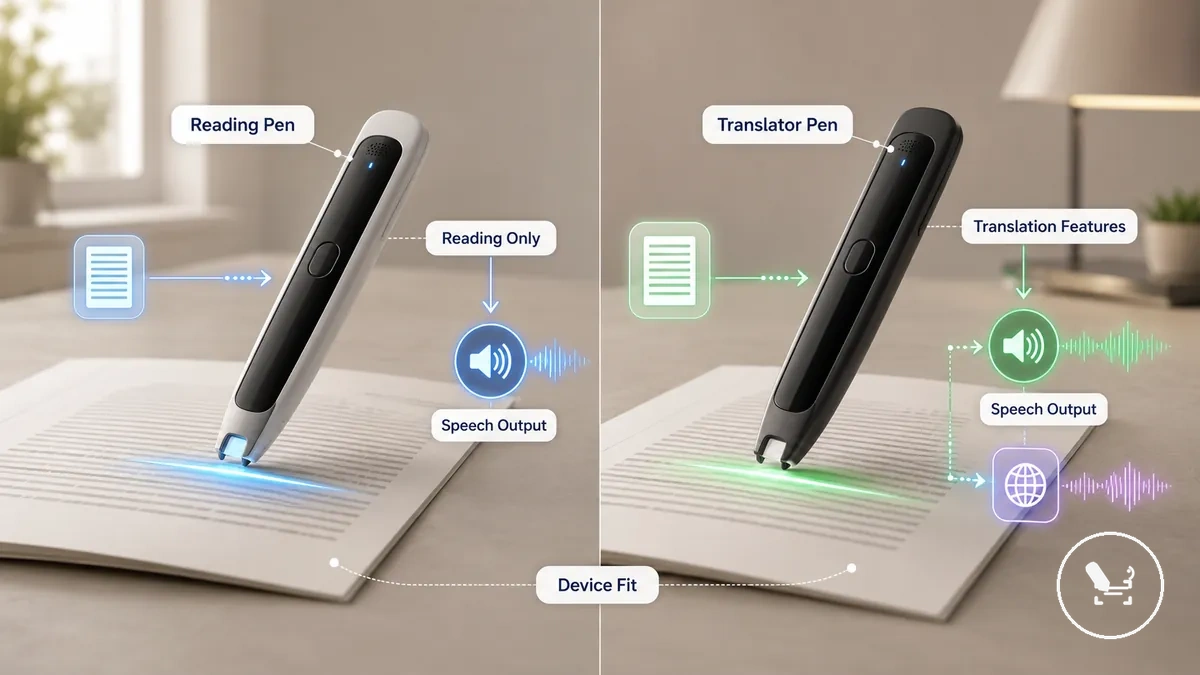
The difference between a reading pen and a translator pen can be evaluated through core criteria such as reading-only support, translation features, speech output behavior, and overall device fit. Both devices rely on scan input and OCR scanning to capture printed text, but their output layers differ depending on whether the goal is focused reading assistance or additional language translation. The comparison below outlines the functional distinction without implying that one option is universally better than the other.
| Option | Main support | Trade-off | Best-fit use case |
|---|---|---|---|
| Reading pen | Reading-only support with speech output | No or limited translation features | Single-language reading assistance and decoding support |
| Translator pen | Reading support with translation features | More complex feature set | Multilingual reading and mixed-language learning contexts |
The choice between a reading pen and a translator pen depends on the user’s reading environment, language requirements, and learning context. If the primary need is reading-only support with speech output, a reading pen may better align with that focused task. If translation features are also required alongside reading assistance, a translator pen may better match the device fit depending on how the user interacts with multilingual printed text.
Reading-only support versus translation features
If the primary need is focused reading assistance, a reading pen aligns with reading-only support, while a translator pen is more relevant when translation features are required. Both reading pen and translator pen may use scanning and OCR processing to interpret printed text. The key difference lies in how speech output is generated and whether language conversion is included alongside it.
The comparison between reading-only support and translation features can be understood through core factors such as device function, output type, reader benefit, and possible mismatch with user needs. A reading pen typically prioritises direct speech output from printed text in a single-language reading context. A translator pen extends this by adding translation features that process printed content into another language before or alongside speech output. This difference affects how each device handles text complexity and how well it matches specific reading environments.
The choice between a reading pen and a translator pen depends on whether the user’s primary need is decoding printed text or working with multilingual content. If reading-only support is the main requirement, a reading pen usually aligns with simpler interaction and direct speech output. If translation features are also necessary, a translator pen may better match the overall device fit depending on the reading context and language demands.
When a dedicated reader pen may fit better
When reader need prioritizes reading-only support and simpler interaction, a dedicated reader pen may fit better than a translator pen. This depends on the device criterion, text type, and the level of support condition required for reading support. The selection risk usually changes when translation features are not needed and the focus stays on decoding printed text through speech output.
| Entity / part | Attribute / criterion | Value / condition | Effect / decision |
|---|---|---|---|
| Reader pen | Device criterion | Reading-only support focused setup | Simpler speech output flow for reading support |
| Reader need | Text type | Single-language printed content | More consistent decoding without translation layer |
| Support condition | Feature scope | No translation features required | Reduced selection risk from feature complexity |
| Device fit | Usage context | School or structured learning environment | More predictable reading support interaction |
Selection between a reader pen and a translator pen depends on how strongly the reader need is tied to reading-only support rather than translation features. When the text type is single-language and the support condition focuses only on decoding printed text, a reader pen aligns more closely with the device criterion. In these cases, reducing feature scope can lower selection risk and keep reading support more direct through speech output without additional processing layers.
A dedicated reader pen may fit better when simplicity, focused reading support, and consistent speech output are more important than multilingual handling. When translation features are not required, the device fit tends to align more closely with straightforward reading environments. The final decision remains dependent on whether the reading task stays within reading-only support or extends into translation needs.
Where a translator pen helps most for reading difficulties
When reader need involves decoding printed text in structured learning or everyday tasks, a translator pen may be most useful in specific reading contexts. Its reading support depends on scan input from printed text being converted into text-to-speech spoken output, which can reduce decoding effort when text type and environment align with the user’s support condition.
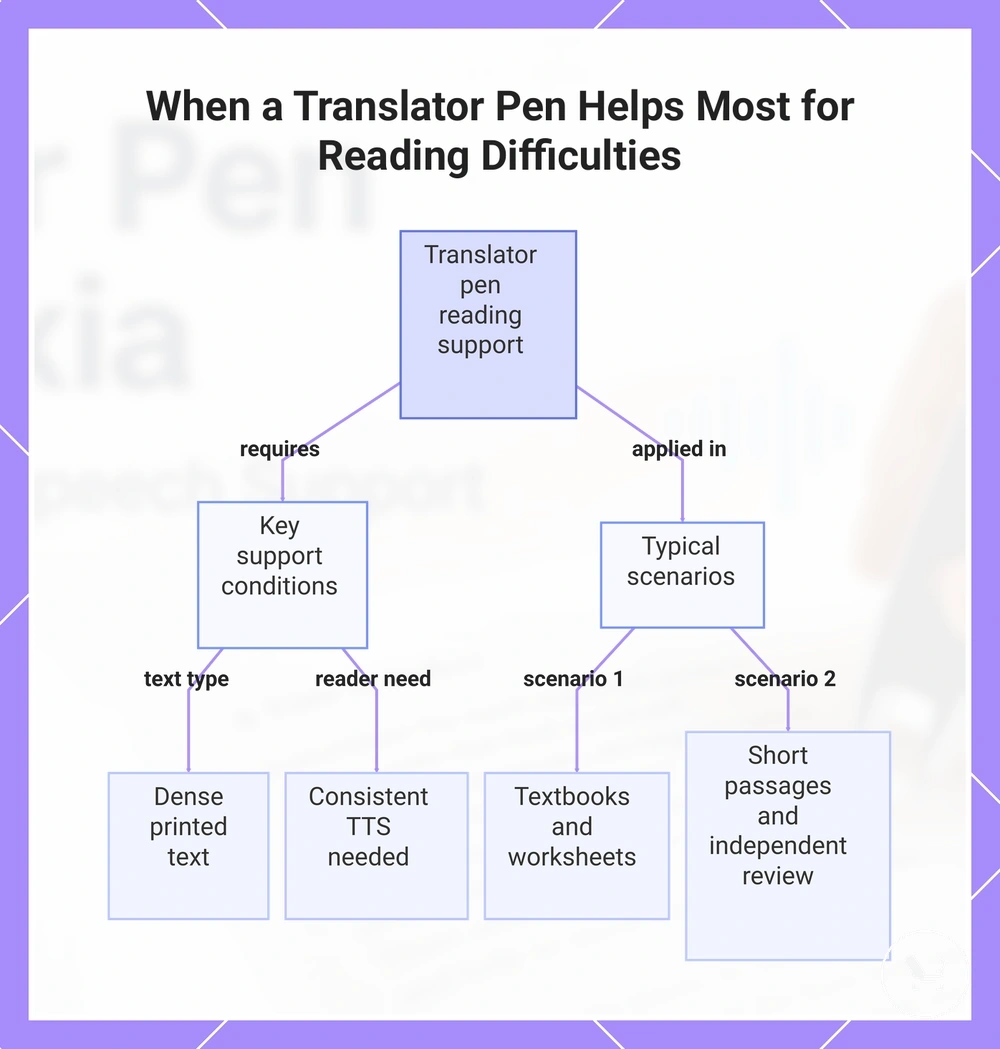
Usefulness varies based on text type, environment, and reader independence. A translator pen is often more relevant when printed text is dense, when repeated listening supports comprehension, or when consistent spoken output is needed across different settings. The following scenarios show where it is typically applied:
- Textbooks used for subject-heavy study where continuous reading support is required
- Worksheets that include step-by-step printed instructions
- Printed instructions in classroom or assignment tasks requiring repeated reading
- Short passages that benefit from repeated text-to-speech playback for understanding
- Independent review of notes or study material using scan input and spoken output
- Supported study tasks in school, home, or quiet work environments
These use cases show that a translator pen is most effective when reading support needs consistent text-to-speech output from printed text rather than occasional lookup. In many cases, using a translator pen for reading helps structure reading tasks, but the actual outcome still depends on scan accuracy, text clarity, and the specific reading environment.
This chart shows the key conditions and typical scenarios where a translator pen provides effective reading support, with effectiveness depending on scan accuracy, text clarity, and environment.
Student reading and study support
A translator pen supports student reading and study support by helping students process printed study material when direct reading is difficult. Reading support is delivered through scan input from printed text, which is converted into text-to-speech spoken output, allowing students to follow content through audio during study tasks. This can help structure understanding when decoding printed text requires additional support.
In practice, a translator pen may be used with textbooks, worksheets, revision notes, and classroom-adjacent reading tasks. The student reads printed material by scanning sections of text, while the device provides spoken output that may support comprehension and study participation or more independent review depending on the situation. student translator pen use may vary based on classroom conditions and how study tasks are structured, and it can depend on teacher approval, accessibility planning, or school rules.
Independent reading at home or work
A translator pen supports independent reading at home or work by helping users process printed text when direct reading is difficult. The translator pen captures scan input from printed text and converts it into text-to-speech spoken output, allowing reading support through audio instead of decoding every word manually. This can help with short passages, workplace instructions, labels, or forms where quick understanding is needed.
In home or work settings, a translator pen may be used to scan printed text such as household documents, work instructions, safety labels, or short notes, with spoken output providing immediate reading support. The effectiveness depends on scan accuracy, text condition, and audio clarity, and it may vary based on the complexity of the material and the environment. Reading support is usually more consistent when printed text is clear and tasks are short, while longer or complex documents may require repeated scanning for better understanding.
Features that matter for dyslexia reading support
Features that matter for dyslexia reading support depend on how the device criterion handles speech, scanning, and output reliability in relation to the reader need. Reading support is shaped by how printed text is converted into text-to-speech output through scan input, and how consistently spoken output reflects the original text across different text types and reading conditions. These factors influence the overall selection risk more than any single feature in isolation.
The main criteria usually include OCR scanning accuracy, speech output clarity, control usability, and comfort during repeated use. Scan accuracy affects how reliably printed text is captured across different fonts and layouts, while audio clarity influences how easily spoken output can be followed during reading support tasks. Device controls can affect how smoothly scan-to-speech interaction works in practice, especially during longer reading sessions. Reader environment and text type also matter because dense passages or mixed layouts may increase variation in support condition and reading consistency.
| Entity / part | Attribute / criterion | Value / condition | Effect / decision |
|---|---|---|---|
| Translator pen | OCR scanning | Stable or variable recognition depending on text type | Affects reliability of printed text capture and reading support |
| Text-to-speech system | Audio clarity | Clear or uneven spoken output | Influences comprehension of spoken output during reading tasks |
| Scan reader pen | Control usability | Simple or complex interaction design | Affects ease of scan input during continuous reading support |
| Reading-support device | Comfort | Ergonomic or less ergonomic handling | Impacts usability during extended reading sessions |
| Reader need | Support condition | Simple text vs dense or mixed printed text | Changes suitability and selection risk |
In practice, suitability for dyslexia reading support depends on how well scan accuracy, audio clarity, and usability align with the reader need and text type. When these criteria match the reading environment, reading support through text-to-speech output tends to be more consistent, but outcomes can still vary based on printed text quality and processing stability.
Speech clarity, pronunciation, and audio output
Speech clarity, pronunciation, and audio output is a key attribute that defines how a scan reader pen converts OCR results from printed text into speech output for reading support. This attribute depends on OCR accuracy, scan accuracy, and text handling, because errors in recognition can directly affect how clearly the spoken output represents the original printed text. Audio clarity therefore becomes a core factor in how usable the reading-support device is during real reading tasks.
This attribute matters because the reader need relies on listening to speech output instead of decoding printed text visually. In practice, scan accuracy and text handling influence whether pronunciation sounds natural or fragmented, especially when the text includes complex words or irregular formatting. Audio clarity may also vary depending on listening conditions such as background noise, speaker quality, or user attention level. The following points summarize key conditions that affect reading support outcomes:
- OCR recognition quality and consistency across printed text types
- Stability of speech output during continuous scanning
- Impact of scan accuracy on pronunciation and word segmentation
- Listening environment and its effect on audio clarity perception
When these factors align positively, reading support through text-to-speech output becomes easier to follow, but variations in scan accuracy or text handling can still influence overall comprehension depending on the reading context.
Scan accuracy, reading speed, and text handling
Scan accuracy, reading speed, and text handling describe how a scan reader pen processes OCR input from printed text and converts it into speech output for reading support. This attribute is shaped by how consistently scan accuracy captures characters, how quickly text handling processes them, and how clearly speech output represents the original content. When these elements work together, audio clarity becomes easier to follow during reading tasks that rely on continuous text-to-speech output.
This attribute affects real use because reading speed and scan accuracy together determine how smoothly printed text is converted into spoken output without delays or misread segments. Text handling quality influences how well punctuation, spacing, and word structure are interpreted, which can affect overall comprehension during reading support. In practice, users often evaluate performance based on how stable OCR results feel across their common reading materials. Key conditions include:
- Consistency of scan accuracy across different printed text types
- Balance between reading speed and speech output stability
- Effectiveness of text handling in maintaining readable audio clarity
- Impact of OCR variation on comprehension and reading support confidence
Evaluation of these factors is often supported by checking how a device performs in real conditions, such as through translator pen accuracy, where scan reliability and output consistency can directly influence reading support outcomes.
Source reference: :contentReference[oaicite:0]{index=0}
Screen, controls, headphones, and handling comfort
Screen, controls, headphones, and handling comfort describe the physical and interface features of a reading-support device that shape how users interact with OCR-based functions, scan accuracy, and speech output. These elements influence how printed text is processed through text handling and delivered as audio clarity in a scan reader pen during everyday reading support. The overall usability depends on how consistently these interface and hardware components support low-friction operation.
This attribute affects reading support because device interface design and physical handling determine how smoothly scan-to-speech use works in practice. Screen readability and button simplicity influence how quickly users can trigger OCR scanning and manage speech output without interruption. Headphones can improve audio clarity in shared or noisy environments, while charging access and portability affect sustained use across different settings. Device interface → usability attribute → handling condition → sustained-use outcome can be summarized through key factors such as:
- Screen readability and visibility during OCR scanning feedback
- Button simplicity for controlling scan accuracy and speech output
- Grip comfort and handling stability during repeated text scanning
- Headphones compatibility for clearer audio clarity in different environments
- Charging access and ease of power management for continuous use
- Portability for carrying and using the reading-support device across contexts
These interface and handling factors shape how consistently text handling supports reading tasks over time, with comfort and usability varying depending on user needs, hand size, and usage environment.
Choosing a translator pen for dyslexia use
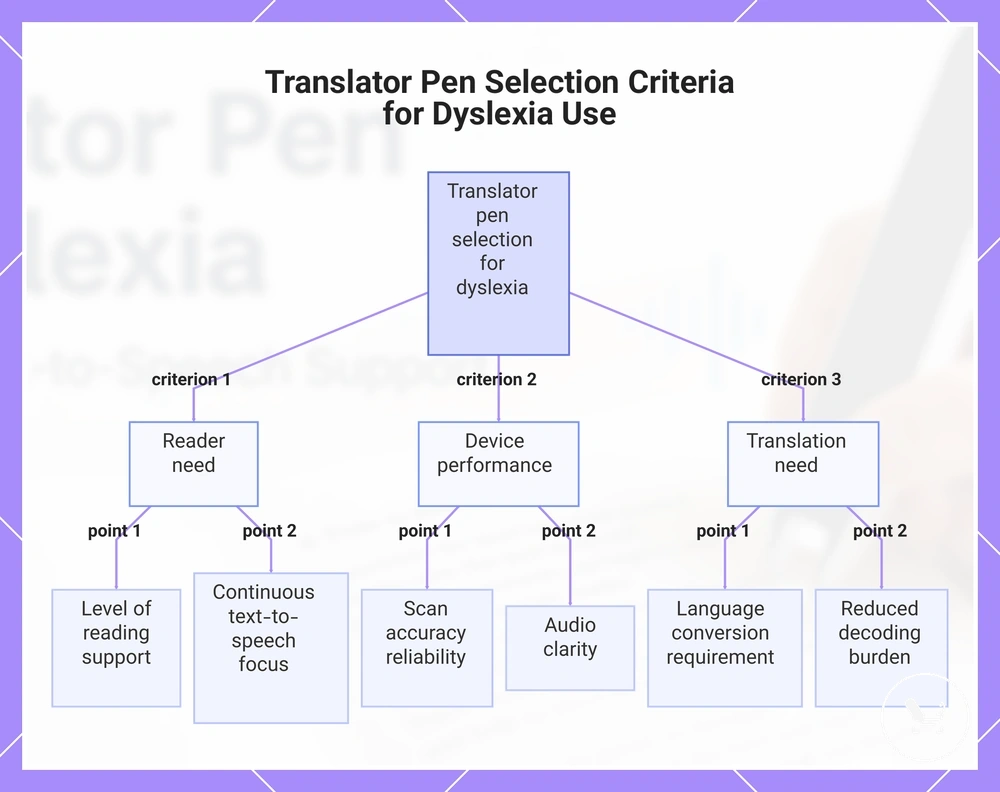
The selection decision for a translator pen for dyslexia use depends on how well the device matches reader need, especially in relation to scan accuracy, audio quality, and whether translation need is required. This decision is shaped by how these conditions combine in real reading support situations rather than any single feature in isolation.
The main criteria for evaluating a translator pen include reader need, scan accuracy, audio quality, translation need, and the overall selection decision context. These factors determine how printed text is processed into speech output and whether the reading-support device fits the user’s environment. A structured checklist helps clarify the evaluation:
- Reader need: level of reading support required for printed text
- Scan accuracy: reliability of OCR scanning across different text conditions
- Audio quality: clarity of speech output during use
- Translation need: whether language conversion is required
- Selection decision: overall balance of usability and support expectations
In school or structured learning environments, a translator pen is typically assessed based on how consistently scan accuracy and audio quality support reading tasks from printed text. In these cases, reader need is often focused on continuous text-to-speech support, so selection depends on stable speech output during repeated use. Environmental factors and handling conditions may also influence usability.
In multilingual or mixed-language contexts, translation need becomes a more important factor in the selection decision, especially when printed text includes unfamiliar vocabulary or multiple languages. Here, scan accuracy and audio quality work together to reduce decoding burden while maintaining understandable spoken output. Suitability varies depending on how frequently translation features are required during reading tasks.
Overall, choosing a translator pen involves balancing reader need with scan accuracy, audio quality, and translation need to reach a practical selection decision aligned with the intended reading environment.
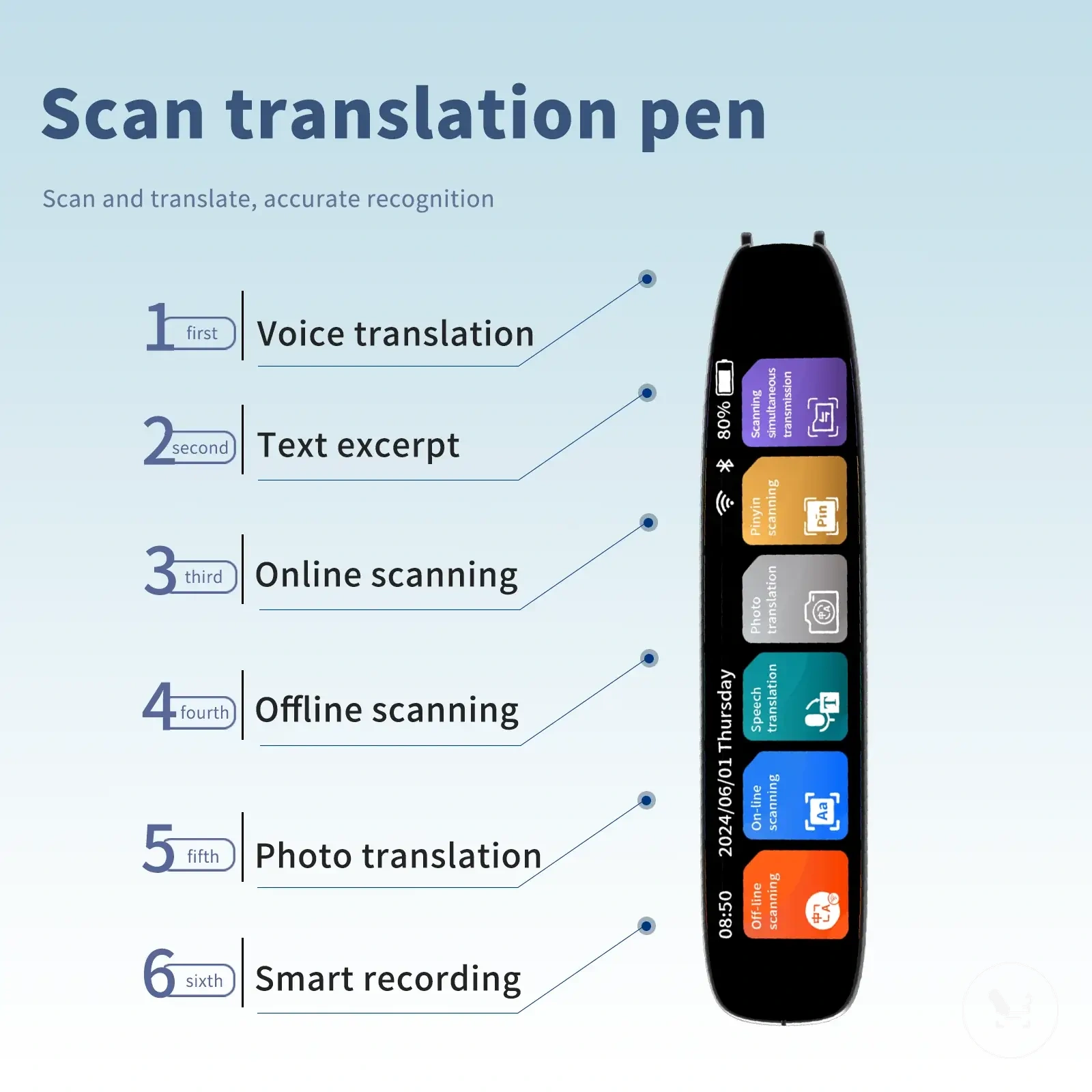
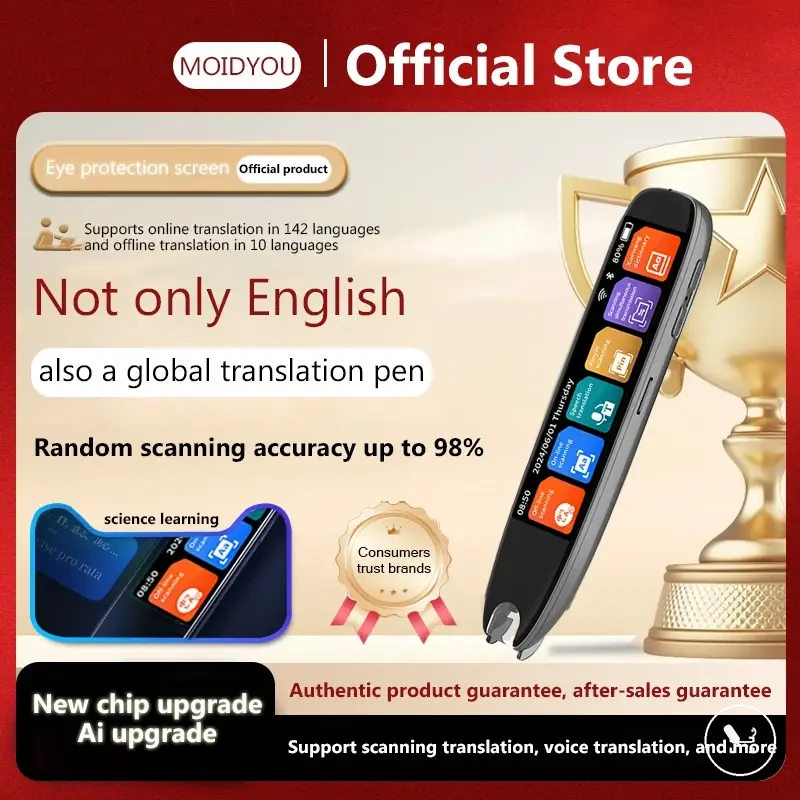
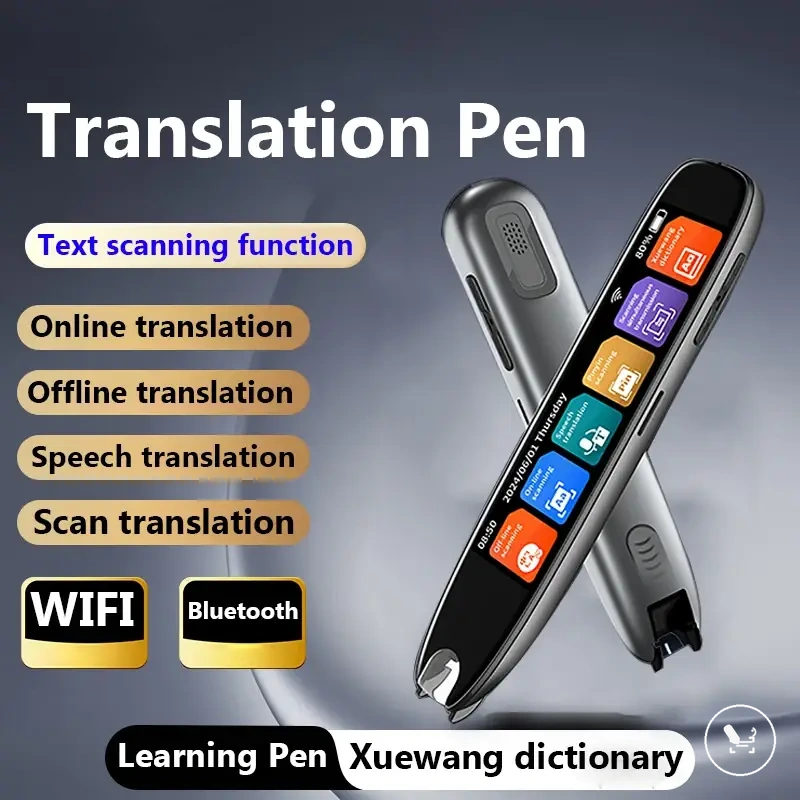
The products below are useful examples for comparing available options. Before buying, check that the compatibility criteria, key features, and product details match your needs.
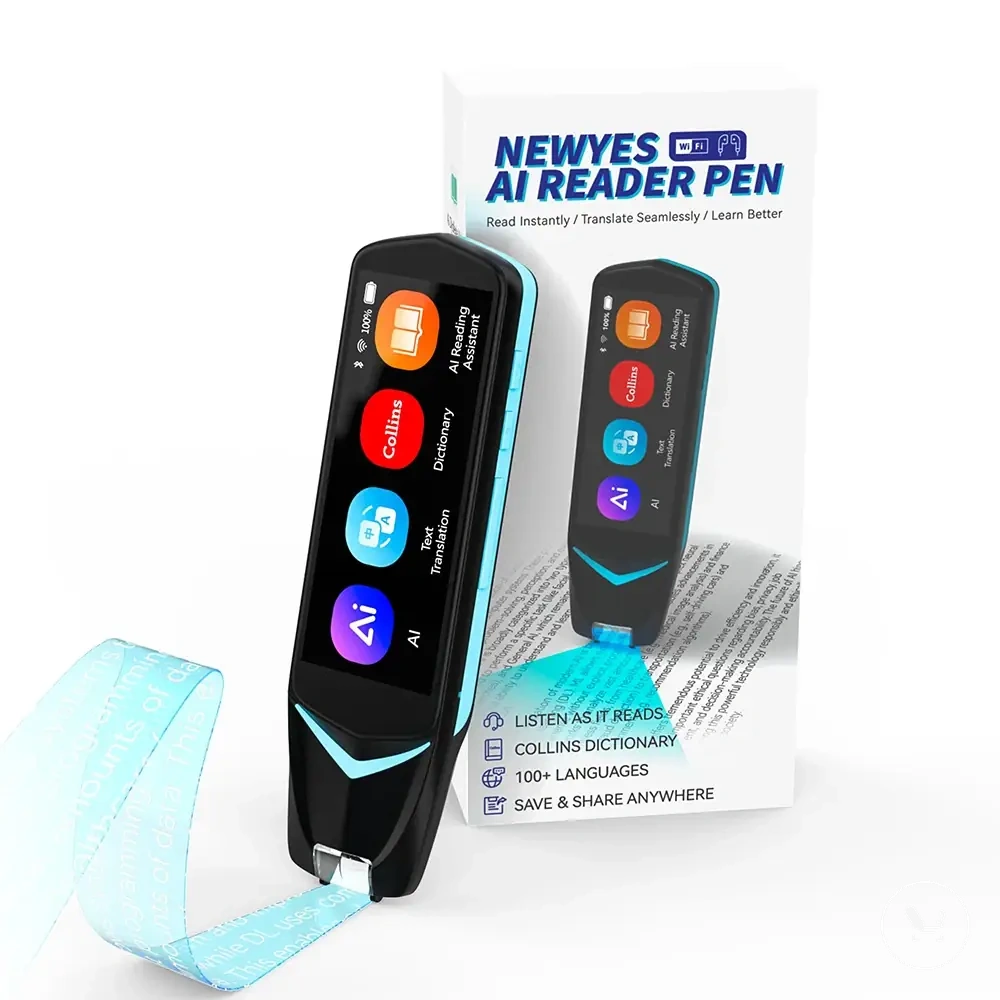
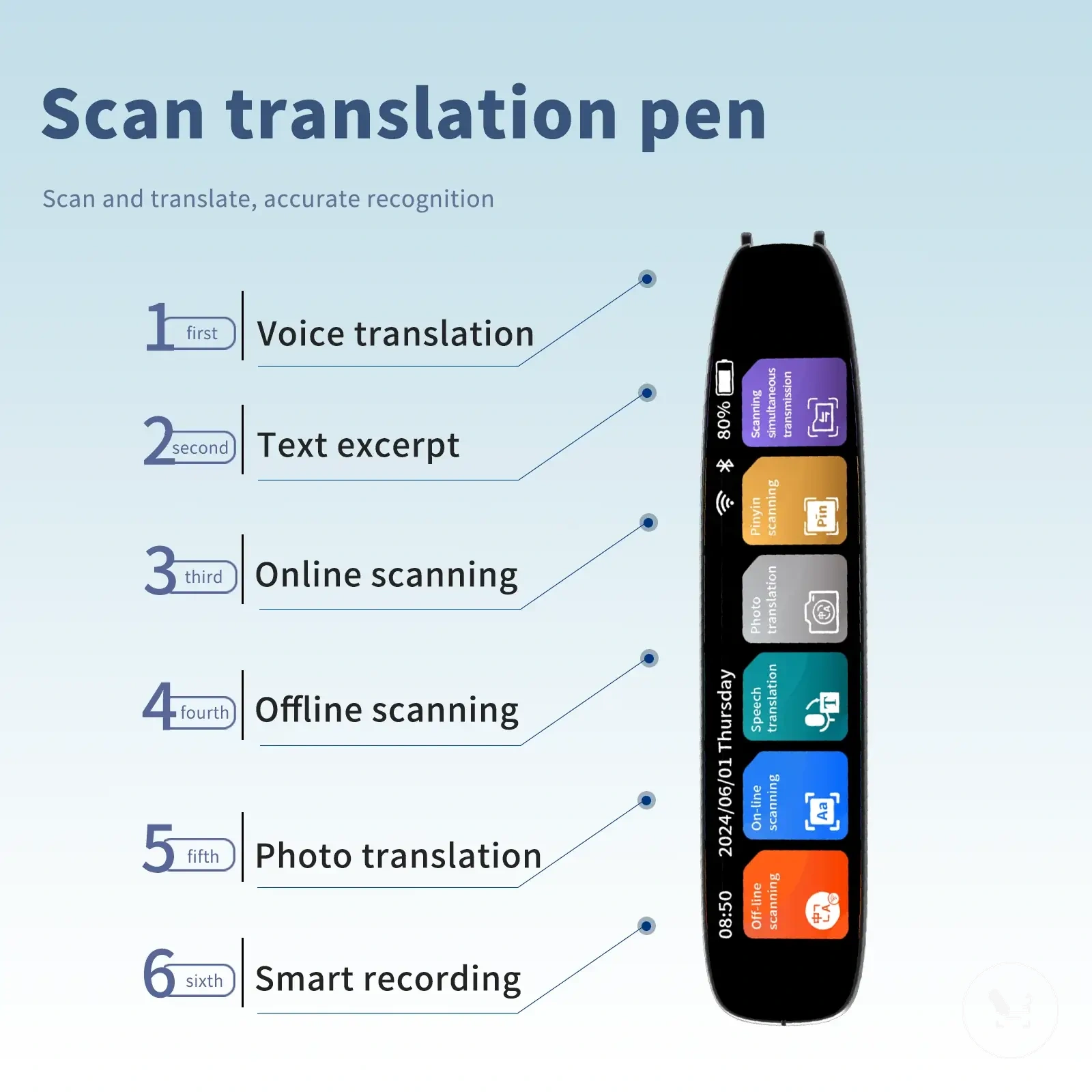
This chart shows the main criteria for selecting a translator pen for dyslexia, including reader need, device performance, and translation need.
Matching the pen to the reader's environment
Matching the pen to the reader's environment depends on how the reader need, device criterion, text type, and support condition interact with real-world reading support settings. The selection risk changes because OCR performance, scan accuracy, and speech output quality vary across environments such as quiet rooms, classrooms, or shared spaces, which directly affects reading support consistency.
The environment influences which device criterion becomes more important during use. In quiet environments like home study, audio quality and consistent text handling often matter more because spoken output can be followed without interruption. In classroom or shared spaces, noise level and privacy needs may shift preference toward headphone use and stronger scan accuracy to maintain usable reading support. In travel or mobile contexts, portability and quick scan response become more relevant due to changing conditions and limited setup time.
- Classroom environment → noise level and permission conditions → need for stable scan accuracy and controlled speech output → consistent reading support outcome
- Home environment → lower noise and higher focus → audio clarity and sustained use → smoother reading support flow
- Work environment → privacy considerations → discreet audio or headphone use → reduced disruption during reading support
- Travel environment → portability and fast access → compact handling and quick OCR response → flexible reading support usage
- Shared spaces → distraction control → headphone use and reliable text handling → more stable selection decision
The selection decision becomes more accurate when the reader need is aligned with environment-specific device criterion rather than treating all settings as identical. In most cases, matching scan accuracy, audio output method, and handling comfort to the expected environment helps reduce selection risk and improves reading support suitability.
Checking translation, dictionary, and offline needs
Compatibility depends on language use, internet access, and study context where the reading-support device is applied. The reader need and device criterion determine whether translation function, dictionary support, or offline mode is actually required alongside core reading support through text-to-speech output.
A practical check of feature need can be structured around how each function behaves in real use conditions:
- Translation function → required when printed text includes multiple languages → depends on language use → increases reliance on language processing capability
- Dictionary support → needed for word-level clarification → supports decoding burden → improves comprehension in complex text type
- Offline mode → required when internet access is limited → maintains reading support without connectivity → reduces dependency risk
- Internet access → needed for real-time language processing features → affects function availability in connected environments
- Reading support only → sufficient when same-language text-to-speech is the main need → reduces feature complexity and selection risk
When the reading task is limited to same-language printed text, reading support alone may be sufficient without translation function, dictionary support, or online dependency. In these cases, selection risk is typically lower because the device criterion focuses only on consistent scan-to-speech output rather than extended language features.
Limits of translator pens for reading support
Limits of translator pens for reading support depend on device capability, text type, reader need, and support condition, and they affect how consistently OCR scanning and spoken output can support reading tasks. The decision frame is that a translator pen can provide reading support through text-to-speech output, but its effectiveness is constrained by scan accuracy, text clarity, and device-level processing conditions.
These limits can be understood through a criteria-based view of real use conditions:
- Text quality → low-quality print, handwriting, or dense layouts → reduced scan accuracy → weaker reading support consistency
- Device capability → OCR processing limits → misrecognition risk → increased selection risk in complex text type
- Support condition → noisy or shared environments → reduced audio clarity → lower comprehension stability
- Reader need → advanced decoding or mixed-language use → higher reliance on translation function → increased feature dependency
- Model variation → differences in reading-support device design → uneven performance → inconsistent output results
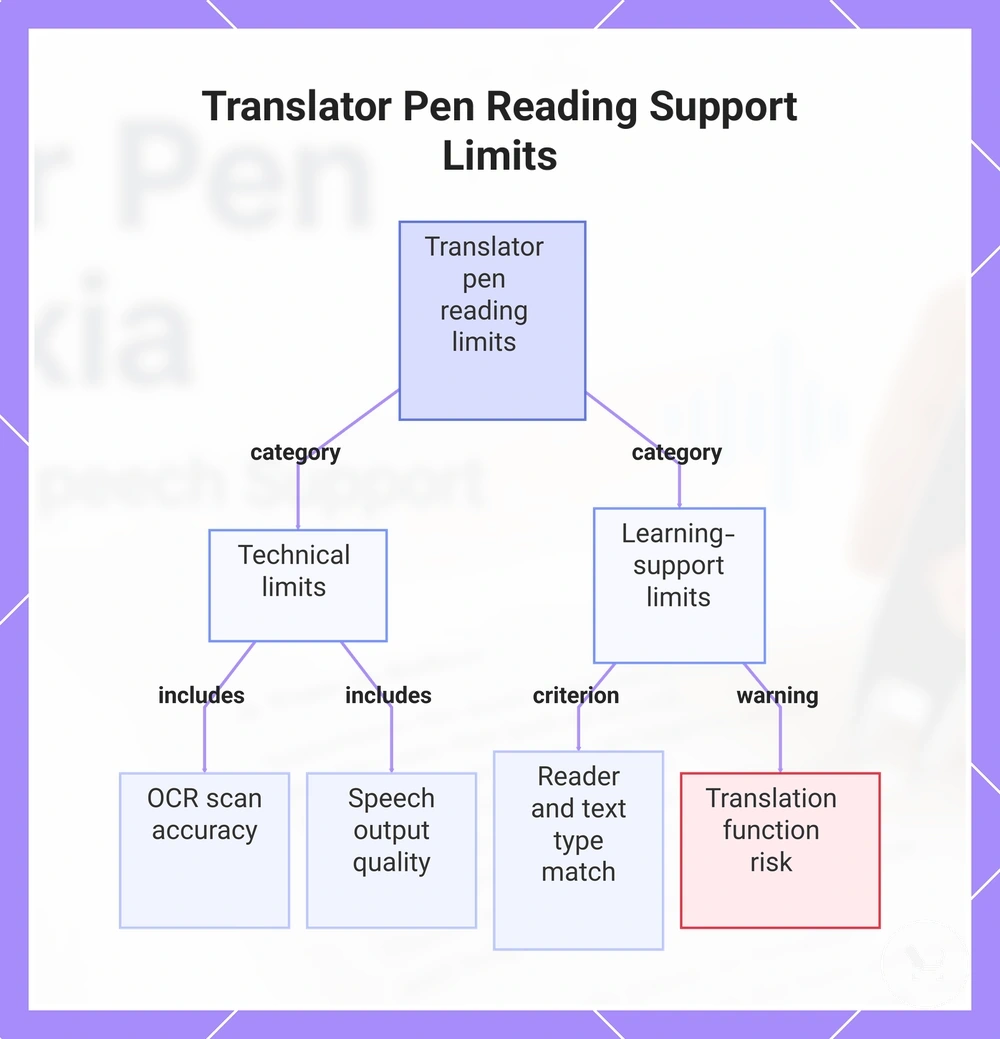
These limits can be separated into technical limits and learning-support limits. Technical limits relate to OCR scanning accuracy, text recognition stability, and speech output quality, while learning-support limits relate to how well the device criterion matches reader need and text type in real reading support scenarios. In many cases, reading support may remain sufficient when the requirement is only same-language text-to-speech, but selection risk increases when translation function or complex language handling is required. :contentReference[oaicite:0]{index=0}
This chart shows the two main categories of limits affecting translator pen reading support: technical constraints and learning-support constraints.
Accuracy limits with fonts, layout, and handwriting
Accuracy limits with fonts, layout, and handwriting describe how OCR performance changes when a reading-support device processes different printed text formats. These limits directly affect scan accuracy, text handling, speech output, and resulting audio clarity when the printed text structure reduces reliable recognition.
Text format directly influences how OCR interprets printed text and produces spoken output. The relationship between text format, OCR condition, recognition quality, and output behavior can be outlined as follows:
| Text format | OCR condition | Recognition quality | Effect on reading support |
|---|---|---|---|
| Small print | Tight character spacing | Lower scan accuracy | Reduced speech output clarity and possible re-scanning need |
| Decorative fonts | Irregular character shapes | Inconsistent OCR recognition | Fluctuating audio clarity and weaker text handling stability |
| Multi-column layout | Non-linear reading order | Misordered text capture | Reduced coherence in spoken output sequence |
| Curved pages | Distorted alignment | Lower OCR accuracy | Interrupted speech output and correction requirements |
| Handwritten notes | Variable stroke patterns | Unstable recognition | Higher selection risk due to inconsistent reading support output |
Support limits for comprehension and learning needs
Scan-to-speech support refers to a support tool that helps access printed words, but it can have limits when it comes to comprehension and learning needs. While the reading-support device converts printed text into spoken output, understanding meaning still depends on how the user processes information after it is delivered through speech output and text handling. This creates a boundary between access to text and full comprehension.
In real learning situations, comprehension, memory retention, and instruction-following may still require human support alongside scan-to-speech use. For example, multi-step instructions, abstract classroom tasks, or unfamiliar subject content may need teacher explanation, guided learning strategies, or other accommodations to support learning needs. In these cases, the support tool helps with access to printed text, but the boundary remains that it does not replace broader educational support or human support needed for deeper understanding.
Using a translator pen safely and consistently
Using a translator pen safely and consistently depends on maintaining a repeatable process where scan input from printed text reliably produces text-to-speech output for reading support. Consistent use helps reduce variation in spoken output and supports smoother reading sessions, especially when handling different printed text conditions. The focus is on building stable habits around scan input, audio control, and reading environment rather than changing device behavior each time.
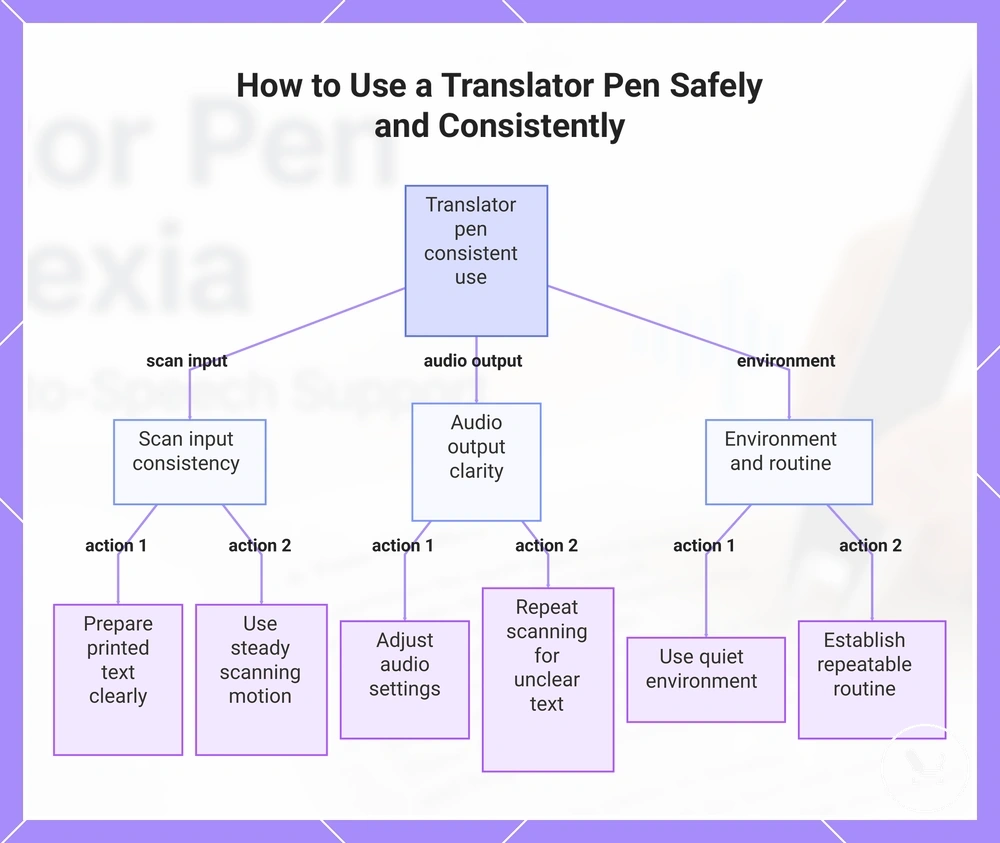
A structured routine can help keep reading support practical and reduce errors or frustration during use. The steps below focus on maintaining consistency across scan input, spoken output, and handling conditions:
- Prepare printed text in a clear, stable position before scanning
- Use a steady scanning motion to support accurate scan input
- Adjust audio settings for clear spoken output during reading support
- Use the translator pen in a quiet or low-distraction environment when possible
- Repeat scanning when printed text is unclear instead of relying on one pass
In practice, a repeatable routine such as using the translator pen at the same study time with similar printed text layout can help stabilize reading support over time. However, effectiveness still depends on scan accuracy, text condition, and environment, so the device should be used as part of a broader reading support approach rather than the only method of learning support.
This chart shows the key areas and actions to maintain consistent and safe use of a translator pen for reading support.
Residual questions about reading support pens
Does a reading support pen help with dyslexia?
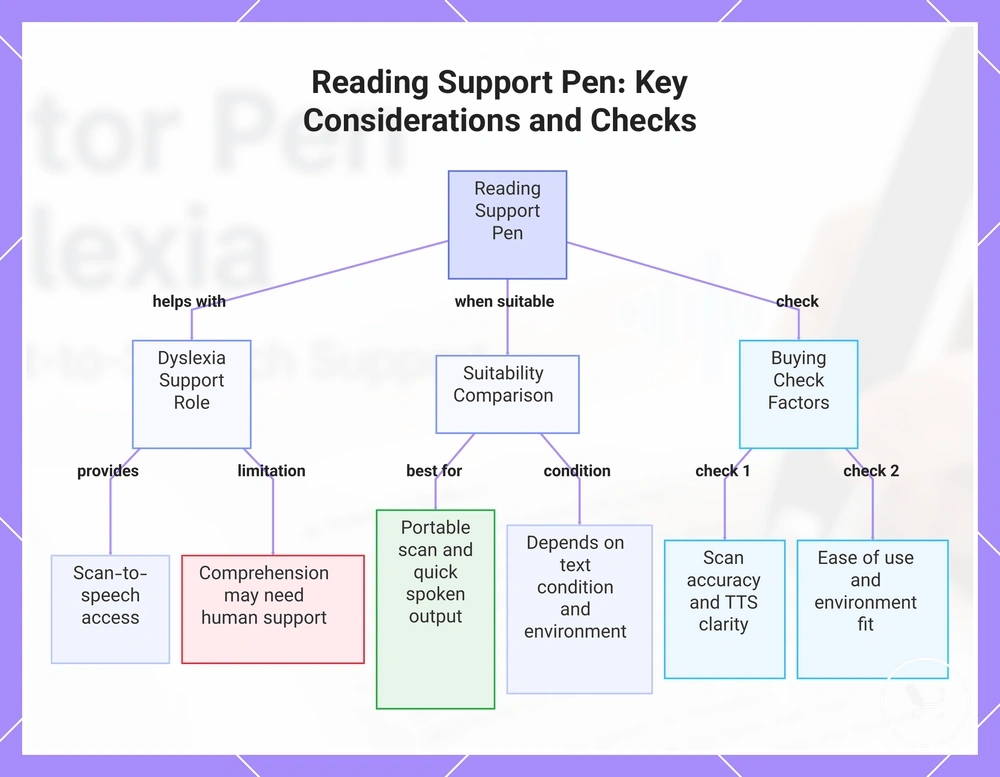
A reading support pen can help with dyslexia by providing scan-to-speech access to printed text, but its effect depends on how it is used within broader learning needs. It supports decoding burden through spoken output, while comprehension may still require human support and additional strategies.
Is text-to-speech enough for reading support?
Text-to-speech can be enough for accessing printed text in basic reading support situations. However, comprehension and learning needs often extend beyond audio output and may require guidance, explanation, or structured teaching support.
When is a reader pen more suitable than other tools?
A reader pen is more suitable when portable scan input and quick spoken output are needed for reading support. Its effectiveness depends on text condition, scan accuracy, and how consistently it fits the reading environment.
What should be checked before buying a reading support pen?
A buying check for a reading support pen should focus on scan accuracy, text-to-speech clarity, ease of use, and suitability for the intended reading environment. These factors help ensure the translator pen matches real usage conditions rather than expected performance alone.
Can a reading support pen be used at home and school?
A reading support pen can be used in both home and school environments when allowed, but performance depends on context such as supervision, noise level, and printed text quality. It works as a support tool, not a complete replacement for learning support.
This chart summarizes the main factors affecting the usefulness of a reading support pen, including its role in dyslexia support, suitability compared to other tools, and key buying checks.